
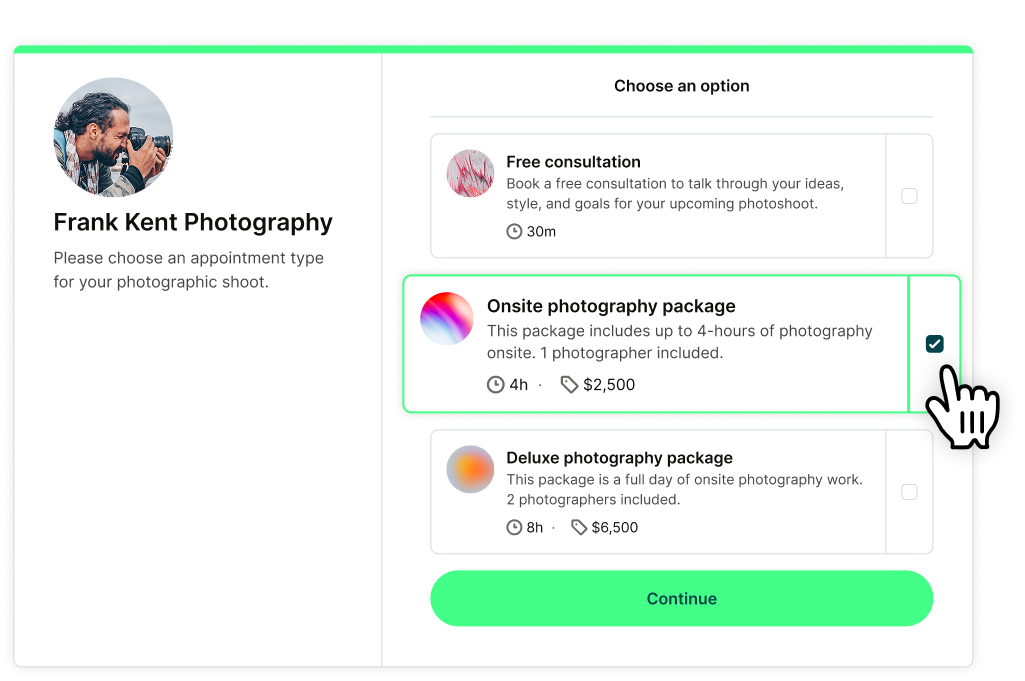
Let bookers choose more than one service
Sometimes one session isn’t enough.
Let bookers select multiple appointment types in a single booking flow—perfect for multi-step services or bundled offerings.
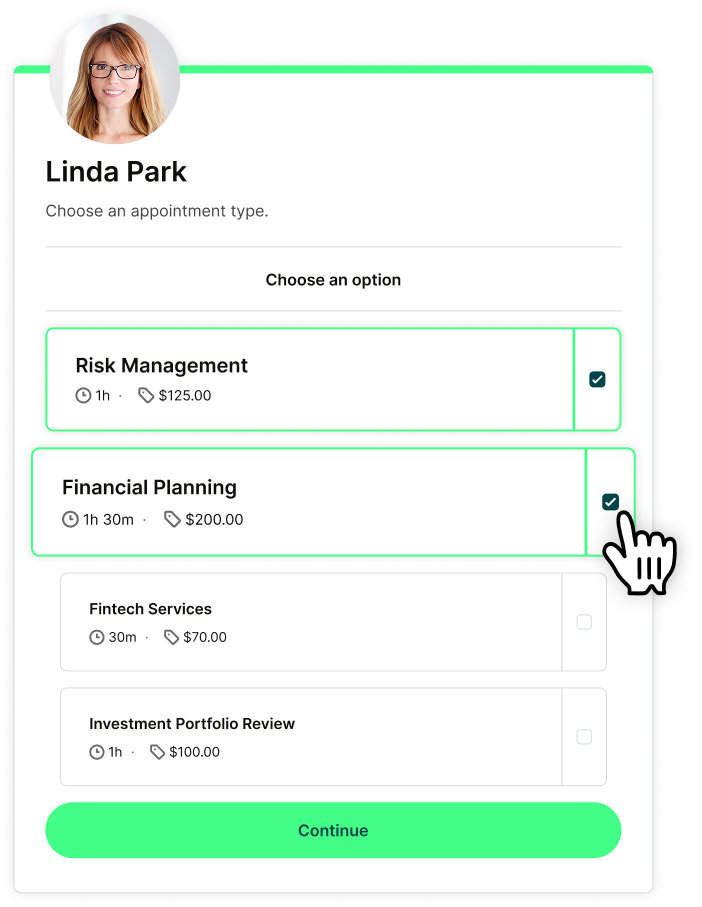
Upsell effortlessly with appointment add-ons
Offer upgrades, materials, prep work, or extras that add value without adding time.
Add-on services help you increase revenue per booking while giving customers more choices.
.png?width=1068&height=642&name=FP_%20Appointment%20types%20-%20Upsell%20effortlessly%20with%20appointment%20add-ons%20(1).png)
Notifications automatically get personalized
Each appointment type comes with its own details—and every confirmation, reminder, and follow-up message updates to match them automatically.
Guarantee that bookers always get the right time, price, location, and instructions for their appointment.

Flexibility users feel. Simplicity they love.
What do professionals (like you!) love about YouCanBookMe? Effortless setup, clear organization, and support for every kind of appointment. 👇
-
"We're about to hit our 10-year anniversary as a YCBM client—we've stuck with it because it just works."
 Barbara TurleyFounder & CEO, The Virtual Hub
 -
"I love YCBM for its ability to allow me to customize my meeting in so many ways."
 Cristal ElliotAccount Manager
 -
“We could put out all of our list of services so our clients could see exactly options they wanted. And it was just so easy and seamless. I still think it's one of the best and easiest programs to use.”
 Angela PrincewellFounder, AP Lawyers
 -
"You guys are brilliant. The system is so granular—it gave me exactly what I needed, and that's why I've with it all these years."
 Joe DarlingFounder, The Pottery Shed
 -
"The mental work saved is even more than the time saved. I love that YCBM brought clarity, as well as saving time."
 Inger KenobiLife Coach
 -
"It's easy for my clients to get on my calendar. It allows me a variety of appointment types and I can even charge for some. It's a great product that I'll continue to use to manage my calendar."
 Maureen Ross GemmeFounder, Emerge Leadership Academy
Get started today
Join thousands of coaches, consultants, and entrepreneurs who use YouCanBookMe to power their business. Get your first booking in a few minutes.


 4.7 / 5 — Trustpilot


FAQs
Can I set a different price for different types of appointments?

Yes. Each appointment type can have its own price, so you can manage paid and free services on the same booking page! You can collect payment however you prefer, or use our Stripe integration to let clients pay and book in one step.
Can a booker select more than one appointment type at once?
Yep, bookers can select as many (or as few) appointments as they wish. We’ll add up the total duration and only show time slots where you’re available for the full combined length.
And in true YouCanBookMe fashion, you control this feature—just toggle it on or off in your YCBM dashboard.
If a booker selects more than one appointment type, can they pay for all of them at once?
Yes. When payments are enabled, clients can check out and pay for all appointments in a single transaction.
Can I use YCBM templates to speed up setup?
Yes. YouCanBookMe allows you to duplicate any booking page to create fast, reliable scheduling templates. The entire structure is copied: appointment types, availability rules, location settings, payment options, automation workflows, and notification personalization via shorthand codes.
It’s the quickest way to create new scheduling pages without starting from scratch.
Can I see which appointment types are most successful?
YouCanBookMe's analytics dashboard shows how each booking page performs over time, making it easy to understand which services attract the most interest and deliver the most value. By reviewing bookings, cancellations, no-shows, and revenue by booking page—and filtering by date range—you can spot patterns, compare offerings, and see where demand is strongest.
These insights help you decide which services to highlight, which booking pages to promote, and where there’s room to refine your scheduling setup, all using real booking data from your calendar.