
How to Take Good Meeting Notes (+Tools and Templates)

-min.png?width=100&name=image%20(21)-min.png)
Create your free booking page

Ever had an important meeting, and then a few hours later, found yourself wondering, “Wait, what did we just decide again?” You’re not alone. And if you’re running a small business, moments like that can have big consequences.
Enter meeting notes (also known as meeting minutes). As it turns out, they’re not just a formality.
Meeting notes are how decisions get remembered, tasks get followed up, and teams stay aligned. Whether you’re onboarding a new client, checking in with your team, or reporting to a board, keeping clear notes can be the difference between momentum and miscommunication.
In this post, we’ll break down exactly what meeting minutes are, why they matter (even for informal meetings), and how to take meeting notes that are clear, useful, and easy to share. We’ll also cover different note-taking methods, tools, including AI note takers, and a couple of simple templates to help you get started. 💃
Meeting minutes are the written summary of what happened during a meeting. They capture the key details—who attended, what was discussed, what decisions were made, and what actions need to happen next.
Think of them as your meeting’s highlight reel, not a word-for-word transcript. In essence, meeting minutes are simply a practical way to keep everyone on the same page and ensure nothing slips through the cracks post-meeting.
So, why bother with meeting minutes? Well..
If you’ve ever been stuck in back-to-back meetings, you know how fried your brain can get. Between team coordination calls, project planning, and client meetings, it’s difficult to remember what was discussed, when, and why.
Meeting minutes help you track what was agreed upon, saving you from decision confusion, missed deadlines/deliverables, or “he said/she said” debates.
And speaking of missed deadlines, meeting minutes aren’t just about documenting—they’re about driving action. When everyone’s clear on next steps and who's responsible, things move forward faster.
This is a biggie. If you’re running a board meeting, committee, or working with a larger client, having a formal record is a must. Minutes can serve as legal documentation or be required for audits, grants, or compliance.
If you’re a coach, consultant, financial planner, or agency owner, meeting notes can also protect you professionally! Documenting what was discussed, agreed upon, or recommended during a client meeting creates a clear record you can reference later if there are questions or misunderstandings.
Taking good meeting minutes doesn’t mean writing down everything that’s said. Instead, the goal is to capture the key decisions, discussion points, and next steps so everyone leaves the meeting aligned on what happens next.
The easiest way to do this is to think about note-taking in three stages:
- Before the meeting
- During the meeting
- After the meeting
Schedule without the back-and-forth hassle
Get your next meeting on the books in seconds, at a time that works for everyone.

Good meeting notes start with good preparation in advance! Do the work the night before, and you won’t stress on the day.
Prepare and share the agenda in advance
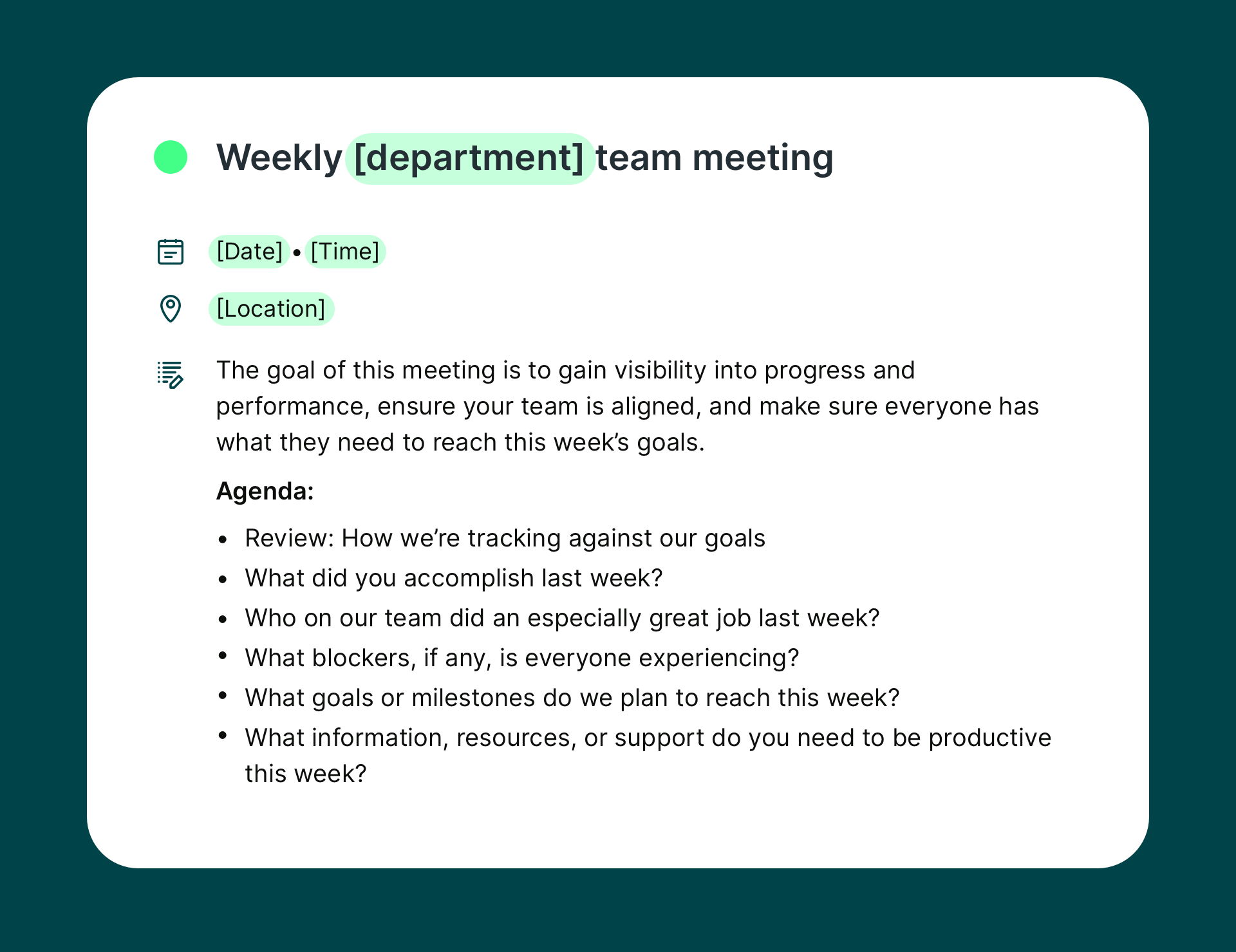
An agenda gives your meeting structure and makes it much easier to organize your notes. When you know the topics that will be discussed, you can create headings ahead of time and simply fill in the key points as the meeting progresses. Sharing the agenda beforehand also helps participants come prepared, which leads to clearer discussions and better notes.
To speed up the process, we recommend having a few meeting agenda templates on hand, like this one.👇
Designate a note taker ahead of time
Decide who will take notes before the meeting starts so there’s no confusion during the call. This role shouldn’t always fall on the same person—rotating the responsibility helps distribute the workload fairly across the team. Ideally, the note taker should be familiar with the meeting topic but not responsible for leading the discussion.
Test your note-taking setup
If you’re using a template, shared document, or an AI meeting note taker, make sure everything is ready before the meeting begins. Check that documents are accessible and tools are working properly so you don’t lose important information while trying to troubleshoot during the conversation.
Once the meeting starts, your goal (or your note taker’s) is to capture the most important information without trying to record every word.
Document the basics
Start with the essentials:
- Date and time
- Attendees (who was there and who couldn’t make it)
- Meeting purpose
- Agenda items discussed
- Any relevant documents or links
- Decisions made
- Next steps, deadlines, and who’s responsible
The goal here is clarity. You want everyone in the meeting (and even people who weren’t there!) to be able to scan the minutes and understand what happened and why.
|
💡 Pro tip: Working with clients? Get that next meeting on the calendar before you hang up. Tools like YouCanBookMe let you quickly schedule follow-up meetings, and you can note the date right in your minutes to avoid back-and-forth emails later on. |
Take minutes during the meeting
Trying to remember everything afterward (or furiously scribble down notes) is a surefire recipe for missed details. Take notes as the meeting progresses, and follow the agenda in real time.
Here’s how to make it manageable:
- Follow the meeting agenda as your outline. Use each agenda item as a heading.
- After each section, quickly summarize the discussion out loud and ask the group to confirm or clarify. This ensures everyone’s on the same page and gives your minutes extra accuracy.
- Document decisions right away, including who’s doing what and by when.
📺 Hear why one marketing manager says meeting minutes are a must:
Assign next steps
This is one of the most valuable parts of meeting minutes—and the most commonly skipped.
Don’t just write “follow up on campaign strategy.” Instead, be specific:
- “Elena will draft a proposal for the holiday campaign by August 8.”
- “Jay will follow up with the vendor and share a quote by Friday.”
- “The product team will review client feedback and discuss at next Monday’s meeting.”
Clear action items = real results.
Don't write everything down
So far, we’ve focused on what to do, but it’s also important to note what not to do. And that’s writing absolutely everything down! Remember: you're writing meeting minutes, not a transcript.
Focus on:
- Key decisions
- Important discussions
- Action items
👍 Rule of thumb: If it’s not helpful in a week or a month, it probably doesn’t need to be included! Just be concise and informative. No one’s going to read through a novel-length doc just to find out who’s handling next week's report.
Make your meeting minutes easy to access
Minutes are only useful if people can actually find them later! Choose a system that works for your team:
- Email them after the meeting
- Store them in a shared Google Drive folder
- Use project management tools like Asana or Notion to attach minutes to tasks
- Create a shared company Wiki or intranet space for ongoing reference
Formats to consider:
- Google Docs (for live collaboration)
- Microsoft Word or Excel (for those who live and breathe Microsoft)
- PDFs (easy to send and archive)
- Notion or OneNote (great for internal teams)
Consistency is key. Pick a format, name your files clearly (e.g. “Client Kickoff - March 31, 2026”), and use the same folder or system every time.
Your work with meeting notes doesn’t end when the meeting wraps up. You should take a few minutes afterward to review and share your notes to ensure the meeting you just had actually leads to action.
Clean up and send your notes quickly
Before sending your notes, take a moment to tidy them up by:- Clarifying any messy sections
- Adding missing context
- Making sure decisions and tasks are easy to understand
Even if you don’t have every answer yet, sending a recap shortly after the meeting keeps the discussion fresh in everyone’s mind and helps maintain momentum.
Confirm action items and owners
Double-check that every task has a clear owner and, if possible, a deadline. This step prevents confusion later and makes it much easier for everyone to stay accountable for their next steps.This is where AI note takers can really help.
If you’ve taken meeting minutes in the past, you know that following up afterwards can take time, especially if you’re juggling multiple calls in a day. AI note-taking tools can automatically summarize discussions, flag action items, and generate quick recaps that you can review and share with your team (more on them later in the article), essentially doing most of the work for you!
Document private notes for yourself
Listen, not everything belongs in a shared minutes doc, but that doesn’t mean it’s not important for you to remember. What sorts of things are we talking about?
- A client’s tone or body language
- An idea you didn’t get a chance to share
- A sudden inspiration you got from the conversation, but for a different project
|
💡 Pro tip: If you’re using a scheduling tool like YouCanBookMe, you can add private notes to your bookings so you’ll always have the context when your next meeting rolls around. Super helpful if you're jumping between client calls all day! |
Now that you know how to prepare for meetings and capture the right information before, during, and after them, the next step is choosing a note-taking style that works for you. Different methods can help organize your notes in ways that make key decisions, ideas, and action items easier to review later.
Here are a few popular note-taking methods you can use to take clearer, more structured meeting notes: 👇
The Cornell method divides your page into three sections:
- A notes column
- A cue column
- A summary section at the bottom
During the meeting, write the main discussion points in the large notes column. The cue column is used for keywords, questions, or important ideas that come up. After the meeting, you summarize the key takeaways at the bottom of the page.
Works best for: structured meetings with a clear agenda, such as team updates, project reviews, or strategy sessions
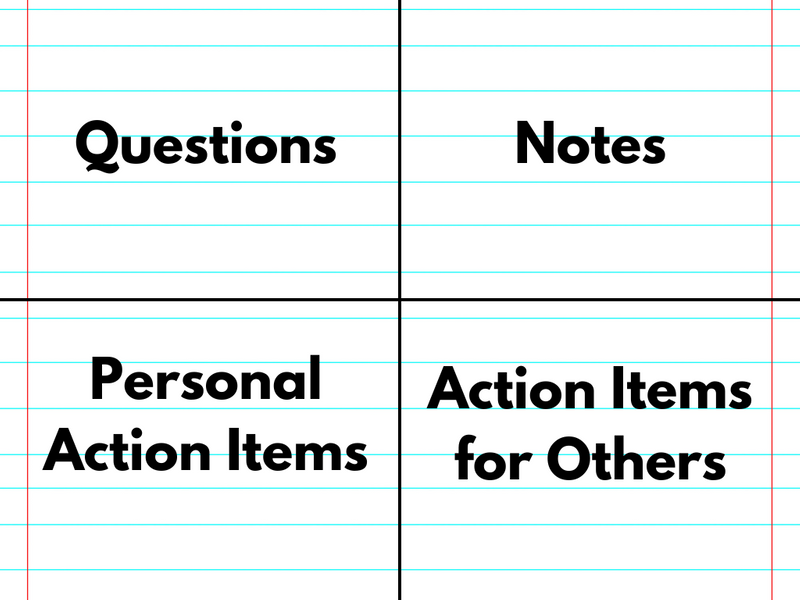
The quadrant method divides your notes into four sections, each capturing a different type of information.
Typical quadrants include:
- Key discussion points
- Action items
- Questions
- Ideas or follow-ups
(Source)
This format helps separate tasks from general discussion, making it easy to review what needs attention after the meeting.
Works best for: fast-paced team meetings, project check-ins, and client calls where decisions and action items come up frequently.
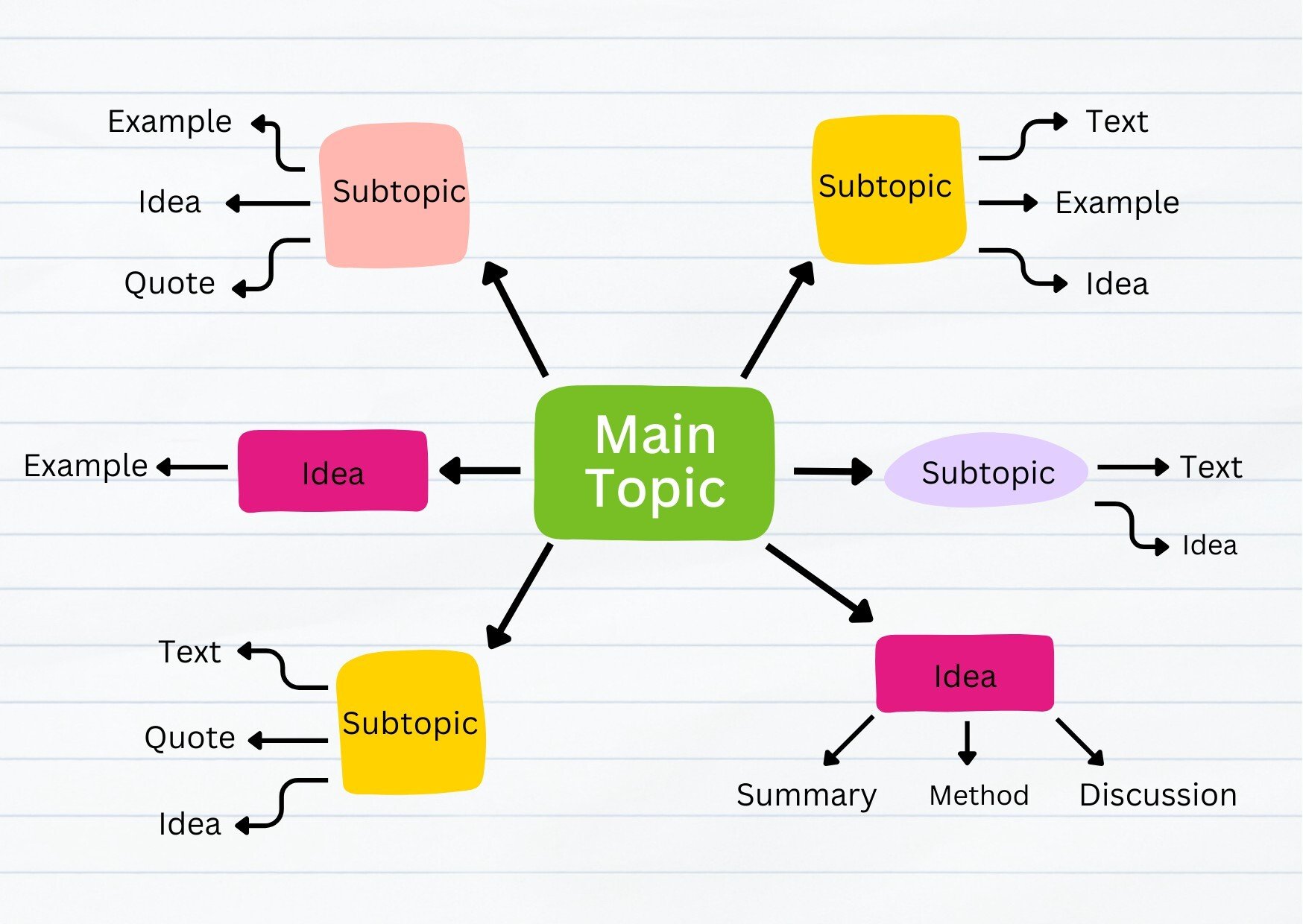
Mind mapping is a more visual approach to note-taking. Instead of writing in lists, place the main meeting topic in the center of the page and draw branches outward for related ideas, discussions, and tasks. As new ideas come up, you expand the branches and connect related thoughts together.
(Source)
Works best for: brainstorming sessions, strategy meetings, workshops, and creative discussions where ideas evolve organically rather than following a strict agenda.
As promised earlier in the article, let’s talk about AI note takers. These are the tools that can automatically record, transcribe, and summarize conversations so you can stay focused on the discussion instead of worrying about capturing every detail.
AI note-taking tools can make meetings much easier to manage by handling the heavy lifting of capturing and organizing information. Some of the biggest benefits include:
- Saving time on prep and follow-ups: Instead of writing everything manually, AI tools can create summaries and meeting recaps automatically.
- Automatic transcription: Conversations are transcribed in real time so nothing important gets missed.
- Action item detection: Many tools identify tasks and decisions and highlight them for easy follow-up.
- Less pressure on one note taker: Teams no longer have to rely on one person to capture everything during a meeting.
There are many AI meeting assistants available today, but here are a few popular tools teams often use: 👇
- Fathom: Fathom records and summarizes meetings automatically, especially for Zoom users. One standout feature is its monologue alerts, which highlight long speaking segments so you can quickly review important parts of a conversation.
- Otter: Otter provides real-time meeting transcription, searchable transcripts, and automatically generated summaries for meetings, interviews, and lectures.
- Krisp AI Note Taker: Krisp records and transcribes meetings in real-time, generating summaries with key points and action items. It also includes audio enhancements like bidirectional noise cancellation and accent conversion, giving users more than just note-taking at the same price point.
- Fireflies: Fireflies works across platforms like Google Meet and Microsoft Teams. It automatically records meetings and extracts key insights such as decisions, tasks, and important topics discussed.
- Bluedot: Bluedot focuses on recording both online and in-person meetings and creating shareable highlights or short clips, making it easier to share key moments from calls without requiring people to watch the entire recording.
- Notion AI Meeting Notes: Notion’s AI Meeting Notes automatically transcribe and summarize meetings directly inside your Notion workspace. Instead of joining as a meeting bot, it captures your device’s system audio, so it works with tools like Zoom, Google Meet, or Teams without extra setup. Action items and summaries can then turn into tasks or project updates inside Notion.
|
💡 Pro tip: As helpful as AI tools can be, it’s still a good idea to review and refine the notes afterward to make sure key decisions and action items are clearly documented. |
Now that we’ve covered the theory, best practices, and tools, let’s finish with a couple of simple meeting minutes templates you can use.
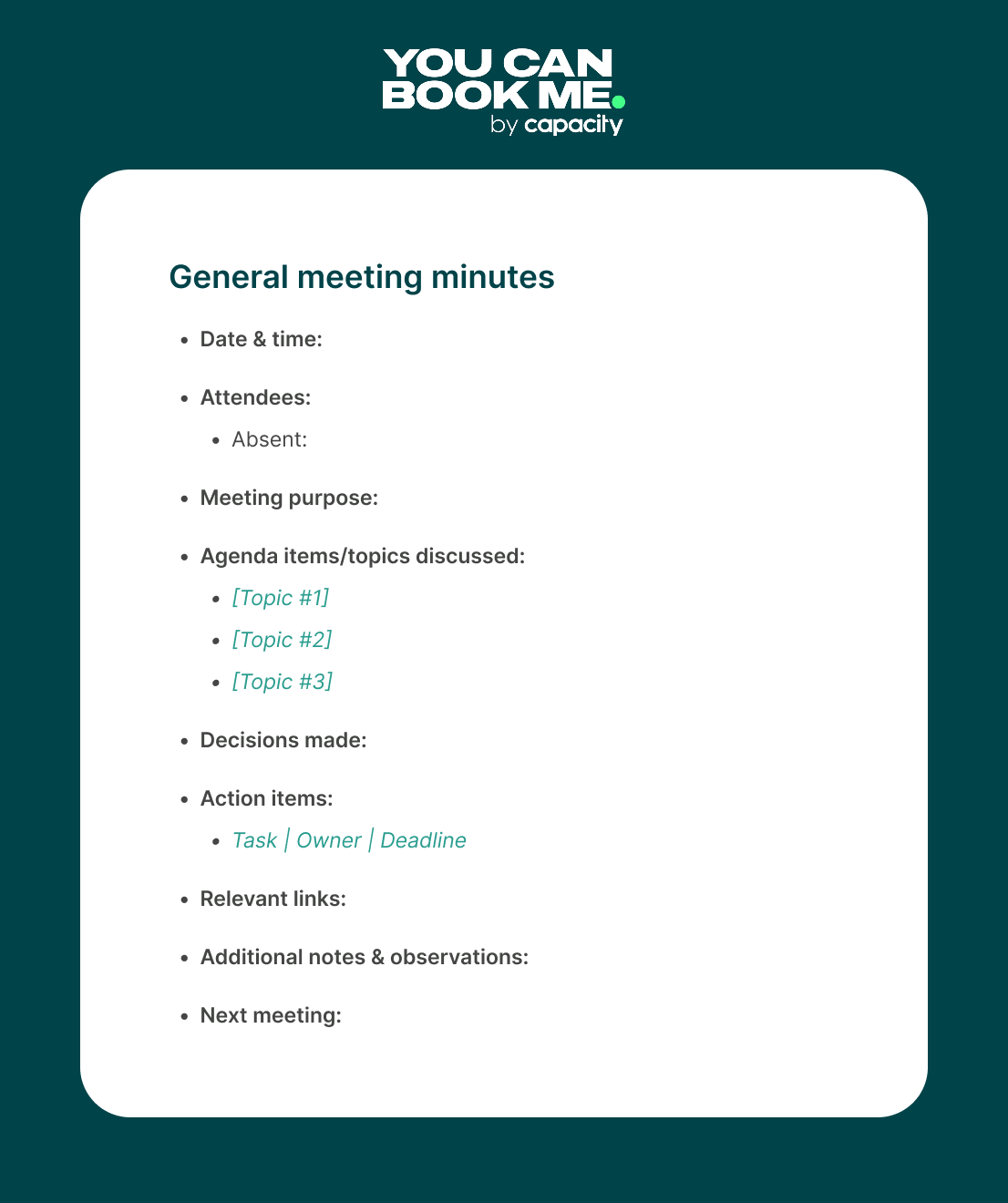
Need a solid go-to for everyday meetings? This flexible template works for just about any type of discussion—just fill in the blanks and you’re good to go.
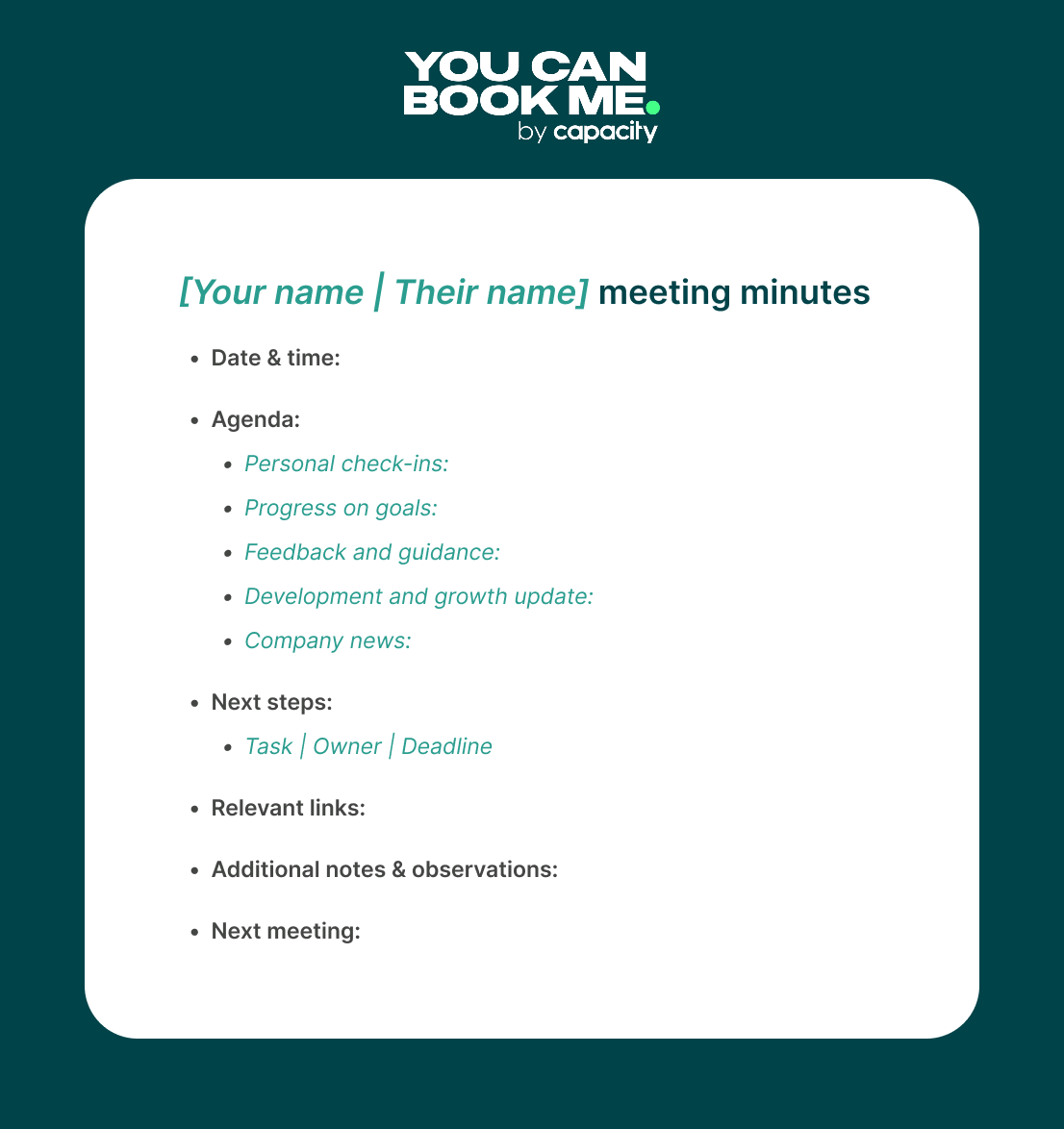
Whether you’re a manager or a mentor, this one-on-one meeting minutes template makes it easy to track conversations, feedback, and personal development over time. It’s a great way to support growth, stay aligned, and check-in with your employees.
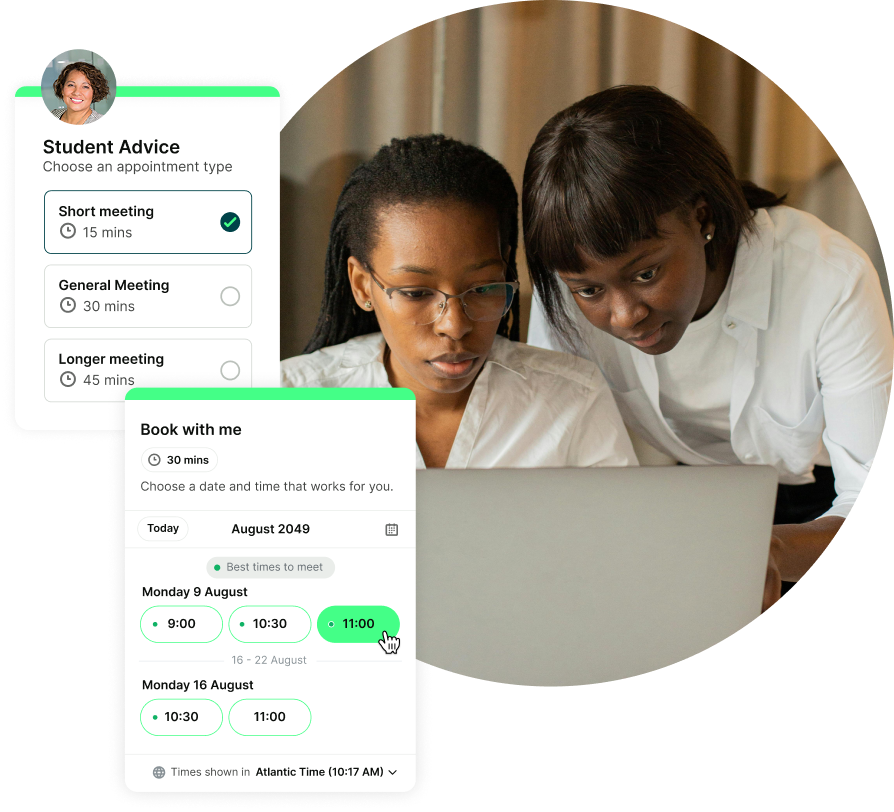
Easily schedule your next meeting
Whether it’s a project meeting, discovery call, or team check-in, get your next meeting on the calendar without any back-and-forth.
Meeting minutes might not seem glamorous—but they’re powerful. They keep your business organized, make you look polished and prepared in front of clients, and help your team actually get things done.
By following a few simple best practices (and using the right tools!), you’ll take the stress out of note-taking and make your meetings way more productive.
And hey—while you’re at it, make sure you’re getting your next meeting on the books before you log off. With YouCanBookMe, you can automate scheduling, send confirmations, reminders, and follow-up emails, add private notes to bookings, and keep everything in one place.
Create your free booking page!
FAQs
Do all meetings need minutes?

Not every single meeting, but any meeting where decisions are made, timelines are set, or responsibilities are assigned should have a record. If it’s something you might need to reference later, even a quick summary is worth jotting down.
How long should meeting minutes be?
Aim for 1–2 pages max. Meeting minutes aren’t a word-for-word transcript of everything that was said during the meeting. Think of them more as a highlight reel of the most important points. They should be clear and scannable, capturing who attended, what was discussed, what decisions were made, and what needs to happen next.
Can I use AI to take meeting minutes?
How detailed should meeting minutes be?
Meeting minutes should include enough detail to clearly document what happened during the meeting, but they shouldn’t read like a full transcript.
At a minimum, meeting minutes should record the basic meeting information, including:
- The meeting date and time
- Attendees and anyone absent
- The purpose of the meeting or agenda items discussed
From there, focus on capturing the most important parts of the discussion, such as key discussion points, decisions made, and action items (including who is responsible and any deadlines).
In most cases, meeting minutes should stay concise—typically no more than one or two pages. The goal is to provide a clear record that people can quickly scan and understand later. Only highly formal meetings, such as board meetings or regulatory meetings, usually require longer or more detailed minutes.
Who should take the minutes?
Anyone on the team! What matters most is that the role is clearly assigned ahead of time so there’s no confusion once the meeting starts.
It’s also a good idea to rotate the role instead of always assigning it to the same person. This spreads the workload more fairly across the team and prevents note-taking from becoming one person’s permanent responsibility.
One thing to avoid: having the person leading the meeting also take the notes. Running the discussion, managing the agenda, and capturing notes at the same time can be a lot to juggle.
Another option is to use AI meeting note-taking tools. These tools can automatically record, transcribe, and summarize the conversation, which means someone usually just needs to review the notes afterward to make sure the key decisions and action items are correct.
What are Robert’s Rules of Order?
Robert’s Rules of Order are a guide to running structured and orderly meetings. They were first published in 1876 by American Army general Henry Martyn Robert, who created the system to help organizations conduct meetings more efficiently and fairly. One of the key practices recommended in the guide is keeping meeting minutes to document discussions, decisions, and actions taken during meetings.
Over time, Robert’s Rules of Order became the standard reference for parliamentary procedure in the United States and are still widely used today by boards, committees, and formal organizations. The most recent edition was published in 2020.
What is the 40-20-40 rule for meetings?
The 40-20-40 rule suggests that the success of a meeting depends mostly on what happens before and after it. The idea is that 40% of your effort should go into preparation, 20% into the meeting itself, and 40% into executing the outcomes afterward.
Preparing an agenda, defining goals, and assigning a note taker helps the meeting run smoothly. During the meeting, the focus should be on discussion and decision-making. Afterward, reviewing meeting notes, confirming action items, and following up ensures the meeting actually leads to progress.
AI meeting note takers vs. handwritten meeting notes: which is better?
If it’s operationally possible, it’s often worth using AI meeting note takers. These tools can save a significant amount of time by automatically recording, transcribing, and summarizing conversations. However, they aren’t perfect—AI-generated notes should always have human oversight to review the final summary and make sure decisions and action items are accurate.
That said, handwritten or manual meeting notes still have their place. In short meetings with only a few participants, it may be quicker to jot down key points yourself. Manual notes also encourage you to focus on the most important ideas and decisions rather than capturing every detail. In practice, many teams end up using a mix of both approaches.-min.png)
Written by
Gabriela Łaba
Gabriela is Editor-in-Chief at YouCanBookMe and a SaaS copy and content writer with over a decade of experience. Since 2021, she’s written 100+ articles on scheduling, personally tested and compared 38 booking tools, and helped businesses make sense of scheduling, automation, and productivity.
Get started today
Join thousands of coaches, consultants, and entrepreneurs who use YouCanBookMe to power their business. Get your first booking in a few minutes.


 4.7 / 5 — Trustpilot

