
Tracking Leads With YCBM: A Practical Guide For Smarter Bookings
-min.png?width=100&name=image%20(21)-min.png)
Create your free booking page

If you’ve ever looked at your packed calendar and thought, “Great, but where did these people actually come from??”—it’s time to start tracking your leads.
Lead tracking isn’t about adding busywork or building a complicated sales machine. It’s about understanding which inquiries turn into great conversations, which bookings are worth your time, and how people find their way to you in the first place.
The good news? If you’re using YouCanBookMe, you already have a powerful foundation for tracking leads—built directly into the moment where intent is highest: when someone books time with you.
Lead tracking is the process of following how potential clients move through your business—from their first interaction with you, to ongoing conversations, and eventually to becoming customers (or not).
In practice, that means keeping track of things like:
- How someone found you
- What they’re interested in or booking
- What problem they’re trying to solve
- What information they shared with you
- Whether or not they become a client
New to the lingo? Lead tracking comes with a lot of jargon, so here’s a quick breakdown of the terms you’ll see most often 👇
-
Outbound lead: A lead you initiated through activities like AI cold calling, cold outreach, follow-ups, or referrals you actively request.
- Inbound lead: Someone who finds you and books/buys on their own through your website, booking link, or content.
- Lead source: The channel that brought the lead to you (website page, campaign, referral partner, LinkedIn, etc.).
- Lead attribution: The ability to tie a booking or sale back to its source so you know what’s driving results.
- Lead qualification: The process of determining whether a lead is a good fit before investing time in a discovery call.
Without lead tracking, every booking looks the same on your calendar. But in reality, not every lead deserves the same level of time, energy, or follow-up.
Lead tracking helps you see what’s really happening behind the scenes. Over time, you can spot patterns like which booking pages attract your best clients, which lead generation sources drive your highest-value deals, and which appointment types are most likely to convert.
Instead of relying on gut instinct, you can make informed decisions about:
- Where to focus your marketing and outreach
- Which offers and services resonate most
- If you're targeting the right people through your cold outreach efforts, or if you need to readjust
- Which inquiries consistently underperform—and need refining, rerouting, or pruning altogether ✂️
If you don’t know what makes a good lead, it’s hard to know what questions to ask upfront. That often means qualification happens during the meeting, which is the most expensive moment to realize someone isn’t a fit. 😬
Lead tracking changes that. By seeing patterns in where your best (and worst) bookings come from, you can refine your booking form over time and focus on the lead qualification questions that help you determine if someone is the right fit—before a call is ever scheduled.
Instead of figuring things out live, you walk into every meeting informed, prepared, and focused on leads who you can actually convert.
This is where tracking leads gets practical!
If you’re using YouCanBookMe, you’re already sitting on a ton of useful lead data. You just need to know how to use it. Below are the built-in features and integrations you can use to track, organize, and make sense of that information.
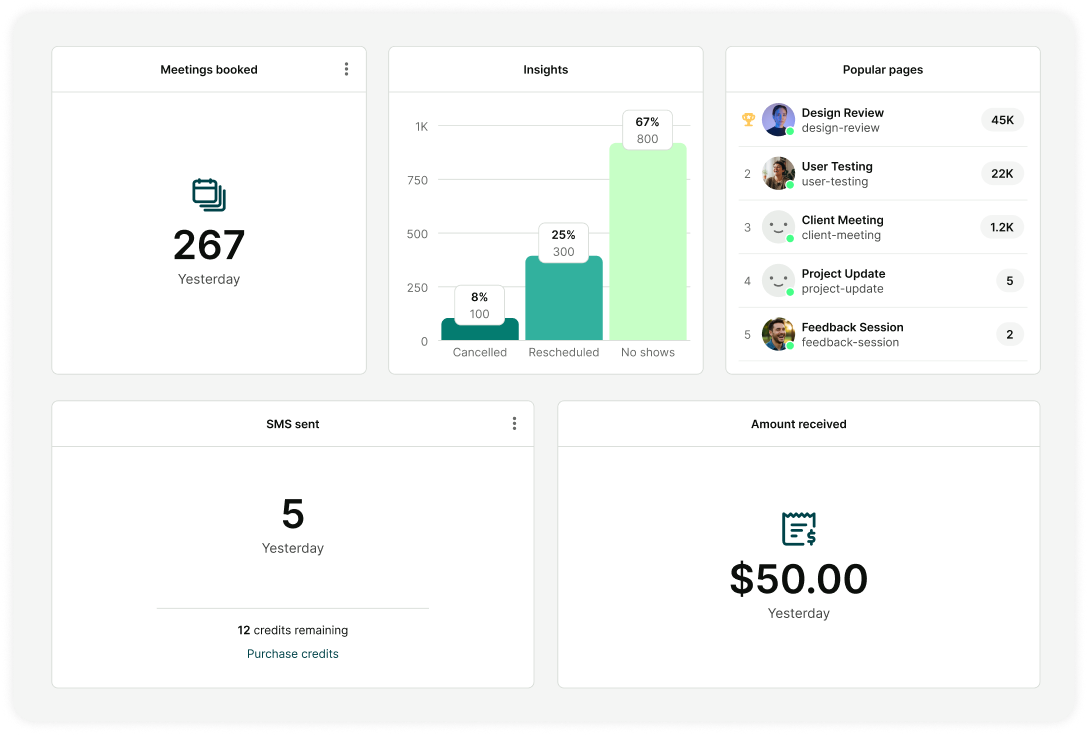
Your calendar analytics dashboard brings all your booking data together—so you can clearly see what’s driving your workload and your revenue.
With YouCanBookMe meeting analytics, you can understand:
- Which booking pages and offers perform best
See which pages bring in the most—and highest-quality—leads. If one offer consistently performs well while another underperforms, that’s a clear signal to optimize, reposition, or retire the weaker one.
- Total meetings booked
Track booking volume over time to spot trends, seasonality, and growth. This helps you understand whether changes to your website, messaging, or offers are actually increasing demand.
- Cancellation, reschedule, and no-show trends
See what happens after someone books. Did they reschedule? Cancel? Or simply not show up? Over time, these patterns reveal which types of leads are more likely to show up prepared—and which ones aren’t.
- Revenue generated
See how your bookings translate into revenue over time. This makes it easier to spot dips and slow periods, understand what drives growth, and connect your calendar activity to real business outcomes.

With YouCanBookMe, you can add private notes to each booking to capture important internal context.
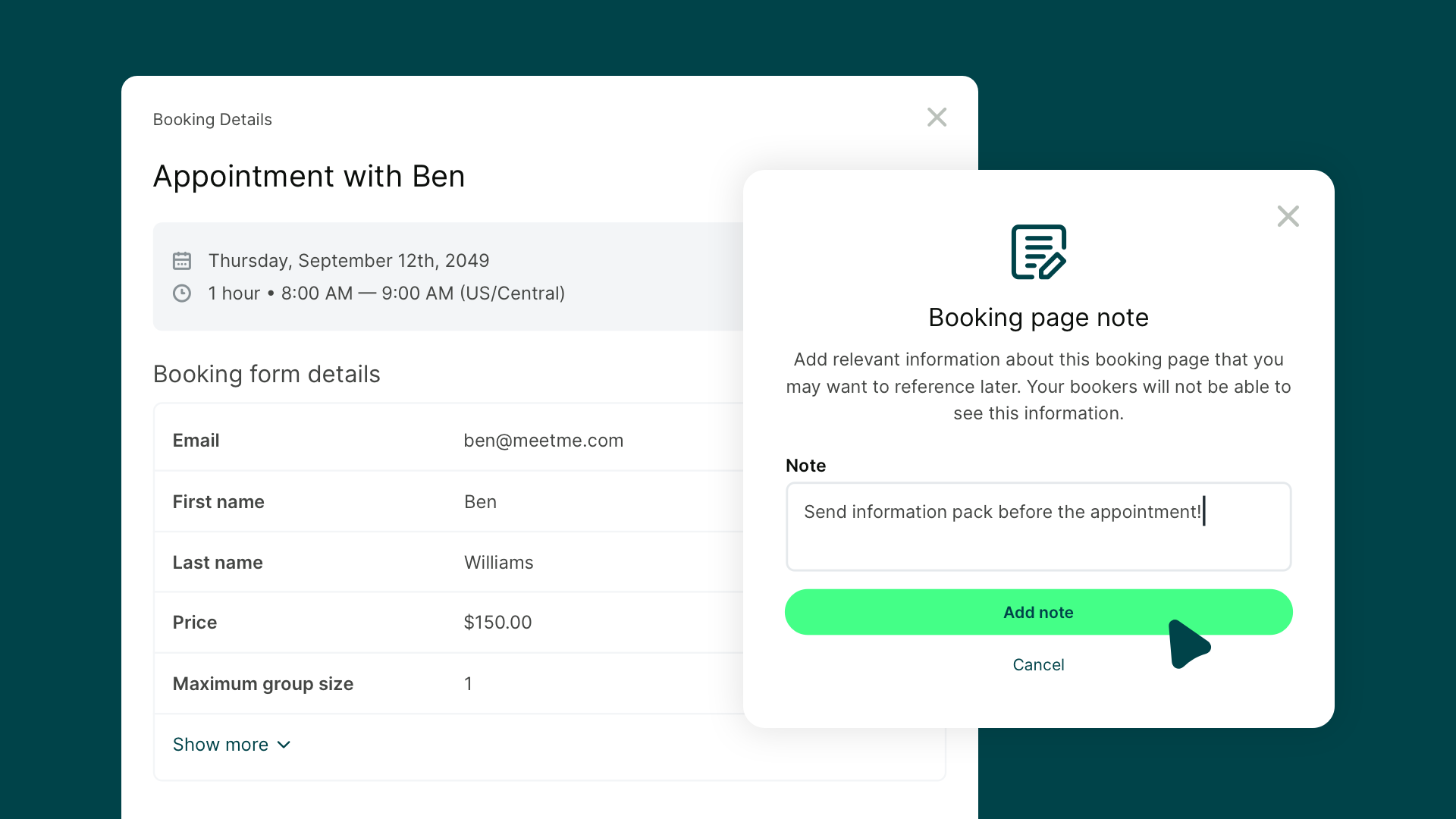
This includes things like:
- Lead quality or priority
- Follow-up reminders
- Observations from previous interactions
Because they’re tied directly to the booking, your calendar becomes a source of truth—not just a list of meetings.
|
Pro tip: Private notes can be included in booking exports, synced to the meeting record in HubSpot, or passed through Zapier workflows, so all your meeting context stays connected wherever your lead data lives. |
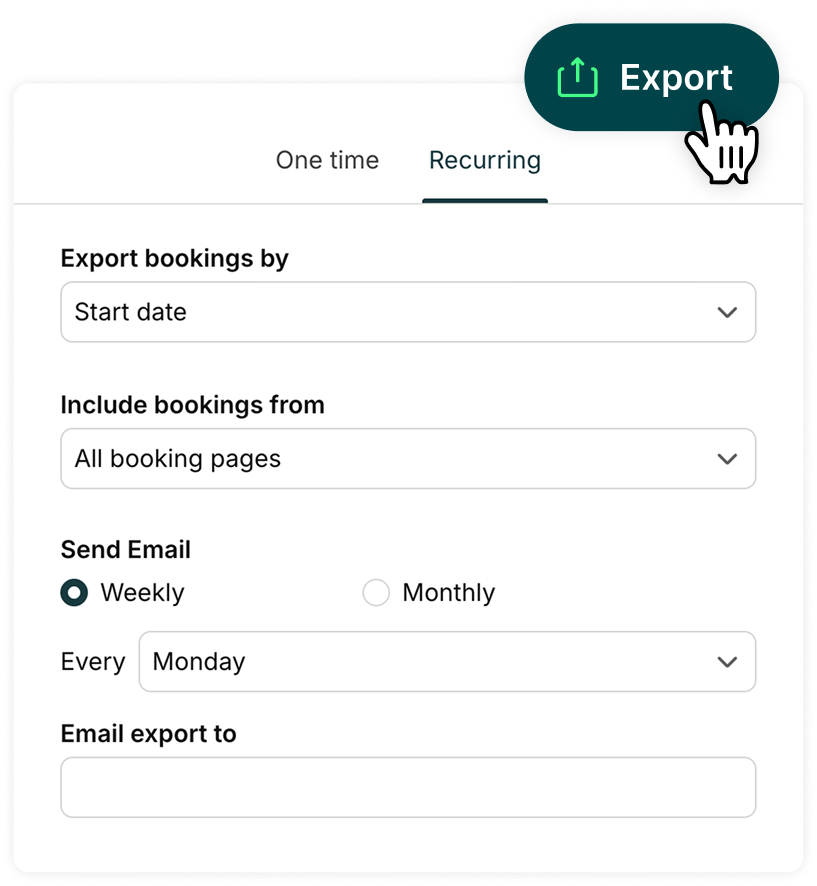
If spreadsheets are your happy place, you’re in luck—YouCanBookMe lets you export all your booking data as a CSV and plug it straight into Excel, Google Sheets, or whatever reporting setup you already use.
What gets exported? All your bookings and the context around them, including:
- Who met with whom
- Appointment type and location
- Whether the booking was completed, cancelled, rescheduled, or a no-show
Want to save time? You can schedule weekly or monthly exports so the data lands in your inbox automatically.
One of the most popular ways to use Zapier with YCBM is by sending booking data directly into Google Sheets or Excel. Each time someone books, a new row is automatically added with the fields you choose—no copying, pasting, or manual updates.
|
Why this is useful (a real-world example) 🌍 Let’s say you’re a freelance consultant. Your booking form asks:
After each meeting, you add a private note about whether the lead converted into a client. All of that—booking details, form answers, and notes—automatically logs into a spreadsheet. After a month, patterns start to emerge. You can clearly see which leads convert, which ones don’t, and which questions help you spot good fits faster—making future qualification much sharper. |
If you’re using a CRM, lead tracking shouldn’t stop once someone books a meeting—and it definitely shouldn’t rely on manual data entry.
That’s why YouCanBookMe can automatically send booking information to external CRMs like HubSpot and Salesforce, keeping your CRM data accurate and up to date without extra work.
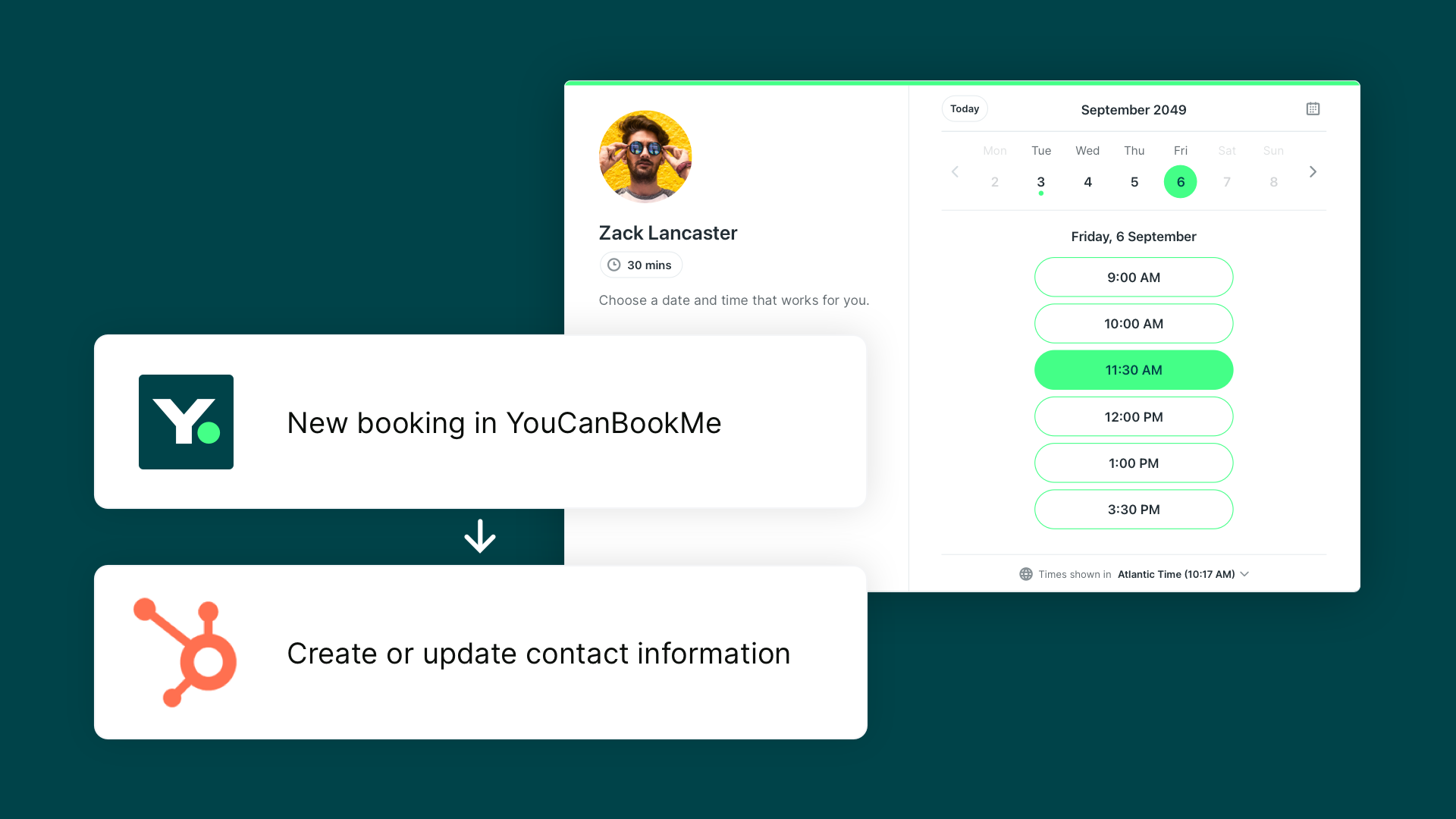
For example, with the direct HubSpot integration, bookings automatically:
- Create or update contacts
- Log meetings as activity on the contact record
- Sync booking form fields like email, phone, or mobile number to the correct properties
You can also:
- Launch calls directly from the HubSpot contact page
- Manage reschedules and add notes with a single click
If you’re using Salesforce or another CRM, YouCanBookMe connects via Zapier. Salesforce is just one of 6,000+ apps you can sync with, making it easy to send booking details wherever your lead data lives.
Lead tracking doesn’t always start with a booking. In many cases, it starts earlier—when someone clicks an ad, sees a social post, or visits your site for the first time.
YouCanBookMe lets you connect tools like Meta (Facebook) Pixel and LinkedIn tracking directly to your booking pages. This means when someone books time with you, that conversion shows up in your ad dashboards automatically.
They go straight from Instagram to our website, and then they book a call with me through YouCanBookMe. So I know how interested they are, and I'm getting great leads that way. And typically once we have an initial phone call, they're signing up."
- Adrielle Ahokas, Co-founder of Chameleon Dental
Instead of measuring success by clicks alone, you can see which campaigns actually lead to real conversations. Over time, this helps you understand:
- Which channels bring in qualified leads
- Which campaigns result in booked meetings
- How people move from interest to action
It’s a simple way to connect your marketing efforts to real outcomes—and make sure your lead tracking tells the full story, not just the last step.
Turn your calendar into a lead tracking tool
From booking notes to analytics and exports, YouCanBookMe helps you understand your leads without extra work.

Tracking leads is only half the equation. The other half? Protecting your time.
YouCanBookMe gives you several ways to ensure your calendar is filled with the right conversations—so you spend less time sorting and more time meeting with qualified leads who are ready to move forward. 🎉
Your booking form is one of your best tools for lead qualification. Use it to collect the details that matter most to your business—like budget, timeline, goals, or specific needs—so you can quickly tell whether someone is a good fit before you meet.
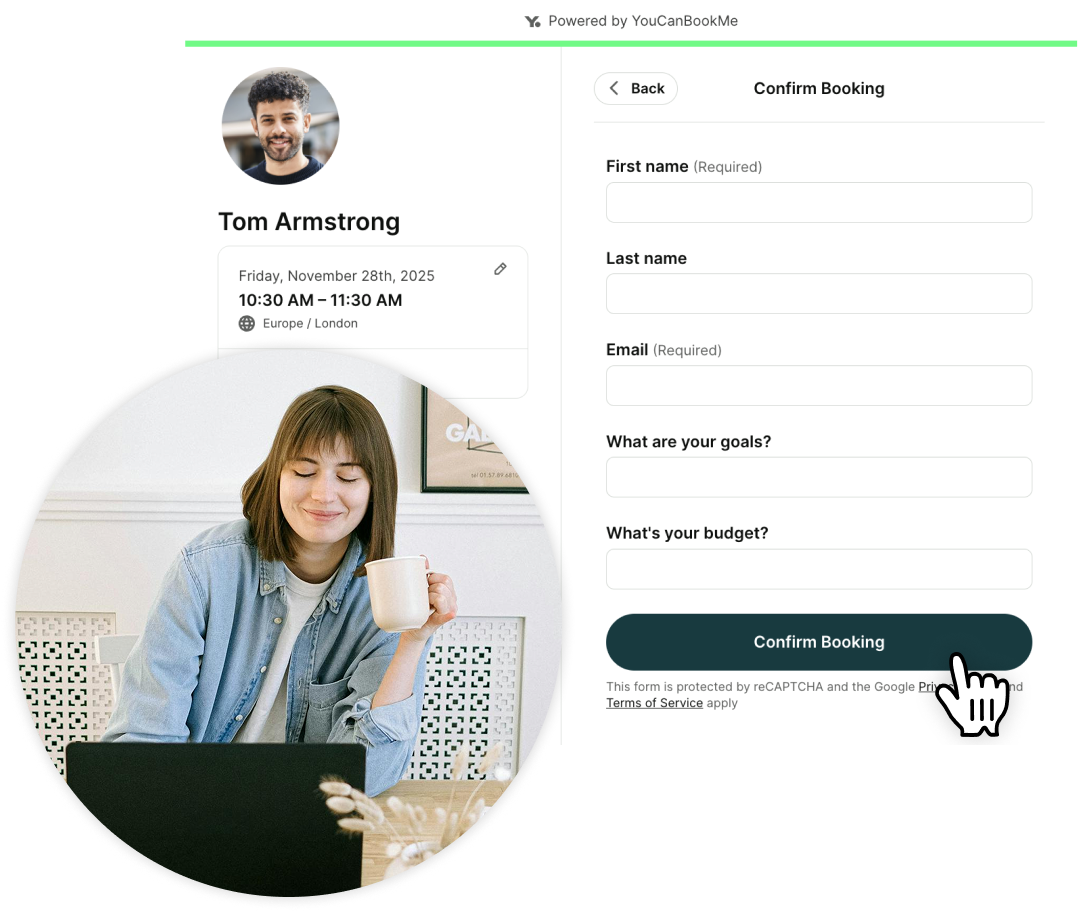
Blocking questions help prevent unqualified bookings before they ever reach your calendar. They ask for non-negotiable requirements—like eligibility, membership status, or minimum criteria—and stop the booking if those requirements aren’t met.
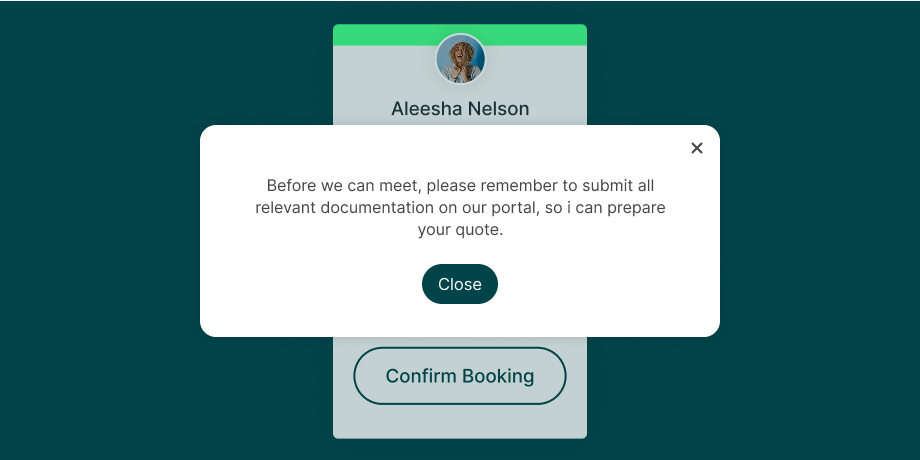
If a lead needs to take a step before booking—such as filling out a form or submitting a document—you can explain that immediately with a quick pop-up message. That way, people know exactly why they can’t book yet and what to do next, instead of being left confused or wondering if something broke.
This keeps your calendar protected and the booking experience respectful and transparent.
Instead of automatically confirming every booking, you can review meeting requests first. This is especially helpful if you’re:
- Screening new clients
- Manually approving high-value appointments
- Keeping your schedule focused on priority work
You decide what makes it onto your calendar.
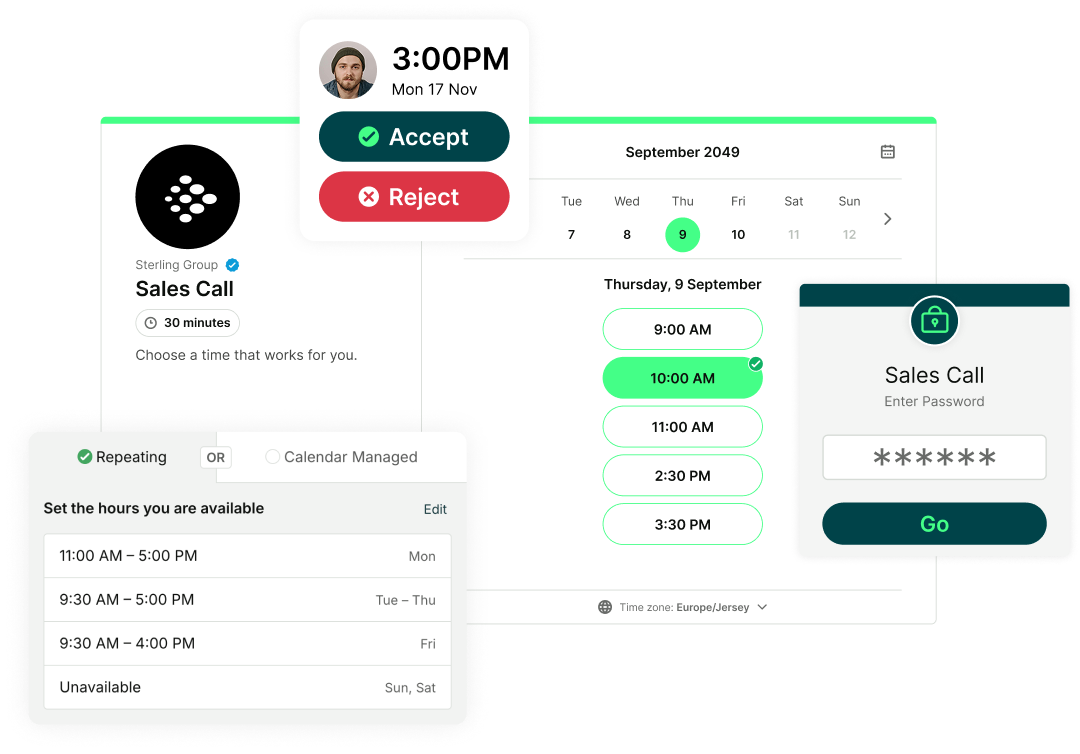
Need to keep a booking page private? Add a password so only invited leads can book. This works well for referral-only offers, internal meetings, or exclusive appointments you want to share selectively.
Book smarter, not just more
YouCanBookMe helps you spend less time on low-fit meetings and more time with the right clients.

Ready to start tracking your leads?
Lead tracking doesn’t have to mean more tools, more complexity, or more admin work. When it’s built directly into your booking flow, it becomes something that works quietly in the background—helping you understand where your leads come from, qualify them earlier, and protect your calendar.
And if you’re ready to spend less time on low-fit meetings and more time with the right clients, YouCanBookMe is ready when you are. Try it for free today!
FAQs
What is the best way to track leads?

The best way to track leads is to choose a system that fits how your business actually works—so lead information is easy to capture, update, and use over time.
For many businesses, that starts with simple tools. Spreadsheets are often enough in the early days, especially if you’re manually tracking where leads come from, what they’re interested in, and what happens next. As things get busier, tools with built-in lead tracking—like scheduling apps or marketing tools—can help automate parts of that process.
A good lead tracking approach usually includes:
- Capturing basic lead details (source, interest, context)
- Keeping notes on interactions and follow-ups
- Tracking outcomes over time (did the lead convert, go quiet, or drop off?)
As your needs grow, a CRM can bring everything together in one place. But you don’t need to start there. The best lead tracking system is one that evolves with your business, gives you clarity, and doesn’t create extra work just to stay organized.
What’s the difference between lead tracking and lead qualification?
Lead tracking is about collecting and organizing information about leads. Lead qualification is how you use that information to decide whether someone is a good fit. Good lead tracking makes lead qualification faster and more effective.
-min.png)
Written by
Gabriela Łaba
Gabriela is Editor-in-Chief at YouCanBookMe and a SaaS copy and content writer with over a decade of experience. Since 2021, she’s written 100+ articles on scheduling, personally tested and compared 38 booking tools, and helped businesses make sense of scheduling, automation, and productivity.
Get started today
Join thousands of coaches, consultants, and entrepreneurs who use YouCanBookMe to power their business. Get your first booking in a few minutes.


 4.7 / 5 — Trustpilot

