
Make every room and resource easy to book
Rooms, equipment, studios, and everything in between. Let people book what they need, when they need it, with YouCanBookMe.

Trusted by 1M+ users across 100 countries


Take the hassle out of who's using what and when
Make sure the right spaces, equipment, and people are available when they're needed, without endless emails, messy spreadsheets, or double-bookings.

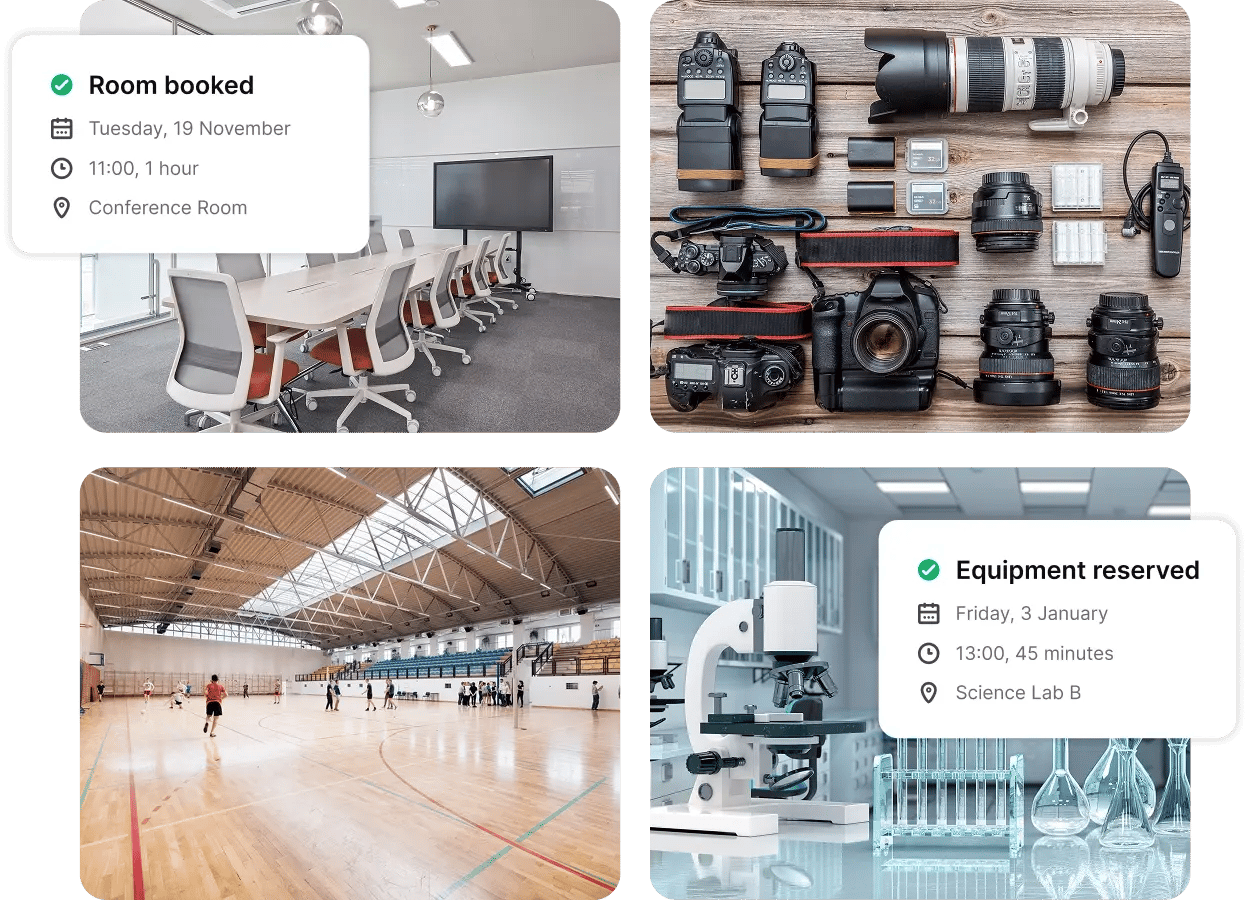
Meeting & conference rooms
Give teams and guests one place to book conference rooms, pods, and meeting rooms. Show real-time availability so nobody shows up to a room that’s already taken.

Labs & studios
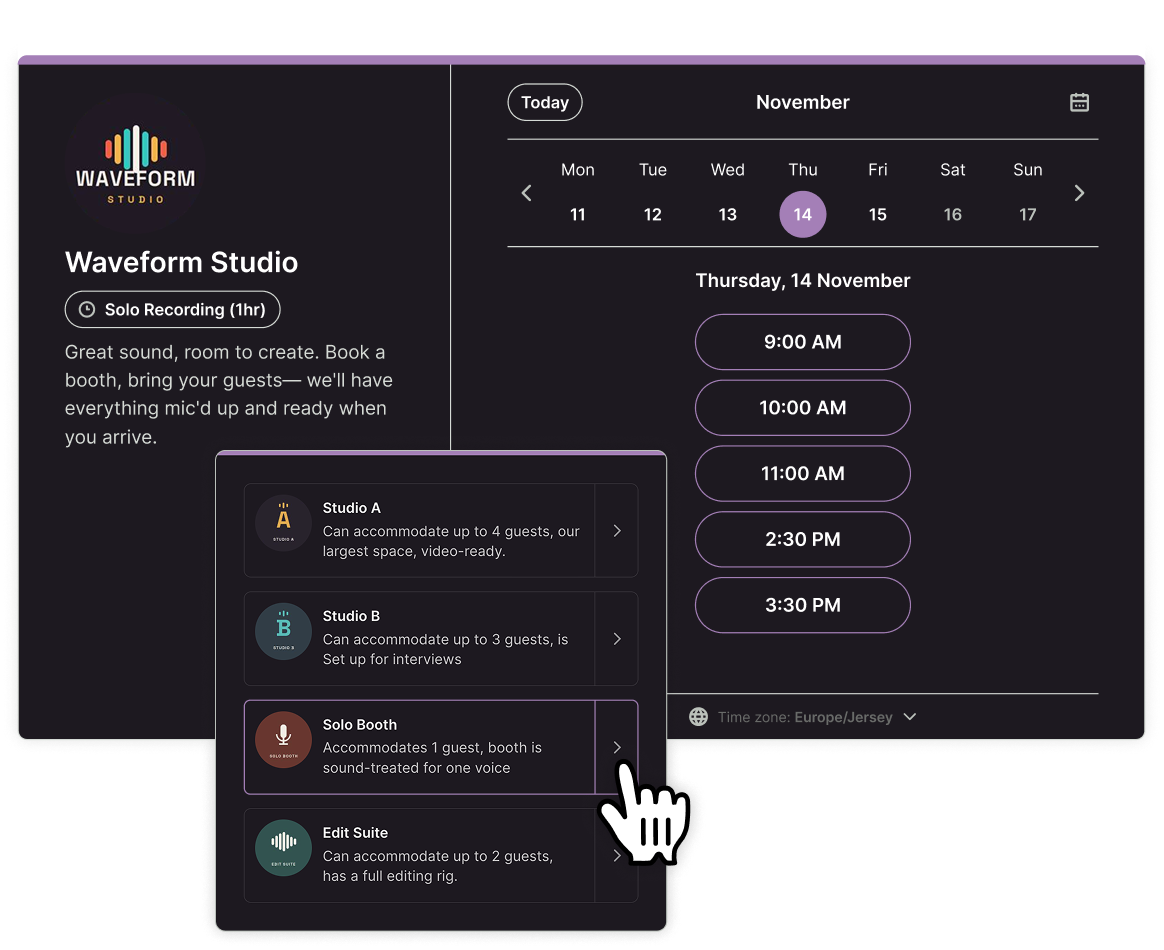
Manage specialist spaces like science labs, recording studios, and practice rooms, with staff supervision built into the booking flow when needed.

Equipment & facility rentals
From cameras and laptops to sports facilities and event spaces, make rentals easy to coordinate. Plus, send pickup instructions, access details, and reminders automatically.
One link. Every room. Zero double bookings.
Stop juggling calendars and sorting out who booked what. Give everyone one link to find and reserve an available room or piece of equipment.
They can choose what they need or let YouCanBookMe assign it automatically. And once something's booked, that time is off the table for everyone else. Easy.

Get paid when they book, not after they show up
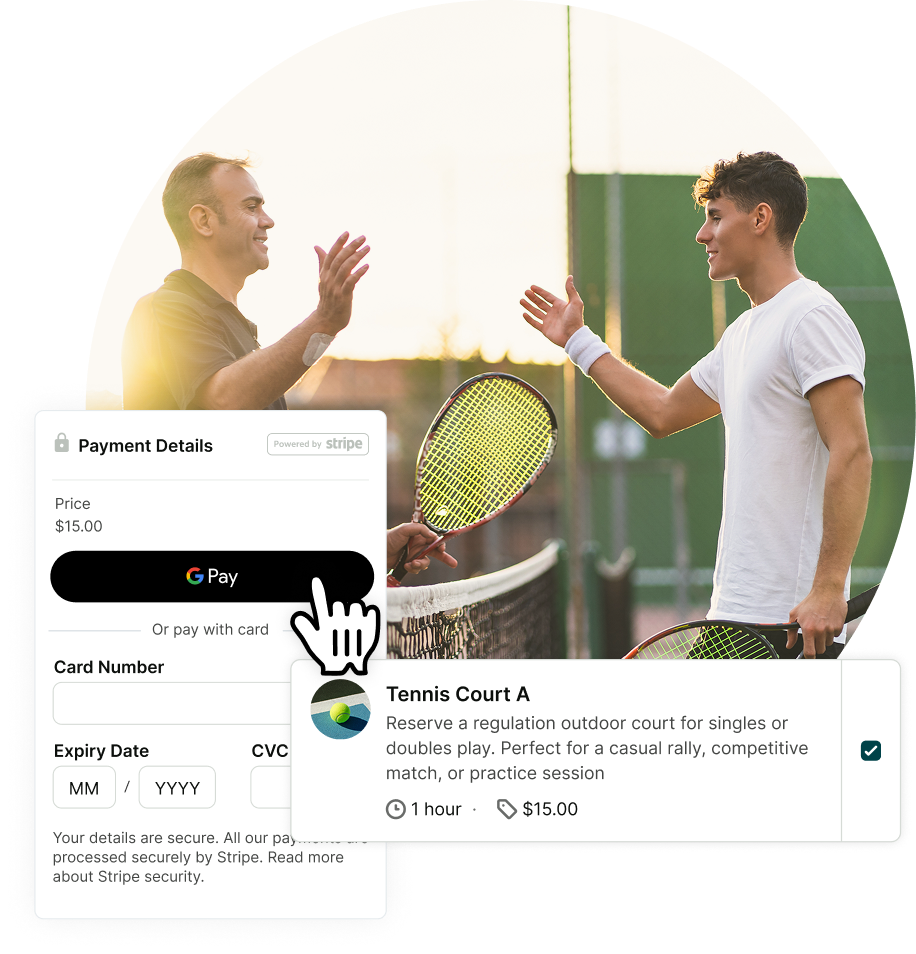
Stop holding valuable time slots for people who haven't paid. Connect Stripe to charge for room rentals, lab sessions, or equipment bookings upfront, whether that's the full price or a deposit.
Bookers can pay by card, Apple Pay, or Google Pay, and you can offer promo codes and discounts, too. The reservation only goes through once payment does, so you're never chasing unpaid bookings.
Book the right person and room in one easy flow
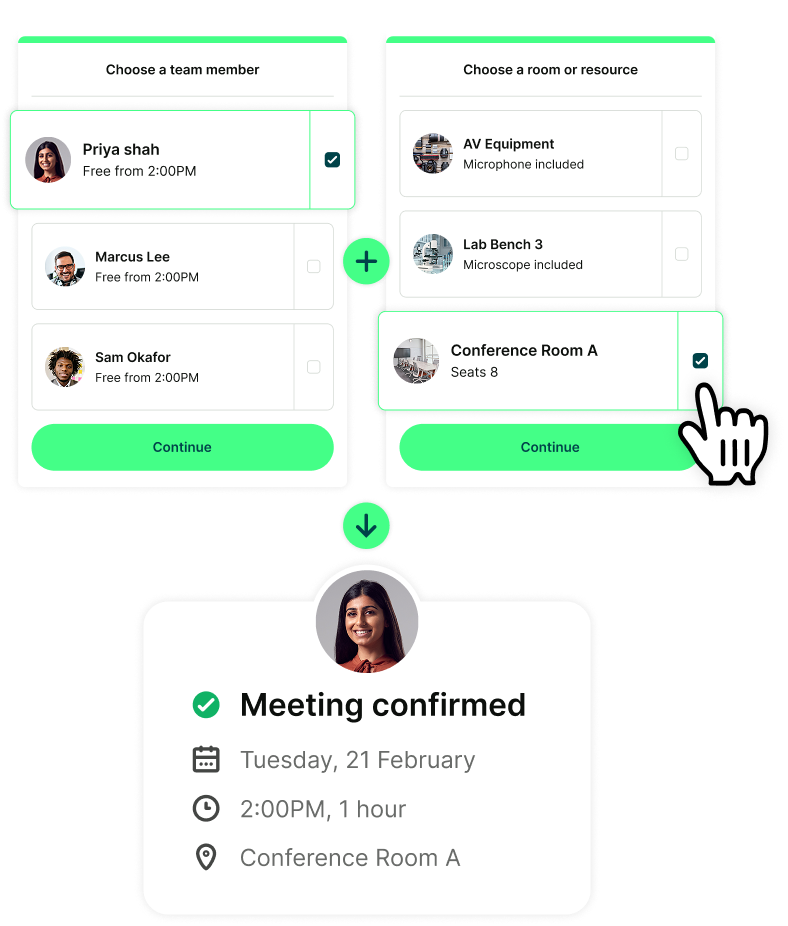
A free room isn't much use if the person you need isn't available.
Add team members and resources to the same booking page, and bookers only see times when both are free. Let them pick a person and have a room assigned automatically, or choose a room and have the right person assigned.

Proof that booking resources and rooms doesn't have to be a headache
See how real teams have made reserving meeting rooms, studios, and shared spaces simpler for everyone.
-
“YouCanBookMe has been the best resource we've had in the last decade. The feedback we heard directly from our media was: we love this new tool you're using.”
 Ben WaringDirector of Global PR and Communications, RSA Conference
-
“What stood out to me was the automation. We picked YouCanBookMe because we wanted the studio to be self-automated—it needed to run smoothly without us being there all the time."
 Trisyia IrdinaOperations Manager, Studio 5 Spaces
-
“When using our conference room, people from the institution usually call me to book it. However, by using this it is easy for them to see if it's available at the time they wish to have their meeting.”
 Takbar I., Mid-market employeeG2 Review
-
“YouCanBookMe is great for our training needs at our university! We needed to find a way for our faculty to register to use our video studio. We needed something that would block out our Outlook calendars at the same time. This tool does the trick!”
Anonymous Academic ProfessionalG2 Review
-
“This is a perfect tool for our sales team to schedule meetings in our booth and in conference rooms at trade shows. We are able to show when the meeting rooms are in use or available.”
Trade Show and Events SpecialistG2 Review
-
“Super happy with this product. We are using it to book virtual recording studio appointments for our clients.”
Events ManagerG2 Review
-
“YouCanBookMe offers us a simple yet effective booking system for our meeting rooms. It is easy to navigate, with lots of different options for the setup.”
 JaneTrustpilot Review
Make room for less scheduling admin

The right resource, assigned automatically
Have several spaces or items to manage? YCBM automatically assigns an available one when someone books, so you never have to figure out what's free.

Let plans change without adding work
Let people cancel or reschedule their own reservations within the limits you set. YCBM updates availability automatically, so someone else can book the room or equipment.

Give yourself time to reset
Need time to clean a studio, reset a conference space, or set up for the next group? Add buffer time between bookings so you're never rushing to get things ready.

Get the details you need upfront
Collect the purpose, headcount, and setup needs before bookers arrive. Custom booking forms mean easier prep and fewer questions to chase up later.

Keep bookings on your terms
Control when people can book, how long reservations last, and how far in advance they can schedule. No more surprise last-minute reservations.

Make sure everyone shows up prepared
Automatically send email confirmations and SMS reminders with access codes, safety rules, and pickup instructions.
Get started today
Join thousands of teams, businesses, and institutions that use YouCanBookMe to power their scheduling. Set up your booking page in minutes.


 4.7 / 5 — Trustpilot


Frequently Asked Questions (FAQ)
Is YouCanBookMe resource scheduling software?

Yes, but not in the Gantt-chart sense. Resource scheduling software often focuses on planning projects, allocating staff, and managing workloads. YouCanBookMe works more like a meeting room booking system: it lets people reserve specific rooms or equipment for specific times, along with any staff they might need.
You can also coordinate availability across team members, rooms, and equipment, collect booking details, and automate confirmations, reminders, and rescheduling. Everything stays in sync with Google Calendar, Microsoft Outlook, and Apple Calendar, so existing events block those times and double bookings are prevented automatically. So your team spends less time managing calendars and more time getting things done.
Can people book equipment as well as rooms?
Yes, meeting and conference rooms, lab instruments, laptop carts, cameras, and sports equipment can all be set up as bookable resources, each with its own calendar. Let people choose what they need, or have an available resource assigned automatically.
Can I limit when and how long rooms can be booked?
Yes, YouCanBookMe's conference room scheduling software lets you set available hours, booking durations, buffer times, and daily booking limits. You can also set minimum notice periods to avoid last-minute reservations and control how far in advance people can book.
Can I take payments or deposits for rooms and equipment?
Yes. Connect Stripe to collect full payments or deposits when someone books, using a card, Apple Pay, or Google Pay. Bookings are only confirmed once payment goes through, so you're not holding rooms or equipment for someone who hasn't paid. For deposits, simply charge the deposit amount upfront and collect the remaining balance separately.
Can I manage multiple meeting rooms from one booking page?
Yes! YouCanBookMe lets you manage multiple rooms from a single booking page. People can find and reserve an available space without checking different calendars or contacting you.
You can also book rooms and team members together. For example, when scheduling at a conference, attendees can choose the sales rep they want to meet, then select a meeting pod that fits their group size—all from one booking page.