
What Is Buffer Time? A Simple Fix for Scheduling Chaos


Create your free booking page

You finish a client call at 2:00 PM, and your next meeting starts at... 2:00 PM. No time to grab a glass of water, jot down notes, or mentally reset. Welcome to the chaos of back-to-back scheduling—and meet your new best friend: buffer time.
If you're constantly racing from task to task or meeting to meeting with zero breathing room, this article is for you. We'll break down exactly:
- what buffer time is,
- why it matters for small business owners and teams,
- and how to build it into your calendar without losing productivity.
Buffer time is the intentional gap you place between meetings, appointments, or tasks to give yourself room to breathe, reset, and prepare before moving on to the next commitment.
In practice, it looks something like this: you’ve got a client meeting from 1:00 to 2:00 PM. Instead of jumping straight into the next call, you give yourself 15 minutes to jot down meeting notes, grab a drink, or just regroup before diving back in.
Using buffer time between meetings comes with several practical benefits, such as:
- Helps reduce stress and meeting fatigue: Without back-to-back scheduling, you have a moment to mentally reset before the next call. This makes it easier to stay focused, present, and avoid carrying tension from one meeting into another.
- Gives you time to take care of you: A short pause allows you to grab water, stretch, or go to the bathroom without feeling rushed or disrespectful to someone’s time. Having physical breaks often improves concentration and energy for the rest of your day.
- Keeps you professional: Some meetings will overrun—it’s going to happen. Buffer time gives you a cushion so you're not late to your next call and helps you maintain a reliable, composed impression with clients or colleagues.
- Helps keep you organized: You’ll finally have space to update your CRM, send a follow-up email, or jot down action items while they’re still fresh. Paired with a solid time blocking strategy, buffer time can help you stay on top of your priorities without constantly feeling behind.
As you can see, buffer time is a powerful tool, but how much time should you actually block off?
The short answer: it depends.
Buffer time isn’t one-size-fits-all. Some tasks/meetings only require a few minutes to reset, while others demand more time for deeper follow-up or prep work.
Let’s say you just wrapped a 1:1 client meeting. You might need 10–15 minutes to take notes and update your CRM. But if you're coming out of a high-stakes sales call with a new prospect, you may want 30 minutes or more to reflect on the conversation and start sketching out a proposal strategy.
Appointment type matters, too. For example, if you run a salon and have just finished a haircut, you’ll need time to sweep up, sanitize your station, and reset before the next client. A blowout appointment might not require that same cleanup, meaning your buffer time can be shorter.
The key is to look at your calendar and ask:
- What follow-up work needs to happen after this appointment?
- Do I need time to prepare or travel before the next one?
- What kind of mental reset or physical setup is required between tasks?
💡 Pro tip: Start by auditing your most common meeting types and assigning a realistic buffer time to each, then adjust them accordingly. You can also use our free time blocking templates to visualize your day and build in buffer time where it’s needed most.
Manually blocking out buffer time after every meeting sounds great until you forget to do it, or a last-minute booking sneaks in and steals that intentional break you planned on having. That’s why the easiest, most consistent way to protect your calendar is to automate your buffer times.
That’s exactly where YouCanBookMe (YCBM) comes in handy. It’s a flexible scheduling tool packed with features for people who need more control over their time—whether you’re a solo consultant, a small team, or running a client-focused business. With YCBM, you can set up booking pages with your real-time availability that automatically add buffer time between appointments, so you’re never caught off guard or overbooked.
Here’s how to set it up:
1. Sign up or log in. If you don’t have a YouCanBookMe account yet, create one here. Already have an account? Just log in and head to your dashboard.
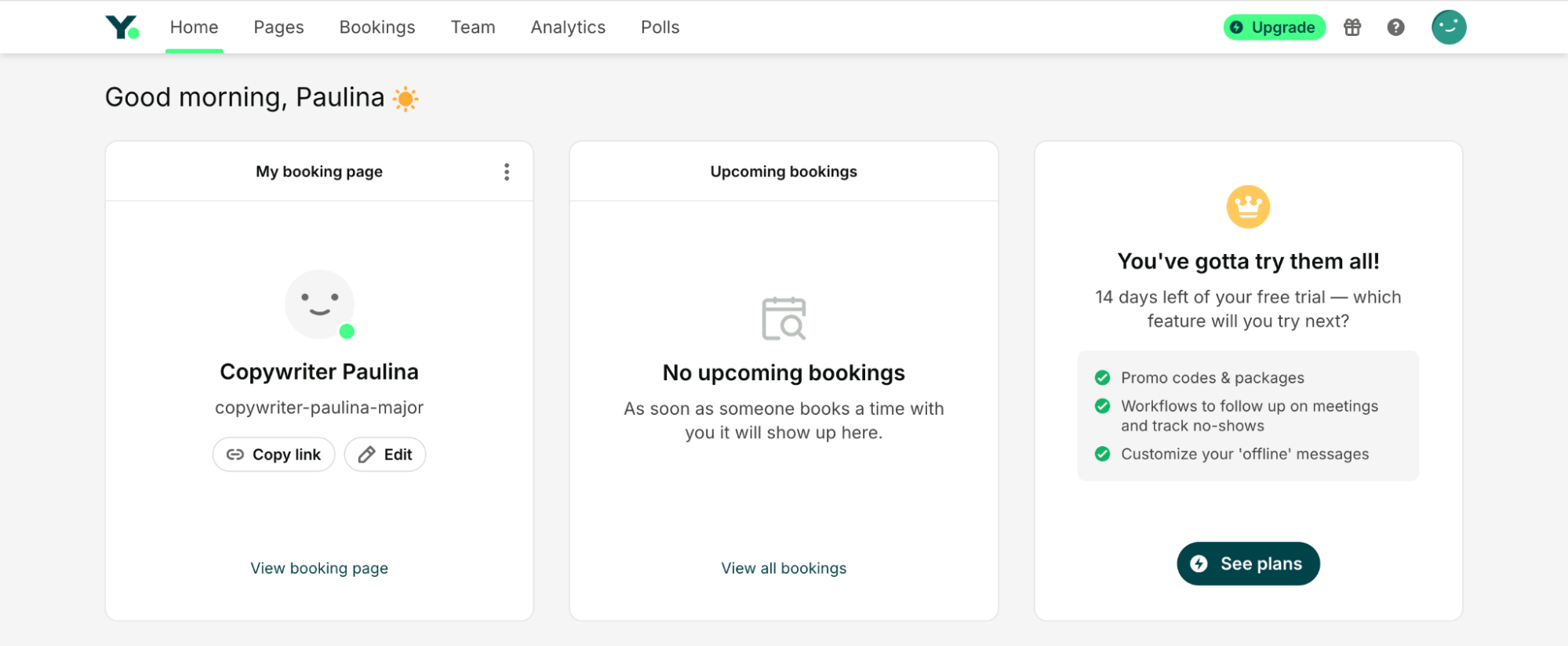
2. Choose the booking page you want to edit. From your dashboard, select the booking page where you want to add buffer time.
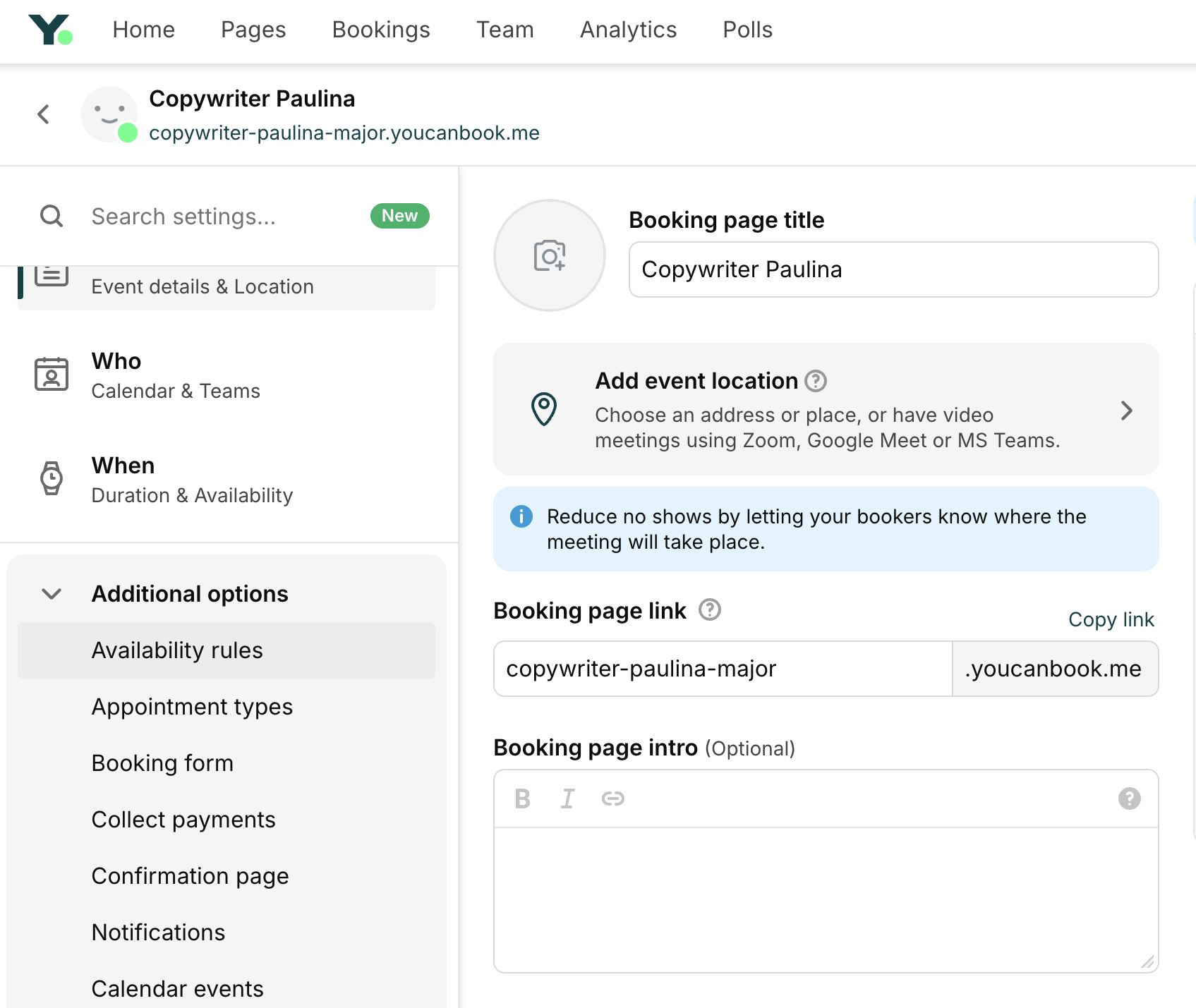
3. Go to “Availability rules.” In the left-hand menu, click Additional options and then open the Availability rules section.
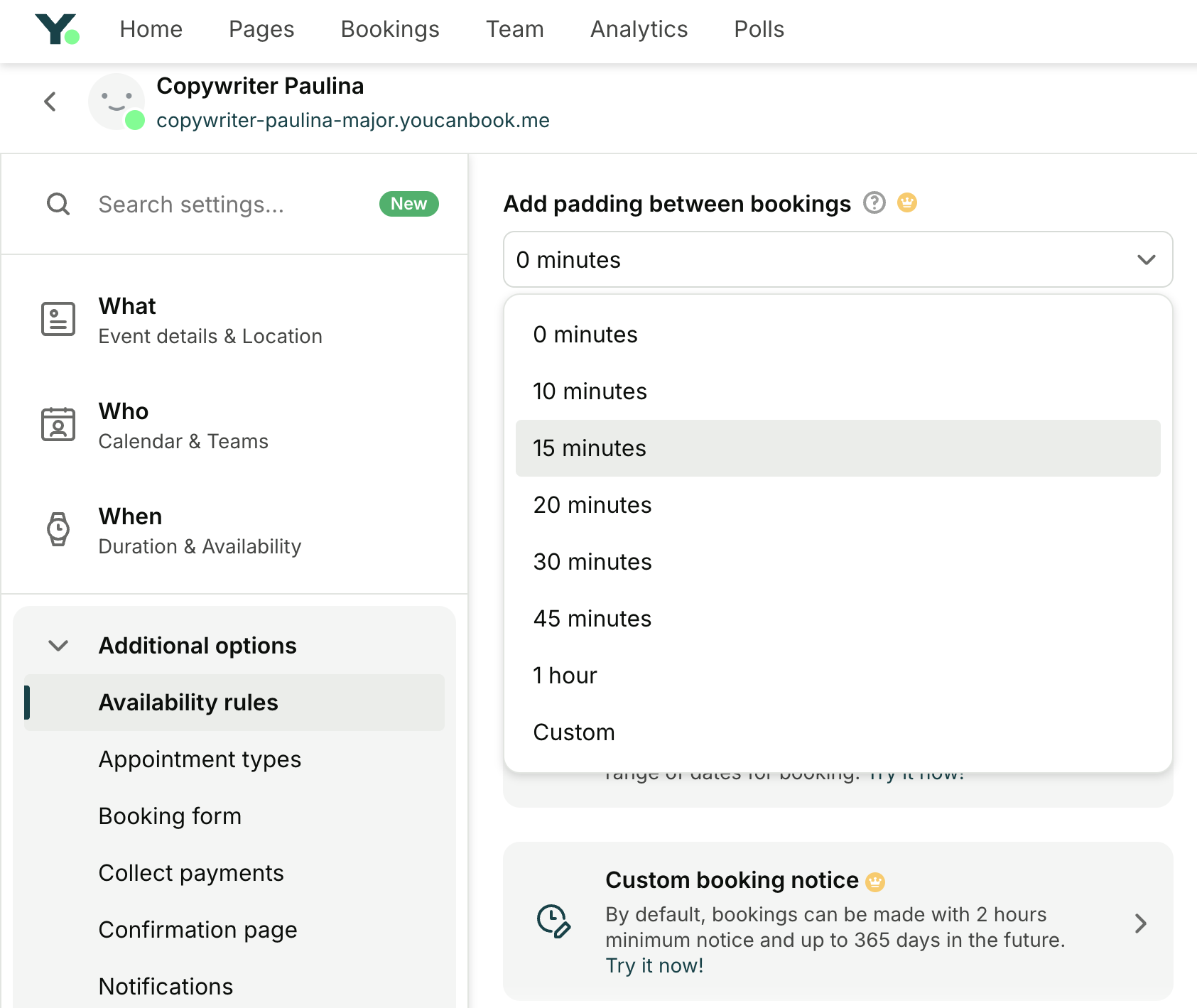
4. Enable “Padding between bookings.” Scroll down to find the Add padding between bookings option. Turn it on, and choose how much time you want before and/or after each appointment.
5. Save your changes and test it out. Hit save to lock in your new settings. Make a test booking to confirm everything looks and works the way you want.
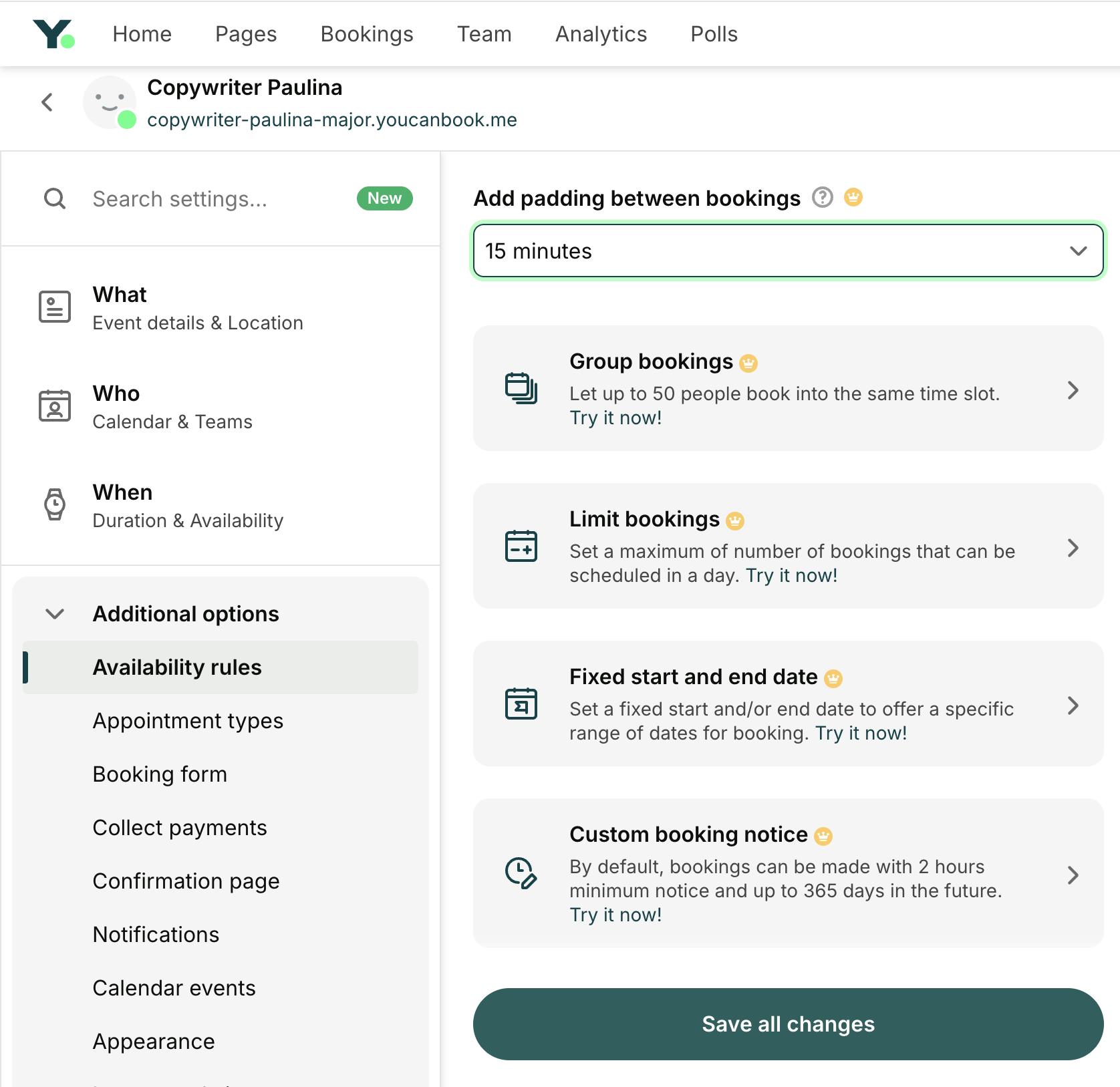
Once set up, YCBM will automatically block off that buffer time between your meetings. Your booking page will only show time slots that allow enough space for both the appointment and the padding, giving you a more manageable day, without any extra effort.
Take control of your schedule
Automate your buffer time with YouCanBookMe and make your calendar feel human again.

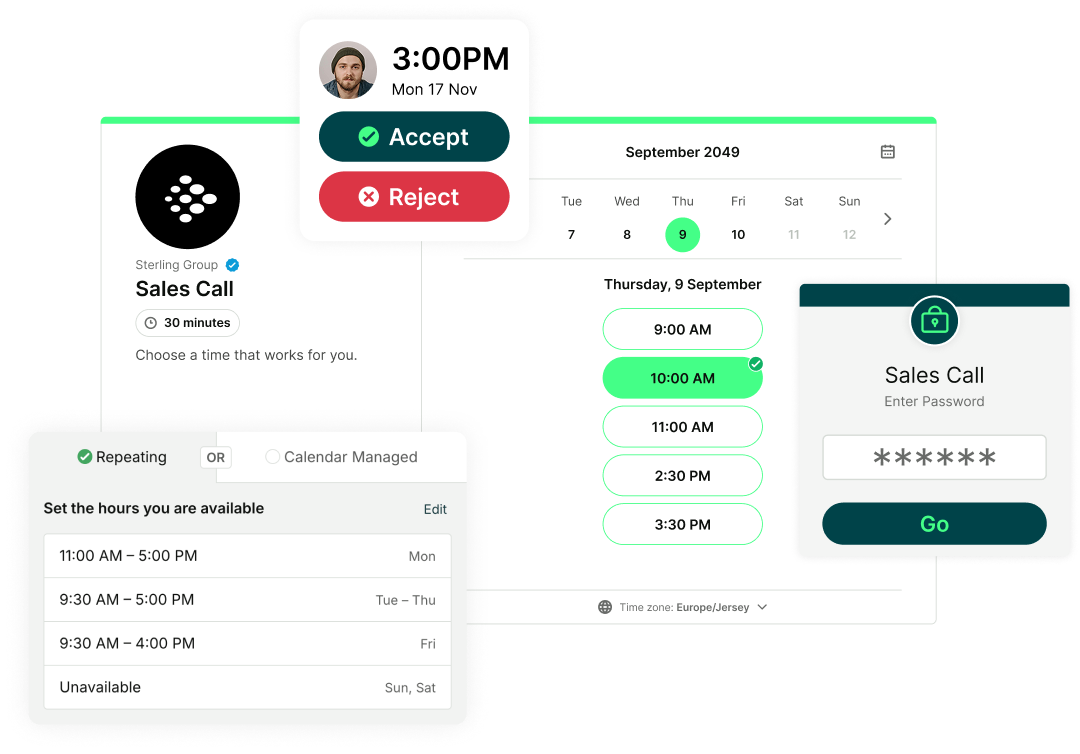
Set up online booking today, it’s easy!
Buffer time might feel like a small tweak, but it can completely change the way your day flows. To be a productive business owner or an effective team member within your organization, you need to protect your time, your energy, and your ability to focus. Buffer time helps you do exactly that. It creates space to breathe and regroup.
And if you’re looking for a scheduling tool that makes it easy to bake in buffer time automatically, YouCanBookMe is a great place to start. It only takes a few minutes to set up, and you can customize everything to fit the way you work.
Sign up for free and start creating more space in your day.
FAQs
How much buffer time should I add between meetings?

It depends on the type of meeting and what needs to happen afterward. For simple check-ins, 10–15 minutes might be enough to take notes and reset. For deeper strategy sessions or sales calls, you may need 30 minutes or more to follow up or prep for what’s next. Start small, test what works, and adjust based on your day-to-day flow.
How does buffer time affect team productivity and morale?
Buffer time helps teams avoid burnout and stay focused throughout the day. When people aren’t rushing from one call to the next, they have time to regroup, follow up properly, and show up more present in meetings. It supports better communication, less task-switching, and a healthier, more sustainable work pace overall.
What’s the best calendar tool to automate buffer time?
YouCanBookMe is one of the best scheduling tools for automating buffer time, thanks to its built-in padding feature. Available on Individual, Professional, and Team plans, this setting allows you to add extra time before and/or after each appointment, so you’re never booked back-to-back.
Buffer time is applied directly within your booking page’s Availability rules. When enabled, YCBM will only show time slots that include both the appointment and the padding you’ve selected—for example, a 30-minute meeting with 15 minutes of padding on each side will only display in 60-minute blocks. This also applies to existing events on your connected calendar, preventing overlap with meetings already scheduled.

Written by
Paulina Major
Paulina Major is a freelance B2B content writer with six years of experience. Since 2024, she has written 100+ articles on scheduling and personally tested and reviewed 30+ booking tools, helping small business owners choose software and simplify their booking processes. As a solopreneur managing her own clients and calendar, she brings firsthand experience to her advice on scheduling, time management, and running a business.
Get started today
Join thousands of coaches, consultants, and entrepreneurs who use YouCanBookMe to power their business. Get your first booking in a few minutes.


 4.7 / 5 — Trustpilot

