
Need a Chili Piper Alternative? Try These 6 Powerful Tools

Create your free booking page

When it comes to scheduling tools, there are a ton of options on the market, and it can be hard to figure out what the best option for you is. Whether you're booking meetings with prospects, coordinating with your team, or just trying to simplify your day, the right tool can make all the difference, so it’s important to find the right match.
Chili Piper is a popular choice, especially for sales teams that need advanced routing and lead qualification features. What works for one team might not work for everyone, though. Maybe it’s too complex, the price tag doesn’t fit your budget, or you just want something more intuitive. Whatever the reason, if you're searching for Chili Piper alternatives, you’re in the right place.
This buying guide will help you find the best scheduling tools for your specific needs.
Let’s go!
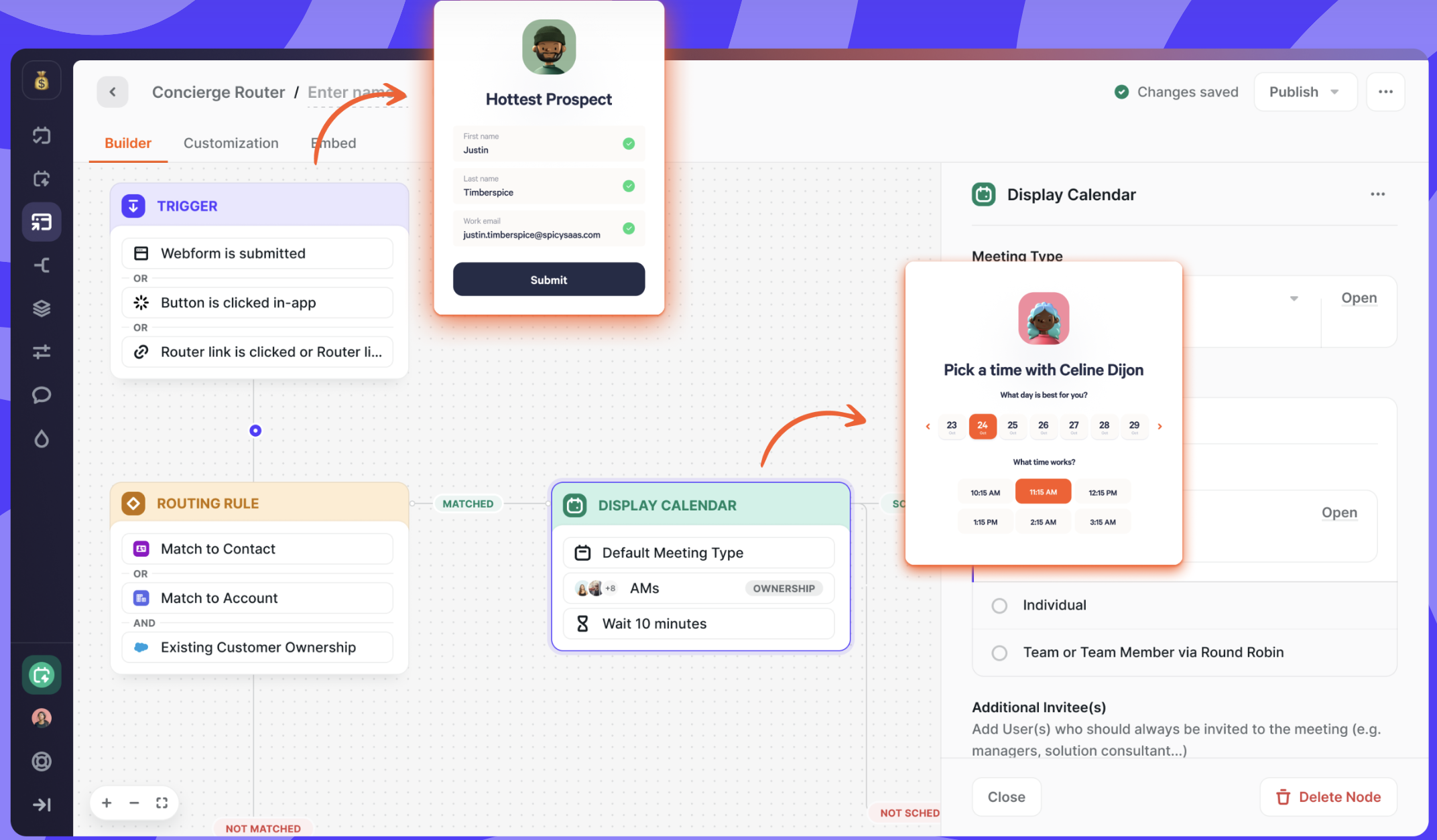
Chili Piper is a scheduling and lead distribution tool built for sales teams. It specializes in instant meeting booking, real-time lead qualification, and deep CRM integrations with platforms like Salesforce.
While it’s designed to help revenue teams book more sales meetings and close deals faster, some users find it a bit too complex or expensive for their needs.
Common reasons users switch from Chili Piper
- Steep learning curve—Setting up Chili Piper isn’t as simple as "sign up and start booking." Many users report needing training just to get the basics down.
- Customization is harder than it should be—Want to tweak your scheduling experience? Set up reminders? Manage group meetings? Chili Piper can do it—but it’s not always intuitive.
- Expensive for what you get—While it’s a great tool for high-volume sales teams, the pricing structure can be steep, especially if you’re not fully using its lead-routing capabilities.
If any of these sound familiar, don’t worry—there are plenty of great Chili Piper alternatives that are easier to use, more flexible, and often more budget-friendly.
Not every scheduling tool is built the same. Some focus on customization, others on automation, and some just keep things as simple as possible. Here’s a quick breakdown of the best Chili Piper alternatives and what they’re best at.
Best alternative for customization |
Best alternative for HubSpot CRM users |
Best alternative for advanced sales & revenue tracking |
|
|
|
|
|
YouCanBookMe (YCBM) |
HubSpot Meeting Scheduler |
LeanData |
| Best for small businesses and entrepreneurs who need a powerful scheduling tool with deep customization. | Best for teams already using (and loving) HubSpot! | Best for revenue and sales teams that need lead generation management. |



Every scheduling tool brings something different to the table. Some are built for speed and simplicity, while others pack in advanced features for sales and enterprise teams. But no matter what, every booking tool is built around four key factors (which is what we use to rate tools!):
- Ease of use: How intuitive is the tool? Can you (and your team) get up and running quickly, or is there a steep learning curve?
- Integrations: Does it work seamlessly with your existing tech stack? A great scheduling tool should connect easily to your CRM, email, and calendar without any hassle.
- Value for money: Pricing matters. Does the tool justify its cost based on the features it offers?
- Customization: Your booking page should feel like your brand. Can you tweak colors, logos, and layouts? Can you embed it where you need it? The more flexible a tool is, the better it can match your workflow.
💡 A quick note on ratings: A lower score in one category doesn’t necessarily mean a tool is bad—it just means it’s specialized. For example, if a tool is built for large enterprises, it may naturally be more complex to use. The key is figuring out which features matter most to you.
Now, let’s break down the best Chili Piper alternatives and see which one is the best for you!
|
📌 Exploring more scheduling tools? Check out our in-depth comparison guides to find the best fit for your workflow: |
|
Tool |
What makes it stand out? |
Best for |
|---|---|---|
|
CRM + scheduling in one platform. |
Sales teams looking for an all-in-one tool inside their CRM. |
|
|
Smart lead routing and matching for revenue teams. |
Sales and revenue teams that need advanced lead management. |
|
|
Super customizable, affordable, and easy to use. |
Small businesses that want a booking tool that feels like it was built for them. |
|
|
Clean, simple, and widely used for scheduling across teams. |
Large enterprises with complex scheduling needs. |
|
|
Basic but reliable—perfect for organizing meetings within Google Workspace. |
Individuals who just need to stay organized without anything extra. |
|
|
Quick and easy group scheduling with polls. |
Teams trying to find a time that works for everyone. |
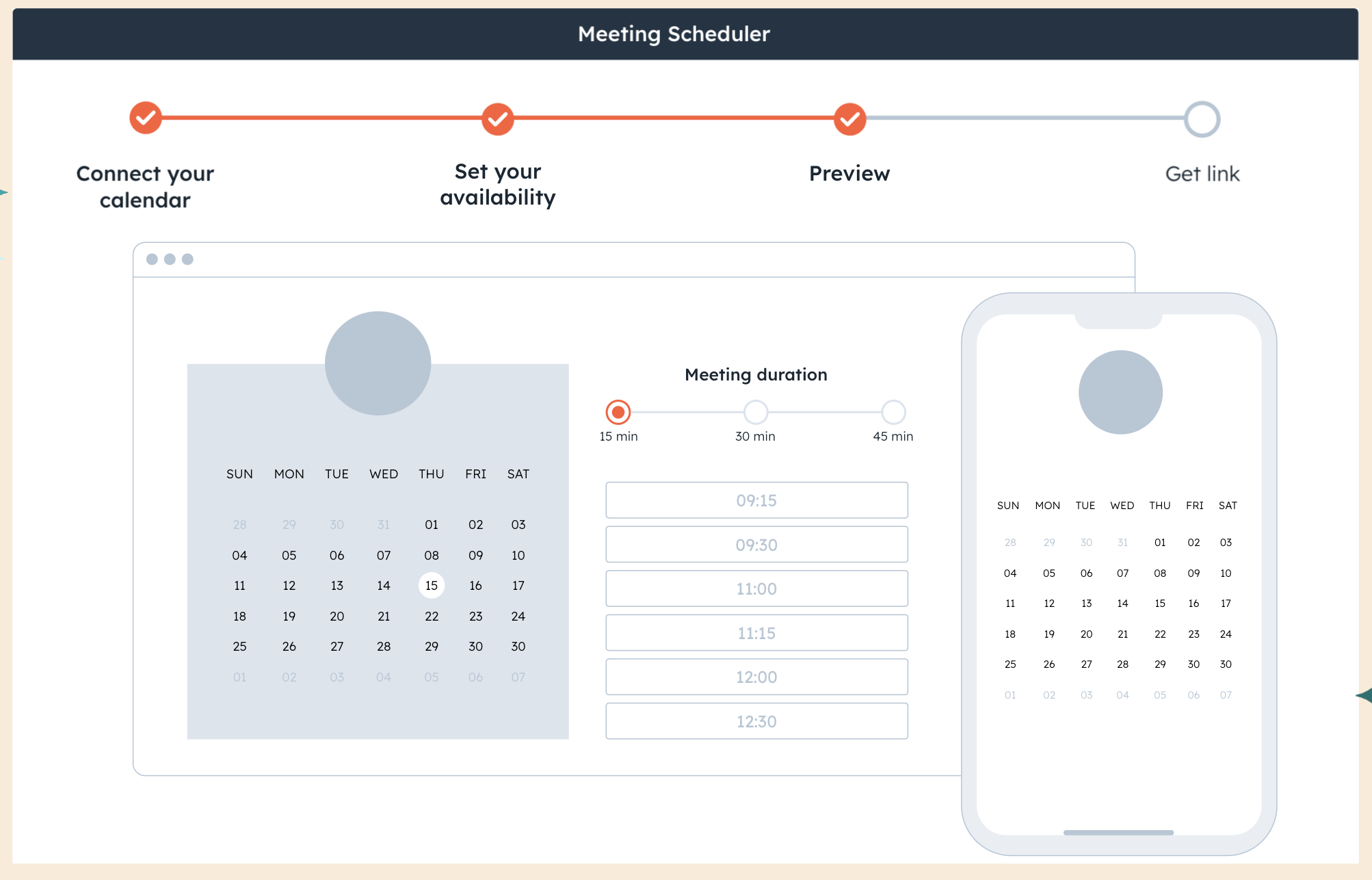
HubSpot Meeting Scheduler is built directly into HubSpot’s CRM, making it an awesome tool for teams already using HubSpot.
Unlike standalone scheduling apps, HubSpot’s scheduler automatically logs meetings, notes, and follow-ups into customer records. That means sales, marketing, and service teams can see every interaction in one place.
Pros ✅ |
Cons ❌ |
|
|
Core features
- Native CRM—All meetings are logged automatically in HubSpot.
- Automated follow-ups—Schedule reminders and next steps for leads.
- Round-robin scheduling—Automatically distribute leads based on availability.
- Team scheduling—Let prospects book meetings with the right team member.
What stands out most is how seamlessly it integrates with HubSpot’s broader ecosystem, tying together email campaigns, social media posts, and blog publishing without needing to jump between platforms. It’s clear this tool was designed with marketers’ workflows in mind, making it an essential for coordinating content across multiple channels.” - Keith B., Finance
How HubSpot Meeting Scheduler compares to Chili Piper
Both HubSpot and Chili Piper are built for sales teams, but there’s one big difference:
- HubSpot Scheduler is part of the HubSpot CRM. If your team already uses HubSpot, it’s the easiest way to manage meetings and sales in one place.
- Chili Piper is more advanced for lead routing and integrates better with non-HubSpot CRMs like Salesforce.
If you already use HubSpot CRM, it makes sense to use the built-in scheduler instead of paying extra for Chili Piper.
Pricing comparison
- HubSpot Meeting Scheduler: Free with HubSpot’s CRM
- Chili Piper: Starts at $15 per user per month for the stand-alone scheduling tool, and $1,250 /month for the scheduling + sales tools
Use HubSpot Meeting Scheduler if you:
- Need a scheduling tool that automatically logs meetings into HubSpot CRM.
- Already use HubSpot for sales, marketing, or customer service.
- Want a free scheduling tool without extra costs.
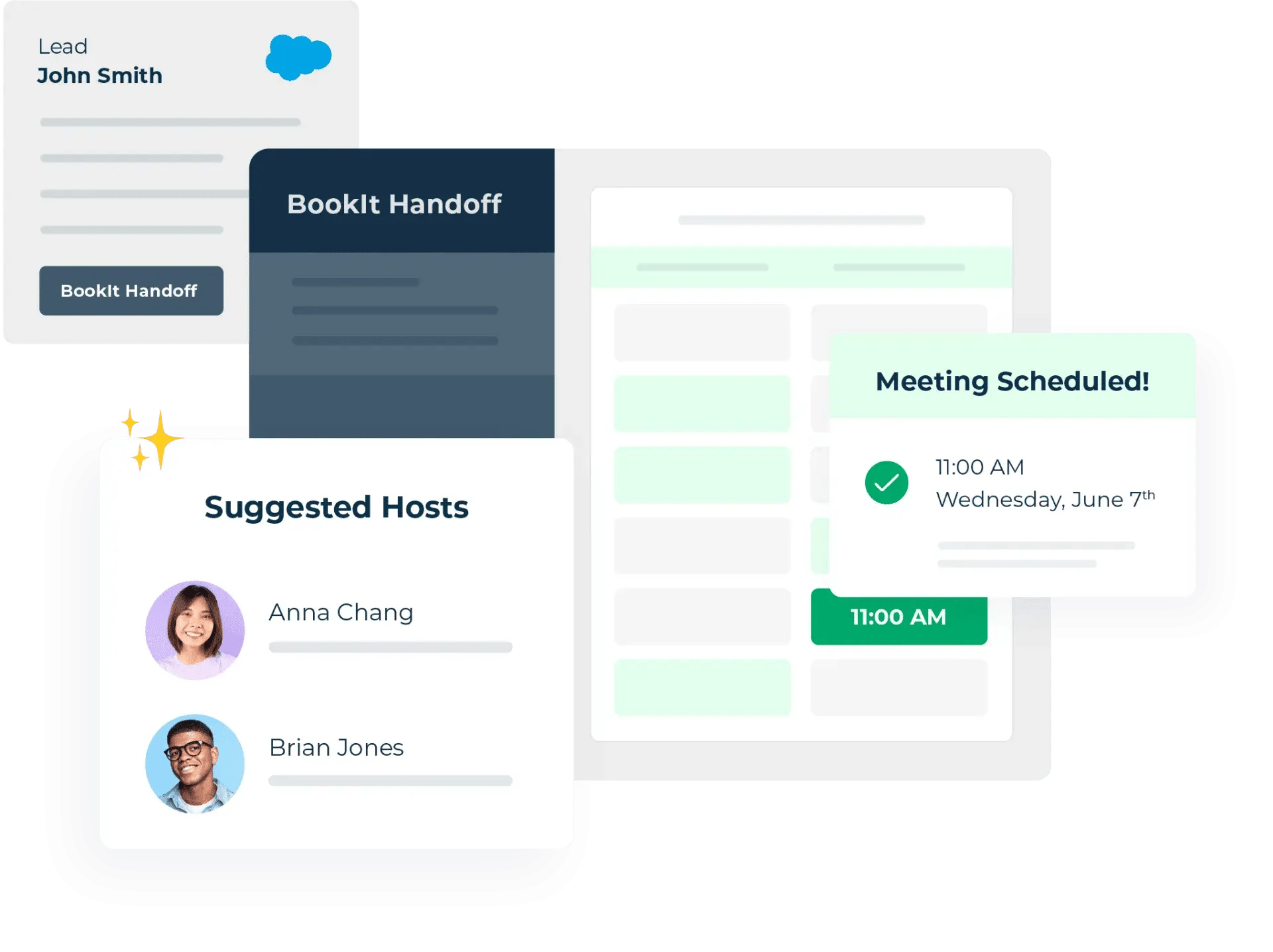
LeanData is a lead routing and revenue orchestration platform designed to help sales teams automate, track, and optimize their lead management process.
LeanData’s BookIt feature takes this a step further by letting prospects schedule meetings with the right rep immediately, reducing the back-and-forth and increasing conversion rates.
Pros ✅ |
Cons ❌ |
|
|
Core features
- Automated lead routing—Assigns leads instantly based on territory, team availability, or custom rules.
- BookIt scheduling—Prospects can self-schedule meetings with the right sales rep in seconds.
- CRM integration—Works seamlessly lead generation software and CRMS like Salesforce, keeping all lead and meeting data in one place.
- Advanced analytics—Tracks how leads move through your sales pipeline and where deals get stuck.
LeanData allows us to automate SO many processes. To name a few: converting leads to contacts, checking for dupes when new leads are generated, creating records to match new leads generated (after checking to see if account already exists in SF), automatically populating opportunities when specific trigger criteria is met...and we're just getting started.” - Daniella W., Marketing Operations Coordinator
How LeanData compares to Chili Piper
Both LeanData and Chili Piper are built for sales teams, but they focus on different things:
- LeanData is a full revenue orchestration platform. It helps sales teams automate lead assignments, book meetings, and track performance at every stage of the sales pipeline.
- Chili Piper is primarily a meeting scheduler. While it has lead routing, it’s not as advanced as LeanData’s automation tools.
If you need a full system to manage, track, and optimize your inbound leads, LeanData is the better choice.
Pricing comparison
- LeanData: Starts at $39 per license per month
- Chili Piper: Starts at $15 per user per month for the stand-alone scheduling tool, and $1,250 /month for the scheduling + sales tools
Use LeanData if you:
- Want automated lead routing and scheduling for your sales team.
- Use Salesforce as your CRM.
-
Need a high-level view of your sales process with analytics and reporting.
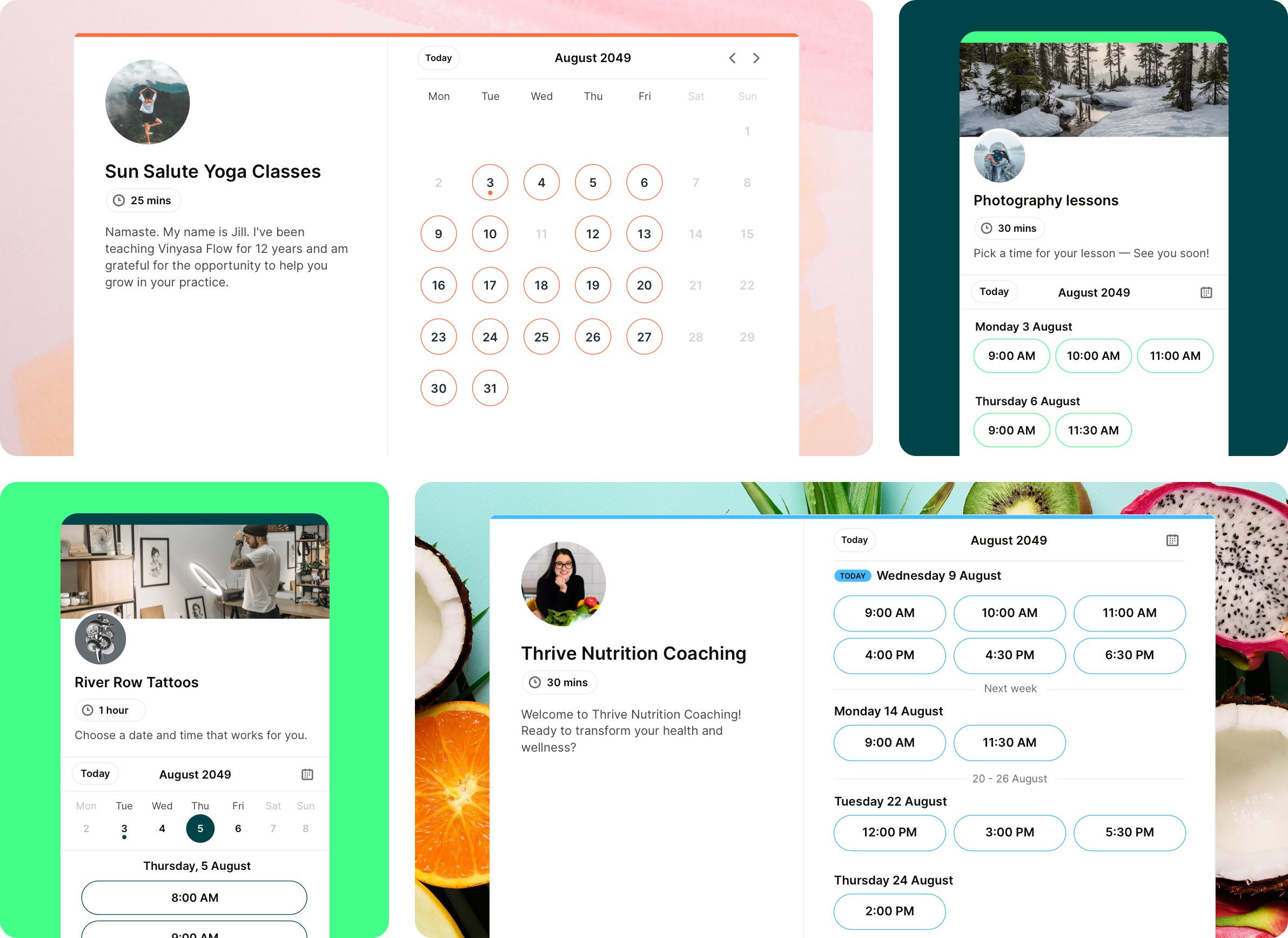
YouCanBookMe is more than just a scheduling tool—it’s a fully customizable calendar solution designed to simplify booking while keeping you in control.
Whether you're managing client appointments, team meetings, or consultations, YouCanBookMe ensures a seamless experience with easy calendar syncing and smart automation that eliminates scheduling conflicts.
With YouCanBookMe, your booking page isn’t just a calendar—it’s an extension of your brand. Customize every detail, from availability and appointment types to confirmation emails and reminders, ensuring a professional, personalized experience for your clients.
It’s also incredibly intuitive: set your availability, share your booking link, and let YouCanBookMe do the rest. No more back-and-forth emails—just effortless scheduling designed to save you time and keep your calendar running smoothly.
Pros ✅ |
Cons ❌ |
|
|
Core features
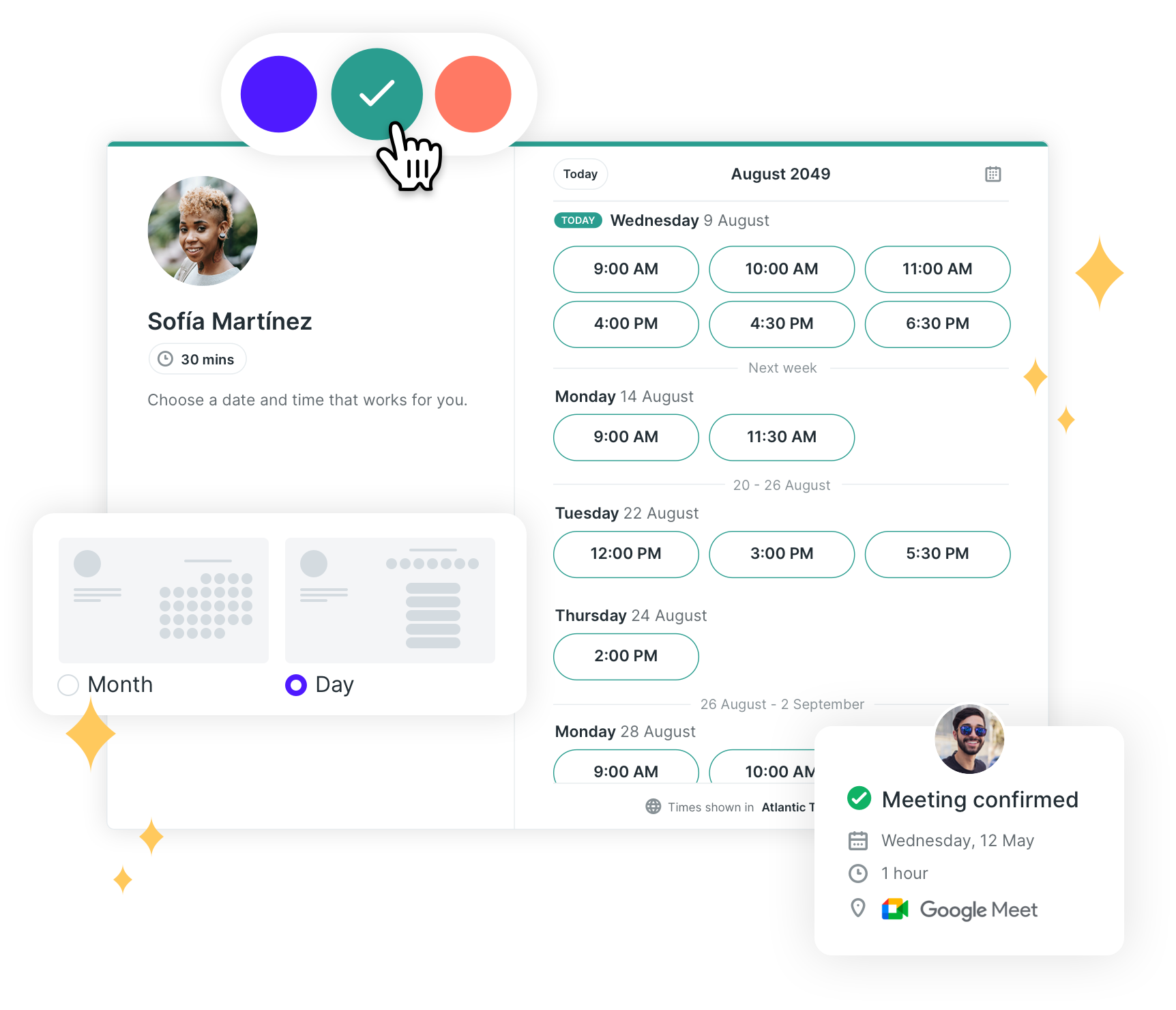
- Works with Google, Microsoft, Apple, and Fastmail calendars—No double bookings, no outdated availability
- Customizable booking pages—Add your logo, custom backgrounds, brand colors, and personalized messages
- Personalized, automatic email & SMS reminders and follow-ups—Cut down on no-shows and keep the conversation going after every appointment
- Manage team availability—Share your entire team's availability in one place, and let bookers choose who to meet with or assign automatically via round robin
YouCanBookMe proves to be an invaluable tool for streamlining client appointments. Its standout feature is the seamless booking process that allows clients to schedule sessions without the need for direct communication while simultaneously notifying me via text message immediately after a booking is made. The platform is user-friendly, and the support team provides excellent assistance during the account setup process, ensuring all configurations are accurate and tailored to your needs." - Laura B., Small Business Center Director
How YouCanBookMe compares to Chili Piper
Chili Piper is great for large sales teams that need lead tracking, routing, and advanced sales automation. But if you're a smaller organization looking for a flexible, user-friendly scheduling tool that works across your entire organization, YouCanBookMe is the smarter, more affordable choice.
Unlike Chili Piper, YouCanBookMe offers a free plan and a free trial, making it easy to get started without upfront costs.
YouCanBookMe is also designed for versatile scheduling across multiple teams—from HR and recruitment to customer support, education, consulting, and more.
It’s customizable booking pages, seamless calendar sync, and automated notifications help streamline scheduling for any workflow, ensuring a smooth experience for both you and your clients.
|
🧰 Want to know about the latest improvements from YouCanBookMe? Check out these 16 new scheduling features requested by business owners just like you! |
Pricing comparison
- YouCanBookMe: Free plan available, paid plans start at $9 per month
- Chili Piper: Starts at $15 per user per month for the stand-alone scheduling tool, and $1,250 /month for the scheduling + sales tools
Use YouCanBookMe if you:
- Need an affordable yet powerful scheduling tool for your small or mid-sized business.
- Want a customizable, intuitive booking system that works for any team—without the learning curve.
- Care about branding and a seamless client experience, with fully customizable booking pages that match your professional image.
Create your free booking page
Get started with a free, 14-day trial of YouCanBookMe's highly customizable scheduling app. Then, you can upgrade or stay on the free plan forever.

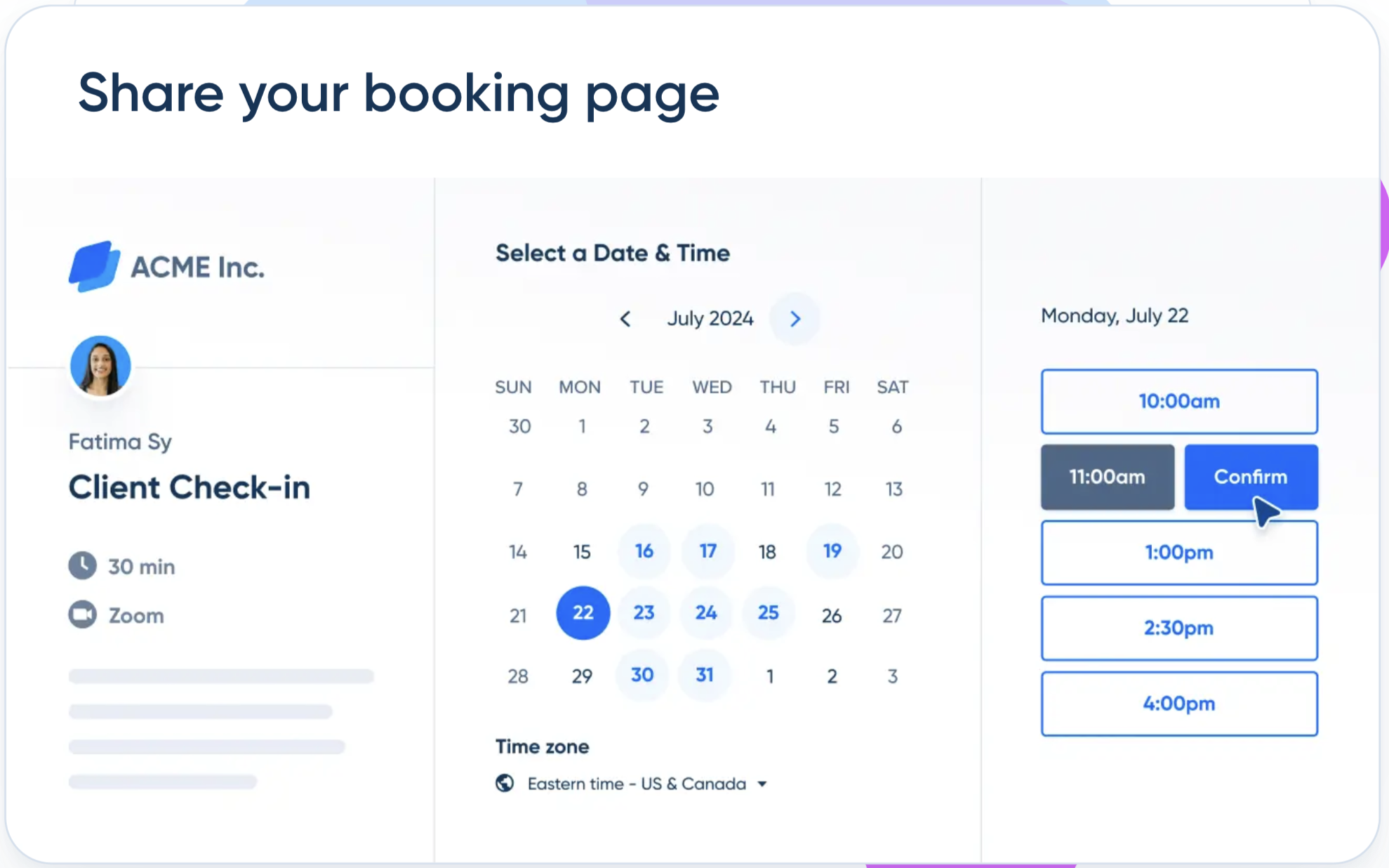
Calendly is one of the most well-known scheduling tools out there. It’s used by big companies that need to coordinate meetings across different teams and departments.
If you’re looking for an easy-to-use, company-wide scheduling tool, this is a solid choice, especially for enterprise teams.
Pros ✅ |
Cons ❌ |
|
|
Core features
- Works with Google and Outlook—No more scheduling conflicts.
- Team scheduling options—Round-robin, collective booking, and group meetings.
- Automated confirmations, reminders, and follow-ups—Keep people from forgetting about their meetings.
- Integrates with popular tools—Such as Zoom, Slack, Salesforce, and many more.
A very helpful app for scheduling. I can schedule and manage my department's onboarding calls to 300-400 new staff yearly and integrate it with Microsoft Teams and Zoom calls”
How Calendly compares to Chili Piper
The difference between Calendly vs Chili Piper is that Chili Piper is built specifically for sales teams—it’s all about lead routing, sales conversions, and CRM integration.
Calendly, on the other hand, is designed for large companies that need a simple way to manage scheduling across many different teams and departments.
If you don’t need complex sales tools and just want a clean, easy-to-use scheduling system for your enterprise business, Calendly is a better fit than Chili Piper.
Pricing comparison
- Calendly: Free plan available, paid plans start at $10 user per month
- Chili Piper: Starts at $15 per user per month for the stand-alone scheduling tool, and $1,250 /month for the scheduling + sales tools
Use Calendly if you:
- Want a user-friendly scheduling tool for your whole company.
- Don’t need advanced sales-specific features.
- Want an easy setup with lots of integrations across all your teams.
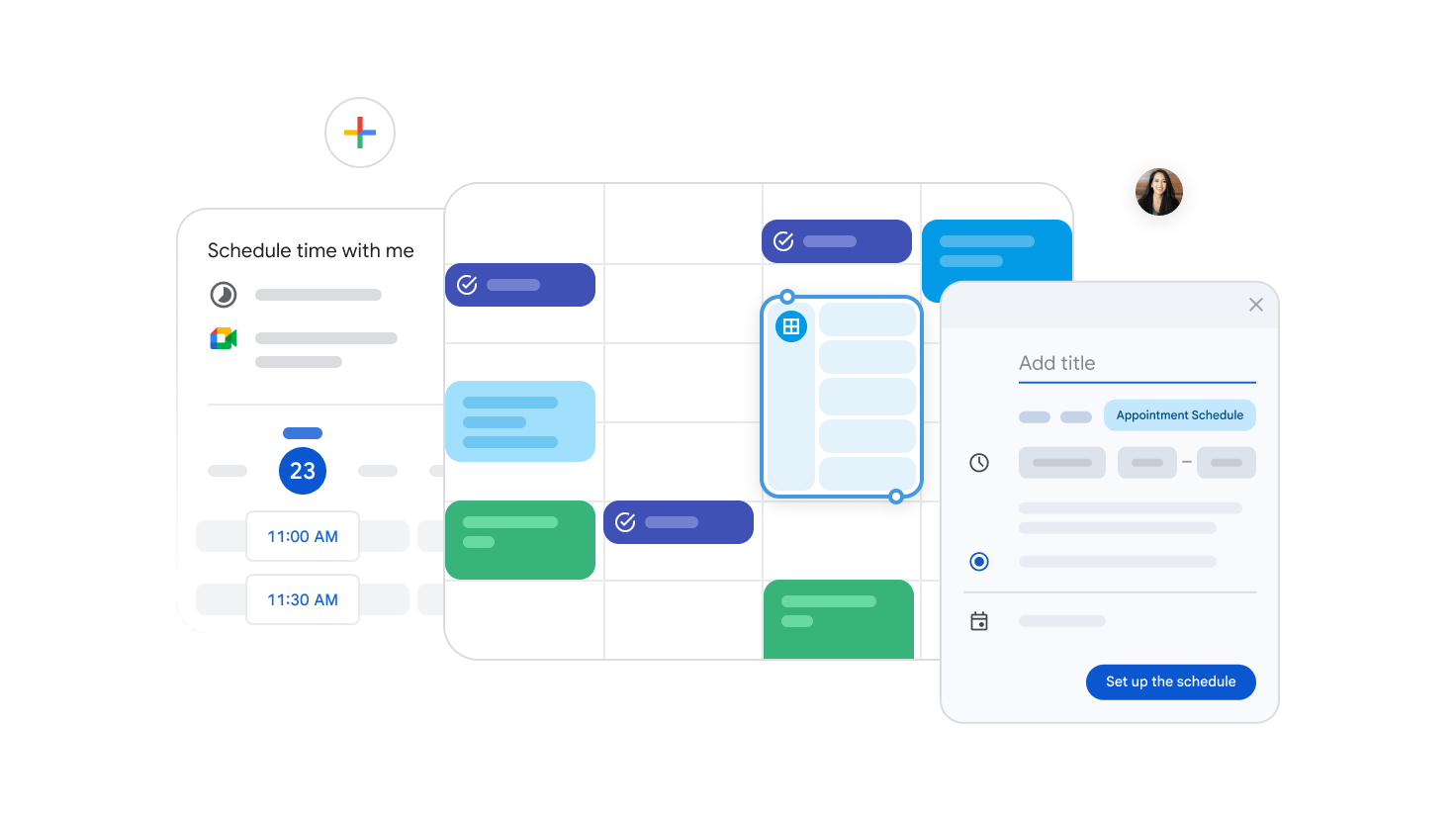
Google Calendar is free, easy to use, and already built into Google Workspace.
If you just need a basic way to schedule meetings right inside your calendar via Google's Appointment Scheduler, it’s a solid choice—especially if you’re already using Gmail and Google Meet.
|
Pro tip: Need more info? See how Google Calendar compares to Calendly in our full comparison. |
Pros ✅ |
Cons ❌ |
|
|
Core features
- Works seamlessly with Google Workspace—Gmail, Meet, Drive, it’s all connected.
- Shared calendars—See your team’s availability in one place.
- Meeting reminders—Get notifications so you never miss an appointment.
- Mobile access—Check your schedule from anywhere.
I love it, I doubt I will ever use another type of calendar, it takes care of every need that I have and is integrates seamlessly with any other software.” - Yolandi
How Google Calendar compares to Chili Piper
Google Calendar is not really a direct competitor to Chili Piper; it is a simple way to schedule meetings.
If you don’t need appointment booking or advanced scheduling features, Google Calendar is a free, no-fuss option.
Pricing comparison
- Google Calendar: Free
- Chili Piper: Starts at $15 per user per month for the stand-alone scheduling tool, and $1,250 /month for the scheduling + sales tool
Use Google Calendar if you:
- Just need a basic calendar to manage meetings.
- Already use Google Workspace.
- Don’t need appointment booking or automation.
Design a schedule that works for you
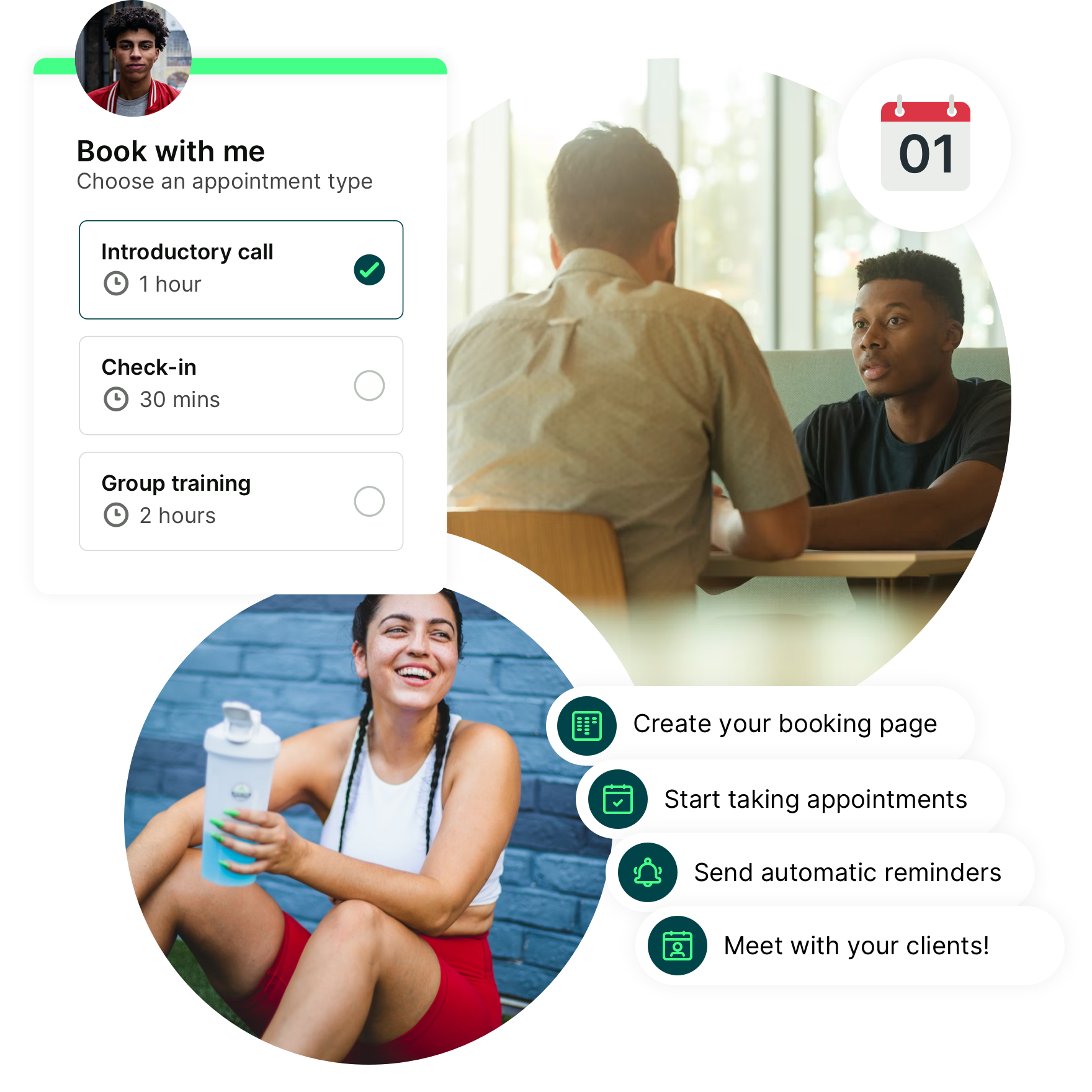
Add as many appointment types, notifications, and calendars as you need. Customize your booking pages with your photo, logos, and colors. With YCBM, it’s all up to you.

Doodle is a straightforward scheduling tool that covers all the basics.
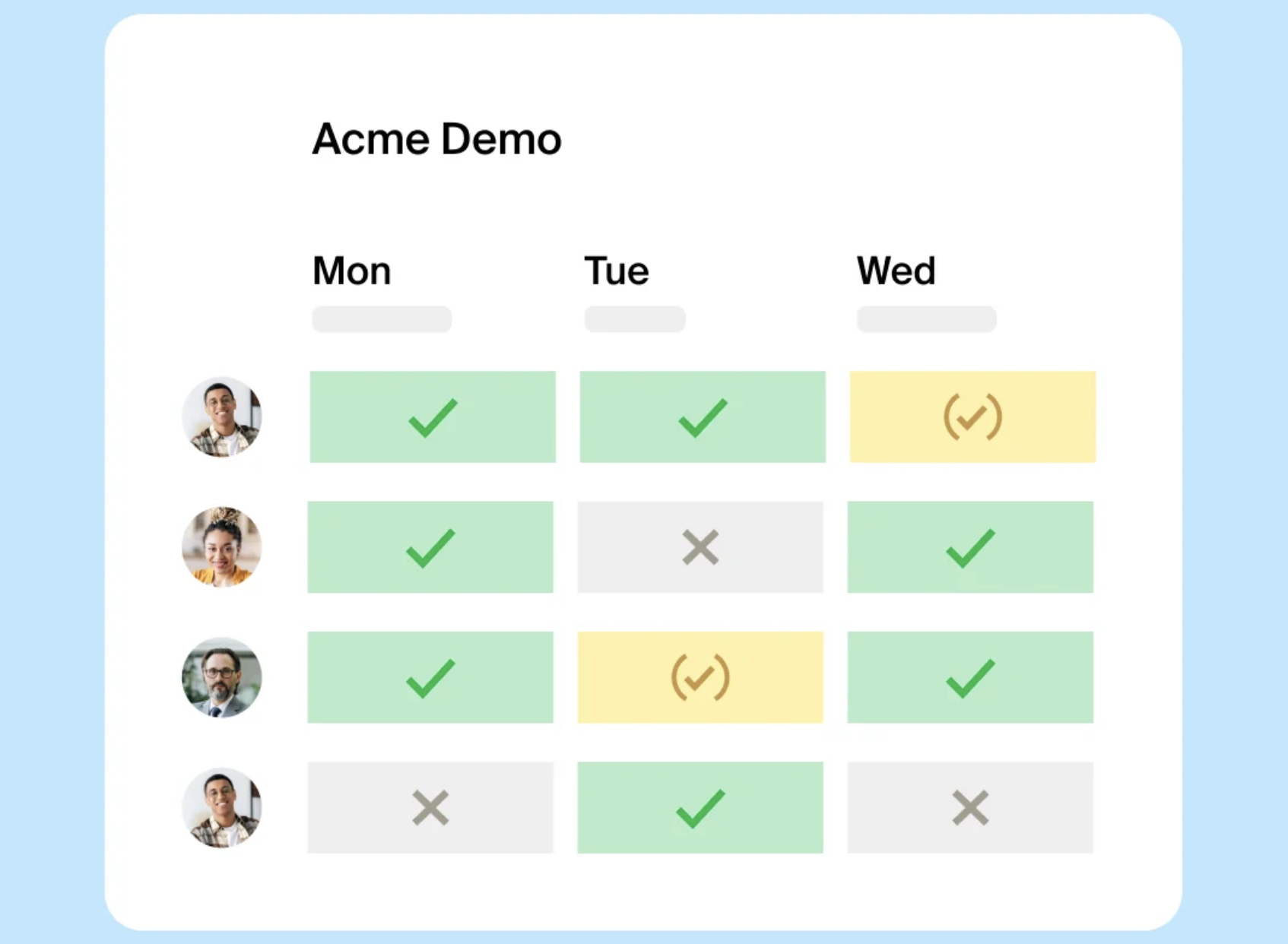
But what really sets it apart from Doodle alternatives is its focus on group scheduling. Instead of guessing when everyone is free, you create a meeting poll, send it to your team, and let them vote on the best time.
Pros ✅ |
Cons ❌ |
|
|
Core features
- Meeting buffers—Prevent back-to-back meetings from stacking up.
- Custom availability—Set specific times when you're free.
- Automatic time-zone detection—No more mix-ups when scheduling with international teams.
- Email meeting reminders—Reduce no-shows.
- Doodle polls—Let teams vote on the best time for them.
Doodle has made it much easier to 'poll' what dates and times work best for meetings. It has saved us a lot of time and stress with trying to find the best times to meet for larger groups of people with varying calendars. You can easily create an account and the program is very simple to figure out.” - Shae P., Small Business
How Doodle compares to Chili Piper
Doodle and Chili Piper aren’t direct competitors.
Chili Piper is a sales tool built for lead routing and booking meetings with prospects. Doodle, on the other hand, is best for internal meetings and coordinating schedules within a team.
Pricing comparison
- Doodle: Free plan available, pro plan starts at $14.95/user/month
- Chili Piper: Starts at $15 per user per month for the stand-alone scheduling tool, and $1,250 /month for the scheduling + sales tools
Use Doodle if you:
- Need a fast, no-login group scheduling tool.
- Want built-in polls for quick decision-making.
- Manage large-scale scheduling with booking pages.
Find the best Chili Piper alternative for you
The right scheduling tool can make or break your workflow. Whether you need a fully customizable solution, an easier way to book meetings, or a scheduling tool that fits your budget, there’s an alternative that works better than Chili Piper.
And if you’re looking for a scheduling tool that’s simple, powerful, and built to make booking effortless—YouCanBookMe is your best choice.
✅ Customize your booking pages to match your brand
✅ Set up automated reminders to reduce no-shows
✅ Sync seamlessly with Google, Microsoft, and Apple calendars
✅ Offer a smooth, frustration-free scheduling experience for your clients
Ready to take the hassle out of scheduling? Try YouCanBookMe today! Get started for free.
FAQ
What is the difference between Calendly and Chili Piper?

Calendly is a general scheduling tool used across various industries for simple, automated booking, while Chili Piper is specifically designed for sales teams and offers advanced lead routing and CRM integrations.
Is there a better alternative to Calendly?
That depends on your needs! If you’re looking for a more customizable alternative, YouCanBookMe is a great choice. Unlike Calendly, YouCanBookMe offers greater flexibility in branding, booking page design, and automated workflows, making it ideal for small businesses that want a seamless, professional scheduling experience. Plus, with a free plan and transparent pricing, YCBM provides powerful features without hidden costs.
Does Google have a scheduling tool?
Yes! Google Calendar includes basic scheduling features, allowing you to book meetings and share availability. However, for appointment-based businesses or teams that need more flexibility, customization, and automation, YouCanBookMe is a smarter choice. With fully branded booking pages, advanced workflows, and powerful integrations, YouCanBookMe gives you complete control over your scheduling—without the limitations of one-size-fits-all tools.
Does Google offer a service like Calendly?
Google does have a feature called Google Appointment Scheduling, which is available for Google Workspace users. It allows users to create booking pages similar to Calendly. However, it lacks some of Calendly’s advanced team scheduling features and integrations with CRMs like Salesforce.

Written by
Hannah Ouijdani
Hannah never planned to be a content writer, but it’s her favorite happy accident. What started as a passion for all things celestial turned into a popular astrology Twitter account, and soon she was ghostwriting horoscopes, newsletters, and articles for magazines, brands, and even musicians. She’s been Head of Copy at a creative agency, where her love for space and science fiction naturally pulled her into the worlds of SaaS, AI, and the coolest tech. Now, she dreams of being the first writer to advertise on Mars.
Get started today
Join thousands of coaches, consultants, and entrepreneurs who use YouCanBookMe to power their business. Get your first booking in a few minutes.


 4.7 / 5 — Trustpilot

