Summarize this content with AI:

If YouCanBookMe has made scheduling easier for you, chances are it could help someone you know, too!

Most referrals happen naturally—someone asks how you manage scheduling, complains about trying to find a time to meet, or wonders how you sent that booking link.

That’s when sharing your YouCanBookMe referral link can help both of you. They get a discount, and you get credit toward your subscription!

To make it easy, we’ve put together 16 simple messages you can copy, paste, and share wherever you already talk to people—LinkedIn, email, or even a quick DM.

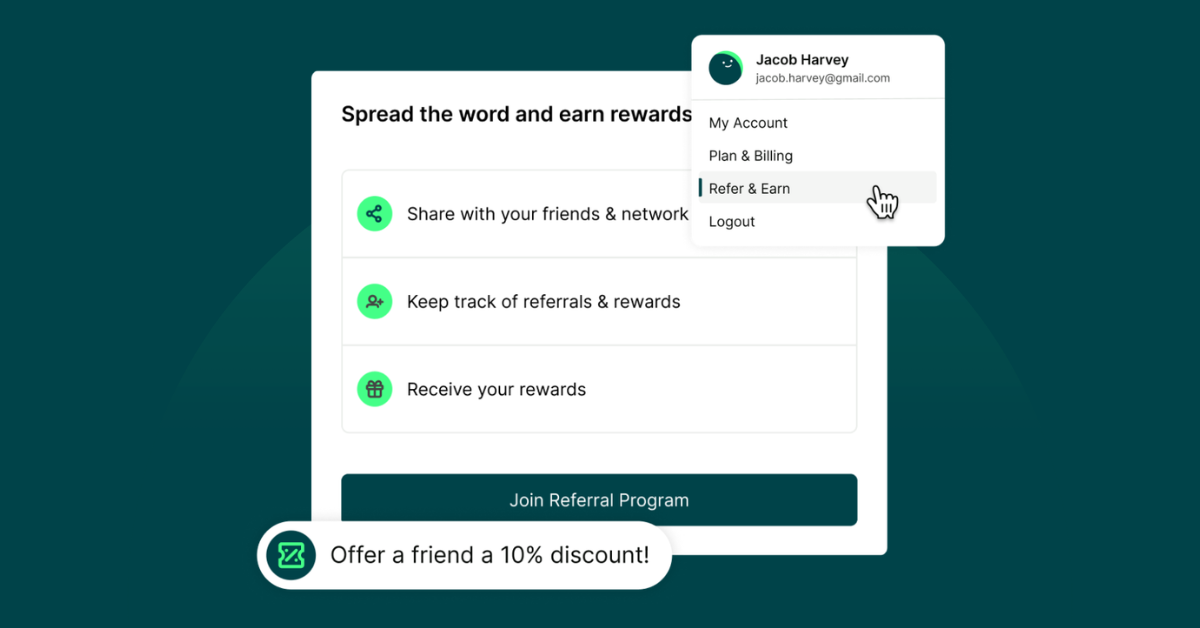
What is the YouCanBookMe referral program?

If someone signs up for YouCanBookMe using your referral link, both of you get rewarded.

  • They get 10% off their first subscription (even on already discounted plans!)
  • You get a $10 credit toward your next subscription or renewal when they sign up for a 12- or 24-month plan.

So if someone’s already curious about how you schedule meetings, sharing your link is an easy win.

⚡ For a limited time: When someone signs up using your referral link, they’ll receive 50% off their first YCBM subscription.

When they subscribe, you’ll receive credit toward your next renewal:

  • $25 if they choose a 12- or 24-month plan
  • $4 if they choose a monthly plan

You don’t need to write anything yourself. Just copy one of the templates below and replace [your referral link].

Share it in a LinkedIn post

LinkedIn is a great place to share tools that make your work easier.

A quick post about how you manage scheduling can be surprisingly helpful to other people running businesses, managing clients, or juggling meetings.

Here are a couple of examples you can copy and paste. 👇

The number of emails it used to take to schedule one meeting was ridiculous.

"How's Tuesday at 2?"
"Sorry, just seeing this. Does Friday work?"
"I’m fully booked on Friday. What about next Monday?"
"Monday could work! Morning or afternoon?"

...it's now Wednesday of the following week, and we still don't have a meeting on the calendar.

I finally fixed this by sending people a booking page instead.

People see my availability. They pick a time that works for them. The meeting lands on both of our calendars. Easy.

If scheduling takes up more time than it should, this is the tool I use: [your referral link]

P.S. If you try it through that link, you’ll get 50% off!


I didn’t realize how much time scheduling meetings was quietly taking out of my day.

A few emails here, a calendar check there.

It wasn’t dramatic, but those constant little interruptions started to add up. Fast.

So I finally stopped scheduling meetings manually.

Now, I send a booking link instead. People grab a time that works for them, and it drops straight into my calendar.

Small change, but it freed up more time and mental space than I expected.

If scheduling meetings keeps interrupting your day, this is what’s been working for me: [your referral link]

P.S. If you use my referral link, you’ll get 50% off!


Hot take: Calendly is fine…but YouCanBookMe is better.

Way more customizable ✅
Way more control over your schedule ✅
And your booking page doesn’t look like everyone else’s 👀

They’re doing 50% off right now if you want to try it: [your referral link]

Post about it in a shared channel or community

Work communities and shared channels are great places to recommend productivity apps. After all, they exist so people can help each other work a little smarter!

Depending on the vibe of your community, here are a few messages you can copy and paste.

Polished and conversational:

Dropping this here in case it helps someone: I stopped scheduling meetings over email and just send a booking link now.

Way less back-and-forth.

If anyone wants the tool I use (there’s a discount through this link): [your referral link]


One small change that’s honestly saved me a lot of time this year was switching to a booking page instead of scheduling meetings manually. 

It used to be so frustrating trying to hold random times on my calendar because I wasn’t sure what would work for other people. And now I don’t have to think about that anymore.

If you want to try it, this is the one I use: [your referral link]. (Full disclosure: that’s a referral link, so we both get a small perk if you sign up.)


If anyone here needs a scheduling tool, I’ve been using YouCanBookMe, and it’s been great for avoiding the “what time works for you?” email chains.

Sharing my referral link in case it helps someone—you’ll get 50% off: [your referral link]

Short and to the point:

Get 50% off YouCanBookMe (the scheduling tool that I use): [your referral link]

It’s so cheap right now AND it saves you time, so sharing in case it helps someone.


Crazy good deal alert → YouCanBookMe is 50% off right now if you click through here: [your referral link]

TL;DR: It’ll be like 4-7 bucks a month (depending on the plan you want), it saves you a ton of time on those annoying back-and-forth scheduling emails, and you can make it look good so YOU look good.

Share it in a newsletter or blog

If you run a newsletter or blog, sharing tools that have genuinely made your work easier can be helpful for your audience, too.

If sending scheduling links has improved your workflow, this is a natural place to mention it.

Here are three examples you can use or tweak:

One small productivity win lately: I stopped scheduling meetings over email.

Now I just send a booking link, and people pick a time that works for them. The meeting drops straight into my calendar, and it’s removed a surprising number of little interruptions from my day.

If you want to try the scheduling tool I use, here’s my referral link (you’ll get 50% off!): [your referral link]


For a long time, I didn’t think much about how I scheduled meetings. A couple of quick emails, checking my calendar, sending a time that might work—it felt like part of the job. But eventually I realized how often those little interruptions were pulling me away from what I was actually trying to get done.

So I switched to using a booking page instead. Now, when someone wants to meet, I just send a link, and they choose a time from my availability. 

If you want to try it yourself, here’s the link I use: [your referral link]. (Full disclosure: that’s a referral link, so we both get a small reward if you sign up.)

Sometimes the best productivity improvements are the ones you barely notice—you just suddenly have more breathing room in your day.


The most popular option isn’t always the best one.

Calendly is the name most people know for scheduling links. But if you actually want more control over how your schedule works—and a booking page you can customize to match your brand—YouCanBookMe is a better option.

Way more customizable ✅
Way more control over your availability ✅
And your booking page doesn’t look like everyone else’s 👀

Why am I telling you this now? Because it’s currently 50% off, so it felt like the perfect moment to bring it up 😄 [your referral link]

Share it with friends or clients in a Slack message or DM

Let’s be honest—most of us aren’t randomly DMing friends or colleagues with tool recommendations.

But it does come up in conversation sometimes! Someone asks how you schedule meetings, complains about the back-and-forth, or wonders how you sent that booking link.

When that happens, you can just send a quick message like one of these. 👇

If you’re discussing productivity:

Actually, you know what’s helped me be more productive lately?

Using a booking page for meetings instead of going back and forth trying to find a time. I didn’t even realize how frustrating and time-consuming it had become until I stopped doing it.

If you want to try it out, this is the one I use (there’s a discount through this link): [your referral link]

If someone asks about your booking page:

That page is from YouCanBookMe!

I started using it so I didn’t have to schedule meetings manually anymore. The back-and-forth was really starting to eat up my time.

If you want to try it, here’s a link that gives you 50% off: [your referral link]

If someone says scheduling is annoying:

Honestly, that’s why I switched to using a booking link.

I just send that instead of trying to coordinate times over email. It even sends confirmations and reminders, so I barely have to think about scheduling anymore.

This is the one I use if you want to try it (there’s a discount through this link): [your referral link]

Add it to your email signature

Your email signature is one of the easiest places to share your customer referral link. Just add it right below your booking link and let it work quietly in the background.

Try something short and sweet like this:

Schedule time with me: [your booking link]

Want a booking page like this? Try YCBM (you’ll get a discount) →
[your referral link]


Book time with me: [your booking link]

Try the scheduling tool I use (discount included): [your referral link]

Remember, the best referrals usually happen naturally when you’re helping someone solve the same scheduling problem you already solved.

If someone is dealing with scheduling headaches—endless emails, missed meetings, messy calendars—sharing the tool you use is genuinely helpful.

You don’t need to promote anything or convince anyone. Just pass along what’s worked for you.

And when they sign up through your link, you both benefit!

And if you love using YouCanBookMe but haven’t signed up for the referral program yet, log in and get your referral link. 🎉
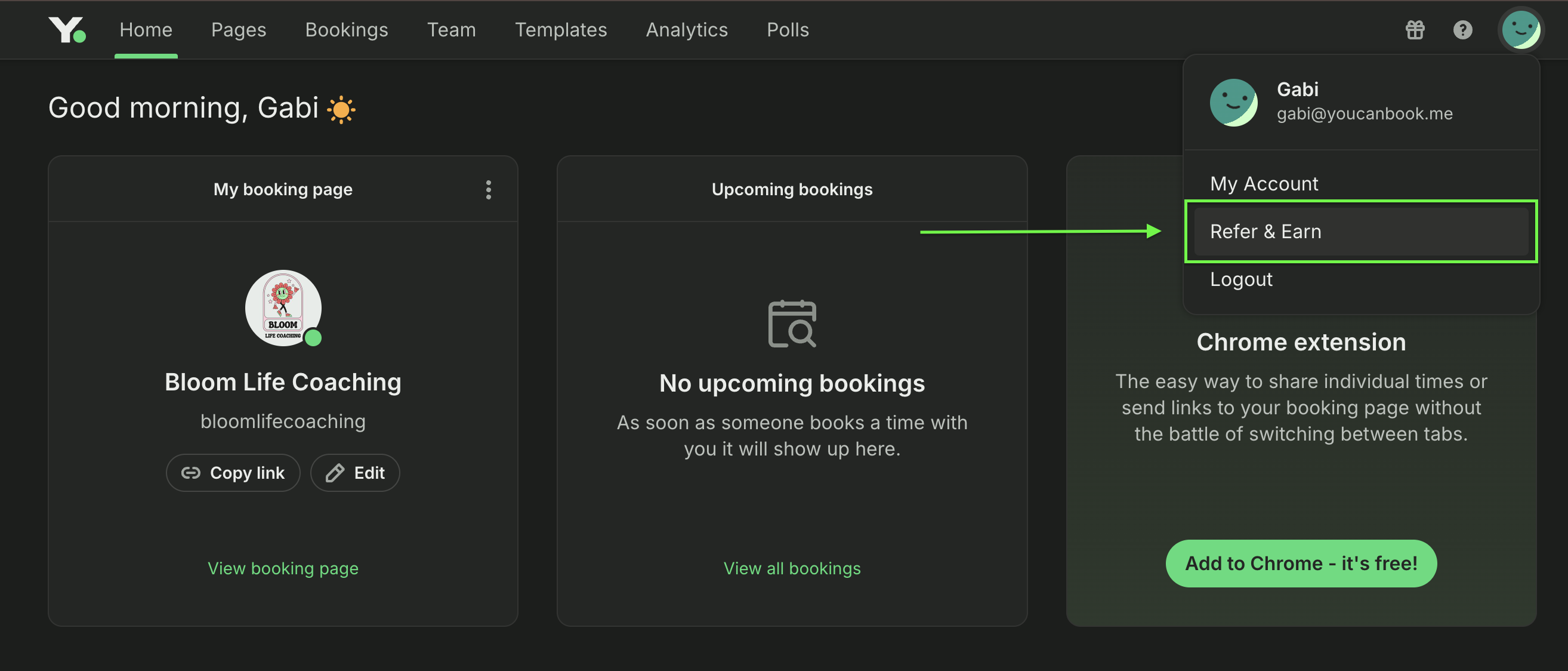
Where to find your YouCanBookMe referral link

Get started today

Join thousands of coaches, consultants, and entrepreneurs who use YouCanBookMe to power their business. Get your first booking in a few minutes.

Create your own booking page
14 day free trial No credit card required