
How to Take Payment When Clients Book (with YouCanBookMe)

Create your free booking page

You finish a great consultation, send over an invoice, and then... You wait. Or worse, you block out a prime afternoon slot for a high-value client, only for them to ghost you at the last minute.
When you run a service-based business—whether you’re a coach, consultant, freelancer, or financial advisor—time is literally money. Yet, traditional admin workflows force you to separate the act of scheduling from the act of paying. This creates an awkward, high-friction gap between the moment a client says "I want to meet with you" and the moment they actually commit.
If you want to protect your schedule and your cash flow, you need to eliminate that gap. Our data shows that 70% of booking interactions now happen on mobile devices, meaning your checkout experience needs to be as fast and seamless as buying something on Amazon.
The easiest way to fix this? Use YouCanBookMe (YCBM) to set up a workflow to take payments for bookings upfront automatically!
Put simply, pay at booking means a client completes payment as part of scheduling their appointment.
The calendar slot isn’t secured, and the confirmation email isn’t sent until the payment clears. This is entirely different from sending standalone payment links or emailing an invoice after the fact. Basically, both the booking and the payment are done in one single step.
For generations, invoicing after a session has been the default setting for service professionals. But default doesn’t mean efficient. Here’s a quick table comparing the two ways of collecting payments: ⬇️
|
Pay at booking |
Invoice after |
|
|---|---|---|
|
When payment happens |
At the point of booking |
After the appointment |
|
No-show risk |
Low—client has already committed financially |
High—no upfront commitment from the client |
|
Admin required |
None—automated at checkout |
Manual—send invoice, chase payment |
|
Cash flow |
Immediate upon booking |
Delayed by days or weeks |
If you've been on the fence about how to ask clients to pay upfront, consider how shifting the payment requirement changes the dynamic of your entire business.
Here are the reasons you should go for it:
When you automate taking payments for appointments, you never have to send a "just following up on this invoice" payment reminder email again. The revenue lands in your account before you ever log onto the call or show up to the appointment.
A client who has paid to confirm is meaningfully more committed than one who hasn't. The financial act of booking changes the psychology of the appointment—it becomes something they've invested in, not just penciled in.
As a business, you should use every practical tactic available to reduce no-shows and protect your bottom line. Think of it this way: if one missed appointment is worth $50, $100, or $250 to your business, cutting even a few no-shows each month can have a meaningful impact—enough for a tool like YouCanBookMe to pay for itself many times over.
Asking for payment upfront signals ultimate professionalism. It tells your clients that your expertise is in high demand and that your booking calendar is a premium space.
A leadership coach, Cathy Fyock, swears by upfront payments and believes they’re key to creating a sense of urgency and commitment.

Charging at booking makes it easier to work with clients anywhere in the world. Clients can schedule and pay upfront in one smooth flow, using their preferred payment method without you having to manage the logistics manually.
With YouCanBookMe’s Stripe integration, you can accept payments in 135+ currencies and set the currency for each booking page, so international clients get a simple checkout experience while you stay in control of pricing.
Start taking payments at booking
Make it easier for clients to commit, wherever they are. With YCBM, you can collect payment directly through your booking page, reduce no-shows, and secure revenue before every appointment.

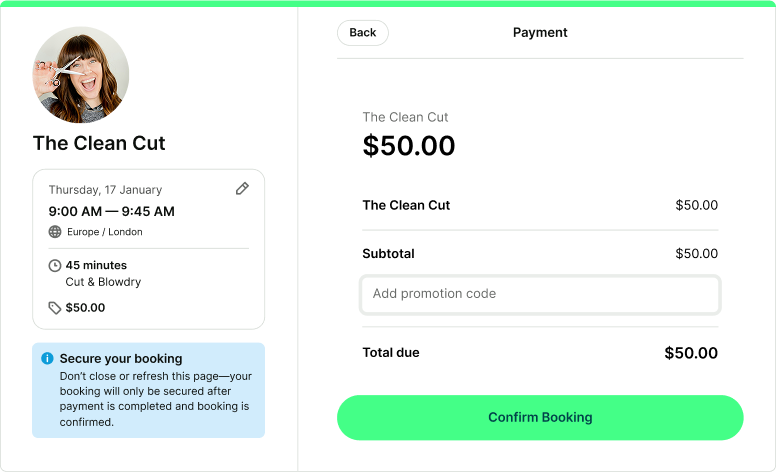
YouCanBookMe connects directly with Stripe—no third-party checkout page, no redirect, no separate payment tool required.
The flow is straightforward: the client lands on your booking page, selects a time, fills in your booking form, and completes payment via Stripe before the appointment is confirmed.
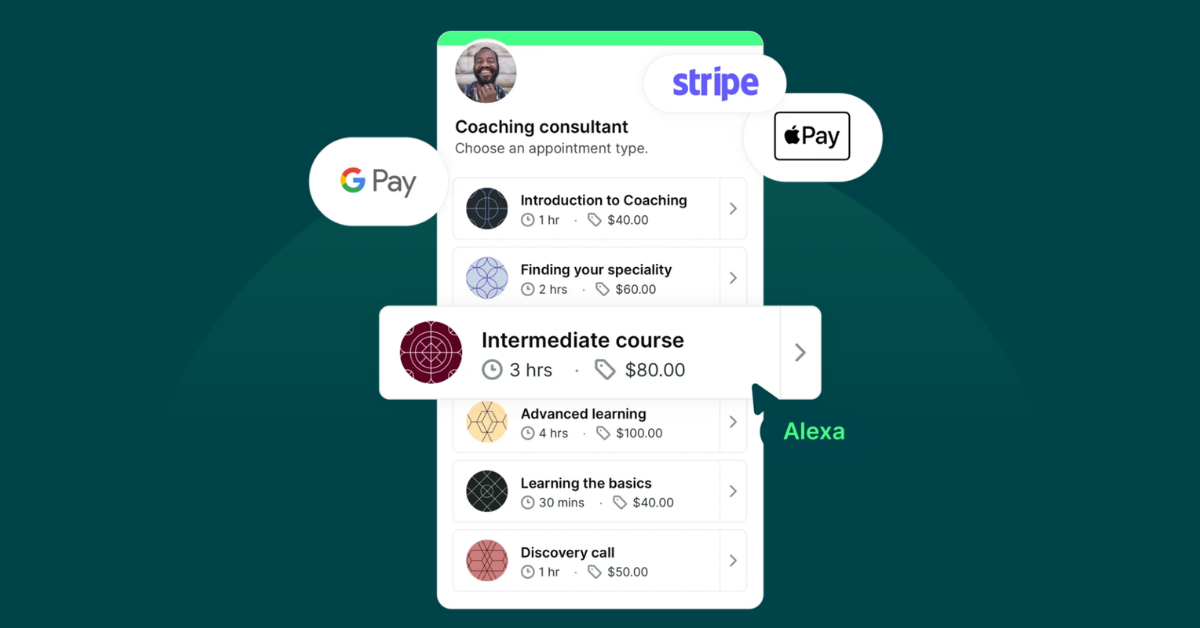
Card payments, Apple Pay, and Google Pay are all supported. If payment fails for any reason, the booking isn’t confirmed, meaning the time slot stays open.
Hervé Da Costa, a leadership coach, absolutely loves using the YCBM + Stripe integration to take payments before his sessions.

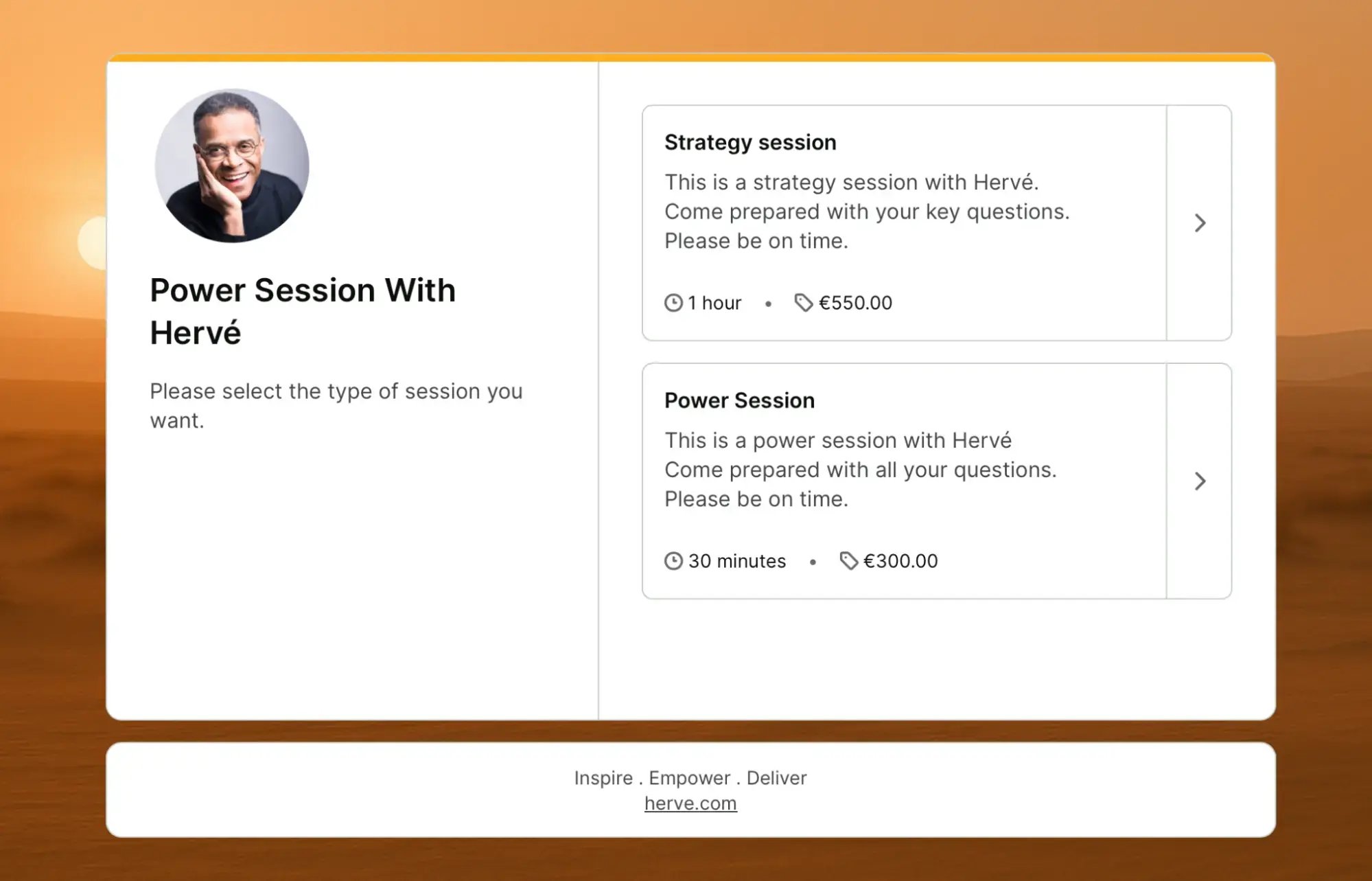
As the host, you can also control the price (per booking or per appointment type), the currency, whether to offer promo codes, and whether to send a payment receipt automatically.
Shifting to an upfront payment model doesn’t mean losing flexibility. Here is how you can use YouCanBookMe's advanced features to tailor the experience to your business model:
- Mix paid and free sessions: Use appointment types to offer a free introductory discovery call right alongside your paid, deep-dive strategy sessions on the very same booking page.
- Reward loyalty with promo codes: Create targeted discount codes for returning clients, VIPs, or limited-time marketing campaigns.
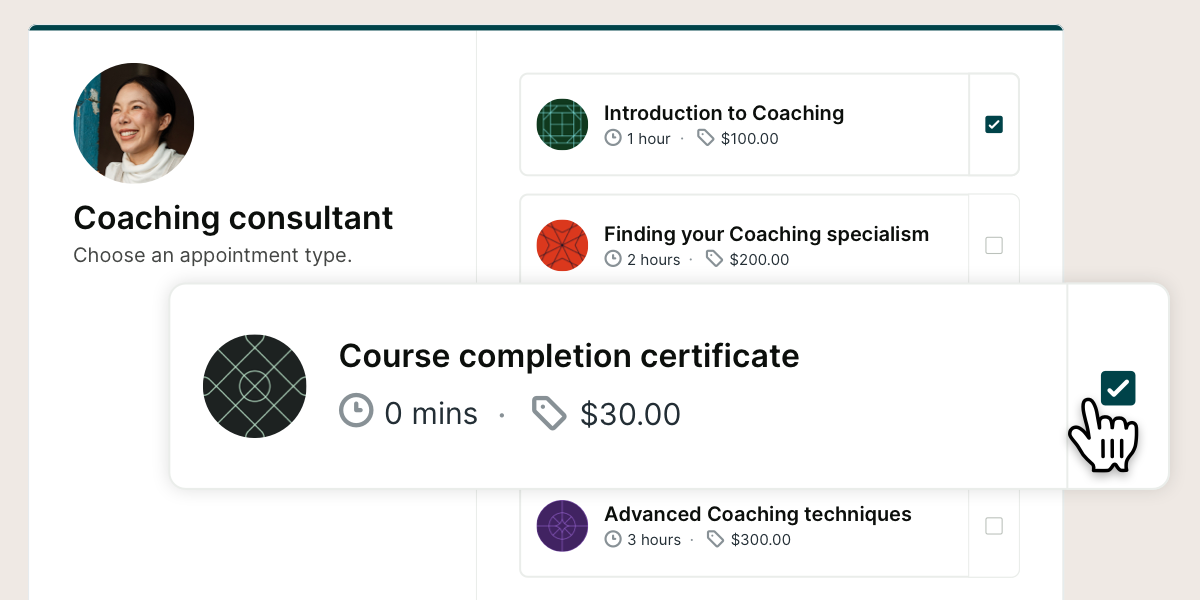
- Upsell with add-on services: Use 0-length appointments to let clients purchase add-ons, like an extended written recap or a digital workbook, that add dollar value to the transaction without taking up extra time on your calendar.
-
Automate your peace of mind: Pair your payment page with automated email confirmations, reminders, and follow-ups, and SMS notifications to deliver a completely hands-off, seamless client experience.
Ultimately, shifting your workflow to upfront payments is about protecting your time and boosting your revenue. Pay at booking acts as a true commitment mechanism because when clients pay to confirm, they show up.
Sign up for YouCanBookMe today to start taking payments through your booking page and see the difference it makes for your calendar and bottom line.
FAQs
Does YouCanBookMe take a fee on payments?

Yes. Payments processed through your booking pages include Stripe’s standard regional transaction fees plus a 1% YouCanBookMe transaction fee. This helps support secure payment collection directly through your booking flow.
Can I issue refunds to clients?
Yes. Refunds are handled directly through your connected Stripe account, giving you full control over each transaction. If you need to refund a canceled appointment, just log in to your Stripe Dashboard, find the payment, and issue the refund from there.
Can I charge a deposit rather than the full amount?
Yes. YouCanBookMe charges the amount you set for each appointment type, so you can use that amount as either the full price or a deposit. To take a deposit, set the booking price to the deposit amount, then collect the remaining balance separately later.
What currencies are supported?
YouCanBookMe integrates with Stripe to support payments in over 135 currencies, so you can accept bookings from clients around the world—including payments in USD, GBP, EUR, and many other major currencies.
You can set the currency for each booking page, making it easy to tailor pricing for different services, locations, or audiences. Clients pay in the currency you choose, and the payment is handled securely through Stripe, so you don’t need to manage currency conversions manually.
Are Apple Pay and Google Pay supported?
Yes! Google Pay is automatically enabled for your checkout flow. Apple Pay can also be accepted, but you will need to quickly toggle it on within your global Stripe account settings first.

Written by
Paulina Major
Paulina Major is a freelance B2B content writer who has spent the last two years deep in the world of scheduling — writing about booking best practices, time management, and the tools that help small businesses run more efficiently. She writes from experience: as a solopreneur managing her own clients and calendar, she lives the challenges her readers are trying to solve.
Get started today
Join thousands of coaches, consultants, and entrepreneurs who use YouCanBookMe to power their business. Get your first booking in a few minutes.


 4.7 / 5 — Trustpilot

