
What the YouCanBookMe Team Plan Can Do For Your Business
-min.png?width=100&name=image%20(21)-min.png)
Create your free booking page

When you're running a team, every meeting—and every minute—counts. So why spend time coordinating schedules, assigning meetings, or chasing availability when you don’t have to?
YouCanBookMe’s scheduling software for teams turns all that coordination into a system that runs in the background, so you can:
- Distribute meetings fairly and automatically with round robin
- Quickly decide on a time for a call using meeting polls
- Manage your team from one central dashboard
- Create customized booking pages for each team member
- And let clients and colleagues book meetings with zero back and forth
Let’s take a look at how it all works and what it unlocks for your team.
If you're managing a team where meetings are part of the day-to-day—whether that's five people or fifty—and you want scheduling to just handle itself, then the Team plan is built for you!
Here are some examples of how different teams can use YCBM 👇
- Service businesses and professional services: every hour a client waits for a callback is an hour they're looking at your competitor—let them book the right person instantly, before the window closes
- Recruiting and HR teams: move candidates through interview stages faster with multi-interviewer booking that doesn't require HR to manually coordinate every slot
- Customer success and support teams: reduce time-to-help by letting customers land directly with whoever's free—one shared page, no internal triage needed
- Operations and team leads: set up YouCanBookMe once, assign the right permissions, and stop being the go-to person for “who’s free?”
- Sales teams: let inbound leads book instantly while interest is high and keep everything synced to your CRM automatically
- Agencies and consultancies: stop juggling client emails and calendars, and let clients book the right person without the back-and-forth
Basically, if your team takes meetings or bookings, the Team plan can help you get rid of the admin so you can focus on more important things.
Stop the “Are you free then?” messages
Let your booking setup handle scheduling for you—so meetings get assigned, booked, and confirmed without the back-and-forth.

And if you're still unsure whether the Team plan is right for you, take our quick quiz to find out which YCBM package best fits your needs!
Before we get into what makes the Team plan different, it’s worth saying: it covers all the core scheduling features you’d expect, just with more power and flexibility for teams.
That includes:
- Real-time calendar sync (with up to 10 calendars per user)
- Smart availability rules (i.e., buffer time, daily meeting limits, minimum notice periods)
- Automatic time zone detection
- Custom confirmations, reminders, and follow-ups (email + SMS)
- Embeddable booking pages
- Payment collection
In other words, all the essentials are covered. The difference is how they work across your team.
You’re not choosing between “basic scheduling” and “team features.” You get both, working together in one setup that actually scales.
And the price? It costs just $16.20/member/month when billed yearly.
This is where it starts to feel like a system, not just a set of features!
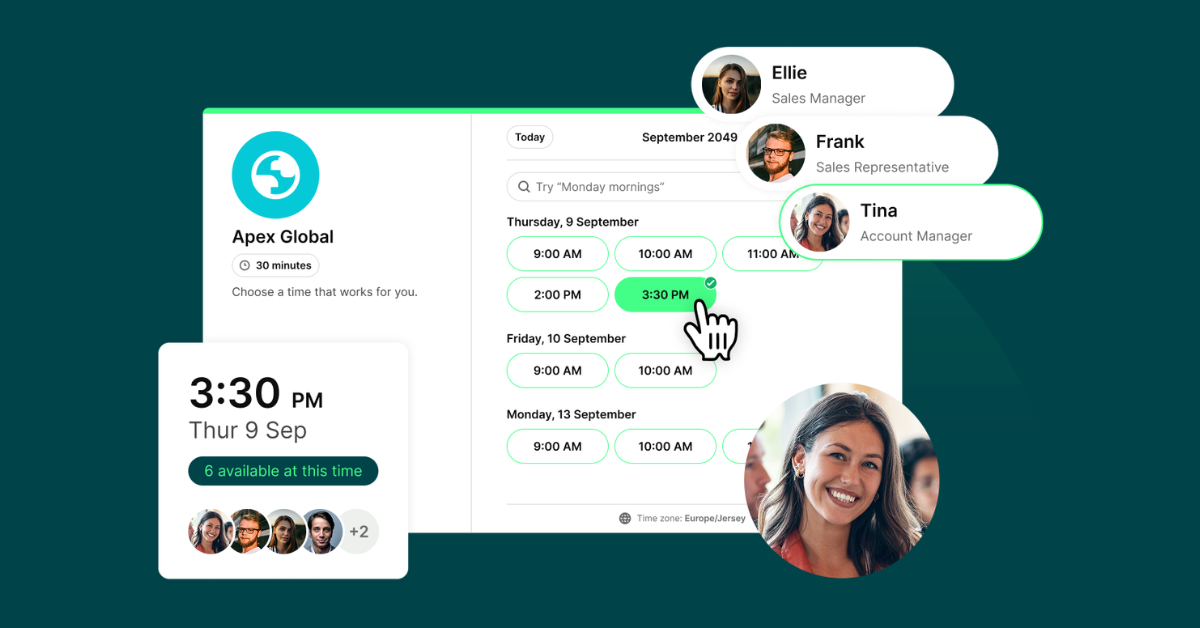
Instead of juggling multiple links for multiple people, you can create a single booking page that represents your entire team. Then you just share your booking link, and let YouCanBookMe handle the rest.
From there, you can:
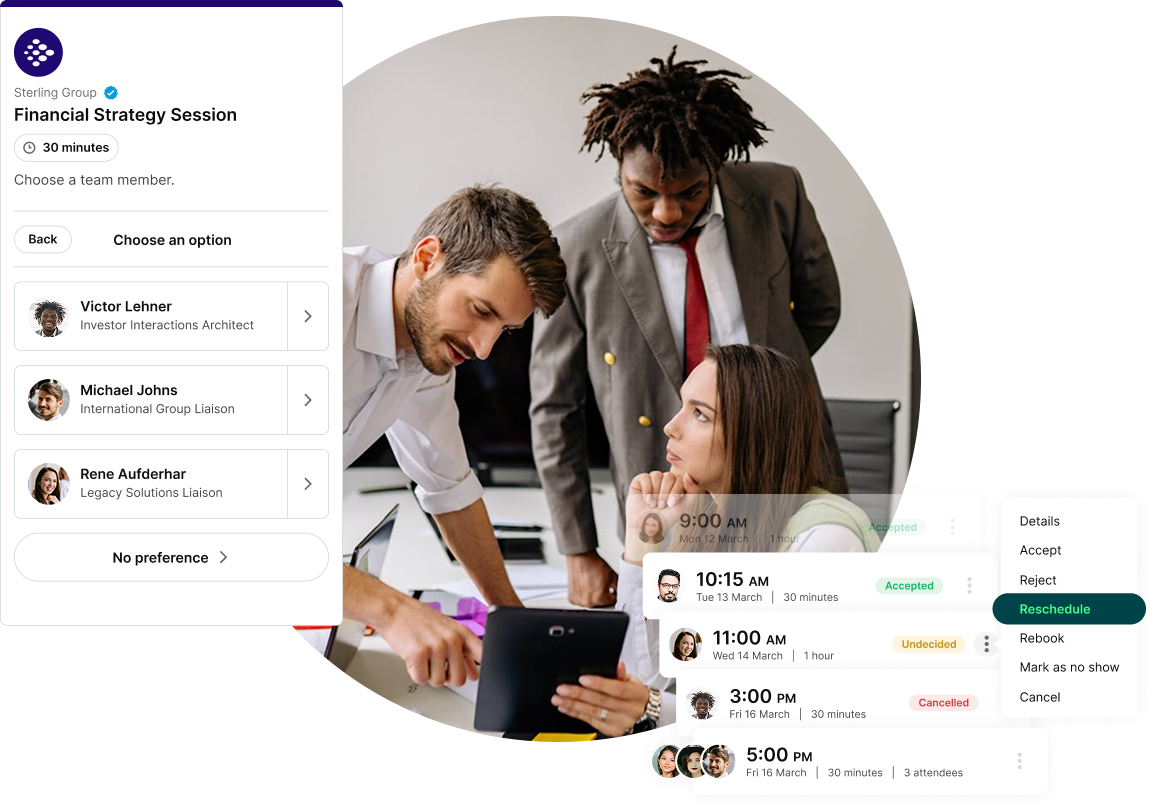
- Let customers choose who they want to meet
- Or automatically assign someone based on availability
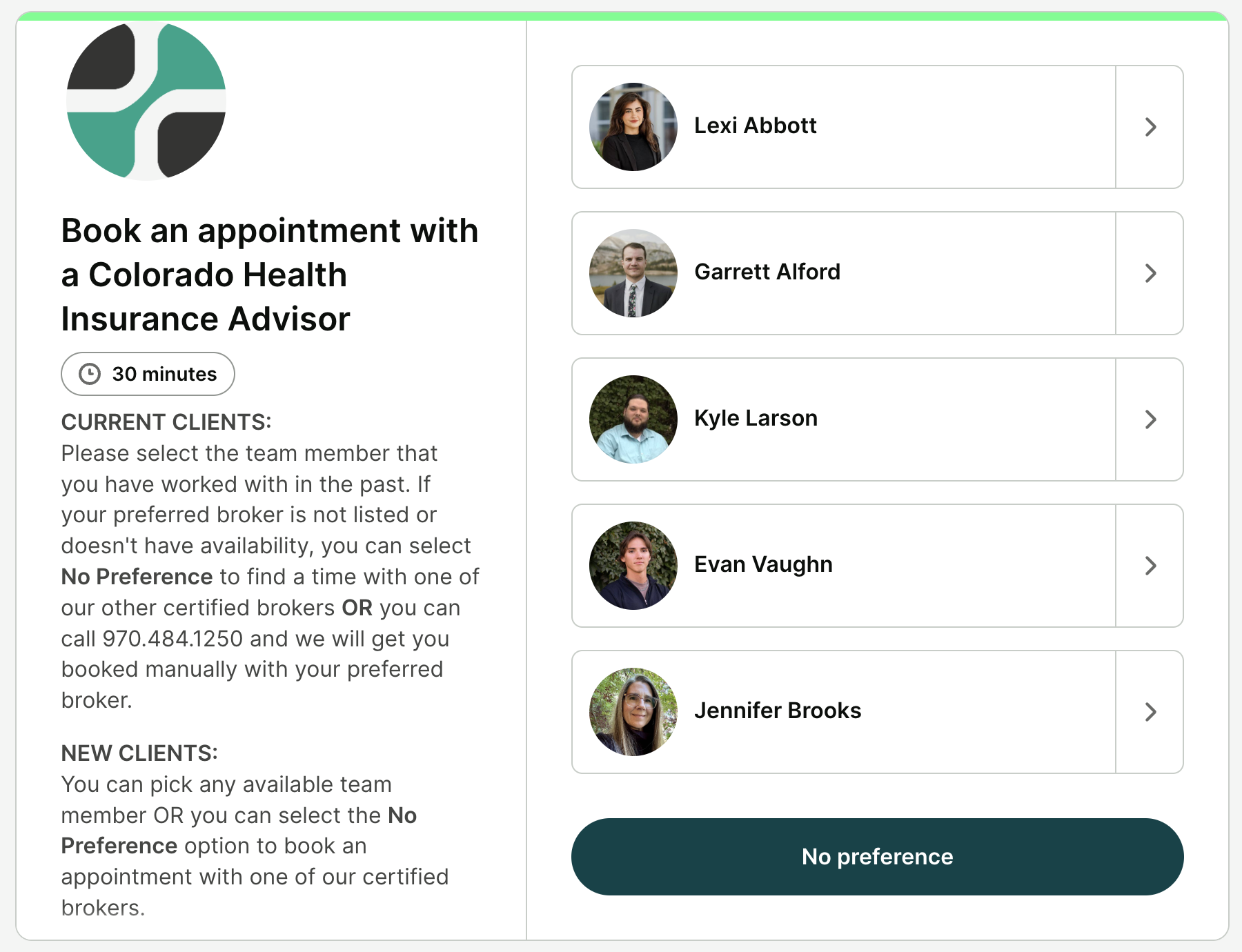
For your customers, it means:
- No confusion about which link to use
- More available time slots to choose from
- Faster, easier booking
And for your team:
- More coverage
- Better distribution of meetings
- No manual coordination
You’re not just sharing calendars—you’re offering access to your team’s combined availability in one place.
|
💡 Pro tip: You’re not limited to one shared booking page! You can also create individual booking pages for each team member, fully customized to how they work. Each team member can personalize their own page by adding their photo, setting their availability, creating appointment types, and tailoring their booking experience. So whether your team works in a single shared flow or across completely different roles, you can set things up in a way that fits. |
"Hey, can you handle this call? I'm swamped." Sound familiar?
Round robin scheduling takes that conversation off the table. YouCanBookMe automatically distributes incoming bookings across your team using whichever method works for you:
- Optimize for availability: assigns the meeting to whoever's been free the longest
- Equal distribution: rotates bookings evenly so everyone gets a fair share over a 28-day window
- Fixed order: lets you prioritize team members in a set sequence (great for senior reps or backup coverage)
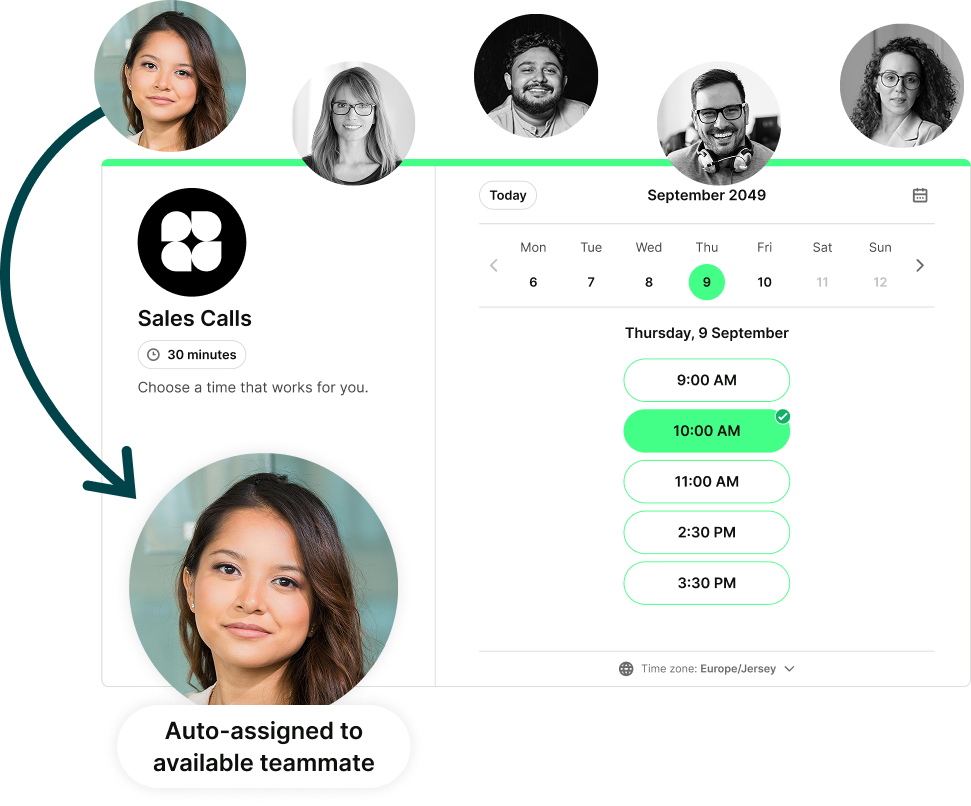
The result? A balanced workload, zero manual assignment, and a booking experience that feels effortless for the person doing the booking.
As your team grows, managing scheduling can quickly get messy. The Team plan gives you a central admin dashboard where you can:
- Control how booking pages are set up across your team
- Add and manage users
- Set roles and permissions
- Manage billing for your entire team
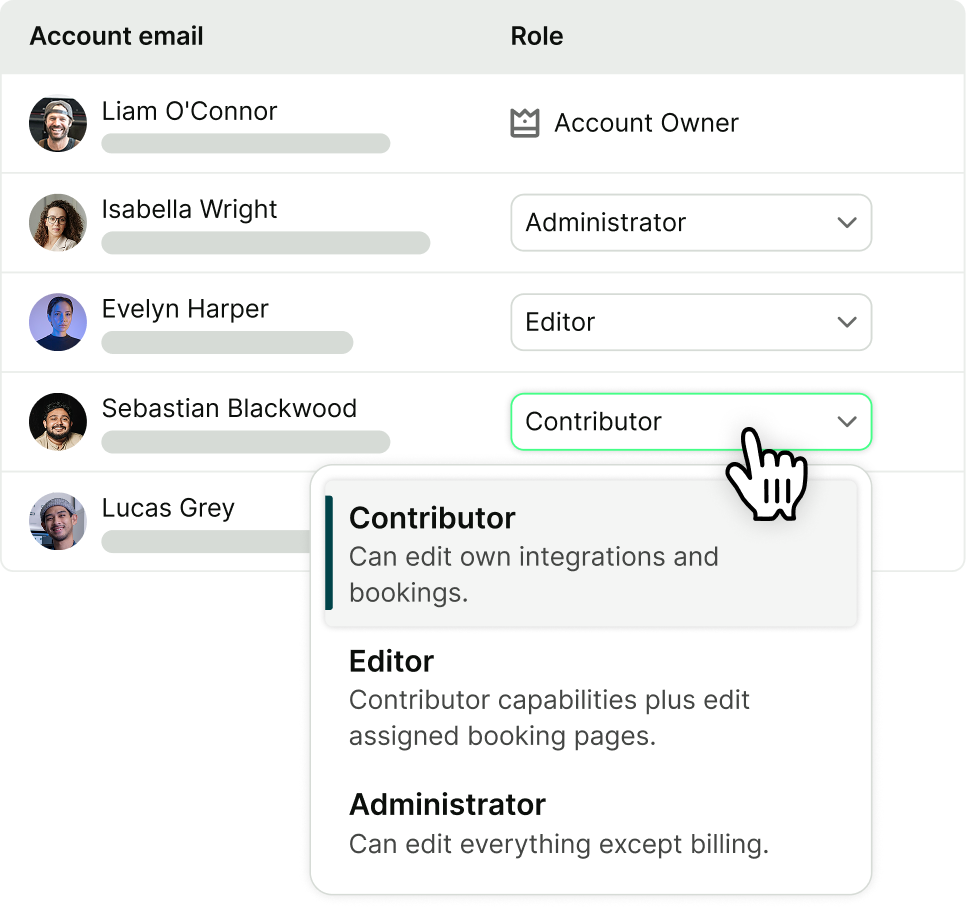
But the real win is scale! Instead of updating settings one person at a time, you can keep everything consistent and organized from one place.
That means:
- Faster onboarding for new team members, with easy booking page duplication
- Clear visibility into your entire setup
- Control without micromanaging
Whether you’ve got three people or 30, your scheduling stays structured and easy to manage as your team grows.
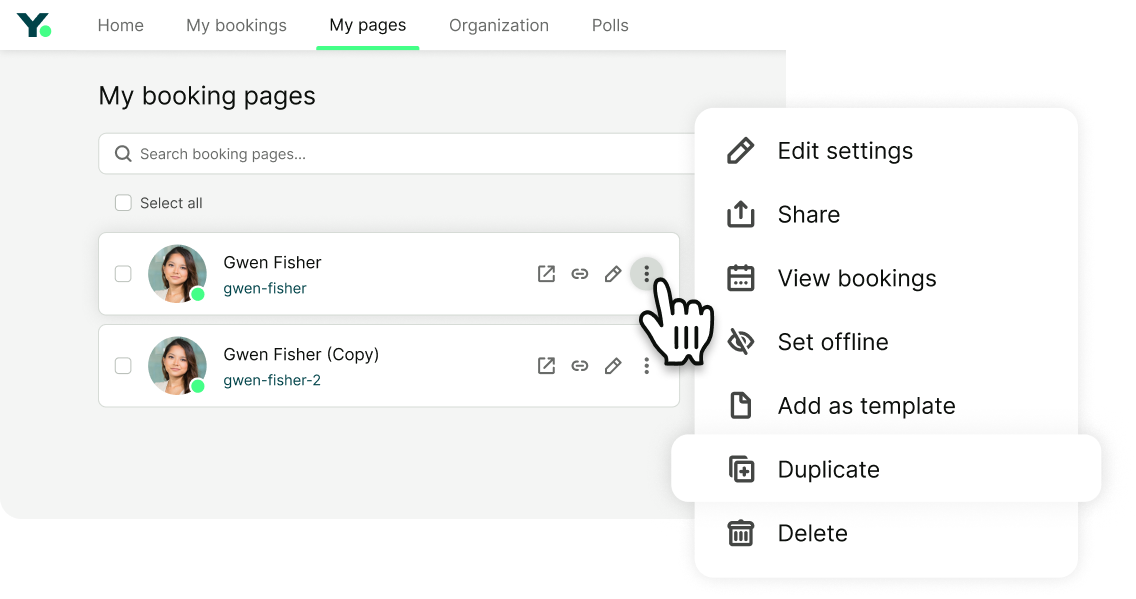
The Team plan gives you the most flexible booking page setup in the YCBM lineup. We're talking deep customization that lets you build a booking experience that genuinely reflects your business.
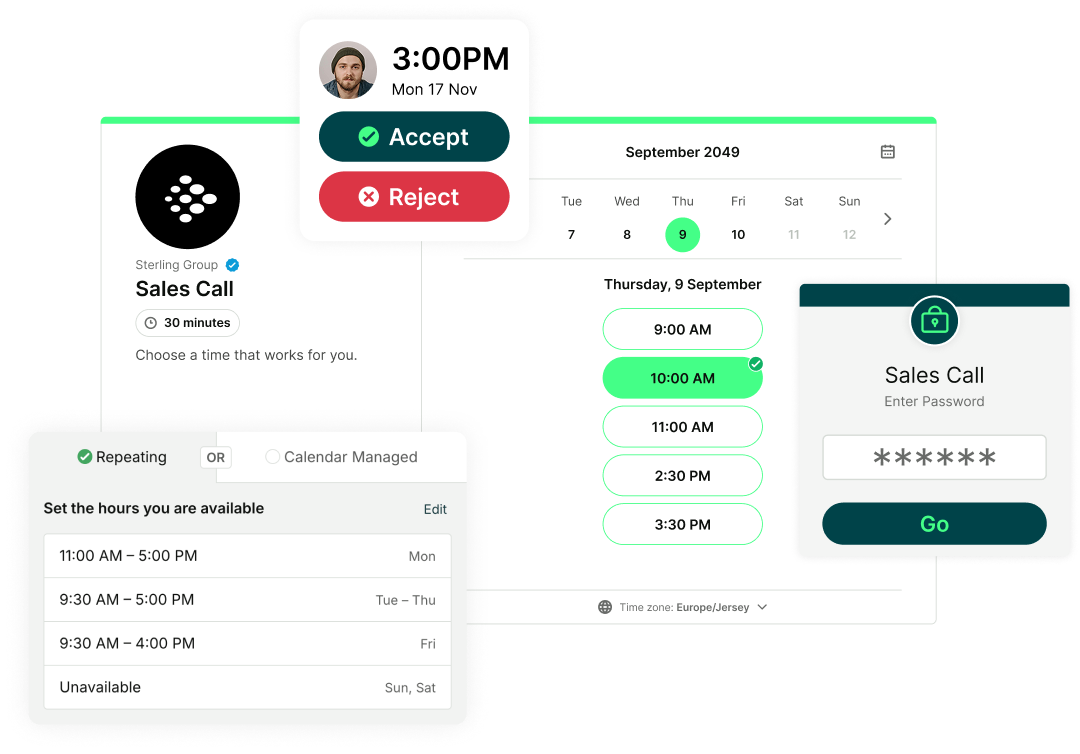
Here are a few of the things you can do:
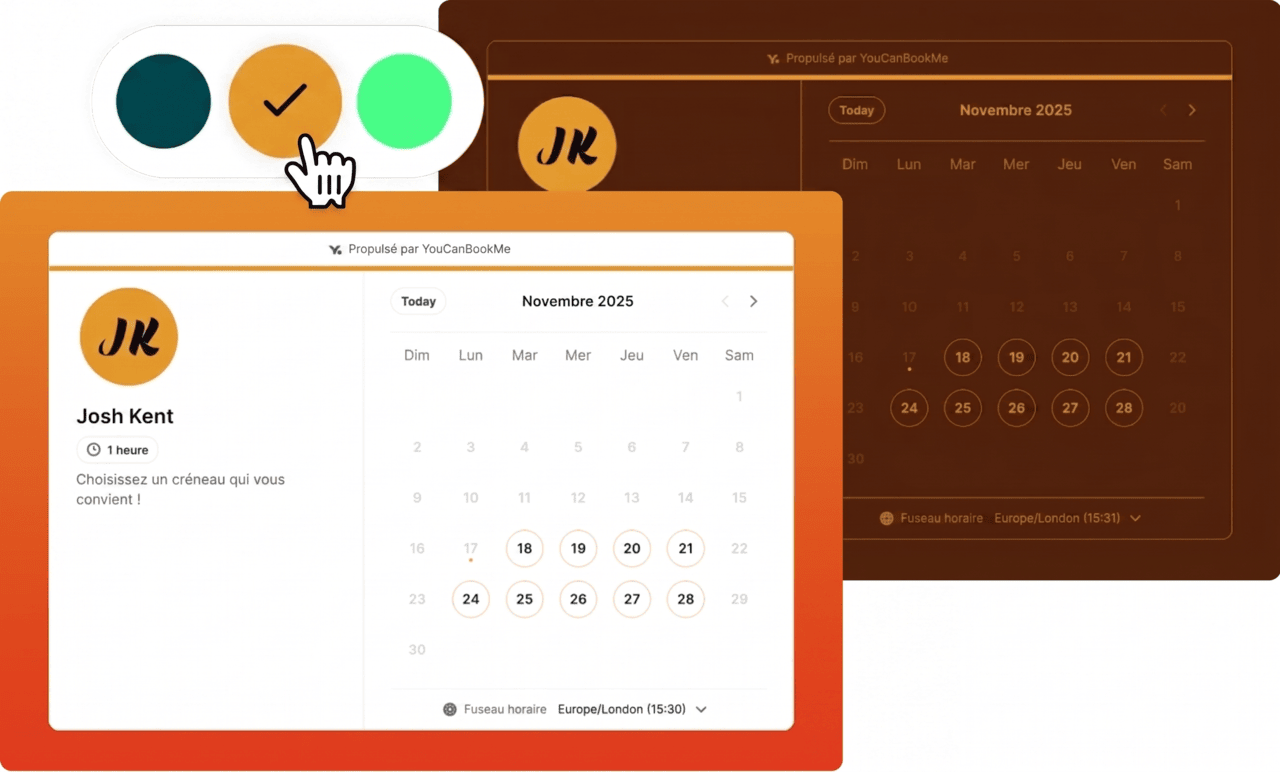
- Full branding control: Your booking page looks like you, not like a generic scheduler. Add your logo, brand colors, custom domain, and personalized copy so clients land on something that feels professional and on-brand from the first click.
- Unlimited booking form questions: Ask as many qualifying questions as you need before a meeting. Find out what the call is about, collect preferences, and gather context.
- Multiple appointment types on one link: A 15-minute discovery call and a 60-minute deep product dive, all from the same booking page. No need to maintain five different links.
- Add-on services: Let clients bolt on extras at the point of booking to upsell without a single sales conversation.
- Accept/reject requested appointments: Not every booking should go straight through. The approval flow lets you vet requests before they land on your calendar.
-
Promo codes and packages: Run a promotion? Bundle your services? Easy. Add codes and packages right into the booking flow.
Don’t just send a booking link—make an impression
Your booking page is part of your brand. Make it look like it.

Scheduling shouldn't live in a silo. The Team plan makes sure it doesn't.
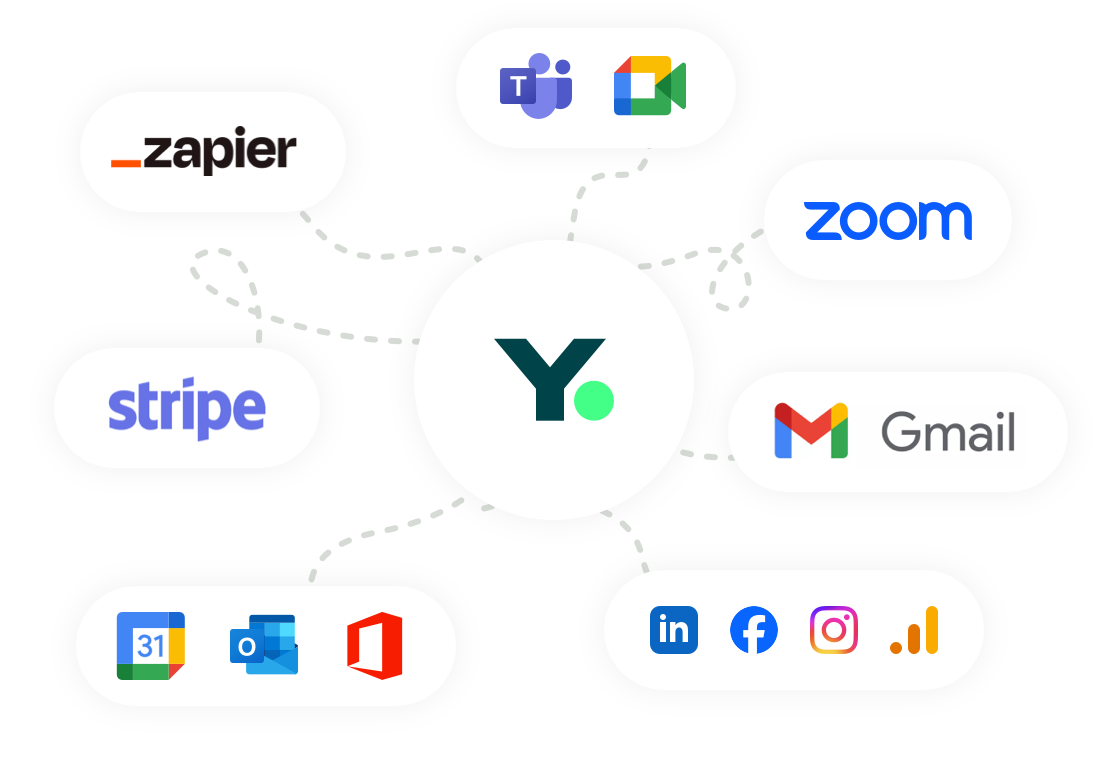
Here are a few ways YouCanBookMe connects your bookings to the rest of your workflow:
- Calendar sync (Google Calendar, Microsoft Outlook, Apple Calendar): YCBM looks across every calendar in real time, so clients only ever see times you're genuinely free.
- CRM (HubSpot natively, Salesforce and Zoho via Zapier): every booking automatically creates or updates a contact, adds meeting notes, saves their intake form answers, and logs any reschedules or no-shows.
- Email and marketing tools (Mailchimp, ActiveCampaign): the right email sequence kicks off the moment someone books, without you lifting a finger.
- Team communication (Slack, Microsoft Teams): no more "did you see that booking come in?" The moment a meeting is confirmed, the right person or channel gets an instant alert with everything they need.
- Project management tools (Trello, Asana): Connect YCBM to your project management tools so that every new booking automatically creates a task with the details your team needs to hit the ground running.
- 6,000+ tools via Zapier: if it's not listed here, it's probably on Zapier! Whatever your team's stack looks like, YCBM can plug into it and automate the workflows that would otherwise fall on a human.
And if you need even more control, the YouCanBookMe API gives you direct and unlimited access to your booking data.
It’s one thing to see your bookings—it’s another to understand what’s driving them.
With built-in analytics, you can track:
- Total bookings over any date range (yesterday, last week, last month, last quarter)
- Top-performing booking pages
- Cancellation, reschedule, and no-show trends
- Revenue generated from bookings
Use it to spot patterns, fix bottlenecks, and make decisions based on what's actually happening, not what you think is happening. You can also export everything to CSV in one click, or schedule automatic weekly or monthly exports straight to your inbox!
When scheduling is tied to revenue or customer experience, delays aren’t an option.
That’s why with the Team plan, you get:
- Priority support
- 1:1 help when needed
- Scheduled callbacks
So whether you’re setting YouCanBookMe up or optimizing later, you’re never stuck figuring it out alone.
Here’s what it looks like in practice: Someone lands on your booking page, sees your team’s availability, and books a time.
From there, everything else just happens.
The meeting is assigned to the right person, confirmed instantly, and synced to your calendar and CRM. The booker gets a reminder before the meeting, and you can even prompt them to book again afterwards.
No back-and-forth. No manual assigning. No “wait, who’s handling this?”
That's the Team plan. Sign up for a free, 14-day trial to test it out for yourself!
FAQs
How much does the YouCanBookMe Team plan cost?

The YouCanBookMe Team plan costs $16.20/member/month when billed yearly, with an extra 10% off on a two-year plan. You can test it out for free with a 14-day trial, no credit card required.
Is there a minimum team size?
No! Whether you're two people or 50, the Team plan works the same way. You only pay for the users you add.
How does YCBM compare to Calendly for teams?
Both tools handle the basics well, but YouCanBookMe is better than Calendly when it comes to flexibility, customization, and how your clients experience the booking process.
With YouCanBookMe, you can list all your services on a single booking page, each with its own pricing, duration, and details. Clients pick what they need, can even combine multiple services in one booking, and YCBM automatically finds a slot long enough to fit everything. With Calendly, each service needs its own separate link, which means your client is clicking back and forth between pages just to figure out what to book. Not a great first impression.
Branding is another area where YCBM gives you more room. Every booking page can look completely different—your own logo, photos, custom backgrounds, colors—whereas Calendly locks some of that customization at the account level, so pages often end up looking the same regardless of who they're for.
YCBM also gives you request-only bookings, so you can review and approve (or decline) requests before they land on your calendar—something Calendly doesn't offer. And if spam bookers are a problem, YCBM has built-in domain blocking to keep your calendar clean.
-min.png)
Written by
Gabriela Łaba
Gabriela is Editor-in-Chief at YouCanBookMe and a SaaS content writer with nearly a decade of experience turning complex ideas into content people actually act on — including four years deep in the world of scheduling, booking workflows, and business time management.
Get started today
Join thousands of coaches, consultants, and entrepreneurs who use YouCanBookMe to power their business. Get your first booking in a few minutes.


 4.7 / 5 — Trustpilot

