
Win the client’s trust Get the booking
All before your competitor does.
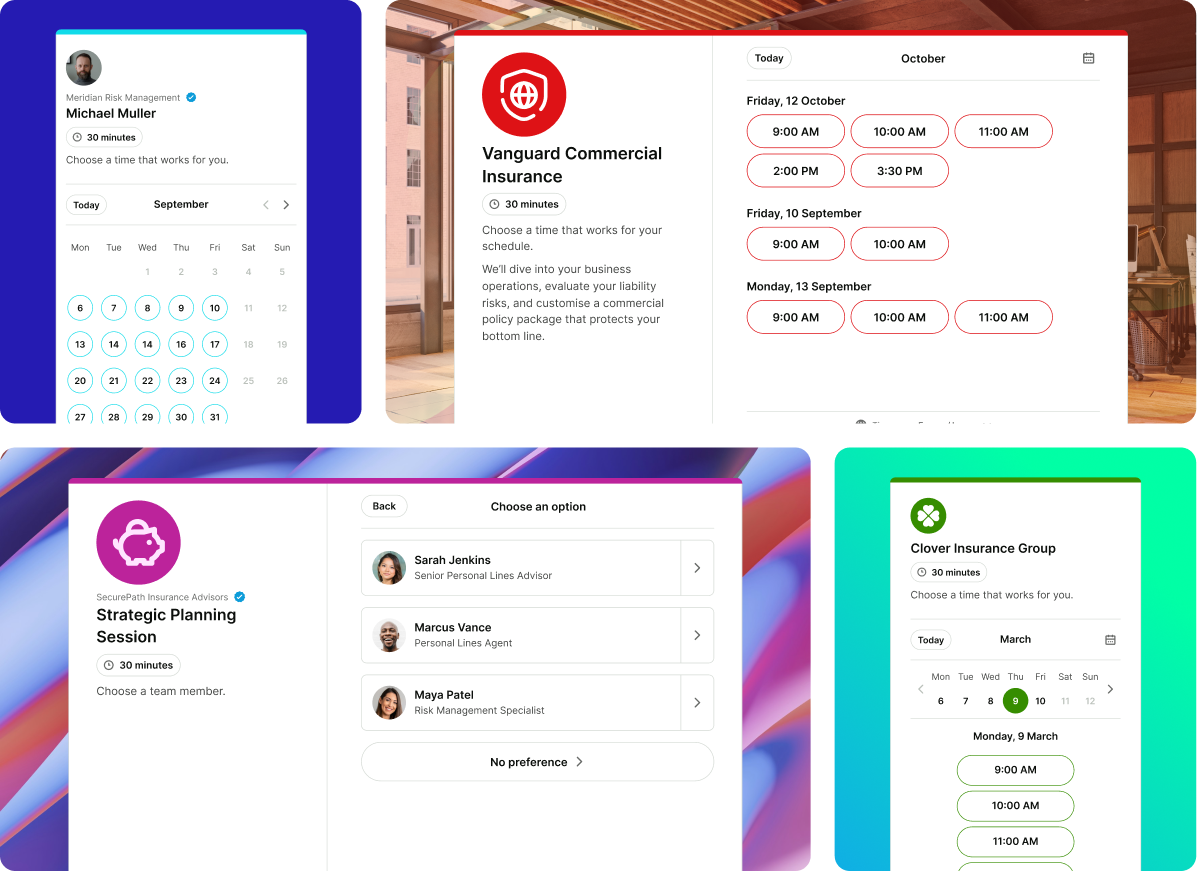
In insurance, prospects move fast. YouCanBookMe gives agents a fully branded, self-serve booking experience that builds confidence instantly—so when prospects are ready, they don't hesitate, they book.

Trusted by 1M+ users across 100 countries





Effortless for you. Trustworthy for your clients.
Everything insurance agencies need to turn inbound interest into booked appointments and lasting client relationships.

Serve prospects and clients—without overlap
Create separate booking pages for new enquiries and existing policyholders, with different availability, rules, and access. Give your best clients priority—without blocking new business.

Stay top of mind between policy milestones
Automatically send confirmations and reminders for every appointment, then follow up at renewal time—so clients come back to you without any manual outreach.

Offer the right consultation, every time
Set up tailored appointment types for quotes, renewals, claims support, or advisory calls—so clients book the right meeting without needing to ask.

Eliminate no-shows with SMS reminders
Send automatic text reminders before every appointment so clients show up prepared—and you don’t lose time to missed meetings.

Run your whole team's schedule from one place
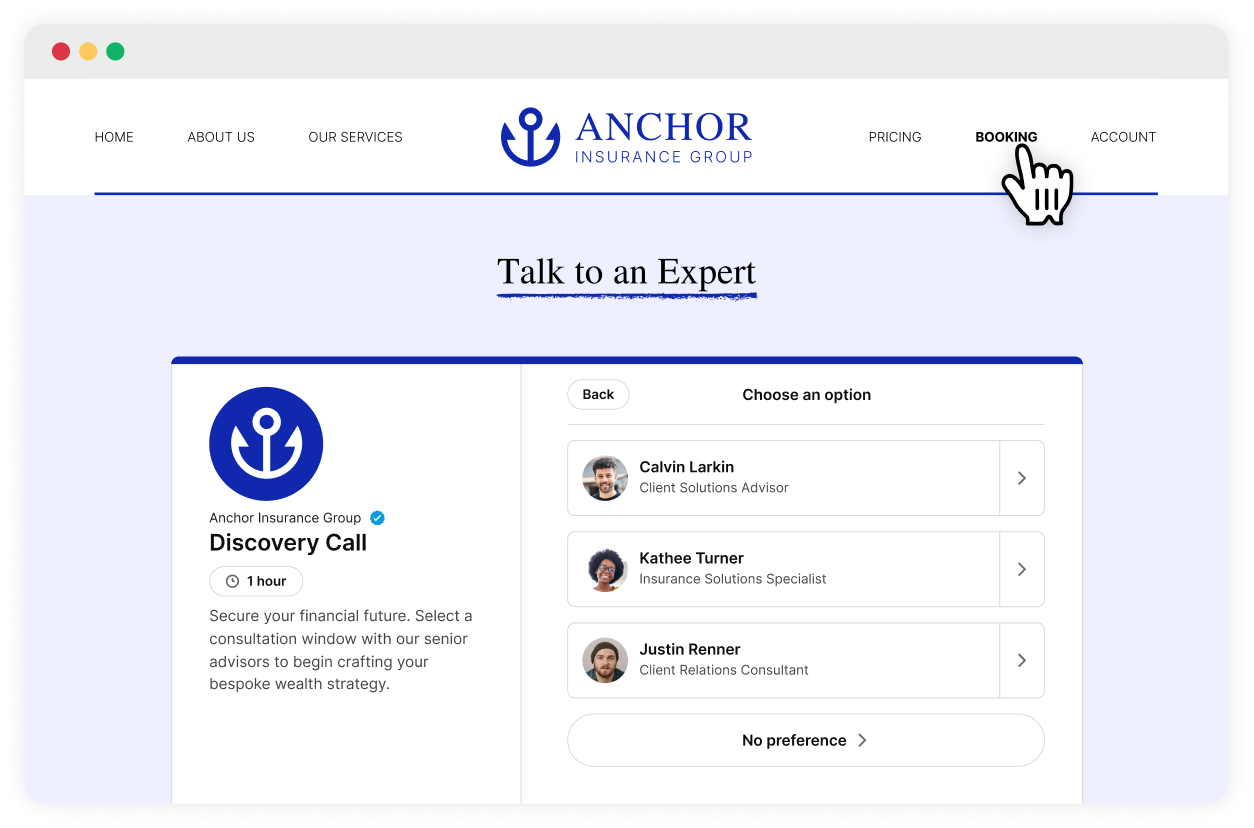
Create booking pages for each agent or combine your team on one page. Share availability, let clients choose who they meet, or distribute consultations automatically with round robin.

Get paid for consultations upfront
For paid advisory or complex commercial reviews, collect fees at the time of booking. No invoicing, no chasing.
Insurance seekers won’t wait. Make it easy to book—or lose them.
Prospects are searching after hours, comparing options, and choosing whoever is easiest to reach.
Let people schedule themselves anytime—without calls or emails—so you don’t lose them to the next agent. Every appointment is confirmed, organized, and ready for you, so your time goes to clients, not calendar coordination.

Create a booking page that builds trust—not blends in.
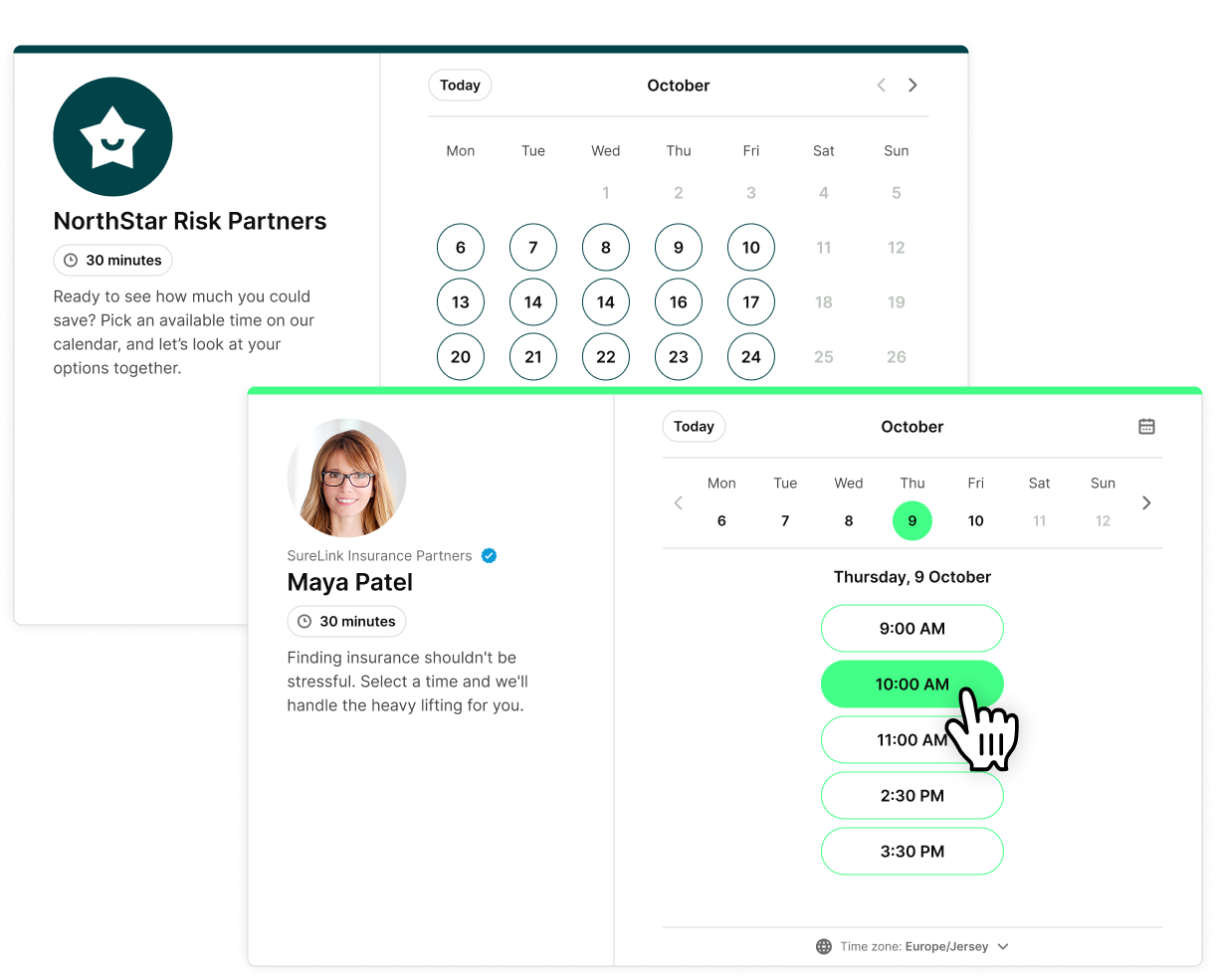
Your booking page isn’t just a calendar link. It’s where insurance clients decide if they trust you. Make the right first impression with a fully branded experience.
Add your logo, advisor photos, brand colors, and clear consultation options. Embed it on your website and guide prospects through to a tailored confirmation page—so when they click, they don’t second-guess, they book.

Not every booked call is a good lead. Make sure yours are.
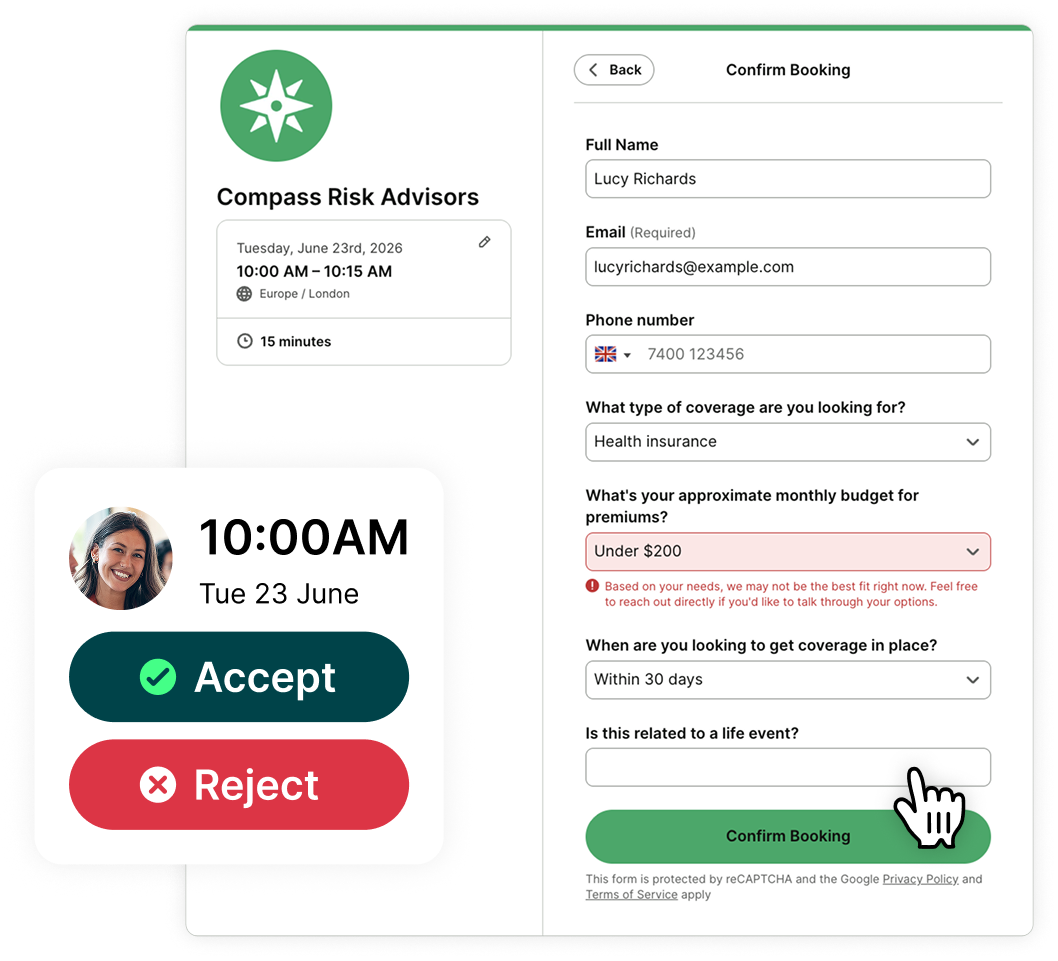
With YouCanBookMe, you can ask the right questions upfront—budget, timeline, coverage needs—so you know exactly who you’re speaking to before the call even starts.
Use conditional and blocking questions to filter out unqualified enquiries, or turn on request bookings to approve each meeting before it's confirmed. Your schedule fills with qualified clients, not just more calls.

Trusted by insurance agents who don’t have time to chase leads
See how insurance scheduling software helps teams capture demand, book more calls, and stay in control of their schedules.
-
"We get after-hours bookings, weekends, mornings, nights. If somebody wants to be called at 10 o'clock on a Saturday night, we make it happen. That's rare in business."
 Van RichardsonCo-Founder & CEO, Filo Mortgage
 -
"I want my calendar to fill up while I'm sleeping. I could be any time of the day or night—I'll wake up in the morning and there are new appointments. I love it."
 Melissa GeorgeCEO, InvestHER Fiduciary Solutions
 -
“YouCanBookMe has been a lifesaver for my insurance agency! It keeps myself and my employees organized and has been very useful in helping us renew our clients’ policies every year. We have saved time and lowered our client attrition rate.”
 Tina KManaging Director
 -
"As a health insurance agency, we have a 45-day window to enroll as many people as possible. I used to spend most of that time chasing customers and playing phone tag. Now I blast a custom link to my book of business — they book themselves, YCBM does the rest."
 Benjamin M.G2 Review






Your prospects are searching on a Saturday night Are you bookable?
Set up your free insurance booking page in minutes. After 14 days, choose a paid plan or keep the free version—forever.

 4.7 / 5 — Trustpilot


Make your booking page do the heavy lifting
Resources to help you get started, see what’s possible, and get more out of your insurance client booking page.
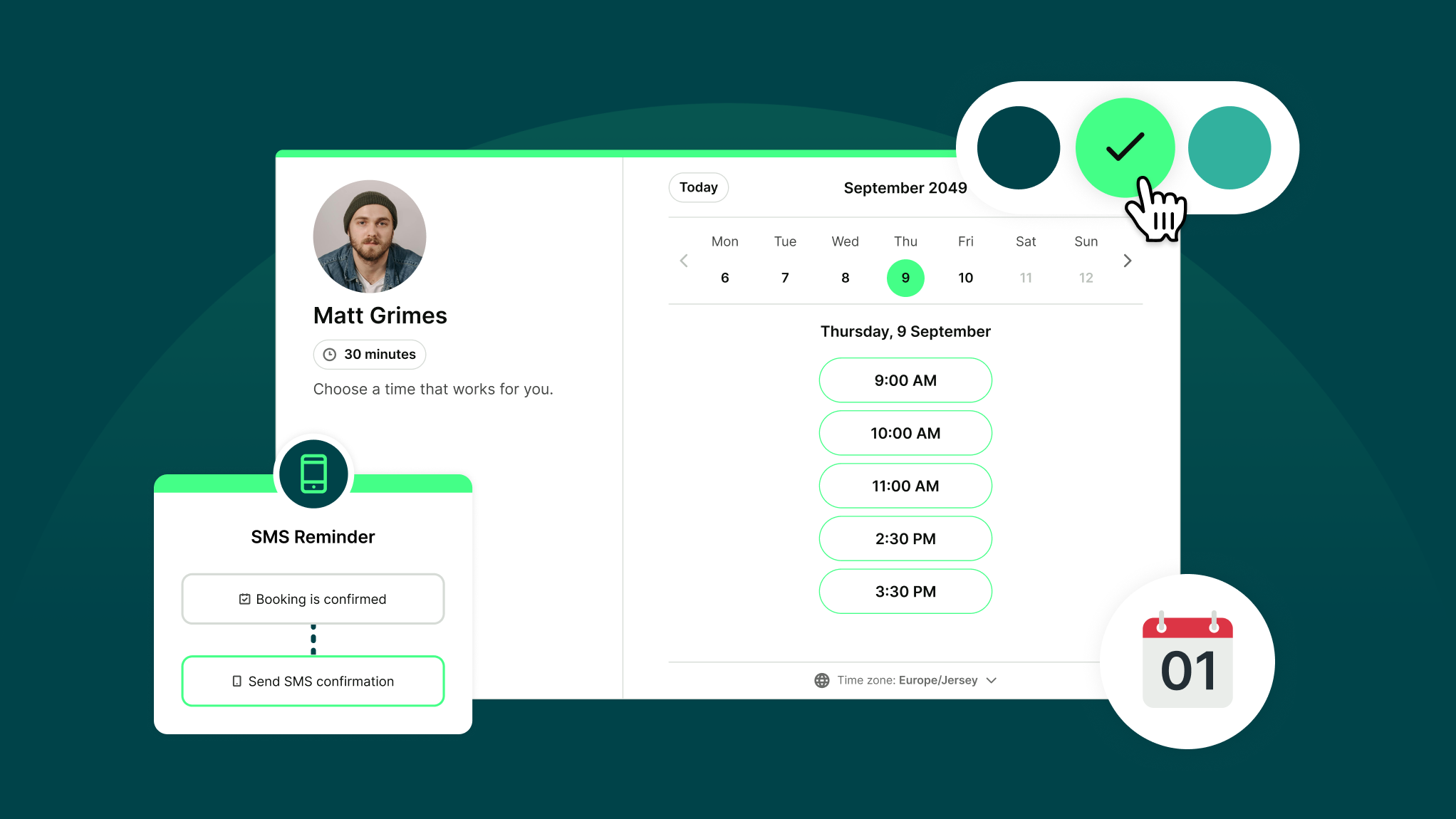
How Does YouCanBookMe Work? A Simple Getting Started Guide
New to YouCanBookMe? Don’t worry—we’ll show you how to put your scheduling on autopilot and set up your first booking page in (almost) no time.
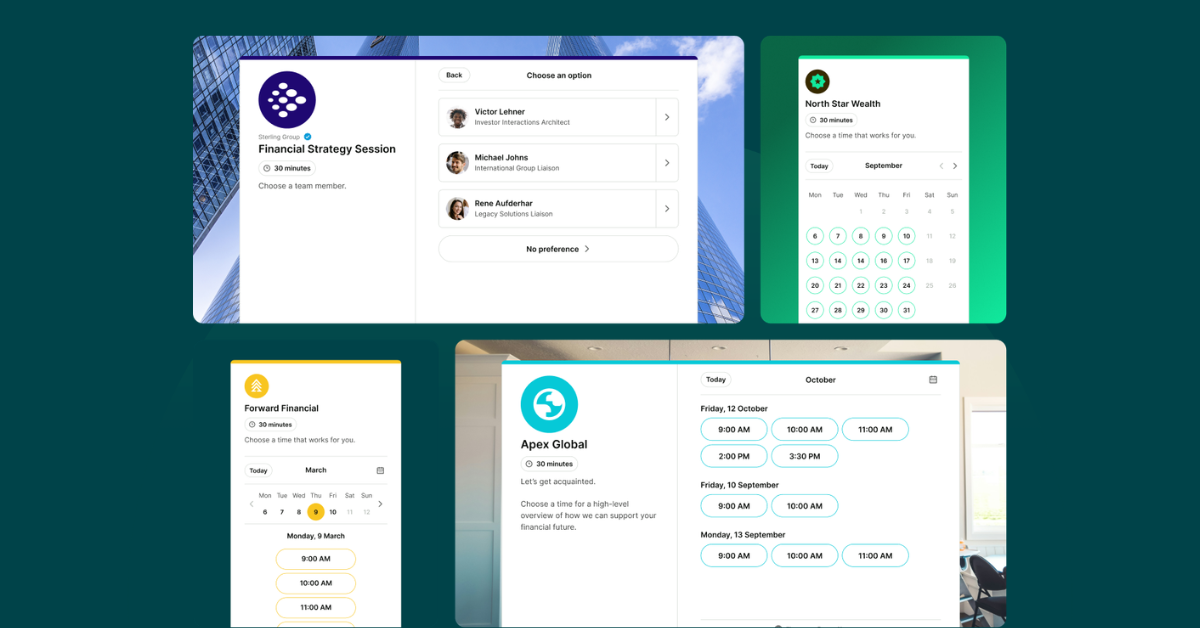
6 Financial Services Booking Page Examples That Drive Bookings
Explore real-world financial services booking page examples that use trust signals, focused copy, and clear service listings to convert leads into clients.
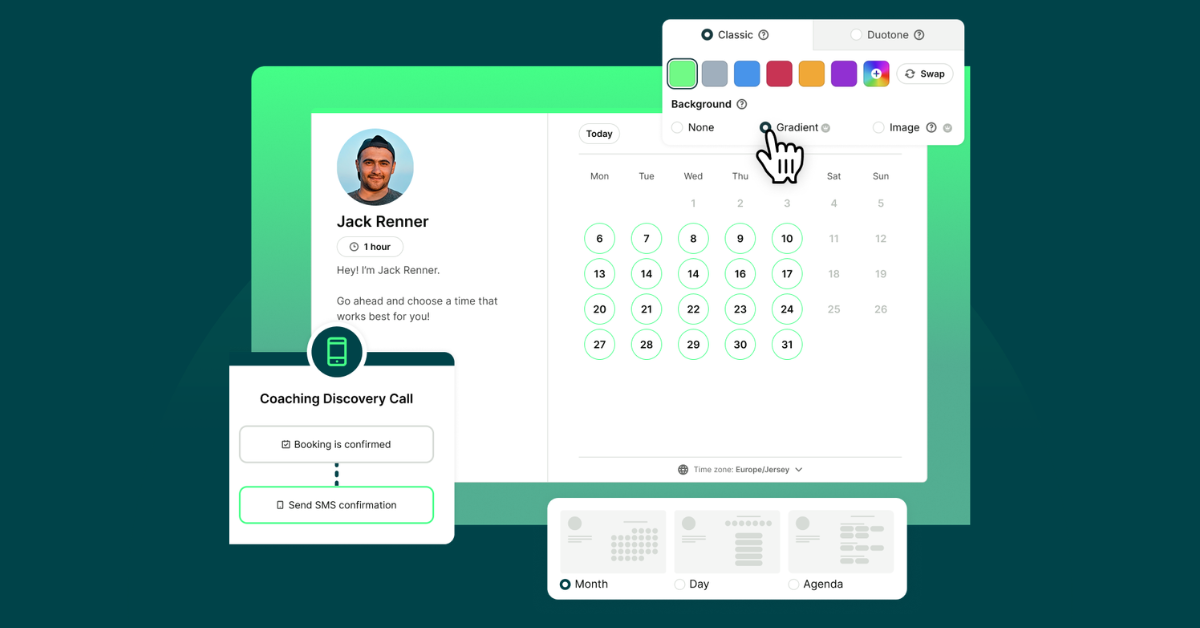
10 Powerful Ways to Customize Your Booking Page with YCBM
Unlock the secrets to a booking page that wows. See how to elevate your brand, streamline your workflow, and leave a lasting impression with every appointment.
Frequently Asked Questions (FAQ)
How long does it take to set up?

You can get your insurance appointment booking page live in under a minute if you're in a hurry. Just connect your calendar, create your booking page, and share your link—clients can start booking instantly. Confirmations, reminders, and calendar syncing are all set up automatically from the start.
From there, you can further customize your availability, branding, intake questions, notification messages, and team settings whenever you're ready.
Can I create different booking pages for different types of appointments?
Yes. YouCanBookMe’s insurance scheduling app can be set up with separate pages for new client consultations, policy renewals, claims support calls, and more—each with its own availability, questions, notifications, and branding.
You can also list multiple appointment types on a single page and let clients choose. It's entirely up to you and what works best for your agency.
Can I screen prospects before they book a consultation?
As an insurance agency scheduling tool, YouCanBookMe lets you add intake questions to your booking form—covering budget, coverage needs, policy timeline, and more. Use blocking questions to filter out unqualified bookings, or turn on the request bookings option to manually approve each meeting before it's confirmed.
For existing clients booking renewals or follow-up appointments, you can create password-protected booking pages or single-use links—so only the right people get access.
Can my whole team use one account?
Yes. YCBM’s appointment booking for insurance agents works across your whole team—create individual pages for each agent or set up a shared team page with round-robin distribution. Clients can book with a specific agent or be assigned automatically based on availability.
You can also control access with role-based permissions, duplicate existing booking pages to onboard new agents in seconds, and manage scheduling across teams, locations, and time zones—all from one admin dashboard.
Does YouCanBookMe integrate with my other software?
Yes, our insurance scheduling software integrates with many other popular tools that advisors use. YouCanBookMe seamlessly connects with calendar apps like Google Calendar and Microsoft Outlook, payment processors like Stripe, and video conferencing tools like Google Meet, MS Teams, and Zoom. Plus, you can integrate over 7,000 apps through Zapier, including CRMs such as Salesforce.
What happens if a client needs to reschedule?
Clients can reschedule or cancel directly from their confirmation email, within rules you set. This keeps your calendar accurate and eliminates the back-and-forth—essential for any busy insurance agency scheduling tool.
My agency offers multiple types of insurance—can I use one account for all of them?
Yes. You can create separate booking pages for each coverage type—life, health, commercial, and more—each with its own branding, appointment types, intake questions, availability, team members, and notifications flow.
In short: one account, multiple insurance client booking pages, all managed from a single dashboard.
Can I control who gets access to my booking page?
Yes. Rather than making your page public, you can share a password-protected link only with selected prospects or referrals—keeping your calendar controlled while still giving life insurance advisor clients a seamless, professional booking experience.