
6 Financial Services Booking Page Examples That Drive Bookings
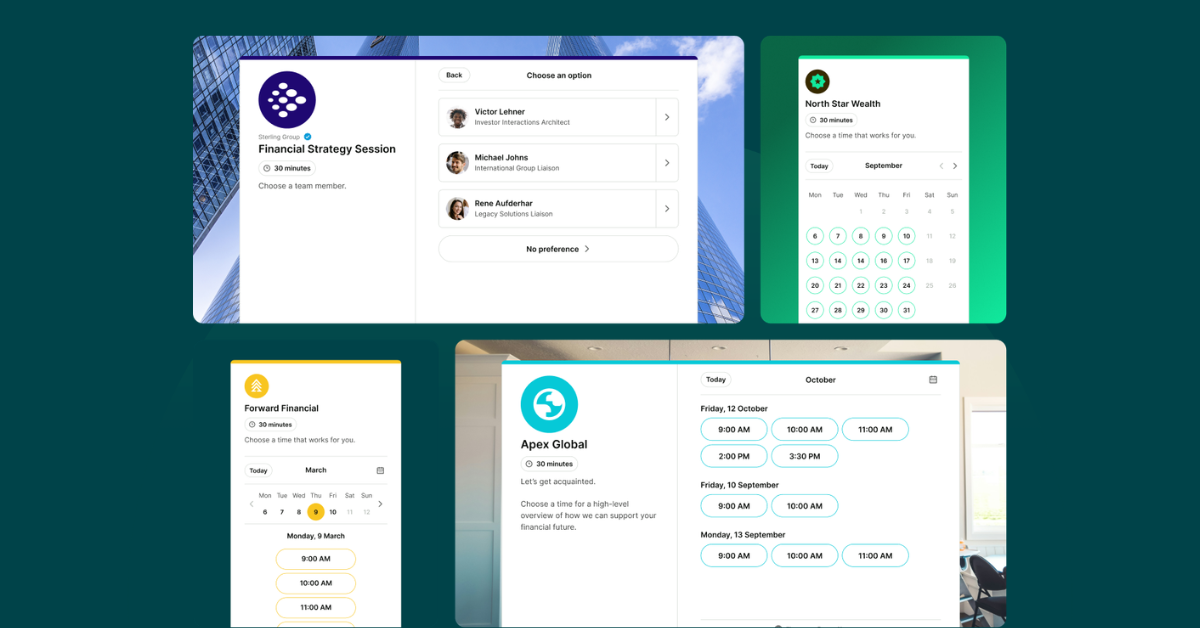

Create your free booking page

Clients choose financial advisors based on trust above everything else—60% say trust is their top factor, according to YouGov. And they're forming that opinion before the first meeting. Your booking page is part of that first impression.
These financial services booking page examples show how six real advisors, planners, and lenders are using YouCanBookMe (YCBM) to make every touchpoint count.
Ready to see what’s possible?
Below you’ll find six real YouCanBookMe users from across the financial services world—each one using their booking page in a smart, intentional way. Take a look, borrow some ideas, and think about what you could do with yours.
Melissa George is the Founder and CEO of InvestHER Fiduciary Solutions, a financial planning and wealth management firm built to serve women investors. Her booking page does a lot of quiet work—and when you look closely, you can see exactly how much thought has gone into it.
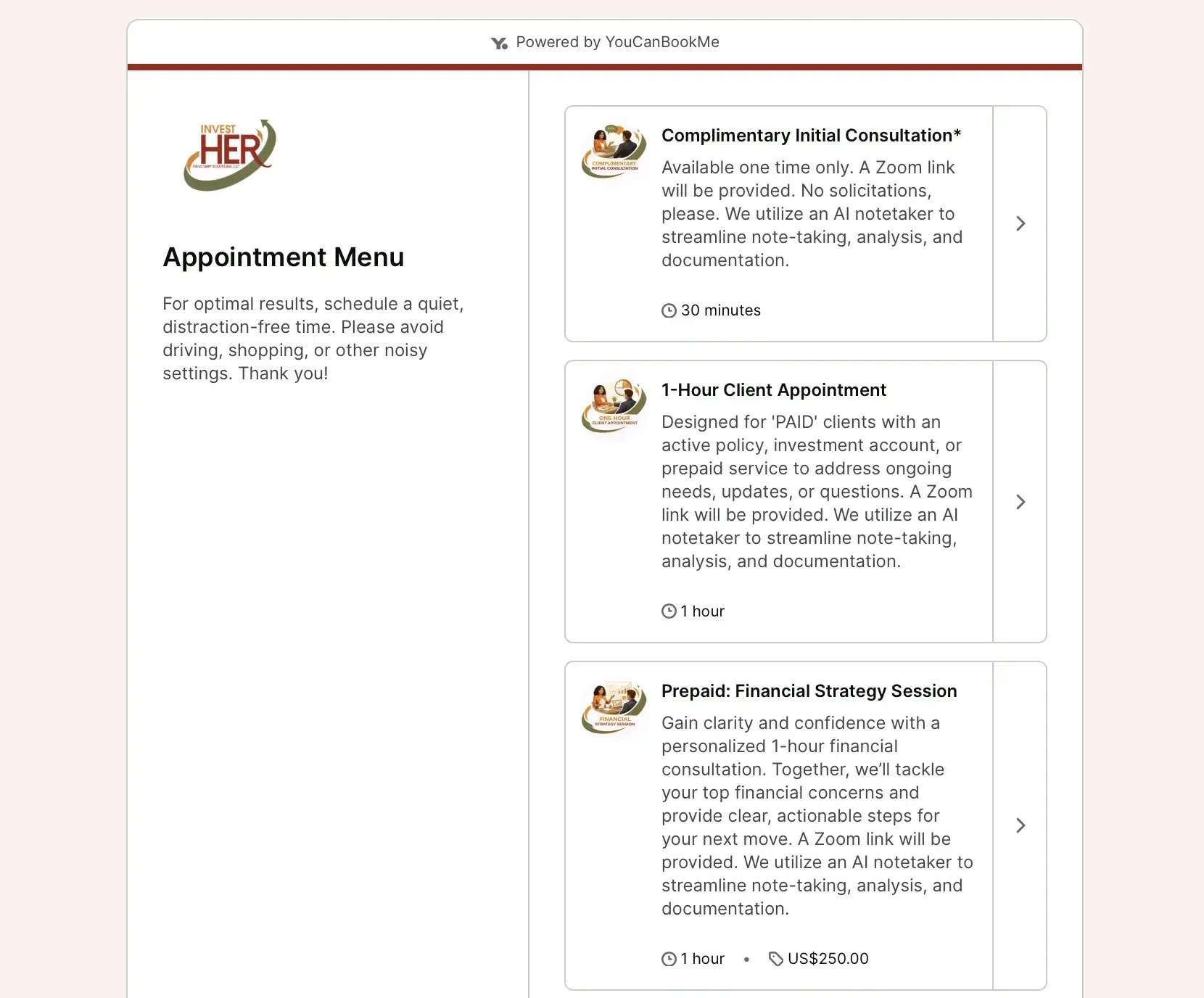
What makes Melissa's booking page pop 👉 Melissa has built a full client journey right into her booking page. New visitors land on an "Appointment Menu" with three distinct appointment types:
- A free 30-minute Complimentary Initial Consultation (available one time only, for first-time visitors),
- A 1-hour Client Appointment,
- A Prepaid Financial Strategy Session.
What does this setup do? It lets clients self-sort, which means no back-and-forth figuring out which appointment is right for them.
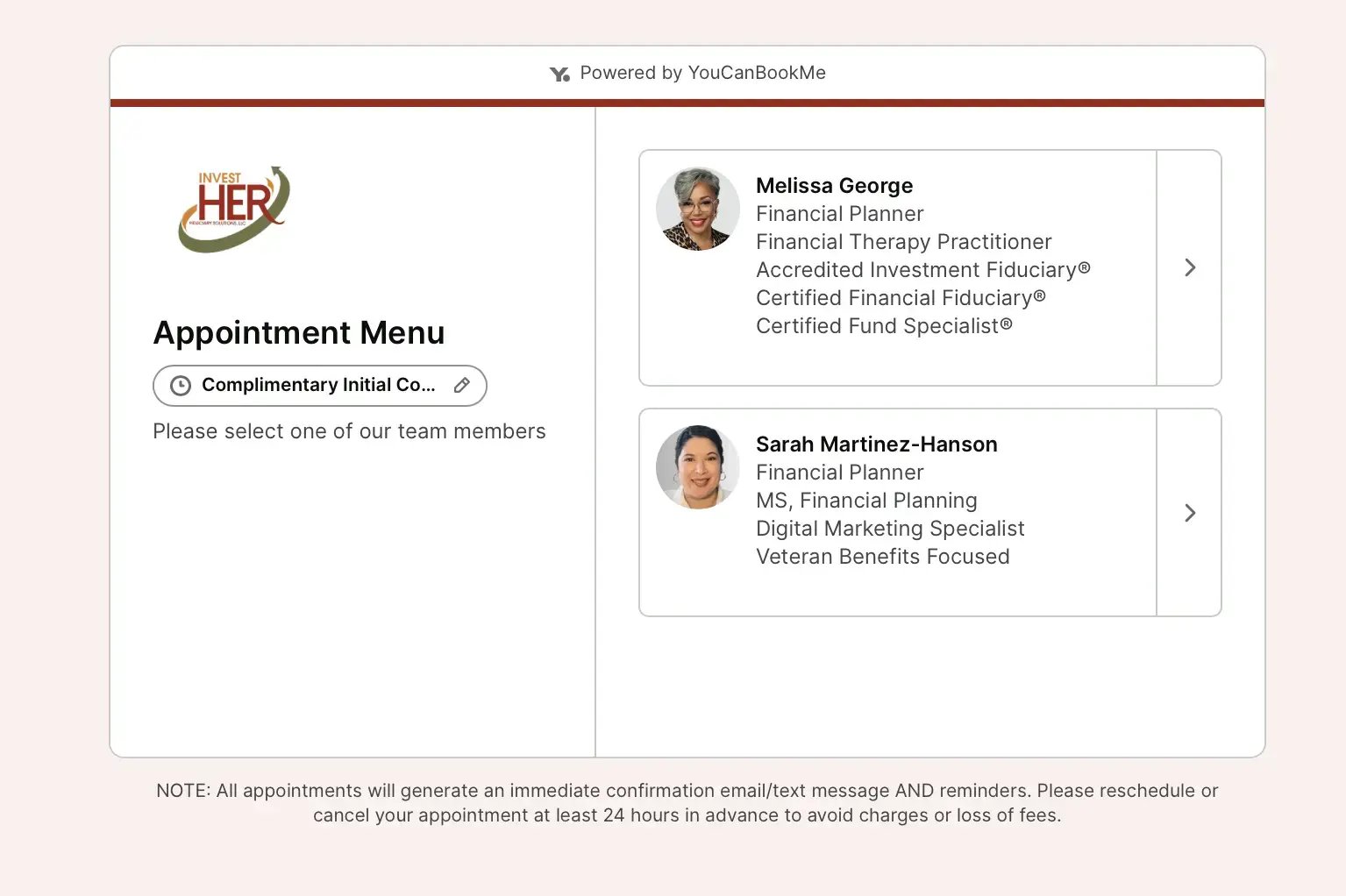
There's also a team member selection step. Clients can choose between Melissa and her colleague, each with their full credentials displayed. And the booking form itself asks for City & State of Residence, how they found the firm, and what topics they want to cover. By the time a call starts, Melissa knows exactly who she's talking to and why.

Melissa George
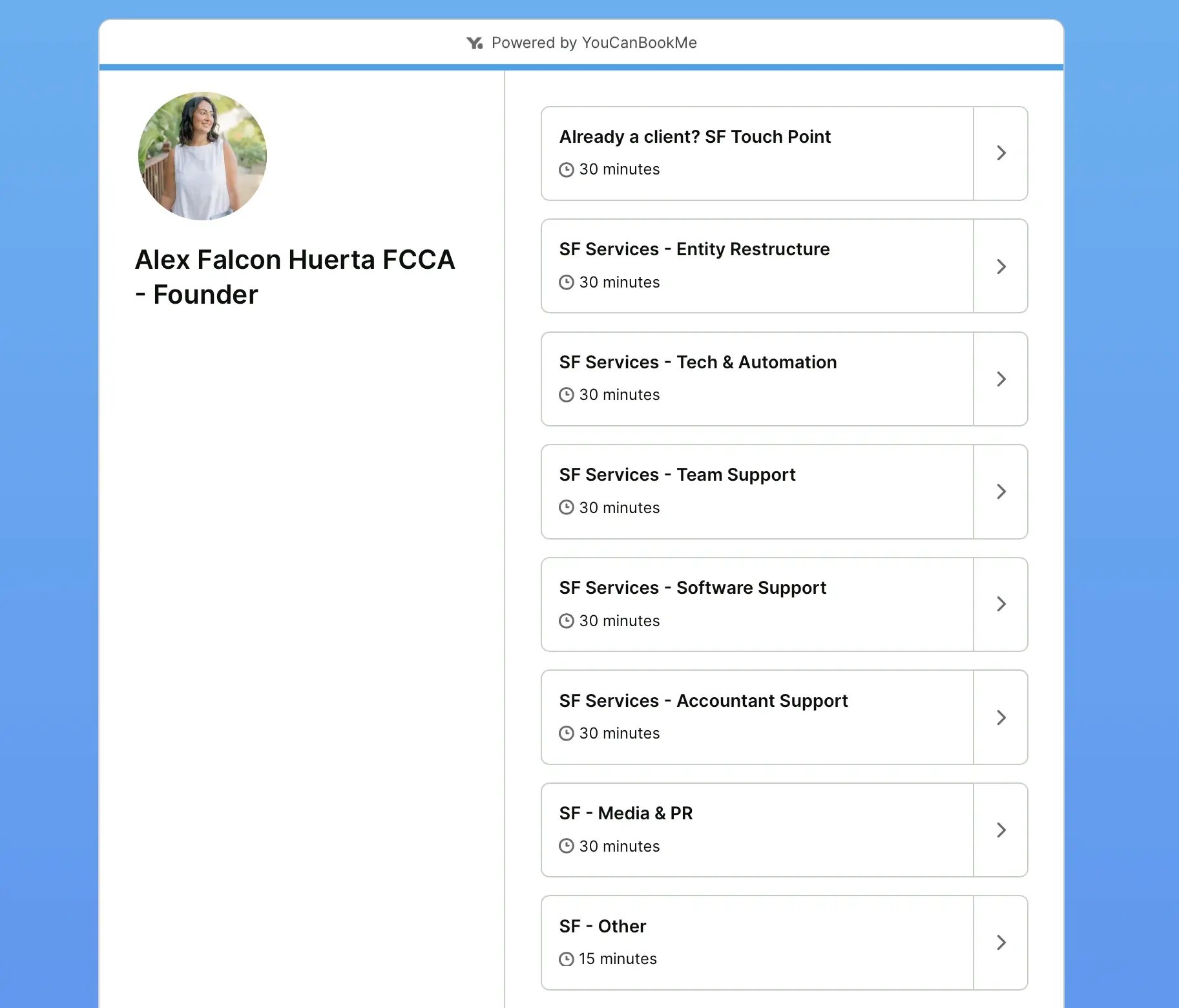
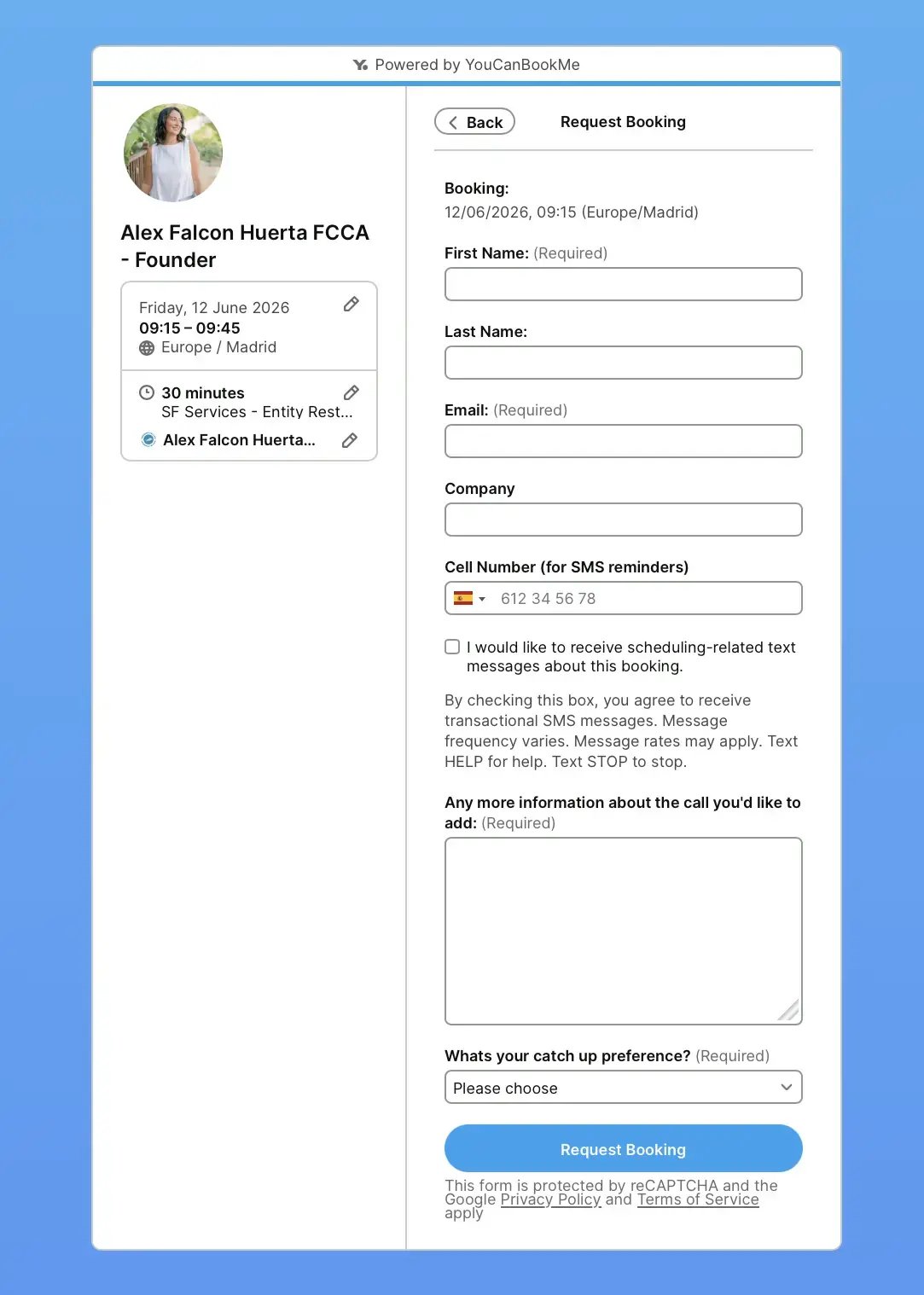
Next up, we have Alex Falcon Huerta. She’s the founder of Soaring Falcon, a London-based accounting and financial advisory firm that serves clients globally. She's been a YouCanBookMe customer since May 2015 (10+ years and counting!). So, it’s safe to say that her setup reflects a decade of knowing exactly how she wants her scheduling tool to work.
What makes Alex’s booking page stand out 👉 Running an international firm means Alex's calendar is always in demand. Her solution? Two YouCanBookMe links—one for existing clients (with broader availability) and one for new enquiries (with tighter slots). It's a simple but brilliant way to prioritize the relationships that matter most without losing new business.
.png?width=170&height=170&name=alex%20fh%20(1).png)
Alex Falcon Huerta
She’s also enabled the “Request Booking” button, meaning every request lands in her queue for review before it’s confirmed. Combined with an intake form that asks for the purpose of the call and the preferred “catch-up format,” she has full visibility into every meeting before it’s locked into her diary.
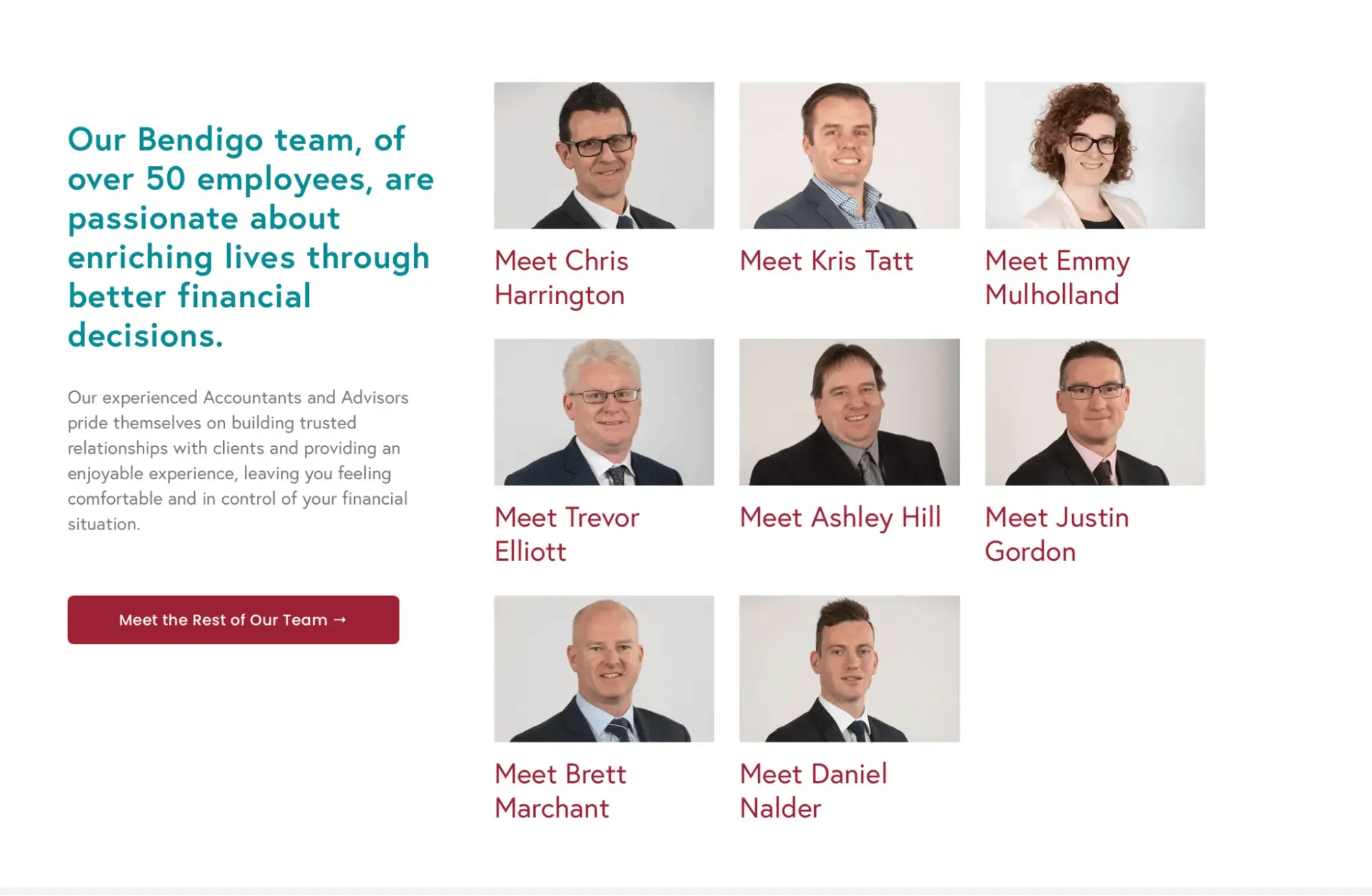
Strategem is a Bendigo and Melbourne-based firm offering accounting, wealth management, financial planning, and superannuation services. They use YouCanBookMe for teams to manage their operations at scale. Their setup is the most ambitious of any example here—and the most seamlessly executed.
What makes Strategem’s booking pages pop 👉 Every advisor at Strategem has their own individual YouCanBookMe booking page, but what makes the setup truly impressive is how seamlessly it all fits together.
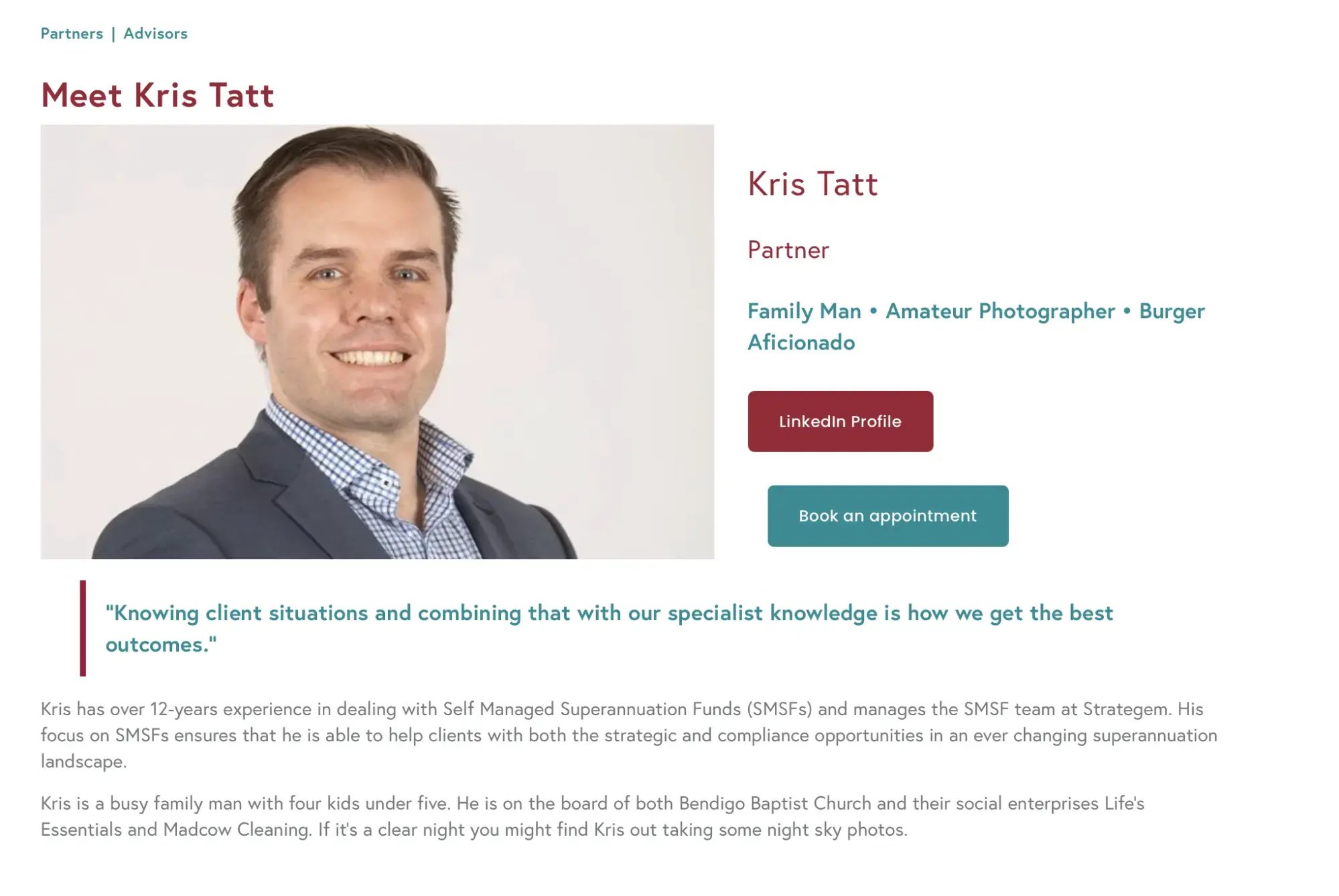
The journey starts on Strategem’s team page: a grid of advisor headshots, each with a “Meet [Name]” link. Click through to an advisor’s profile, and you’ll find their bio, credentials, LinkedIn profile, and a teal “Book an appointment” button.
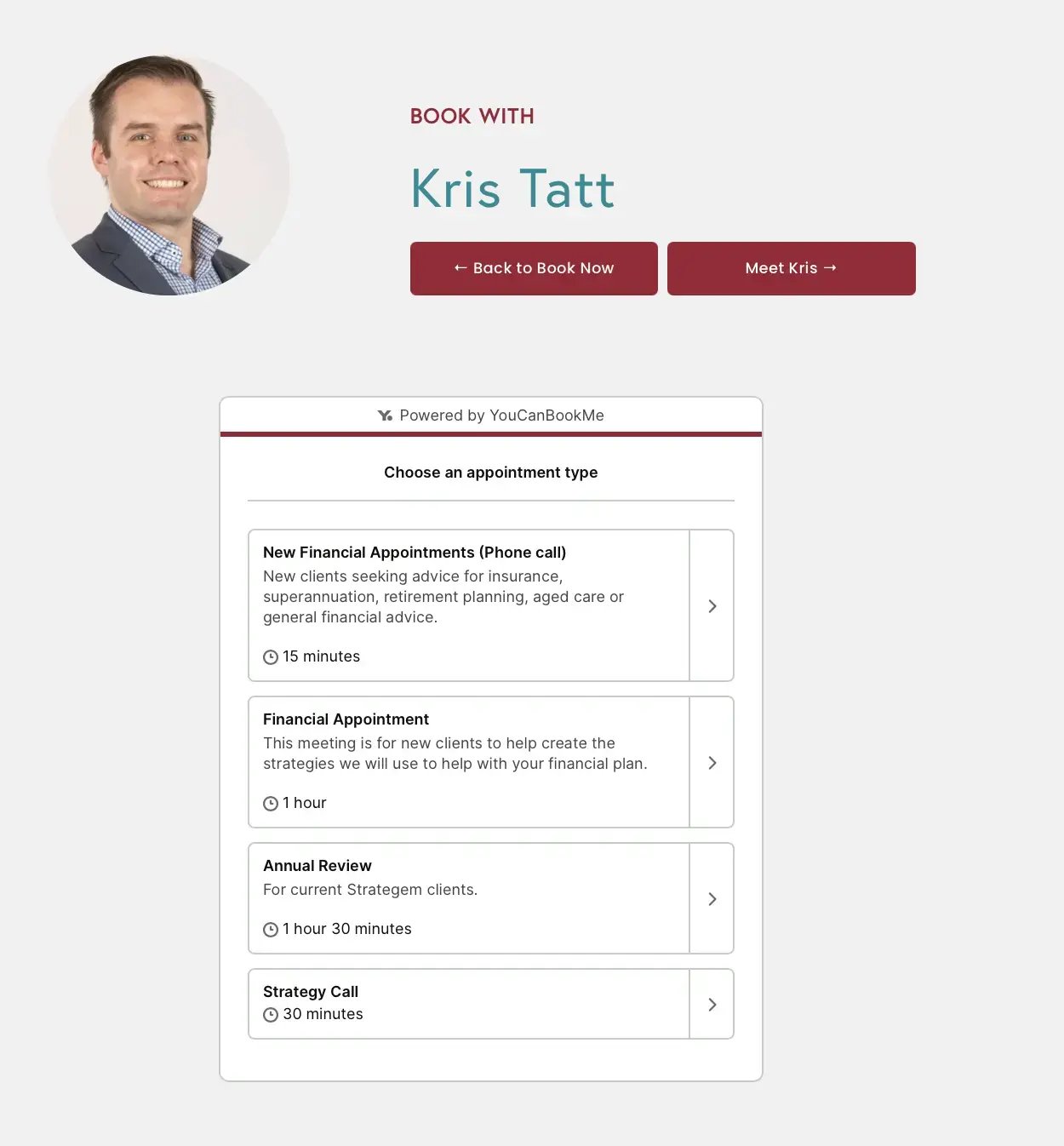
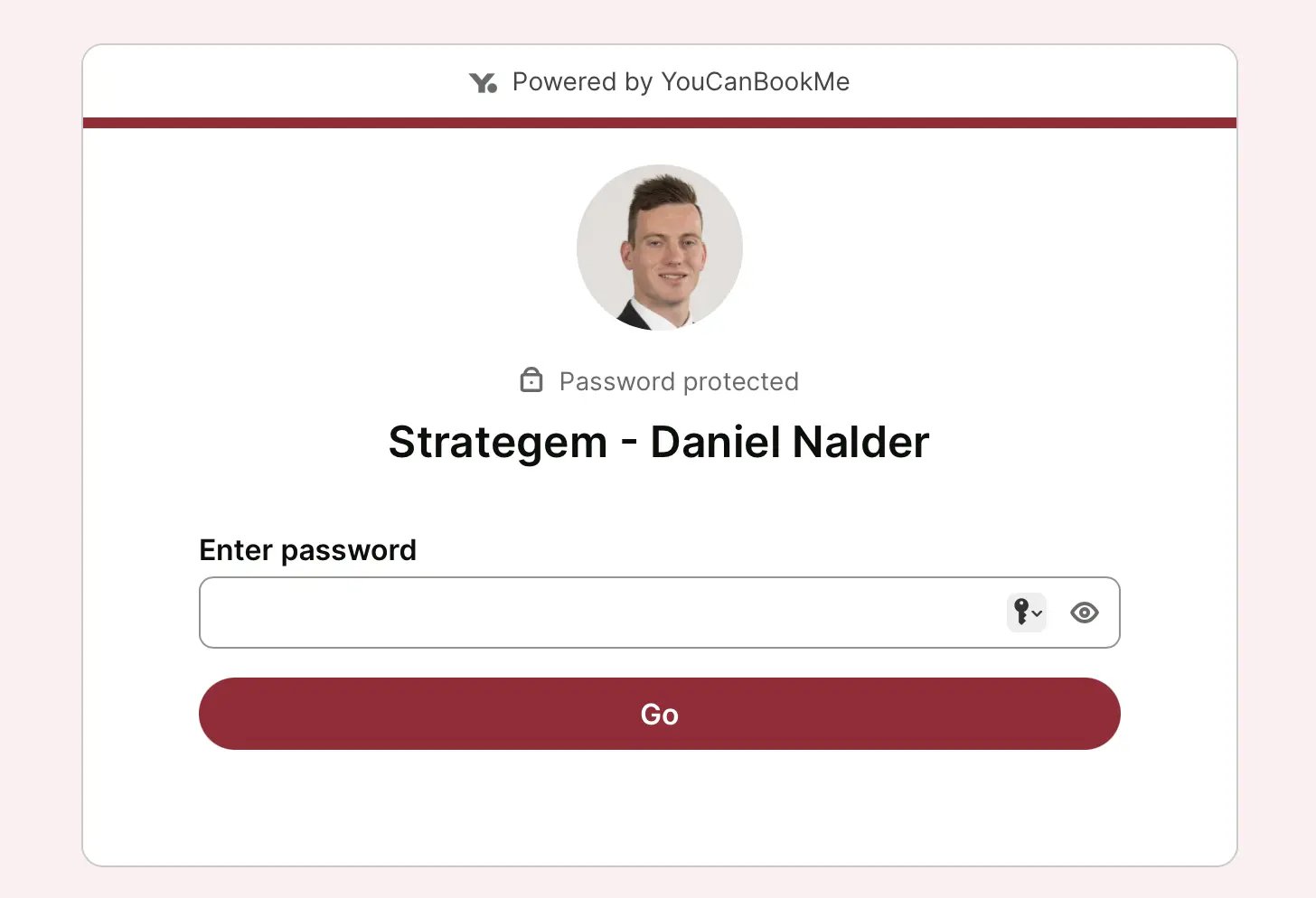
Click that button, and a YCBM booking widget opens, styled to match Strategem’s exact brand: “Book with” in their signature crimson, the advisor’s name in teal, and navigation buttons in their brand colors. It doesn’t feel like a third-party tool. It feels like Strategem built it themselves.
They also have several other handy features enabled, including password-protected booking pages and extensive booking forms that help them qualify leads. And the branding is also consistent across multiple booking pages, which gives the whole firm a polished look.
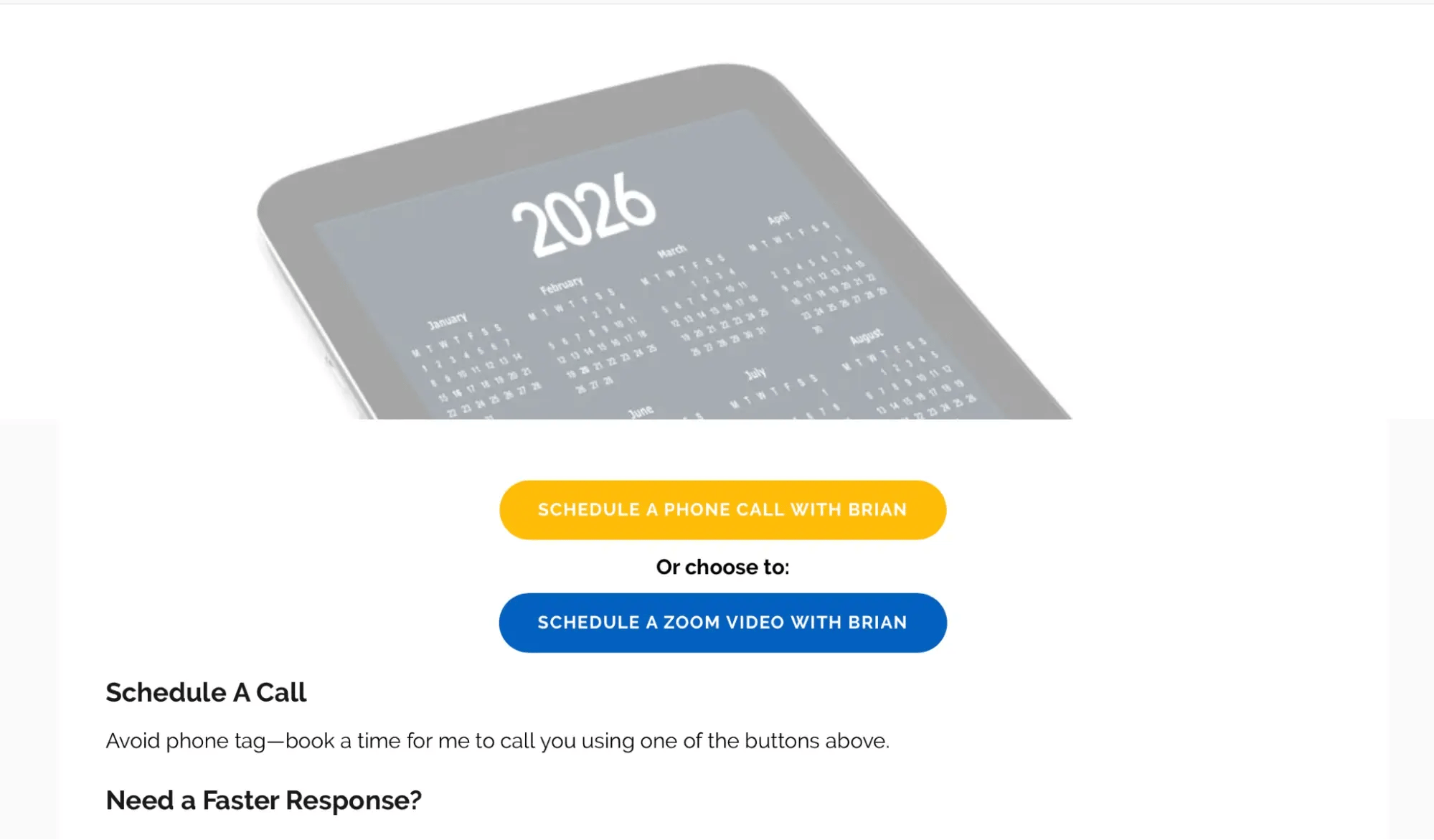
Brian Martucci is a mortgage lender based in Washington, D.C., who helps borrowers across all 50 states navigate the home loan process. With over 3,125 lifetime bookings and a YCBM account dating back to August 2015, Brian has had plenty of time to figure out what works. His secret? Placing his calendar link everywhere potential clients can find it.
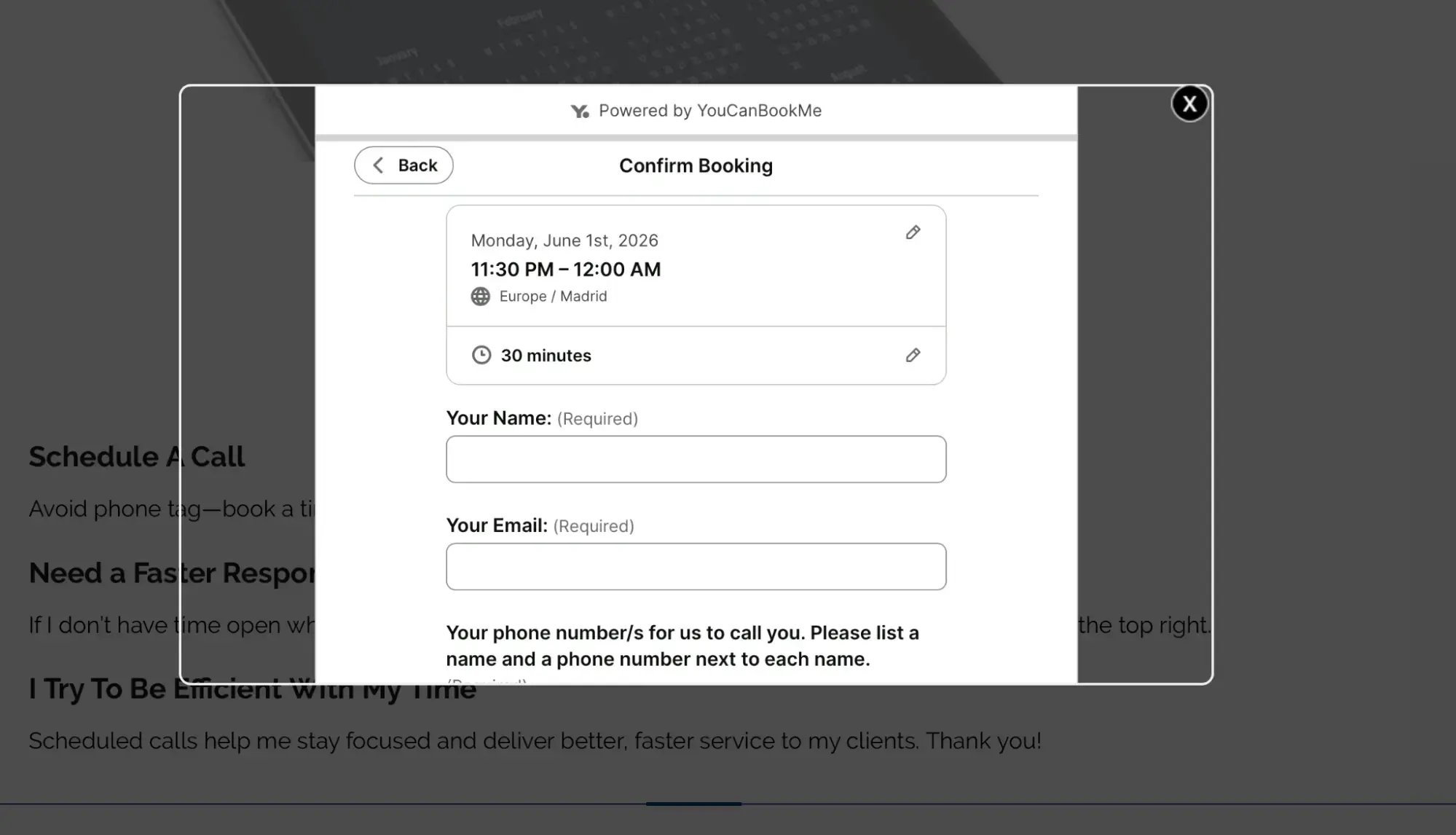
What makes Brian’s booking page stand out 👉 Brian doesn't wait for clients to ask how to book—he makes it effortless at every turn. His YouCanBookMe link is embedded on his website, his email signature, and his templated outreach messages. Wherever a prospective borrower finds him, a booking is just one click away. And once they're on the page? A daily view calendar shows the very next available slot, so there's no scrolling—just booking.

Meet Van Richardson (CEO of Filo Mortgage)—a direct-to-consumer mortgage firm operating across both coasts from its Pennsylvania base.
What makes Van's booking page pop 👉 Van's booking page doesn't try to do too much—and that's the point. The Filo Mortgage page is clean, fast, and frictionless: pick a time, fill in your name, email, and phone number, and you're almost done. Almost. There are two additional fields on his booking form worth noting: Property State and How did you hear about us?
The first gives Van’s loan officers a clear heads-up on which state regulations may apply before the call begins. The second provides a simple way to track which channels are actually bringing borrowers to the business.

Van Richardson
There's also a small but handy touch on the calendar: an "Overlay your availability" button that lets clients connect their own calendar to find a slot that works for everyone.
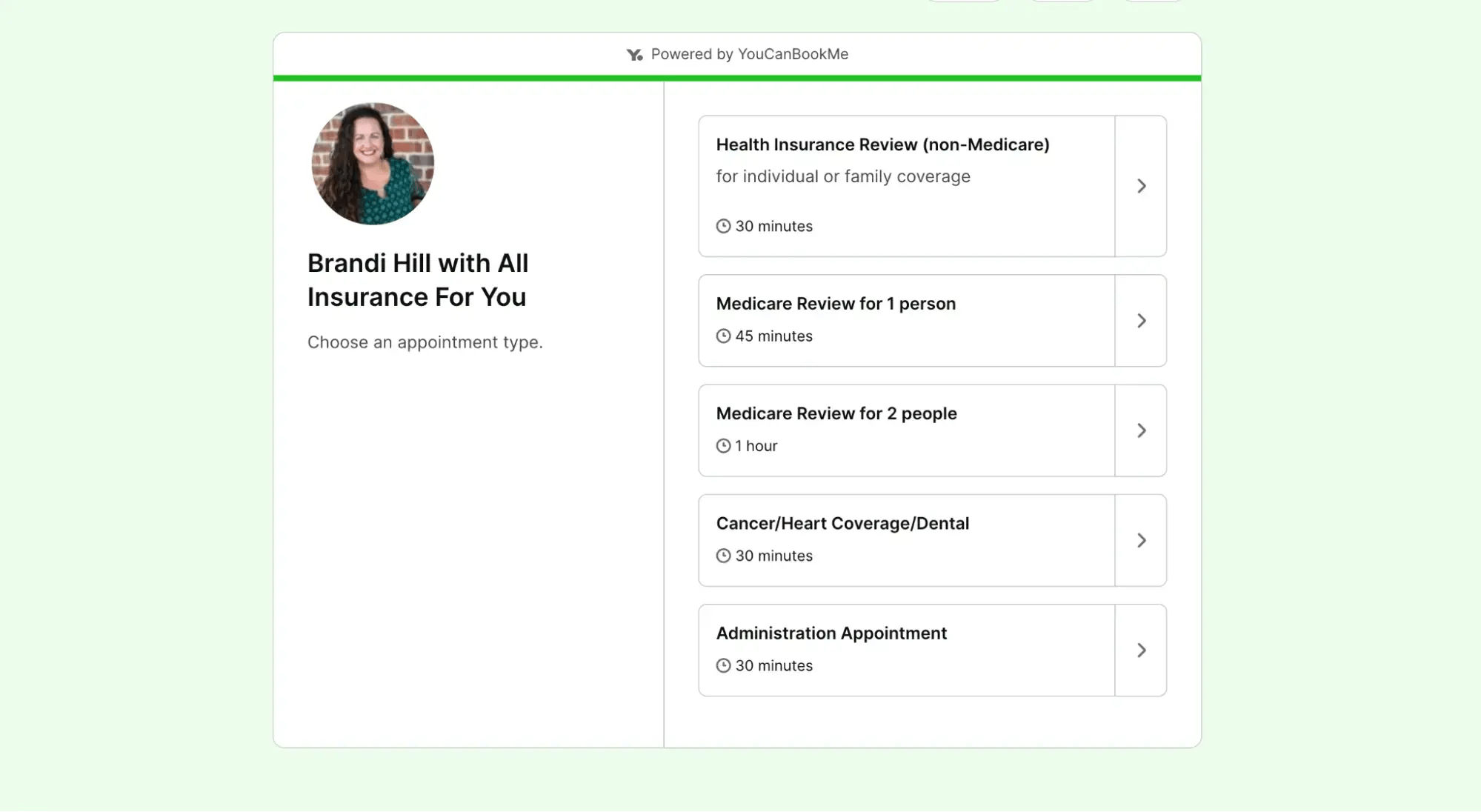
Brandi Hill co-founded All Insurance For You to be the kind of insurance agency that genuinely puts clients first. Today, that's five offices across North Carolina and over 7,600+ bookings taken through YouCanBookMe’s insurance booking app in under two and a half years.
What makes Brandi's booking page pop 👉 The first thing a client sees when they land on Brandi's booking page is a clear menu of appointment types. No one has to call ahead to figure out which meeting they need. The page tells them.

And at the bottom, you’ll find Brandi's full contact information displayed in case clients have a question before an appointment and want to reach out.
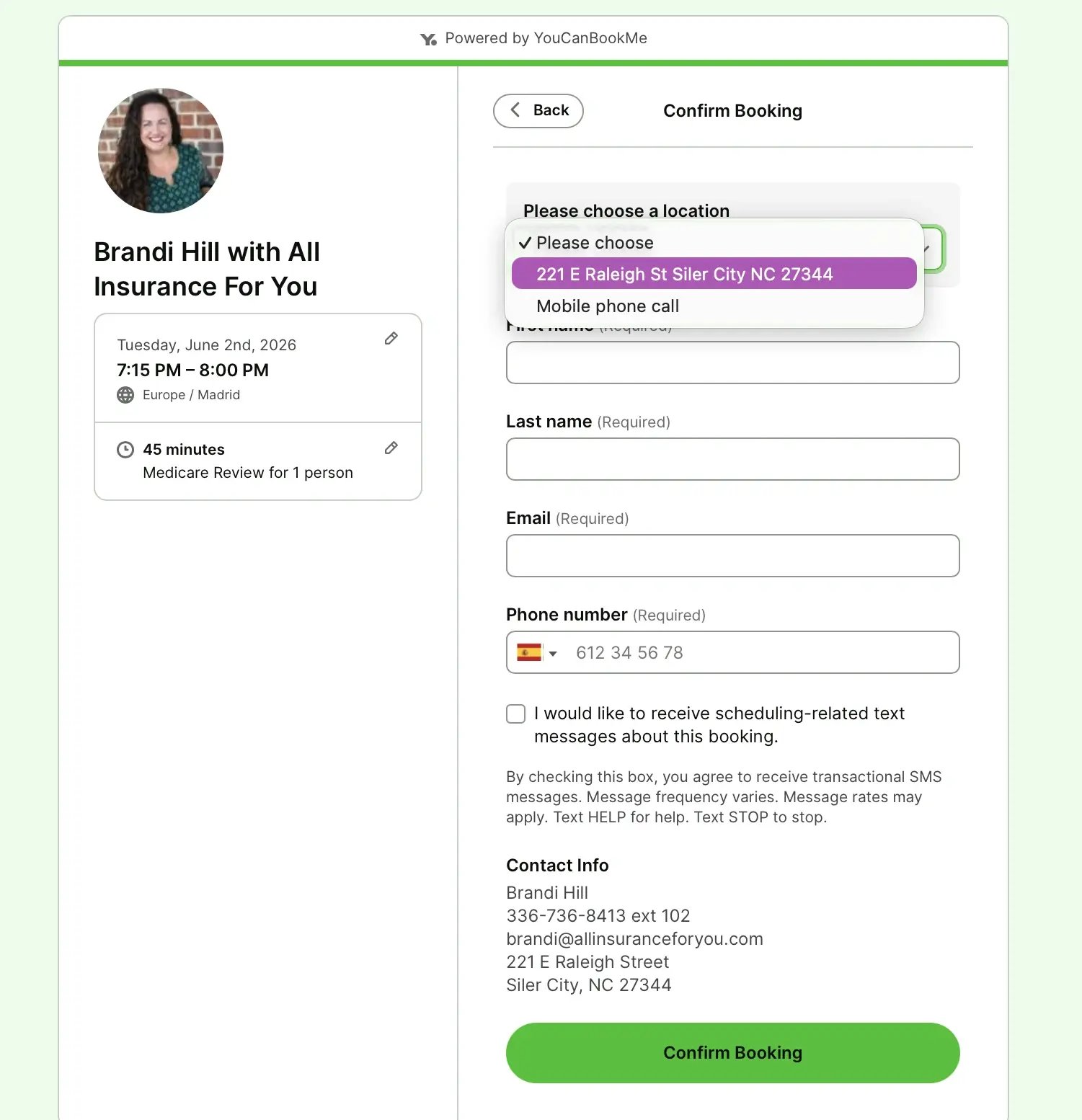
Brandi also makes her booking page easy to find offline. Every fall, ahead of Medicare enrollment season, her team mails clients fridge magnets printed with QR codes that link directly to their YouCanBookMe page. That’s some smart marketing strategy!

A polished, branded booking page helps establish credibility from the very first interaction. If you put it together in two minutes without attention to detail, branding, or the appropriate types of services set up, you’ll find it very difficult to instill confidence in potential clients.
Here are the key reasons to make your booking page a priority:
- Trust from the first click: Clients need to feel confident from the very first interaction, especially when financial decisions are involved. A polished, branded booking page signals attention to detail, both in the way you manage client relationships and in the way you approach their financial goals.
- Professionalism: A generic, unbranded booking page can make the experience feel rushed or transactional. A customized booking page, on the other hand, shows that you have invested in a thoughtful client experience, not just strong financial outcomes.
- Consistency: As clients move from your LinkedIn profile to your website and then to your booking page (or through any other step in your sales funnel), the experience should feel cohesive and intentional. A consistent brand presence reinforces credibility and authority.
- Fewer no-shows: Automated SMS and email reminders give clients the right nudge at the right time, whether it is a 24-hour reminder to confirm the meeting or a same-day text with the call link, office address, or documents to bring. For busy clients, these reminders reduce missed appointments, last-minute confusion, and back-and-forth rescheduling—helping you protect enough billable time that YouCanBookMe can quickly pay for itself.
Make your booking page as professional as your advice
Build a polished, branded booking page that earns trust, reduces no-shows, and helps clients say yes.

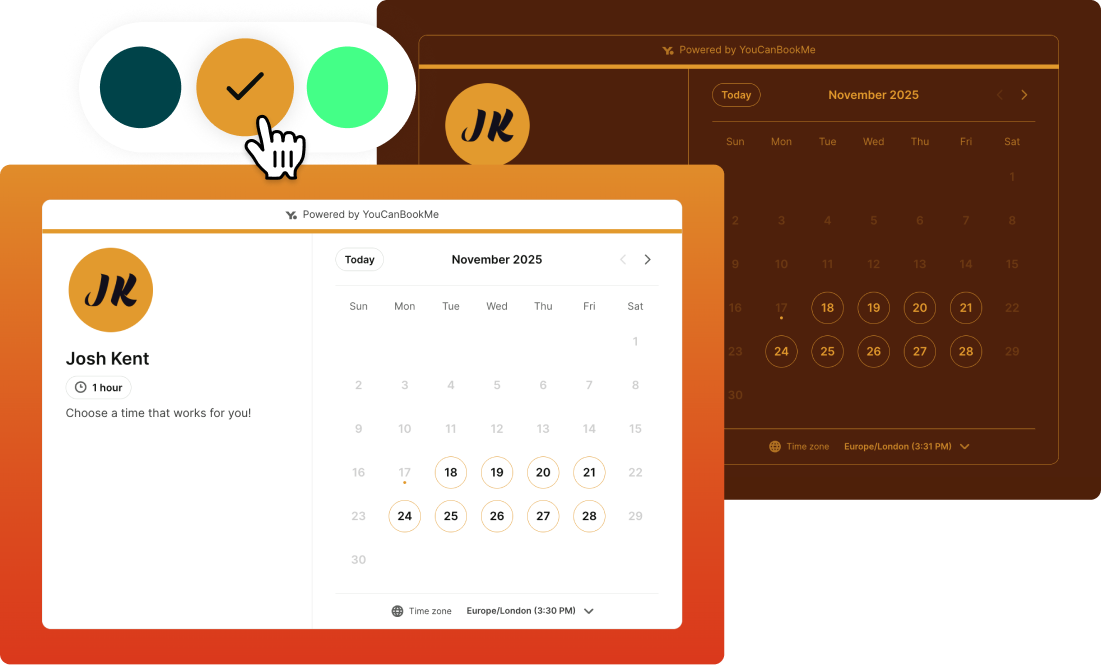
Not every financial services professional works the same way. So, why should your booking page be one-size-fits-all? Whether you're a solo financial planner, a mortgage lender with coast-to-coast clients, or a multi-advisor firm, your scheduling setup should work as hard as you do.
✨ Here's where YouCanBookMe for financial services shines:
- Multiple appointment types: Separate discovery calls from annual reviews, broker consultations from new client intros. Clients self-select the right meeting, saving everyone time.
- Custom booking forms: Gather context before the call, including property state, referral source, and financial goals. You want to show up prepared!
- Website embeds and booking links everywhere: In your site nav, LinkedIn and Instagram profiles, email signature, and outreach templates. The easier it is to book, the more often it happens.
- SMS + email reminders: Automated nudges protect your show rate without any manual follow-up from you.
- Separate links for new vs. existing clients: Give loyal clients broader availability while protecting your calendar from unlimited cold enquiries.
- Payments: Collect consultation fees or deposits when someone books. With Stripe, clients can pay by credit or debit card, Apple Pay, or Google Pay, so you don’t have to chase payments later.
- Team-level booking pages: Individual pages for every advisor, all managed under one team plan. Clients book with the person they know and trust.
|
➡️ Want to go deeper? Check out 10 powerful ways to customize your booking page and discover lesser-known features. |
Ready to give your booking page a professional upgrade?
Your booking page is often the first real taste a client gets of working with you. These examples show that details matter a lot, from a smart custom booking form that qualifies leads to individual advisor pages that scale a personal touch across an entire firm.
Whether you borrow one idea (or two or three!) or overhaul your whole setup, the goal should be the same: make it easier for the right clients to book, and make sure the experience feels like you from the very first click.
If you don’t have a scheduling tool yet to deliver that professional booking experience, make sure to check out YouCanBookMe.

Written by
Paulina Major
Paulina Major is a freelance B2B content writer with six years of experience. Since 2024, she has written 100+ articles on scheduling and personally tested and reviewed 30+ booking tools, helping small business owners choose software and simplify their booking processes. As a solopreneur managing her own clients and calendar, she brings firsthand experience to her advice on scheduling, time management, and running a business.
Get started today
Join thousands of coaches, consultants, and entrepreneurs who use YouCanBookMe to power their business. Get your first booking in a few minutes.


 4.7 / 5 — Trustpilot

