
How to Schedule Meetings at a Trade Show: A Practical Guide

Create your free booking page
You've been tasked with organizing a conference or managing your company's trade show, and you're already biting your nails over one tricky question: how are you going to schedule those meetings?
Who gets a slot? Which team member should they meet? Where will they meet? And what happens when someone walks up wanting to talk right now?
It sounds like a lot. Honestly, it can be. The right setup, though, can turn hundreds of moving parts into one manageable schedule. Ben Waring from RSA Conference saw this firsthand when his team coordinated more than 500 media meetings across 18 rooms in four days using YouCanBookMe's conference booking software.
Want to nail big-event scheduling like Ben did? Then this guide is for you. We’ll walk you through how to schedule meetings before a trade show, manage them on-site, and follow up afterward.
Conference meeting management is the end-to-end process of scheduling, coordinating, and following up on one-on-one or small-group meetings at a trade show, conference, or expo. It covers who can book, when they can meet, where each conversation takes place, and how the resulting contact and attendance data is used afterward.
Unlike recurring calls or team meetings, conference sessions happen within a fixed event window. You may be coordinating:
- Limited rooms
- Multiple team members
- Large numbers of attendees, including partners, press, prospects, and customers
- Schedules that change while everyone is moving around a busy show floor
All in all, managing conference meetings is about creating a clear path from initial interest to the conversation itself and the follow-up afterward. Your goal is to ensure each step is well-organized and that you and your team spend a minimal amount of time untangling scheduling logistics.
Alright, let’s start with the before-the-event phase. At this stage, the goal is to set up a simple booking system that helps the right people choose a suitable time, gives your team the information they need to prepare, and keeps every meeting organized before the doors open.
The first logical step is creating a dedicated booking page for your conference or trade show.
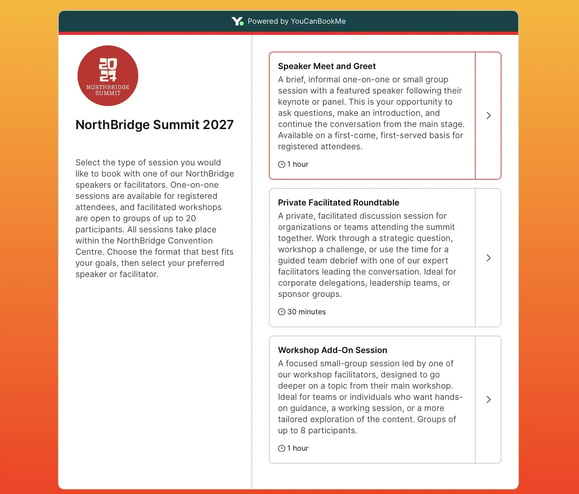
Start by clearly listing the event description, dates, and location. Then, outline exactly what attendees can book, whether that’s a press interview, product demo, partner meeting, or one-on-one support session.
Keep all these meeting types on one booking page instead of creating a separate link for each one. Attendees already have dozens of calendar invites and event links to keep track of, so adding even more to the mix will only create confusion.
Next, make the page look and feel like your company. Luckily, that’s super easy to do with YouCanBookMe’s customizable booking pages that let you add your logo, brand colors, images, custom copy, and team photos. Those details help attendees recognize the invitation, understand who they’ll meet, and feel confident they’re in the right place.
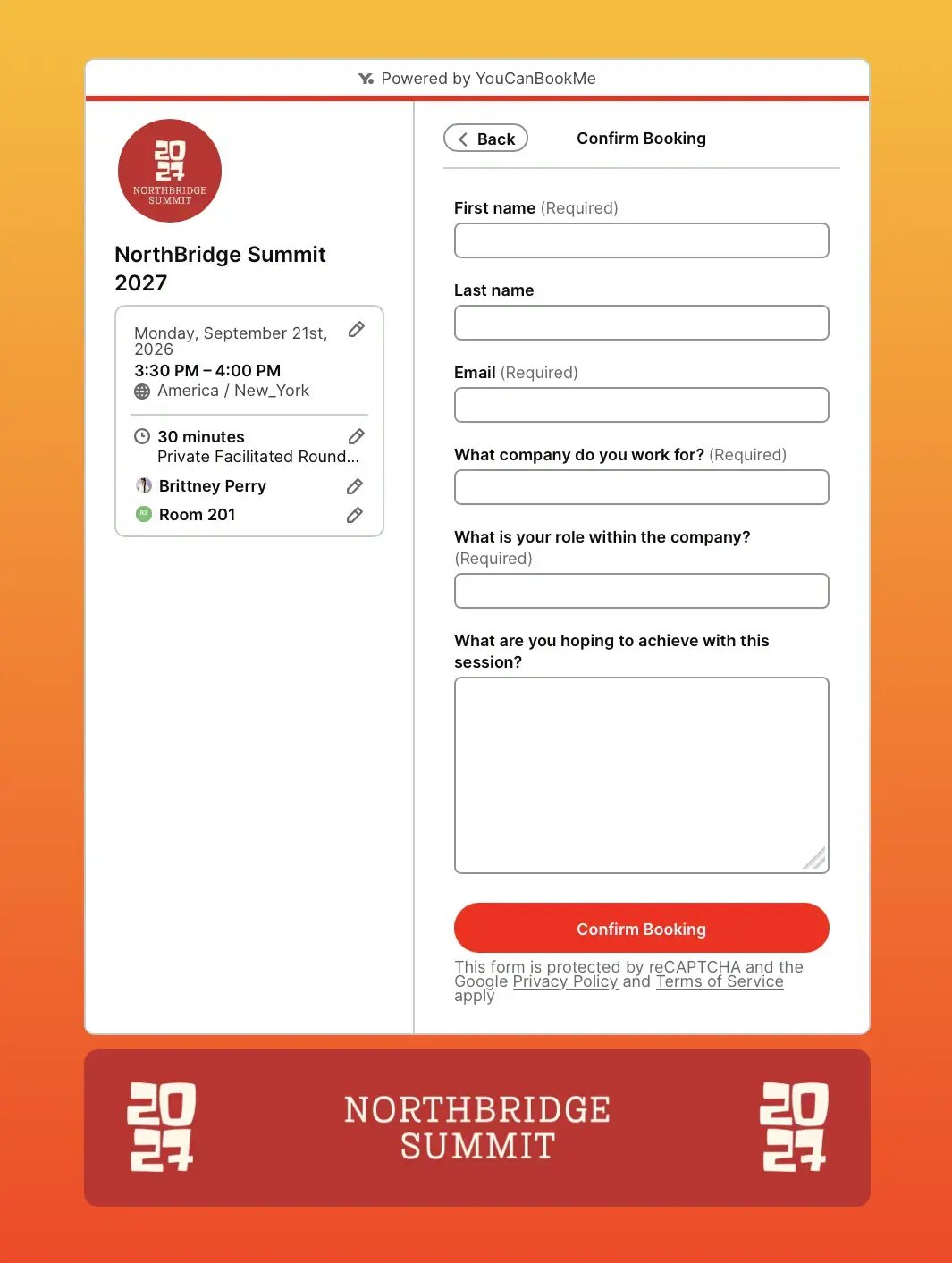
Your booking form isn’t just there to collect a name and email address! At a conference, it can help you understand who someone needs to meet and what they want to discuss.
With YouCanBookMe’s configurable booking forms, you can ask attendees for:
- Their company
- Role
- What they’re hoping to learn from the session
- Whatever else you deem important
Say you’re organizing an annual marketing summit with bookable 20-minute office hours. The booking form could ask whether an attendee wants to discuss SEO, paid media, content strategy, or analytics, what challenge they’re trying to solve, and which expert they’d like to meet. Those answers help direct each attendee to the right person and give the expert enough context to arrive prepared.
Those answers also make your life easier after the event. When Median used YouCanBookMe for conference scheduling, the team could access bookers’ contact details and form responses in its booking export, then add them to HubSpot for follow-up.
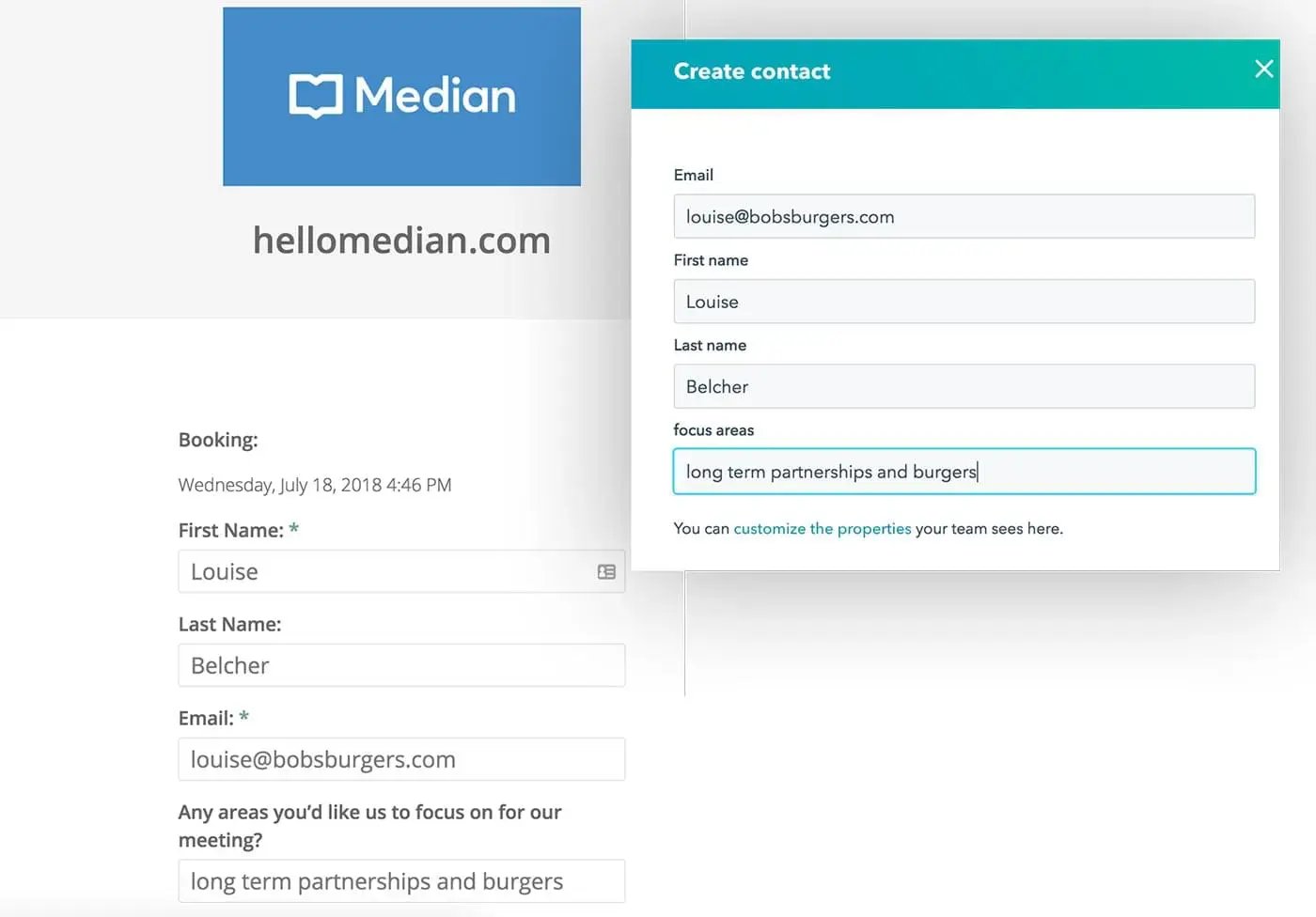 Speaking of HubSpot, the YouCanBookMe and HubSpot integration can automatically create or update a CRM contact whenever an attendee books, removing the need to enter their information manually. Meeting details, booking form answers, reschedules, and no-shows are also added to the contact’s activity stream, giving your team useful context when it’s time to follow up.
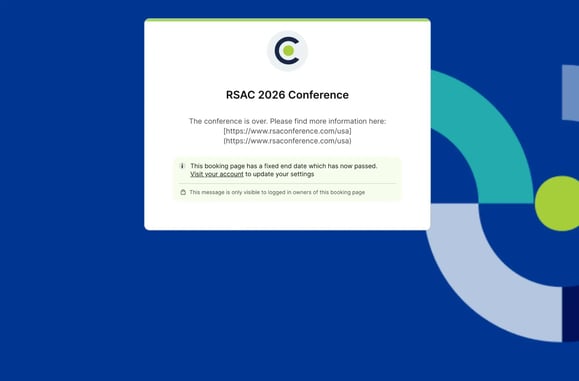
Your conference lasts three days, which means your booking page doesn’t need to stay open forever. Set a fixed end date so availability closes automatically when the event wraps up.
After all, you don’t want a wandering soul stumbling across the page weeks later and booking a session that already happened. 👻 A fixed end date prevents stray bookings, confused attendees, and one more manual task on your post-event to-do list.
That’s exactly how RSAC handled its event page with YouCanBookMe: when the conference ended, the page ended with it. And although the booking page was offline, it still retained all their branding and conference links in case someone did land on it.
A brilliant booking page won’t do much if nobody sees it. Start sharing the link two to three weeks before the event by adding it to your pre-event emails, including it in your email signature, and embedding it onto to your event website.
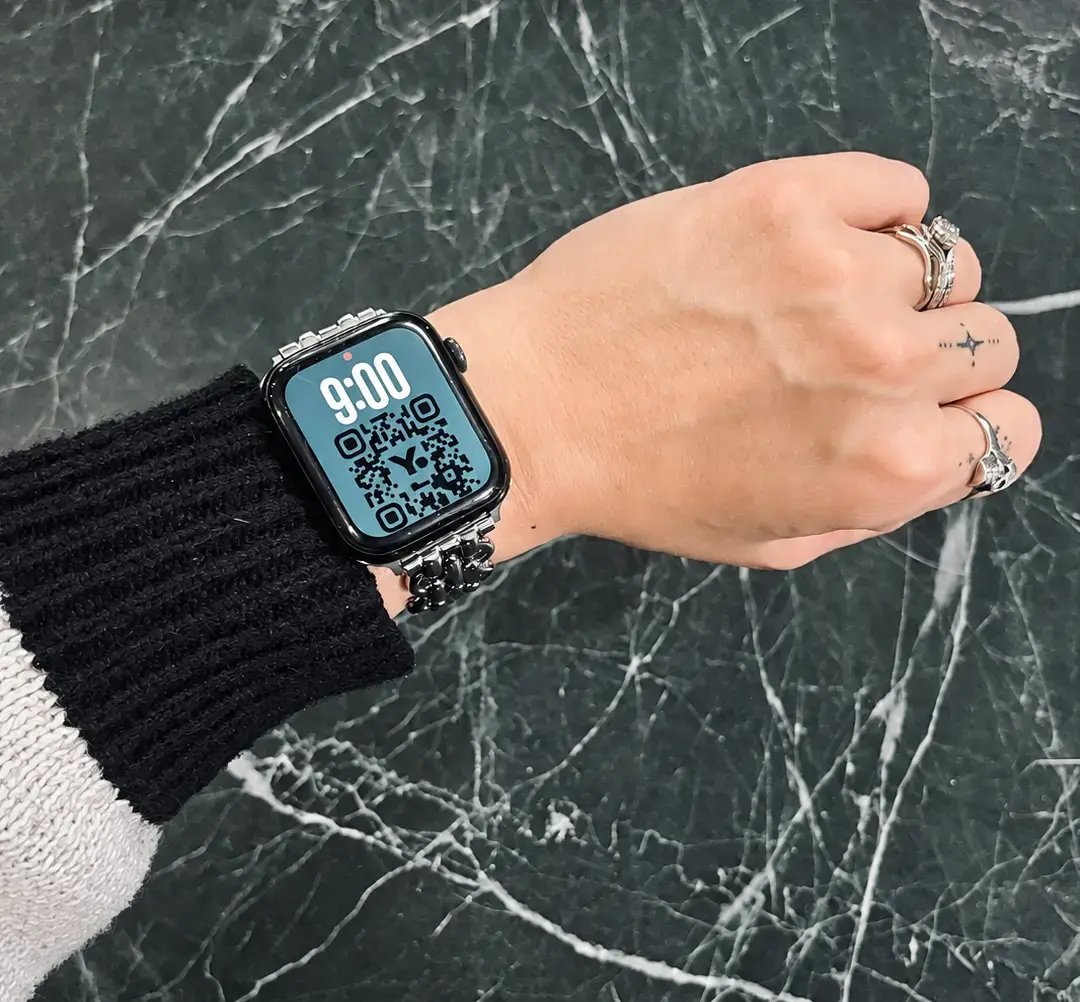
Your digital outreach and printed materials should work hand in hand. Turn the booking link into a QR code, then add it to booth banners, flyers, event programs, table cards, and stickers for meeting pods or workspace tables. Your team could even display it on their lanyards, giving attendees plenty of ways to scan and book on the spot.
Want to get even more creative? Put the QR code on your smartwatch and hold up your wrist whenever someone wants to book. ⌚
Some conference meetings need more than one host. A press interview may require both a PR rep and an executive, while other attendees might need to choose between partner briefings, customer demos, or sales conversations.
YouCanBookMe’s Collections feature lets you organize these booking types under one page. For meetings that require it, your conference booking page will only show slots when someone from both the PR and sales team, for example, is free to meet. Attendees can find the right option without juggling multiple links, while your team gets a cleaner way to manage different meeting formats and participants.
Your booking page is live, your calendar is filling up, and the booth signage is in place. Great! Now it’s showtime. So, let’s look at what your team should do on-site to handle walk-ups, manage rooms, keep attendees informed, and stop last-minute changes from throwing everything off course.
Walk-up meetings are inevitable. Someone will stop by your booth, hear about a product walkthrough, and ask if anyone is free. Make it easy for them to act by displaying the QR codes you prepared on your booth signage, check-in desk, meeting pods, and tables.
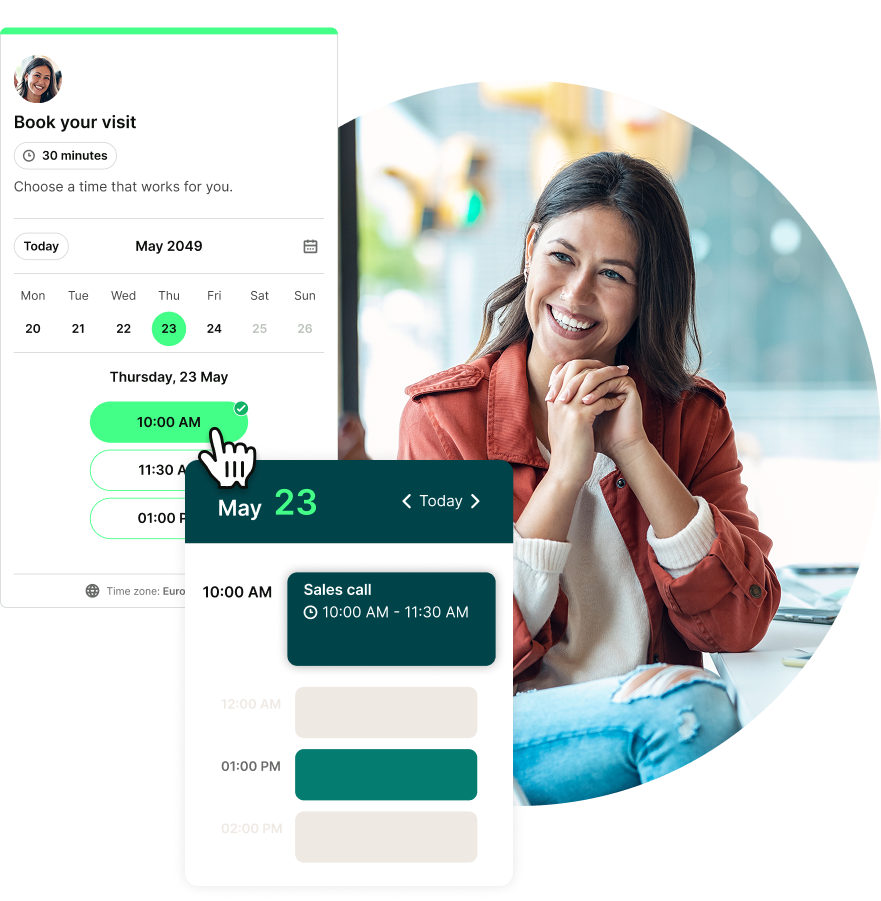
The attendee can scan the code and book independently, or a member of your team can simply pull up YouCanBookMe on their phone and schedule them on the spot.
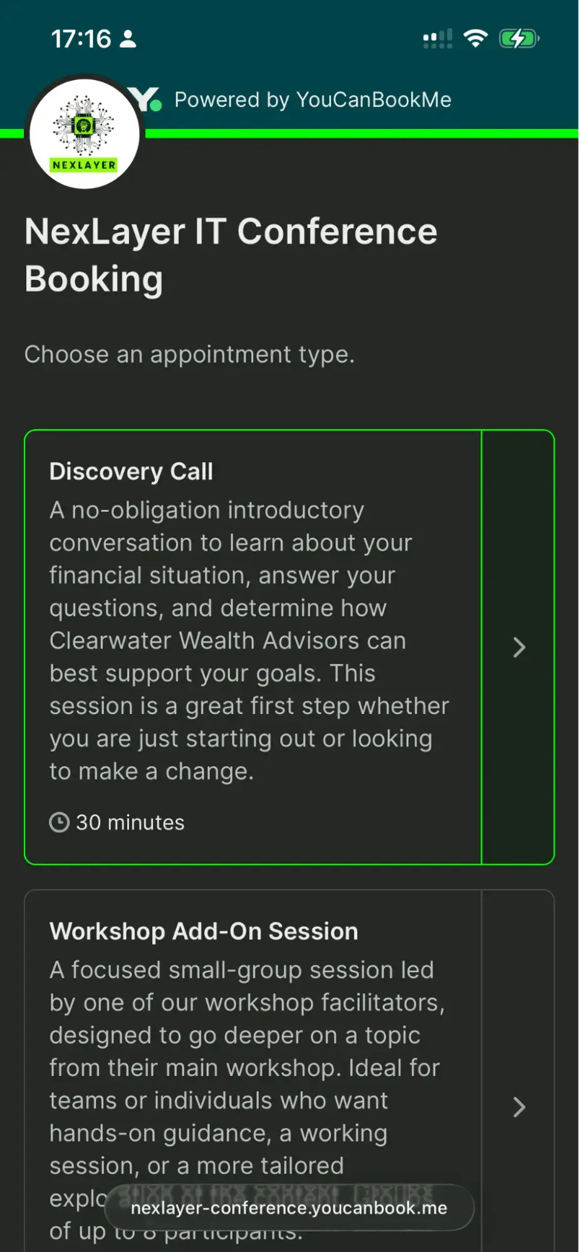
The mobile option was exactly what Ben at RSAC had been missing from the tools he’d used before.

This works especially well at user conferences offering one-on-one sessions with sales, customer success, or support. Set aside slots in advance, then use round-robin scheduling to match walk-ups with an available team member and distribute meetings fairly.
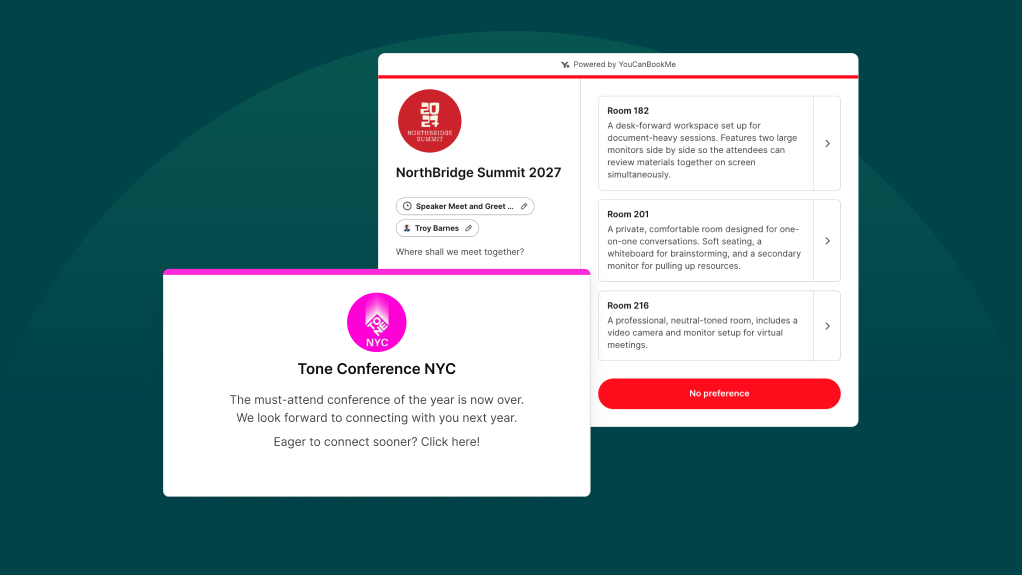
Running multiple meeting rooms adds another layer of logistics. Ben’s team had 18 meeting cubes to manage, so assigning each space manually would’ve made coordinating 500 meetings in four days nearly impossible. Instead, attendees chose who they wanted to meet, and YouCanBookMe matched the appointment with an available room.
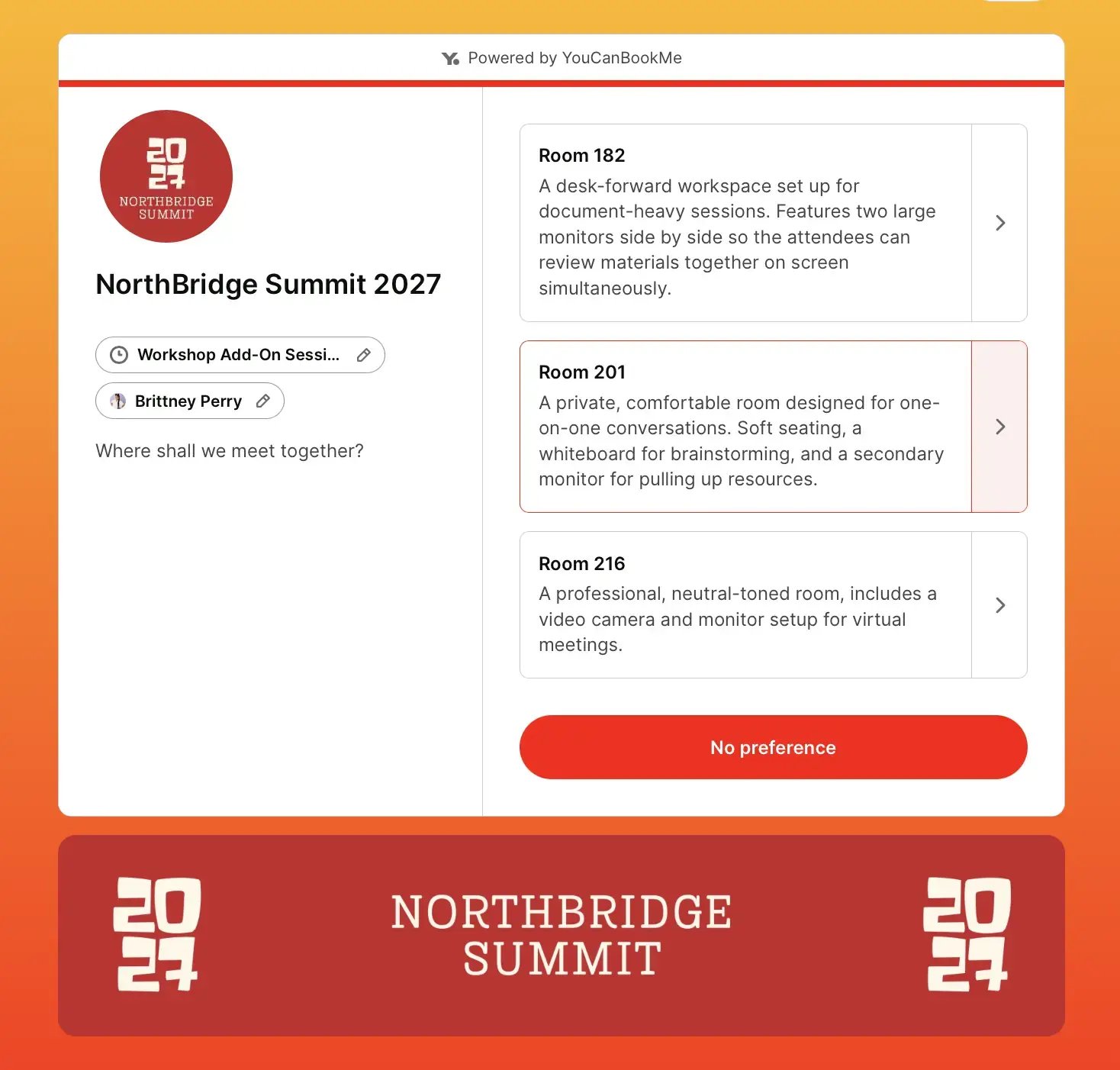
You can apply the same setup to other conference resources. If you offer quiet work pods, for example, give each pod its own calendar and treat it like a team member in round-robin scheduling. Attendees can book a particular pod or choose a time and let the system assign whichever one is free.
Conference days move fast, so even interested attendees can lose track of time. A sensible starting point is to send email reminders the day before and one hour before the meeting, which is the cadence Ben’s team used for the RSA Conference.
Keep each message practical. Remind attendees who they’re meeting, where to go, and how to reschedule if their plans change. You could even link to a conference map with the meeting point clearly marked. One less wrong turn through the expo hall is always a win.
Here’s a practical conference reminder email you can copy and paste.👇
Reminder: Your meeting/session is coming up
Hi {FNAME},
Just a quick reminder that your meeting with {BOOKING-PAGE-TITLE} is coming up soon. Here are the details:
- Date and time: {START}
- Who you're meeting: {TEAM-NAME}
- Meeting location: {LOCATION}
- Conference map: [Insert the link to the map]
We've marked the exact meeting spot on the map, so you can find us without wandering around the show floor or accidentally ending up three booths away.
If your plans have changed, you can update your booking here:
- {RESCHEDULE}
- {CANCEL}
We're looking forward to meeting with you!
Best,
[Company or event team name]
With YouCanBookMe, you can also send SMS reminders. Attendees can provide their phone number and opt in to text messages directly on the booking form, so your team doesn’t need to collect those details or consent manually. Anyone who doesn’t opt in will still receive email reminders.
Ben learned an important lesson while coordinating RSAC’s media meetings: only one side should control the booking. In this case, that meant the journalists.
If you allow both organizers and attendees to schedule the same sessions, you can quickly run into all sorts of problems, including double bookings and other scheduling conflicts.
The solution is fairly simple: choose who controls the booking. That’s exactly what Ben did at RSAC. He shared the booking link with the journalists, allowing them to handle scheduling by themselves. Once a meeting was scheduled, the calendar invite went to the journalist and any guests they added, but only the journalist could edit or cancel it.
Nice work. 👏 Your event is over, but your work isn’t quite finished yet. Now it’s time to make those conversations count by organizing your data, reviewing attendance, and following up with the right people.
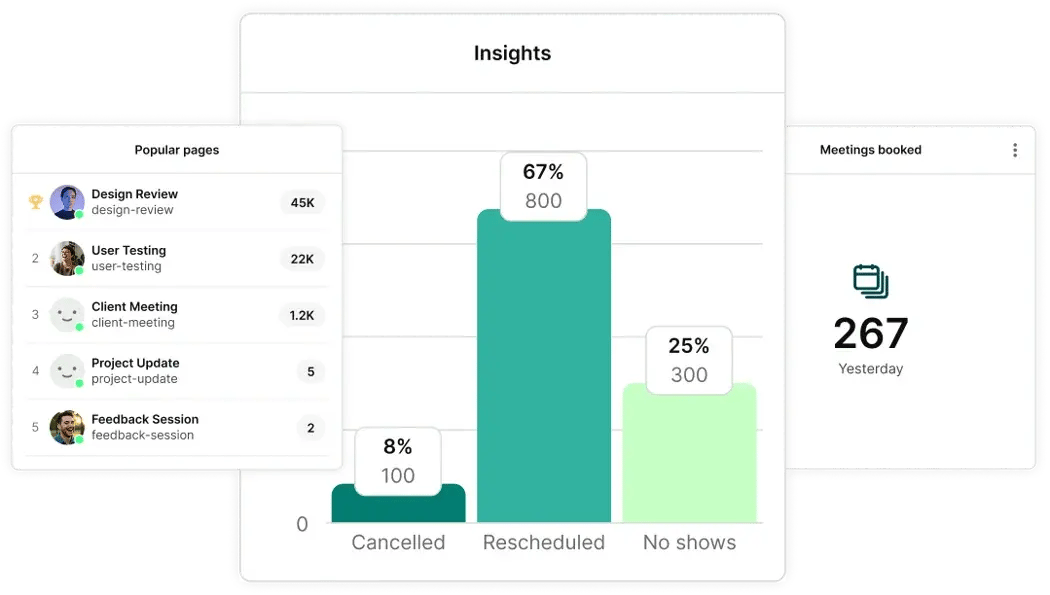
Right after the event, review your booking data. YouCanBookMe’s analytics feature gives you a visual dashboard showing your total meetings, top-performing booking pages, and cancellation, reschedule, and no-show trends. It’s a quick way to see how your conference schedule performed before digging into the details.
What’s especially useful is the option to export your booking data as a CSV, including attendees’ names, email addresses, companies, and booking form answers—that’s your follow-up list ready to go!
As we mentioned earlier, you can connect YouCanBookMe directly with HubSpot to create or update contacts automatically whenever someone books. If you use Pipedrive, ActiveCampaign, or another CRM, with YCBM’s + Zapier integration, you can send the booking data there instead.
Bookings tell you how much interest your event generated. Attendance tells you how many of those opportunities became real conversations.
Compare the number of people who booked with the number who showed up to calculate your no-show rate. 🔢
Include a link to book another conference slot if availability remains. If the event has ended, share your regular booking page or contact details so they can still connect with your team. You never know how many promising conversations this simple follow-up could rescue.
Here’s a no-show email template you can use: 👇
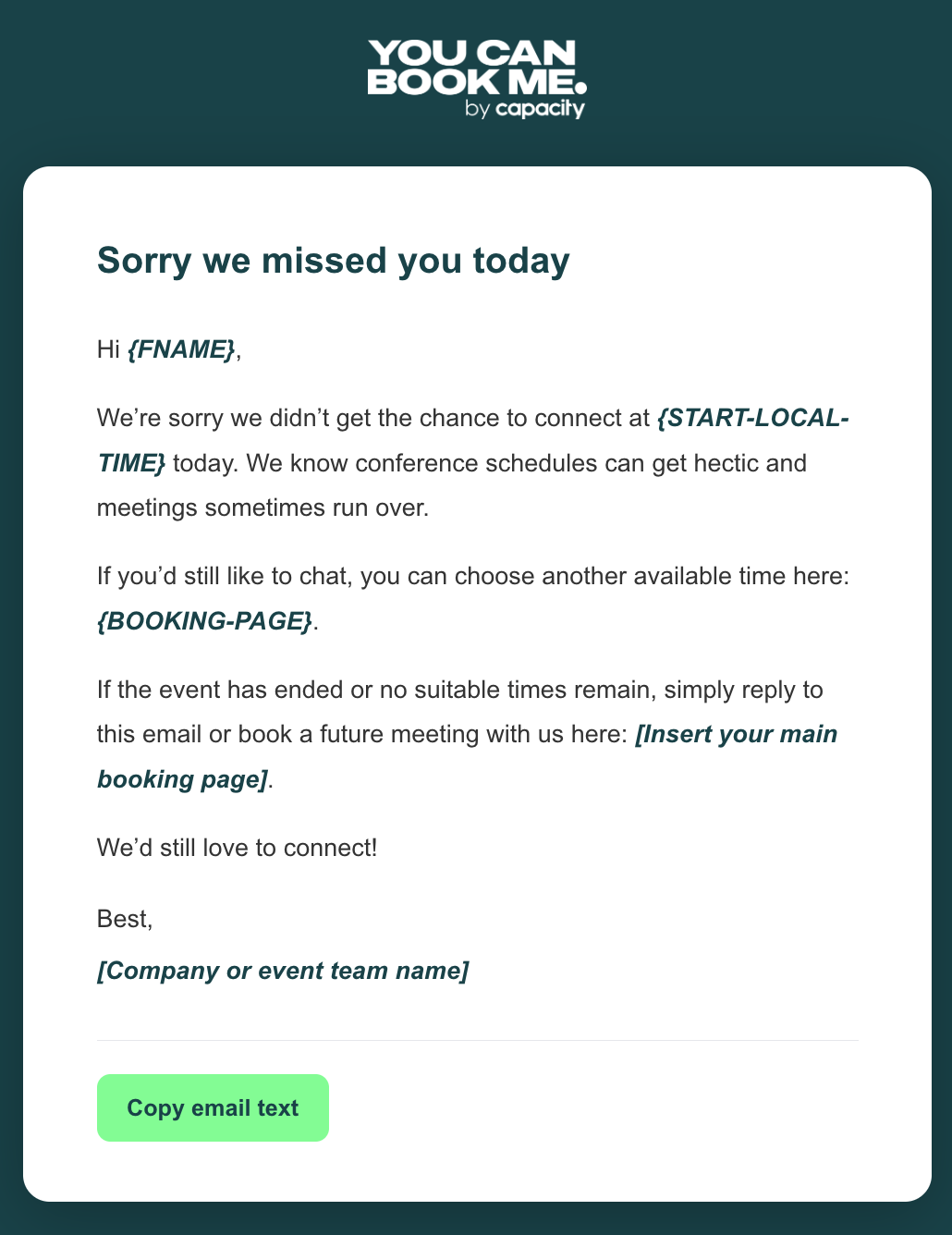
Sorry we missed you today
Hi {FNAME},
We're sorry we didn't get the chance to connect at {START-LOCAL-TIME} today. We know conference schedules can get hectic and meetings sometimes run over.
If you'd still like to chat, you can choose another available time here: {BOOKING-PAGE}.
If the event has ended or no suitable times remain, simply reply to this email or book a future meeting with us here: [Insert your main booking page].
We'd still love to connect!
Best,
[Company or event team name]
Last but not least comes the post-conference follow-up. The contact information, topics, and goals collected through your booking form give you everything you need to make each message feel personal.
Build your follow-up sequence before the event and aim to send it ideally within 48 hours, while the conversation is still fresh. Most of the email can be written in advance. Your team only needs to add one specific detail from the meeting, such as a question the attendee asked or the next step you agreed on.
Depending on your setup, you could send an automated follow-up through YouCanBookMe, add the contact to a HubSpot sequence, or trigger a Zapier workflow.
- Share your booking page with the right audience: Give attendees control over choosing their appointment time instead of having both sides manage the same schedule.
- Automatically assign available rooms: Connect each room or meeting space to its own calendar, and YouCanBookMe can allocate an available one when somebody books.
- Coordinate multiple team members: Use team scheduling to combine availability and connect attendees with the right sales rep, executive, or support specialist.
- Handle bookings from the show floor: Attendees can book or reschedule on their phones, while your team can quickly find an open slot for a walk-up.
- Create a recognizable booking experience: Add your logo, brand colors, images, and event information so attendees know they’re booking with your organization.
- Keep bookings within the event window: Set fixed dates so the page stops accepting appointments when the conference ends.
- Automate event communication: Send confirmations and reminders with the meeting time, host, location, and any other information attendees need.
- Build your follow-up list automatically: Collect contact details and booking form responses, then export the data for reporting and post-event outreach.
The final word
Conferences, trade shows, and events of all kinds take a lot of time, money, and energy to organize. Somewhere between booking the venue, preparing your booth, and coordinating your team, you also need to arrange dozens or even hundreds of meetings. And we don’t want that to be another thing on your plate!
That’s where YouCanBookMe can help. It helps you manage the entire scheduling process, from taking the first booking to sending the follow-up after the event.
Ready to make your next event easier to manage? Sign up today and create your conference booking page.
FAQs
How do you schedule meetings at a trade show?

The most effective approach is to use a scheduling tool like YouCanBookMe. It lets you create a dedicated booking page showing the event dates, location, available meeting types, and team members attendees can meet.
You can also connect your team’s calendars so only available times appear, then use the booking form to collect details such as each attendee’s company, role, and reason for meeting. You can share the link through pre-event emails, your event website, and QR codes on booth signage.
How do you handle walk-up meetings at an event?
There are several ways you can handle walk-up meetings at an event. You can, for example, display a QR code on your booth signage, check-in desk, table cards, or meeting pods. Attendees can scan it to view your booking page, check availability, and book from their phones.
Alternatively, a team member can open the same page on their phone and book the meeting on the spot. That’s easy to do with a mobile-friendly scheduling tool like YouCanBookMe. Once the meeting is booked, YouCanBookMe sends the attendee a confirmation and saves their contact details and booking form responses for your team.
What's the best way to follow up after a trade show?
Follow up while the conversation is still fresh, ideally within 48 hours. Use the contact details and form responses collected during booking to personalize the message with the attendee’s interests, questions, or agreed next steps.
You can send an automated follow-up through YouCanBookMe, connect bookings directly to HubSpot, or use Zapier to start a workflow in another CRM. You can also export your booking data as a CSV if your team prefers to manage outreach manually.
How do I calculate conference meeting ROI?
Start by comparing scheduled meetings with completed meetings and calculating your no-show rate: (Number of no-shows ÷ Total scheduled meetings) × 100
Next, connect the meetings that took place with the outcome you wanted, such as qualified leads, sales opportunities, closed deals, customer sessions, or media coverage. Compare the value of those results with your total event costs. YouCanBookMe’s analytics provide meeting, cancellation, reschedule, and no-show data, while your CRM or other reporting tools can track the business outcomes.
How do you manage meeting rooms at a conference?

Written by
Paulina Major
Paulina Major is a freelance B2B content writer with six years of experience. Since 2024, she has written 100+ articles on scheduling and personally tested and reviewed 30+ booking tools, helping small business owners choose software and simplify their booking processes. As a solopreneur managing her own clients and calendar, she brings firsthand experience to her advice on scheduling, time management, and running a business.
Get started today
Join thousands of coaches, consultants, and entrepreneurs who use YouCanBookMe to power their business. Get your first booking in a few minutes.


 4.7 / 5 — Trustpilot

