
How to Handle Last-Minute Appointments Like a Pro


Create your free booking page

Last-minute appointments are one of the most frustrating realities of running a service-based business. Whether it’s sudden cancellations or urgent same-day requests, these last-minute changes disrupt your schedule, waste valuable time, and can hurt your bottom line.
Luckily, with the right strategies and scheduling tools in place, you can reduce cancellations, create space for urgent needs, and keep your operations running smoothly.
In this article, you’ll learn:
- The hidden costs of last-minute appointment cancellations
- How to build flexibility into your schedule to accommodate unexpected requests
- Smart scheduling tools that make managing last-minute changes easier
Last-minute appointment cancellations may seem like an unavoidable part of doing business, but they come with hidden costs that can ripple through your entire operation.
Let’s take a look at some of the reasons why you may want to put tighter controls in place for managing last-minute cancellations within your business.
- Financial impact: When a client cancels at the last minute, you still have to cover staff and fixed costs, even though you're losing revenue. In patient scheduling specifically, no-show appointments can lead to significant financial losses. In the United Kingdom, the National Health Service (NHS) in Nottingham and Nottinghamshire reported over £9.25 million (about $12.49 million USD) in lost value from missed medical appointments within a single year.
- Operational efficiency: When someone cancels late or doesn’t show up, that time slot usually goes unused. Your team may sit idle while schedulers spend extra time trying to rebook, cancel, or shift other appointments. These frequent changes make it harder to plan staff coverage or allocate resources effectively. You may end up with too many people during quiet periods, or not enough when things get busy.
- Service quality and access: Last-minute cancellations disrupt your workflow and prevent you from delivering a consistent, high-quality service, as time and resources are suddenly left unused. They also reduce access to your services by blocking other clients from booking those time slots at short notice. Over time, frequent last-minute cancellations can erode trust and make it harder to offer reliable availability to clients who genuinely need your services.
- Client satisfaction and loyalty: When appointments fall through, it affects more than just your time—it can let other clients down, too. People who rearranged their own schedules may still not get in because of gaps caused by cancellations. If they keep running into delays or booking frustrations, they may eventually look elsewhere.
- Strategic planning and growth: High cancellation rates make it difficult to plan ahead with confidence. When your calendar is unpredictable, it’s harder to forecast income, manage team capacity, or decide when to invest in growth. Lowering cancellations gives you a clearer picture of what your business can handle and if you need to invest in additional resources.
Now that you’ve seen how last-minute cancellations can disrupt your business, let’s focus on what you can do about it! In the next section, we’ll look at some practical ways to create room for unexpected changes while keeping your calendar under control.
Making room for last-minute appointments usually means planning “controlled slack” into your schedule—small protected gaps, clear rules, and tools that help you either fill or protect those openings.
Here’s what you can do to better manage last-minute appointments 👇
One of the simplest and most effective ways to handle last-minute appointments is to build in buffer time. These short breaks (usually 5 to 15 minutes) between appointments give you breathing room if a meeting runs long, if you need to catch up on admin tasks, or if something urgent pops up. Without this space, a single delay can throw off your entire day.
There are different types of buffers you can use depending on how your schedule works:
- Overrun buffers—Add time after appointments that tend to run long, so delays don’t pile up.
- Prep buffers—Use these to reset between clients, take notes, or get ready for the next session.
- Travel buffers—Helpful if you move between locations, giving you time to get there without rushing.
If you're just starting to add buffers, begin with slightly longer ones. Once you get a feel for your actual pace and client flow, you can adjust them to avoid wasted time. You don’t really want to create large gaps in your day. The goal is to protect your flow and reduce stress when things change at the last minute.
With a scheduling tool like YouCanBookMe (YCBM), you can easily add buffer time before and after each appointment so you're never booked back-to-back. Padding helps you stay on track if a meeting runs long, gives you time to reset, or just adds breathing room between clients.
You choose how much padding to apply, and YCBM automatically adjusts your availability so only slots that fit the appointment plus padding are shown on your booking page. It also respects padding around events already on your linked calendar, so no one can book immediately before or after a personal or work commitment.
Take control of your schedule with YouCanBookMe
From buffer times to reminders and flexible booking rules, YouCanBookMe gives you everything you need to manage last-minute appointments without the chaos.

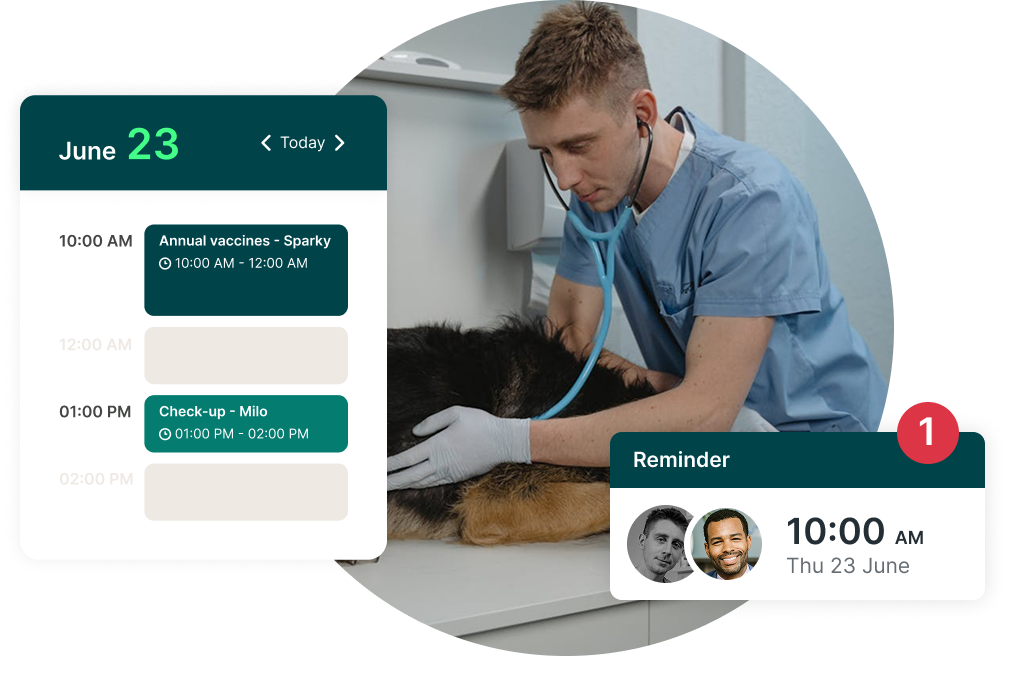
Setting aside specific time blocks for same-day or last-minute appointments is another strategy that can help you stay flexible without throwing off your entire schedule. These reserved slots act as a safety valve, letting you accommodate urgent requests or unexpected needs without double-booking or shifting your whole day around.
A good approach is to hold one or two protected time slots each morning or afternoon that aren’t available for pre-booking. You can release them closer to the time (either manually or automatically), depending on whether they’re needed. This ensures that you’re not turning away people who need urgent access while still maintaining control over your day.
Use your own booking data to decide when to reserve these slots. Look at trends from past weeks:
- Which days or times tend to get last-minute requests?
- Are there peak periods when people are more likely to cancel or need quick rescheduling?
Tools like YouCanBookMe’s analytics feature can help you spot these patterns and plan accordingly.
You should also consider setting clear scheduling rules to help keep your calendar predictable and easier to manage, especially when last-minute changes happen.
Start by standardizing your appointment lengths based on the type of visit. For example, if you're a consultant, you might offer 15-minute free consults, 30-minute weekly check-in calls, and 60-minute final project reviews.
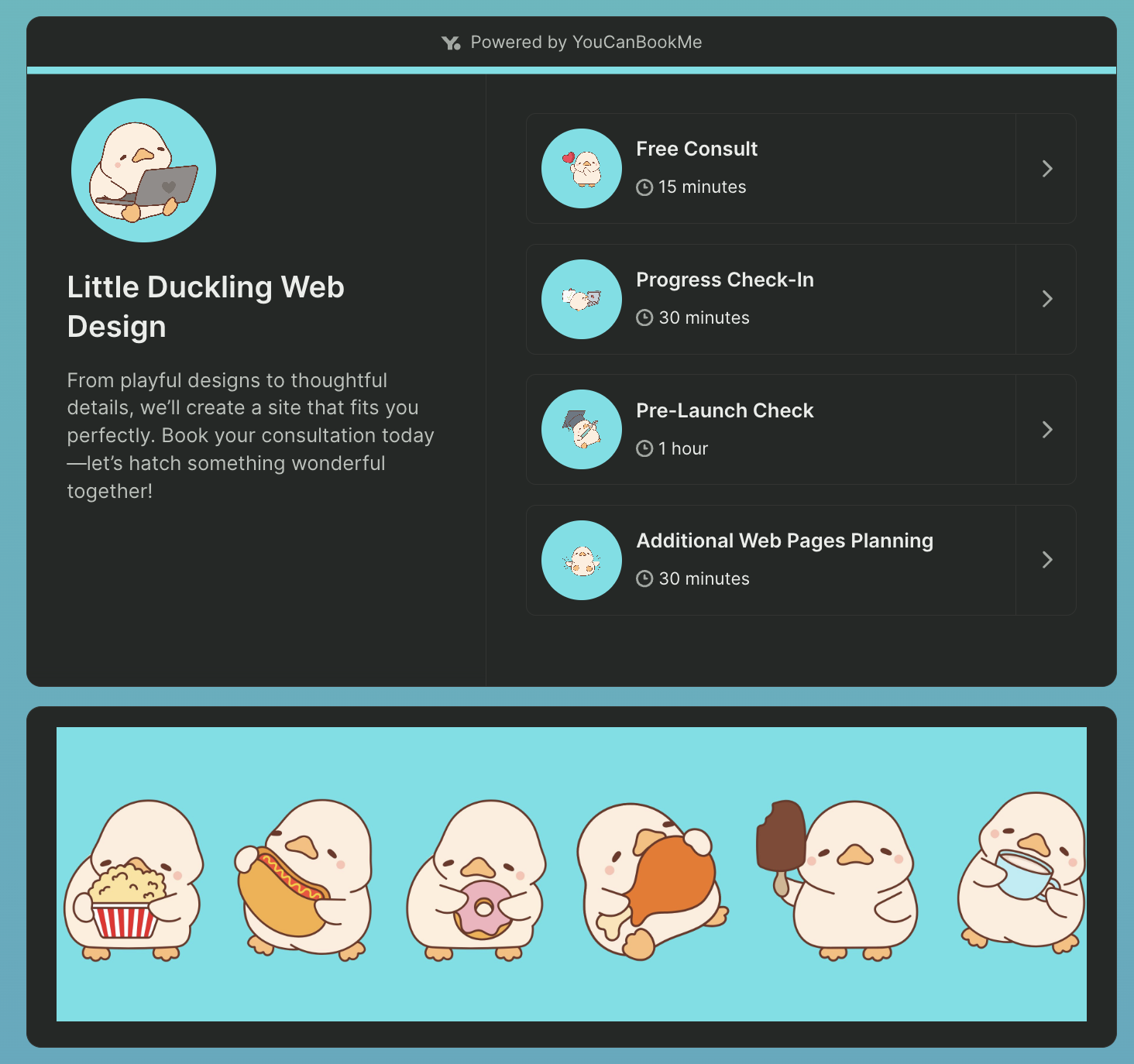
If you run a cleaning business, you might offer 2-hour appointments for weekly cleanings and 4 to 5 hours for deep monthly cleans. Having consistent appointment lengths means you know exactly how much time each type of appointment takes, so you can plan your day more accurately.
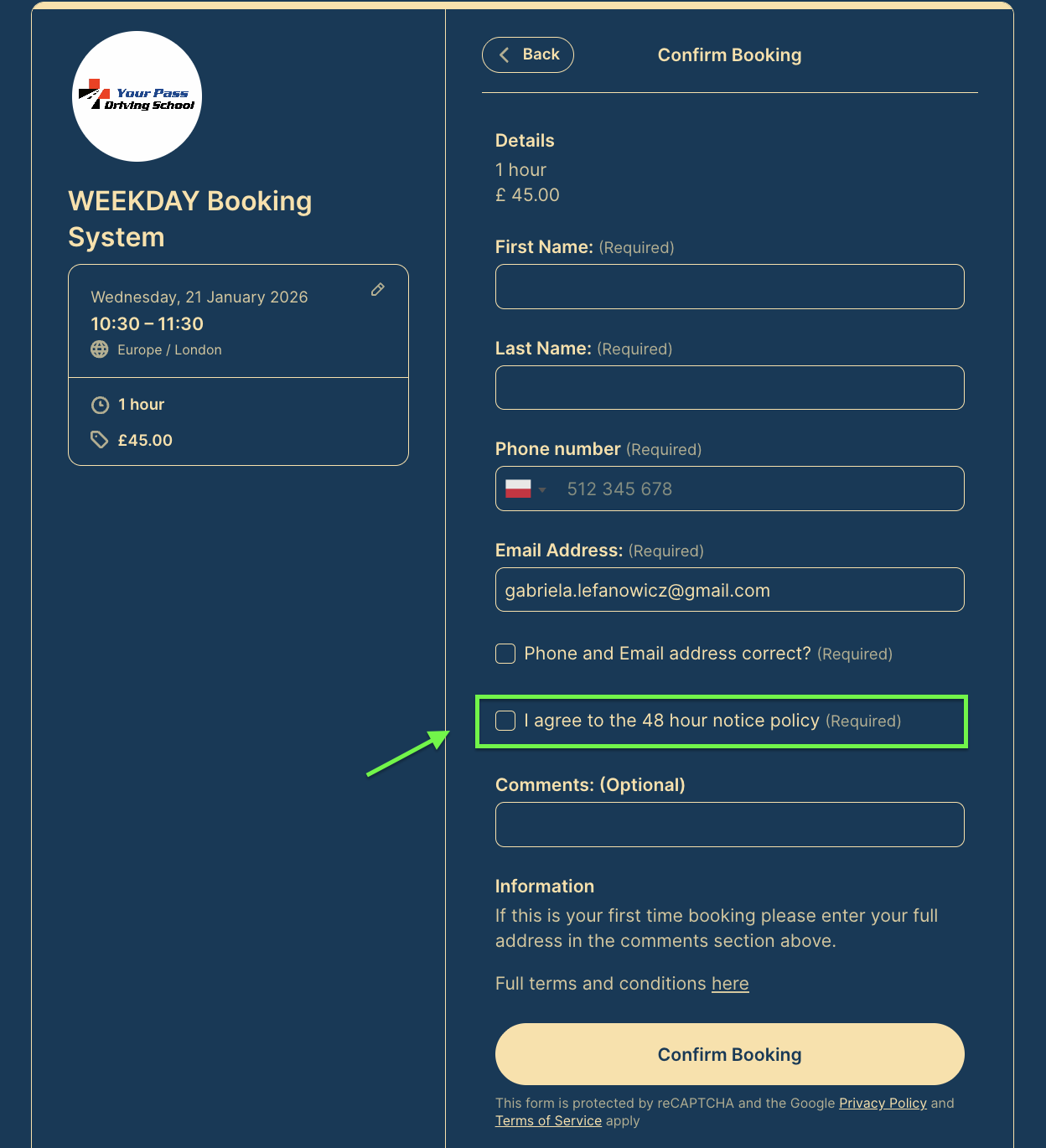
It’s also important to have a clear cancellation policy in place. If you currently require 24 hours’ notice, consider increasing it to 48 hours to give yourself more time to refill the spot. Make sure clients understand the policy when they book, and follow through with it consistently.
Another trick? Make sure that clients agree to your cancellation notice period by including it on your booking form, like Gary Russell does here:
If you notice that appointments are frequently canceled at the last minute, it may be time to enforce no-show and late-cancel fees. These penalties can be very effective in preventing last-minute cancellations that leave your same-day capacity unused.
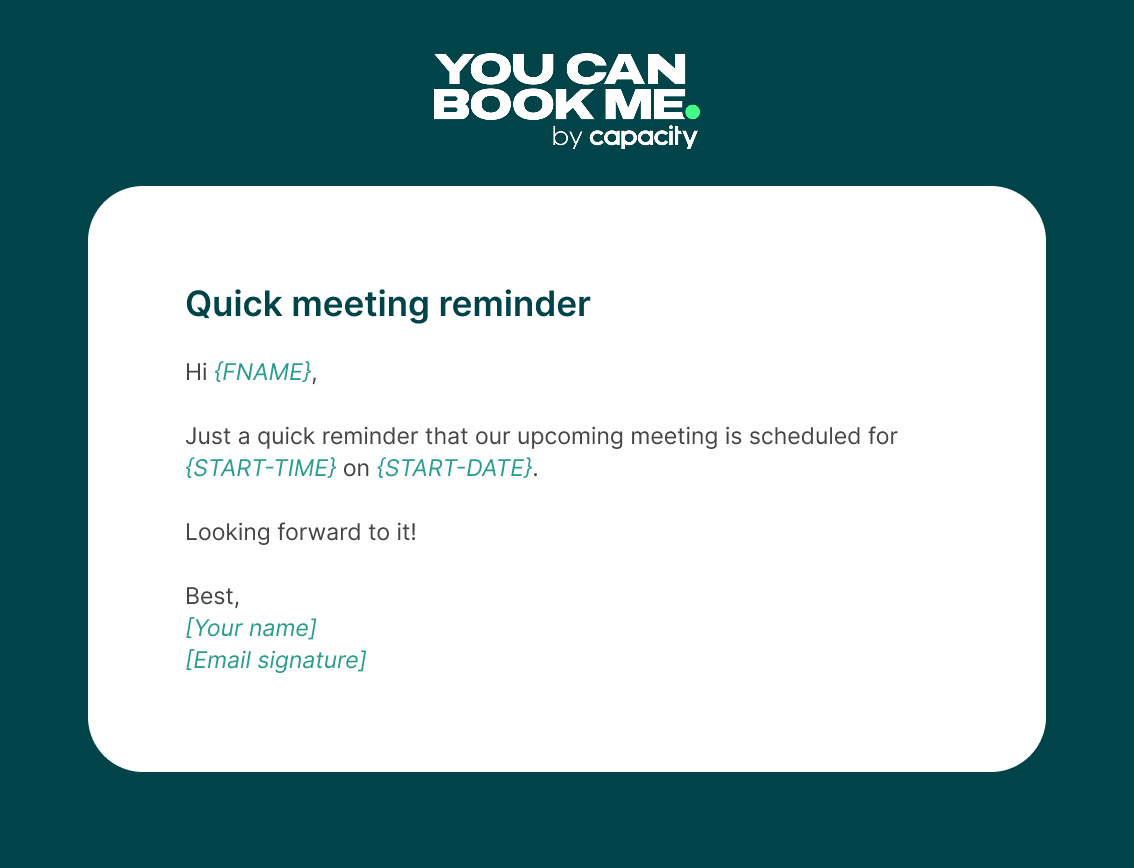
Even the most organized clients forget things sometimes. That’s why sending automated meeting reminders by email or text messages is one of the most effective ways to reduce no-shows. A simple message the day before (or even the morning of) an appointment can be the difference between an empty slot and a confirmed booking.
Example email meeting reminder 👇
* Content with {} are dynamic fields automatically updated in YouCanBookMe.
Example text message appointment reminder👇
Reminders also help surface last-minute cancellations early. If a client can’t make it but is reminded in time, they’re more likely to cancel in advance rather than just not show up.
To make sure reminders are always sent and your time is protected, you can use a scheduling tool to automate the process for you. For example, with YouCanBookMe, reminders are built directly into your booking flow, allowing you to send booking confirmations, follow-ups, and automated notifications via email or SMS.
Each message can be fully customized and personalized using shorthand codes pulled from your booking form, giving you complete control over what’s sent and when—so your scheduling stays clear, professional, and on-brand.
Automate meeting confirmations and reminders
Make sure every client knows exactly when and where to show up. With YouCanBookMe, you can send personalized confirmations, reminders, and follow-ups automatically—by email and SMS.

Another tip? Have a waitlist in place to automatically notify clients when a same-day slot becomes available, instead of leaving last-minute slots and cancellation gaps unused.
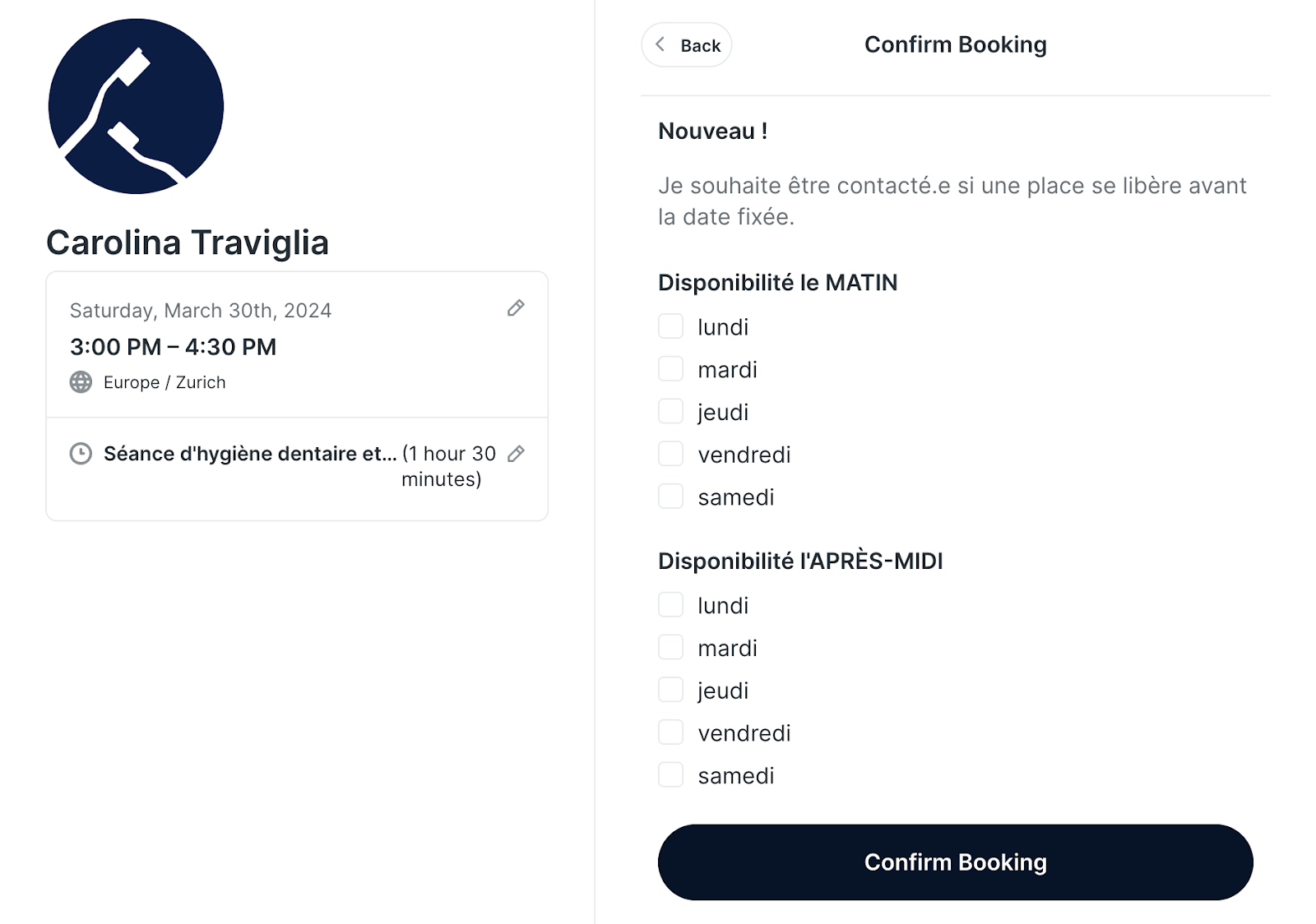
If you’re using YouCanBookMe, this is easy to set up. Just add a question to your booking form asking if a client would like to be contacted if an earlier time opens up. Then, when someone cancels, you have a ready list of people to fill the spot.
This approach works well for busy service providers in health, beauty, and fitness. For instance, Carolina Traviglia—a dental hygienist based in Switzerland—asks patients on her booking page whether they want to be contacted if an earlier time becomes available. She also collects their preferred availability for mornings and afternoons. This helps her stay proactive and keep her calendar full, even when cancellations happen at the last minute.
You may not fill every last-minute opening with a waitlist, but it can significantly reduce gaps in your schedule. If you’re a service provider, you know all too well that one or two unexpected cancellations can quickly cut into your profits—and that’s something you want to avoid.
While it’s tempting to fill every open slot, doing so can quickly lead to burnout—for both you and your team. It’s important to keep a little breathing room in your schedule. Leaving some buffers untouched gives you space to catch up, handle unexpected issues, or simply take a short break between appointments. Overloading your calendar every time a gap appears can create unnecessary stress and reduce the quality of your service.
It’s also worth being selective about how you use last-minute availability. Try to reserve those slots for high-priority or urgent needs, rather than automatically offering them for lower-value add-ons. This helps you stay focused on what matters most and ensures your time is used effectively.
Protecting your team’s energy and maintaining a steady, manageable pace not only leads to better service but also improves client experience and long-term satisfaction.
The bottom line
Last-minute appointments and cancellations? Stressful—yes. But they’re also part of doing business. The good news is that with a few smart changes, like adding buffers, sending reminders, and setting up a waitlist, you can take back control and keep your schedule running smoothly.
Want to take the stress out of scheduling once and for all? Try YouCanBookMe for free and see how easy it is to keep your calendar on track.
FAQs
Why do people cancel appointments last minute?

People cancel last minute for all kinds of reasons—some legitimate, some avoidable. Illness, family emergencies, transportation issues, and work conflicts are common. But sometimes, it’s simply forgetfulness or a change in priorities. To protect your business, you should have a cancellation policy in place, send timely reminders, and offer simple ways for clients to reschedule when needed.
What is considered an urgent appointment?
An urgent appointment is a request from a client who needs to be seen as soon as possible (often the same day) due to a time-sensitive issue. This might be a last-minute crisis, a tight deadline, or a sudden need that can’t wait for your next available slot.
From a business perspective, it’s important to define what qualifies as urgent for your services and communicate that clearly. Not every “ASAP” request should bump your schedule. Prioritize true urgency, like a serious issue, a key client, or a high-impact opportunity, while using buffers and waitlists to handle the rest without throwing off your operations.
Should businesses offer same-day or same-hour appointments?
It depends on your industry, capacity, and client expectations. For healthcare, personal care, coaching, or repair services, same-day or even same-hour appointments can provide a competitive edge and increase client satisfaction.
That said, offering too much real-time availability can lead to overbooking and burnout if not managed carefully. The key is to protect your time: reserve a few spots for urgent requests, use waitlists, and automate scheduling with tools like YouCanBookMe to stay flexible without the chaos.

Written by
Paulina Major
Paulina Major is a freelance B2B content writer with six years of experience. Since 2024, she has written 100+ articles on scheduling and personally tested and reviewed 30+ booking tools, helping small business owners choose software and simplify their booking processes. As a solopreneur managing her own clients and calendar, she brings firsthand experience to her advice on scheduling, time management, and running a business.
Get started today
Join thousands of coaches, consultants, and entrepreneurs who use YouCanBookMe to power their business. Get your first booking in a few minutes.


 4.7 / 5 — Trustpilot

