
9 Time Management Tips That Actually Work for Busy Founders


Create your free booking page

Time is the most limited resource for any busy business owner. If you’re constantly juggling tasks, meetings, and decisions, you need time management tips and strategies that actually work—and ones you can automate where possible.
In this article, you’ll learn how to reclaim control over your calendar using proven tactics and smart scheduling tools.
Let’s jump right in—we have a lot to cover!
You know this all too well: running a business means your time is constantly under pressure from competing demands. The tips below are designed to help you prioritize, plan, and automate manual tasks so you can focus on what moves your business forward.
As a founder, you don’t have time to do everything, so you need to be ruthless about what matters most. Think of your time the same way you think about business goals: focused, intentional, and tied to outcomes.
Start each week by identifying your top priorities.
- What work will actually drive results?
- What can wait, be delegated, or dropped entirely?
A simple tool like the Eisenhower Matrix can help you sort tasks by urgency and importance so you’re not stuck reacting all day.
The idea is that not all tasks deserve your attention.
✅ Important and urgent tasks should be done first
✅ Important but non-urgent work should be scheduled thoughtfully.
✅ Urgent but less important tasks can often be delegated.
✅ And anything that’s neither urgent nor important? It likely doesn’t need to happen at all.
Clarity on priorities is the first step toward taking back control of your time.
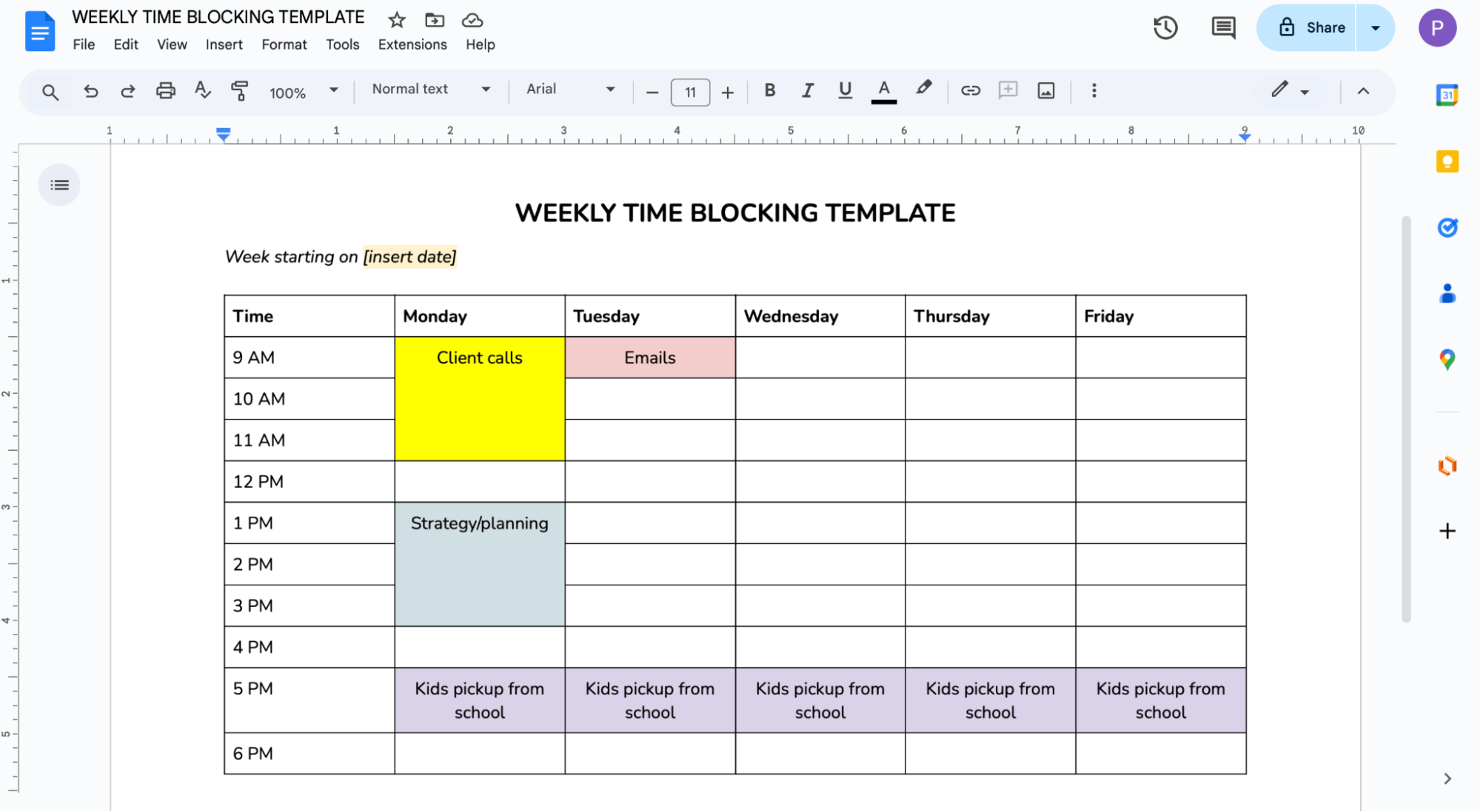
If your calendar is filled with scattered meetings and endless to-do lists, it’s hard to find uninterrupted time for real work. Time blocking helps you protect your focus by assigning specific chunks of your day to specific types of tasks.
Start by grouping similar tasks, like deep work, admin, calls, and blocking off time for each. The idea is to reduce context switching and create more predictable, productive days.
To get started, try one of our time blocking templates and see how better calendar organization can help you structure your week around priorities, rather than interruptions.
How you spend the first hour of your workday sets the tone for everything that follows. Instead of diving straight into emails or meetings, use that time to triage your task list, identify quick wins, and build a plan for the day.
One Reddit user put it perfectly: “In a work context, I use the first hour of my day to triage my task list, knock over any quick wins, and plan the rest of the day. The time spent planning is paid back in efficiency.”
The triage could include things like:
👉 Reviewing your calendar and reshuffling non-essential meetings
👉 Identifying 1–2 high-impact tasks to focus on that day
👉 Clearing out low-effort tasks or quick wins
👉 Flagging anything that can be delegated or dropped
There’s no one-size-fits-all approach to time management.
That’s why you should experiment with different techniques to find the one that fits how you think, work, and recharge.
One popular method is the Pomodoro technique: 25 minutes of focused work followed by a 5-minute break. After four rounds, take a longer break. It’s simple but powerful, especially for tasks that require concentration but tend to drag on. If 25 minutes feels too short, try a variation like 60/10 or 90/20 to find your flow.
Others prefer timeboxing (scheduling tasks directly into your calendar) or deep work blocks with all distractions shut down.
Try a few approaches over the course of a week or two, and take note of what actually makes you feel focused, efficient, and in control.
When something on your to-do list feels too big to tackle, the trick is to break it down into smaller, more specific actions.
As a freelance content writer, I swear by this strategy. Whenever I receive a writing project from a client, I break it down into steps like:
- Clarify the brief
- Research examples
- Outline main points
- Write intro
- Draft section by section
This approach helps me avoid the pressure of a blank page and gives me a clear starting point every time.
When you break your tasks into small steps, it’s also helpful to estimate how long each step will take and schedule them into your calendar. That way, you’ve got a realistic plan in place.
Distractions are everywhere (notifications, open tabs, background conversations), and they can quietly eat up hours of your day.
During focus work periods, try silencing non-urgent notifications on your laptop and phone. Also, keep only the tools or tabs open that you need for the task at hand. Even quick context switches, from Slack messages to emails to Instagram doomscrolling, can add up to serious time lost across the day.
Multitasking might feel efficient, but research shows it slows you down and reduces the quality of your work. Instead, focus on completing one small task or a clearly defined chunk before moving on to the next.
If you know certain tasks, like reviewing notes or sending follow-up emails, tend to come right after meetings, use buffer time to protect that space. With a scheduling tool like YouCanBookMe (YCBM), you can build in padding between meetings automatically so you're not rushed or derailed by back-to-back bookings.
Streamline meeting scheduling
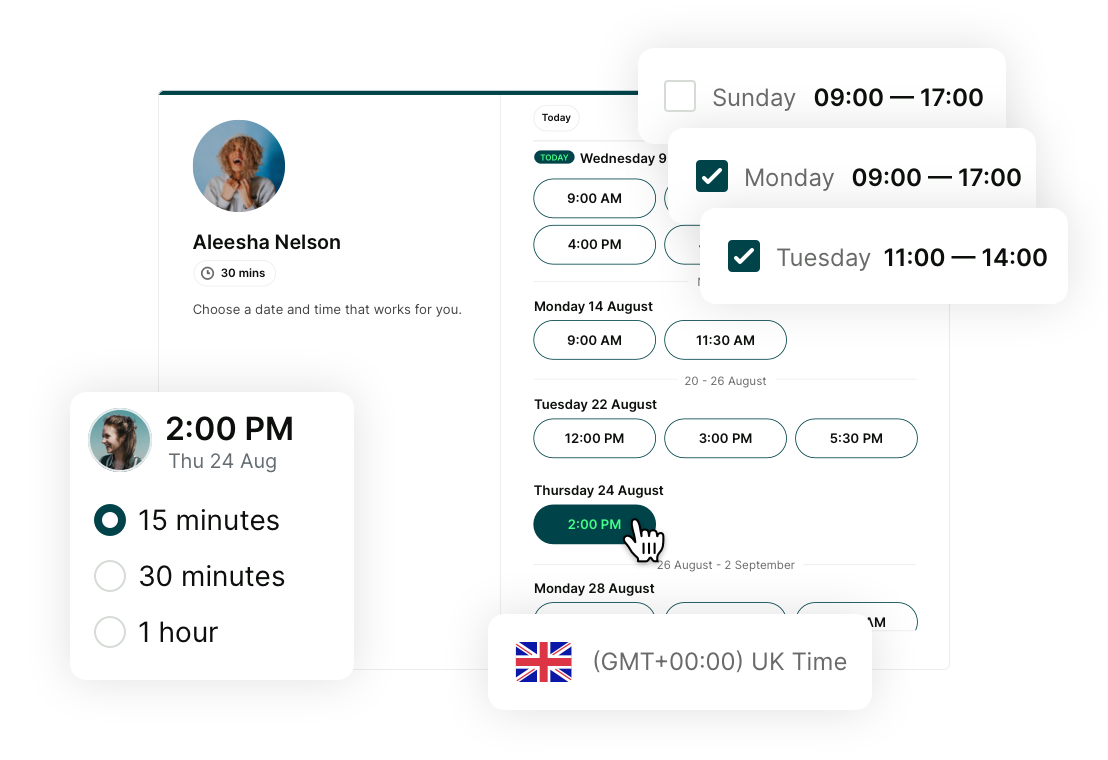
Manual scheduling takes time you don’t have. YouCanBookMe makes it simple for others to book with you—no back-and-forth needed.

YouCanBookMe has been instrumental in helping us manage our time better."
– Georgie Ionescu, Onboarding Lead at Passion.io
If you’re doing everything yourself, you’re probably doing too much.
Whenever possible, try delegating work to someone else—whether that’s a team member, a contractor, or a specialist.
One of the best pieces of advice I’ve heard is to “fire yourself” from any task someone else could take on. For example, I delegate all my accounting and tax-related work to an accountant. I pay them monthly just for the peace of mind of not having to think about another deadline or form. The time I save is time I can put toward supporting my clients, taking on new projects, or finding ways to grow my revenue.
If you’re in a position to hire help, even for just a few hours a month, it can free up valuable mental space and allow you to focus on the parts of your business where you add the most value.
Scheduling meetings manually is one of the most avoidable time drains in a founder’s day. Going back and forth over email to find a time that works for everyone seems small—but we all know it takes forever.
Instead of trading messages, consider sending a booking link that lets people schedule directly based on your real-time availability.
With YouCanBookMe, you can create a personalized booking page that’s connected to your calendar. You can set your working hours, include padding times between appointments, and limit how many meetings you take per day.
Essentially, you can stay in control of your calendar while making it easier for others to book time with you. YCBM also handles meeting confirmations, reminders, and follow-ups automatically, so you don’t have to send them yourself, which saves even more time.
Automate your meeting scheduling
YouCanBookMe syncs with your calendar, shares your availability, and handles the scheduling so you don’t have to.

I want my calendar to fill up while I'm sleeping. And it does. It could be any time of the day or night—I wake up in the morning, and there are new appointments waiting for me."
– Melissa George, CEO of InvestHER Fiduciary Solutions
When you’re juggling a dozen priorities, automating repeatable tasks with a work app is one of the best ways to free up time. Start by asking: What do I keep doing manually that a tool could do for me?
Think of things like sending meeting reminders, updating CRM records, creating tasks or tickets in project management tools, logging expenses from card transactions, or updating spreadsheets and dashboards. These are all tasks that don’t require your brain, but still eat up valuable time.
This is where automation tools come in. Platforms like Zapier act as a bridge between the apps you already use, allowing them to talk to each other and trigger actions automatically. With simple workflows (called Zaps), you can connect thousands of tools and remove the need for repetitive manual work.
For example, YouCanBookMe integrates with Zapier, giving you the ability to connect your scheduling flow to over 6,000 other tools. Once set up, Zapier can trigger actions every time someone books, cancels, or reschedules. You can send automated emails, update project management tools, notify your team in Slack, add new leads to your CRM, and more—without touching a single thing.
|
🤔 Curious how YouCanBookMe users automate their workflows with Zapier? Explore popular Zapier integrations to learn what’s possible. |
And if these tips aren’t quite enough, there’s no shortage of great books that dive deeper into the mindset, habits, and systems behind effective time management. Here are a few recommendations from Reddit users:
- The Organized Mind by Daniel J. Levitin—how your brain handles information and how to manage it better
- 168 Hours by Laura Vanderkam—a reminder that you have more time than you think (168 hours a week!)
- Atomic Habits by James Clear—the go-to guide on building habits that stick
- Elastic Habits by Stephen Guise—a flexible approach to habit-building that adapts to real life
And if you're looking for some of the all-time classics, check out:
- Getting Things Done by David Allen
- Deep Work by Cal Newport
- The 7 Habits of Highly Effective People by Stephen Covey
Plenty of literature to explore—just don’t forget to block out time to actually read them. 😉
|
Pro tip: Short on time? Try habit stacking by pairing a daily walk (great for mental clarity!) with listening to one of these as an audiobook. |
Ready to put these time management tips to the test?
Your time is one of your most valuable assets—treat it like one. With the right time management tools and habits in place, you can finally stop reacting to everything that comes your way and start taking control of your time and life!
If you’re ready to spend less time scheduling and more time doing, give YouCanBookMe a try. It’s free, easy to start, and built to save you time every step of the way.
FAQs
How do I create an effective daily time block schedule?

Start by identifying your top priorities and when you do your best work. Group similar tasks together, such as meetings, admin, or deep work. Block time for each task in your calendar and include short breaks or buffer time to avoid burnout. Be realistic about how long things take and adjust your blocks as needed. Review your schedule each morning and update it based on what’s changed.
Which tasks should I delegate to save time?
Look for tasks that are repetitive, administrative, or not the best use of your time. Examples include:
- Scheduling
- Data entry
- Bookkeeping
- Managing inboxes
If someone else can do it at 80% of your quality, it is worth delegating. Start with clear instructions, provide support early on, and let go of perfection. Delegation helps you focus on high-value work while others grow their skills.
How to use the Pomodoro technique for deep work?
Set a timer for 25 minutes and work on a single task without any distractions. When the timer ends, take a 5-minute break. After four work sessions, take a longer break of 15 to 30 minutes. This method helps you maintain energy and focus across long stretches of work. You can also adjust the intervals to fit your style, such as 50 minutes of work followed by a 10-minute break.
What are the best apps for tracking and planning time?
The best tools that can help you plan your day, stay focused, and track where your time actually goes are:
- YouCanBookMe: Automates scheduling and provides booking analytics so you can see meeting volume, cancellations, no-shows, and trends over time, helping you identify patterns, reduce scheduling issues, and make smarter decisions about how you spend your time.
- Toggl Track: Tracks time across tasks and projects for better planning
- Notion: Combines planning, task management, and note-taking in one space
- Trello: Organizes tasks visually using boards and lists
- RescueTime: Monitors digital activity to help reduce time-wasting habits
- Focus To-Do: A Pomodoro timer with task tracking to support deep focus sessions
How to prioritize tasks using the Eisenhower Matrix?
The simplest way to prioritize tasks using the Eisenhower Matrix is as follows:
Step 1: List all your tasks: Write down everything you need to do, both urgent and non-urgent.
Step 2: Sort tasks into four categories: Decide if each task is:
- Urgent and important (Do it now)
- Important but not urgent (Schedule it)
- Urgent but not important (Delegate it)
- Neither urgent nor important (Eliminate it)
Step 3: Take action based on category: Focus on the top priority tasks first, schedule time for strategic work, delegate admin tasks where possible, and cut time-wasters.

Written by
Paulina Major
Paulina Major is a freelance B2B content writer who has spent the last two years deep in the world of scheduling — writing about booking best practices, time management, and the tools that help small businesses run more efficiently. She writes from experience: as a solopreneur managing her own clients and calendar, she lives the challenges her readers are trying to solve.
Get started today
Join thousands of coaches, consultants, and entrepreneurs who use YouCanBookMe to power their business. Get your first booking in a few minutes.


 4.7 / 5 — Trustpilot

