
How YouCanBookMe Made Academic Advising Easier for Me and My Students
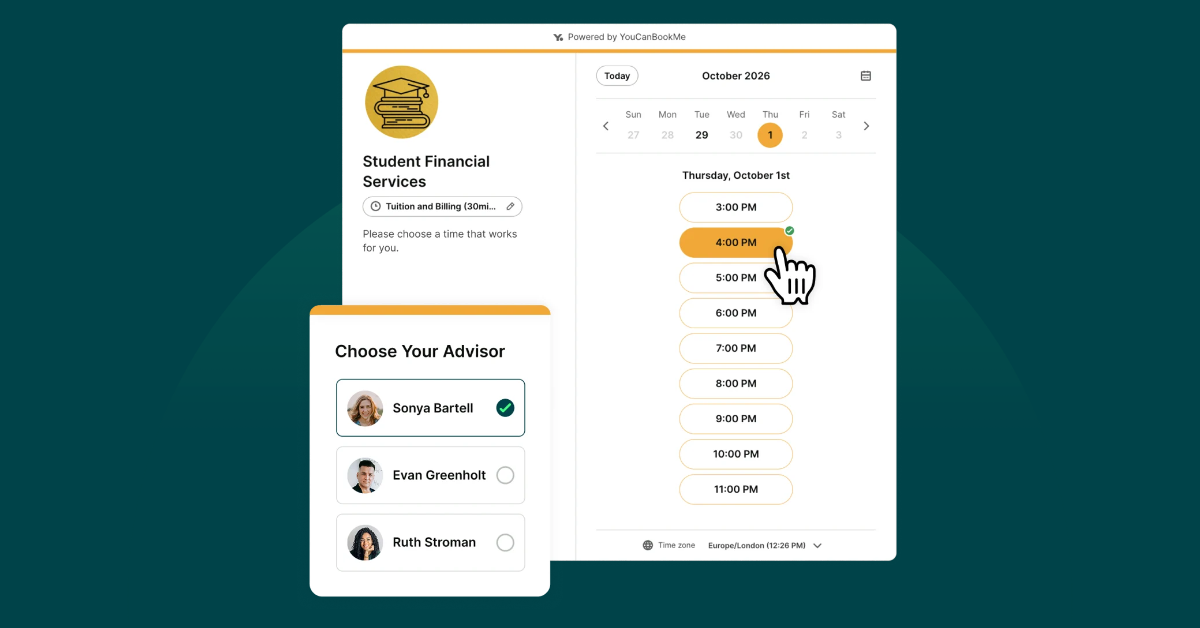

Create your free booking page
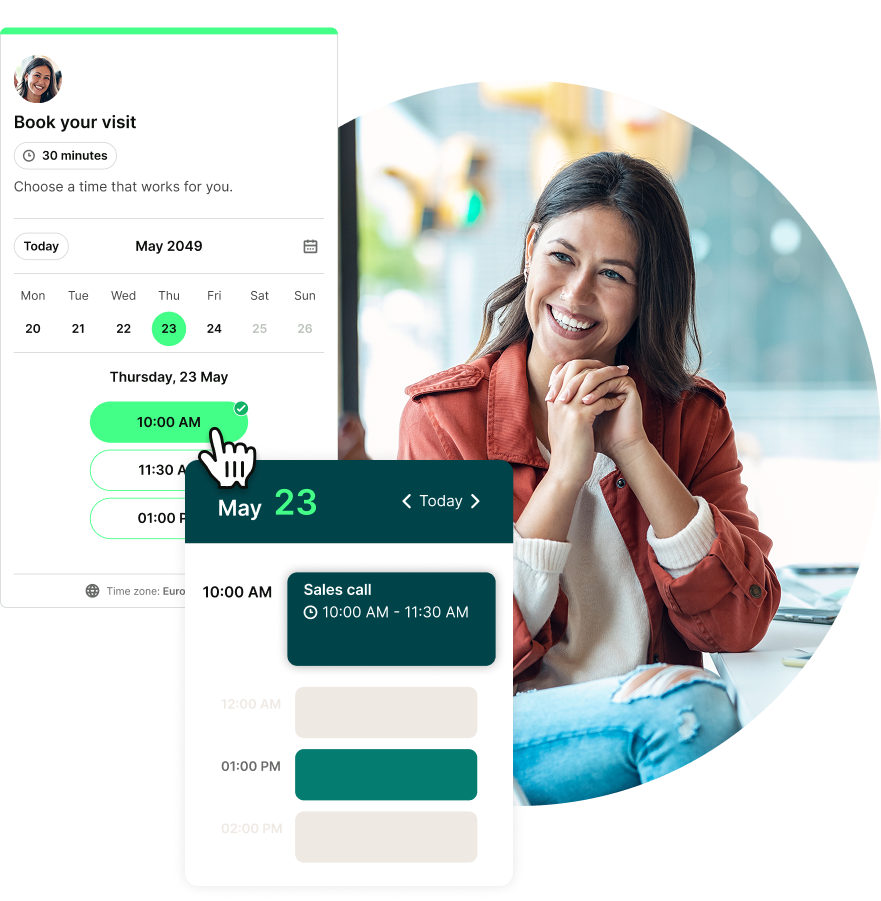
Whether you work in K-12 or higher education, Ed Tech usage is rising both inside and outside of the classroom.
Digital tools like Amplify, Microsoft 365, and Google Workspace are among the top technologies for 2025-2026, helping educators and administrators improve teaching and drive student outcomes.
However, SaaS tools like YouCanBookMe and Canva are becoming more common tools in the Ed Tech toolbox for effectiveness, productivity, and versatility.
I learned about YouCanBookMe during the Spring 2020 semester when I was trying to find an easy and efficient way to schedule advising appointments.
I was impressed by the tool's simple design and ease of use and immediately signed up for a free account.
Over the next year, I would discover the tool's powerful features and how educators leverage YouCanBookMe to save valuable time and promote student success.
In 2021, I made a career change and joined YouCanBookMe as a Customer Success Manager, helping others use the tool that once saved me and my students so much hassle.
Now I want to show you how you can do the same. Let’s go through a step-by-step process of how I used YouCanBookMe as a university advisor and the difference that it made.
Features & functionalities that do the work for university advisors
Did you know that 80% of college students report feeling stressed?
As university advisors, it’s your job to make sure you lessen that stress, and not add to it. That’s why it’s crucial for advising appointments to be accessible and simple to schedule. This is where YCBM can help.
When you create a YouCanBookMe account, the first step is integrating your calendar with the tool.
The calendar integration links your university Google (or Microsoft 365) calendar to YouCanBookMe to check your availability and add new appointments to the free time slots.
Next, you will need to set up your booking page. The booking page settings outline the powerful features and functionalities that make YouCanBookMe unique.
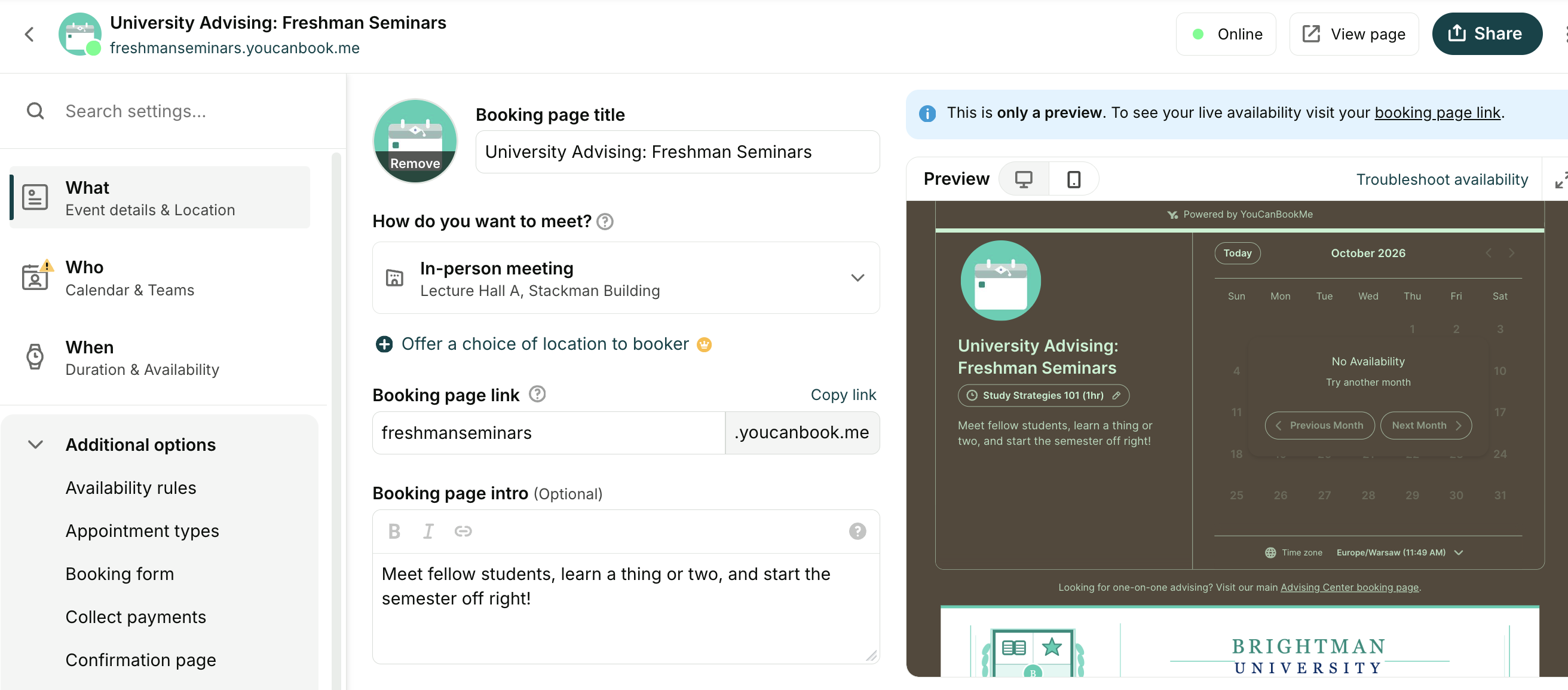
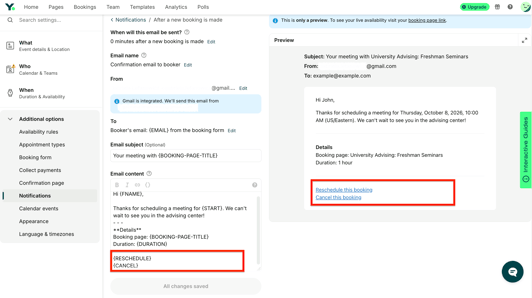
Let’s begin with the notifications workflow. There are a series of notifications triggered after a new booking.
The first is an email confirmation sent to you and the student (who we call the booker).
You can adjust the timing of the notifications and send them from your email address or a general one like Academic Advising.
Every email confirmation includes cancel and reschedule links making schedule changes stress-free and straightforward.
SMS notifications and reminders are essential for reducing no-shows and can also be customized to include cancel and reschedule links and Zoom, Google Meet, or Microsoft Teams links.
Between classes, extracurricular activities, and part- or full-time jobs, it’s essential to let students easily reschedule, send them reminders, and make sure they have all necessary information and links handy.
Additionally, YouCanBookMe is mobile-friendly and designed to give subscribers and bookers the same great experience no matter what device they are using.
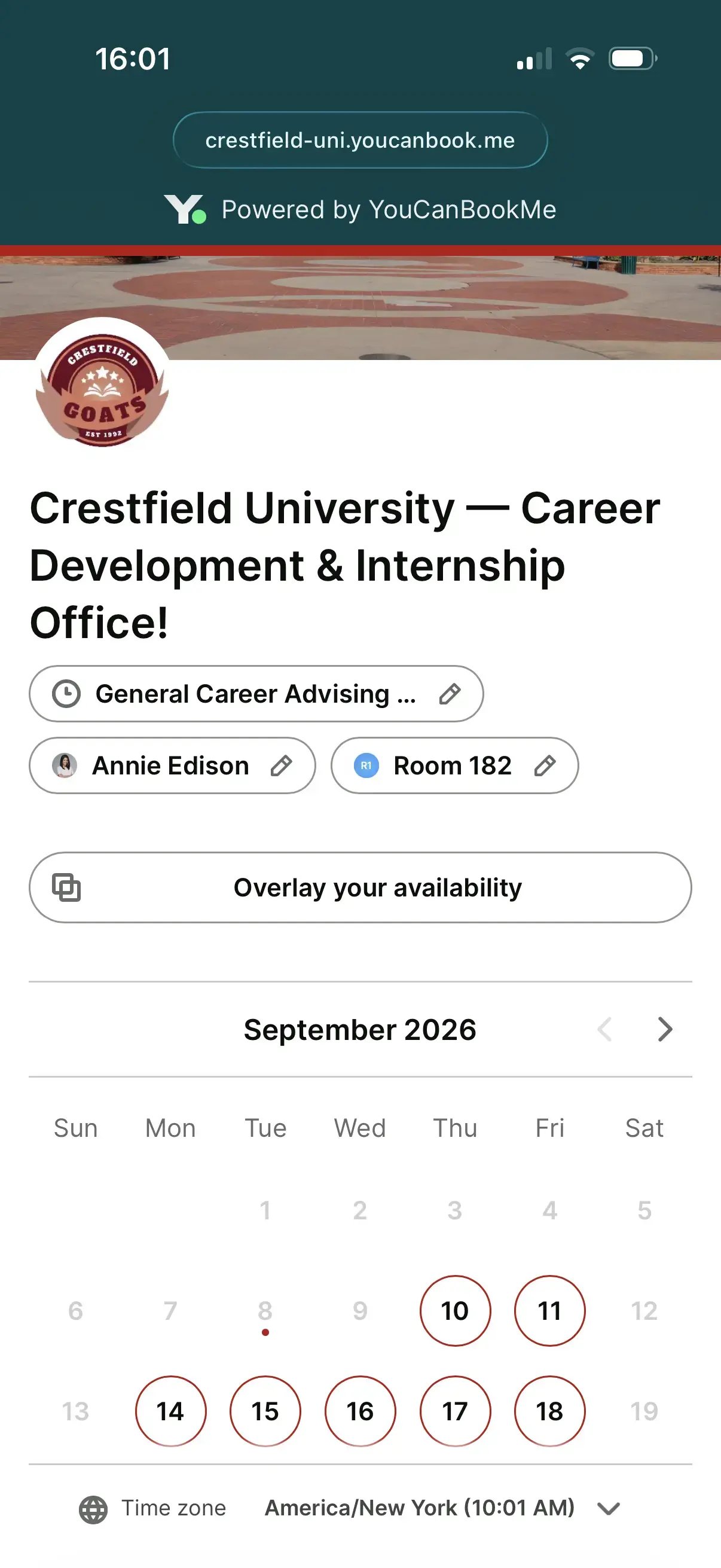
The robust timezone support feature was beneficial when scheduling advising appointments with international students studying abroad.
The feature automatically detects booker timezone and displays our availability in students’ respective time zones. This eliminates the frustration of calculating time zone differences and the back and forth of appointment scheduling.
Students just pick a date and time that works for them; it’s that easy!
Students receive an email confirmation in their time zone, and you receive one in yours.
If you are having meetings via Zoom, Google Meet, or Microsoft Teams, you can integrate your account with YouCanBookMe.
The Zoom integration makes scheduling virtual meetings easier by creating a unique Zoom link (embedded with a passcode) for each advising appointment.
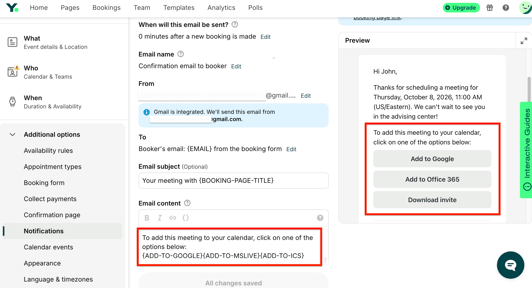
Your calendar invite includes the meeting link, and you can add calendar buttons to email confirmations to allow students to add the event to their calendars.
When I returned to campus during the Summer 2021 semester, I had a hybrid schedule and worked from home twice a week.
I used the share & embed feature to create a QR code for the campus office, so students knew my working hours and where to meet for advising appointments regardless of my location. 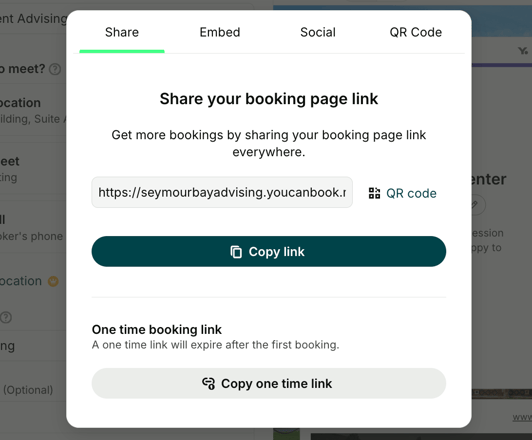 I recently learned how to create a booking page with a hybrid schedule using conditional statements, and it's pretty simple.
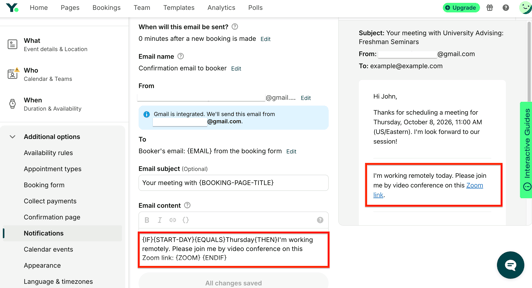
Add a conditional statement to your email confirmations to communicate your meeting location based on the weekday.
Depending on the day selected, the student will receive an email notification with the correct meeting details, as shown in the image below.
I love that YouCanBookMe is helping educators find solutions to new and emerging challenges.

Education sector use cases & tips
Since joining the YCBM team, I have used many of the education scheduling features and learned just how versatile the tool is and the various ways educators are making the most out of it.
Here are a few ways for you to maximize YouCanBookMe use at your school or university:
- tutoring appointments
- health center visits
- campus tours
- group meetings
- room reservations
- financial aid advising
- course registrations
- and admissions interviews

Associate Director of Online Services, Cleveland Institute of Art
You can create education booking pages for appointments, resources, team members—whatever you need.
A team booking page is an excellent option for departments with staff who provide the same services (e.g., career counseling).

Educators can use individual booking pages for office hours, academic advising, health center visits, and more. You can also create appointments that multiple students can sign up for at once, such as group academic advising sessions. These let you share important information with multiple students at once and help ease them into advising.
Educators and advisors can also optimize their YouCanBookMe account with powerful automation and booking controls that allow them to complete tasks without even logging in to their account.
YouCanBookMe also collects important data through the booking form to help you understand when students like to meet, frequently asked questions, and the overall student experience.

This scheduling data also sheds light on your team’s productivity, revealing which team members receive the most appointments and when during the semester.
Data is crucial for proving student learning outcomes, and YouCanBookMe’s data is one way you can track student progress throughout the academic year.
Advocating for educators as the new Customer Success Manager
Whether you work in K-12 or higher education, YouCanBookMe is a tool that can be used to encourage student agency in learning and development, help faculty and administrators create a student-focused experience, and collect data to inform and improve student success strategies.
As the newest Customer Success Manager, I am excited to help educators leverage this powerful tool to work more efficiently and to create a better student experience.
Get started with a 14-day free trial of our paid version (no credit card required).

Written by
Annie Walker
Annie is one of YouCanBookMe's Customer Success Managers. She joins the team with years of experience in higher education and is excited to partner with educators to leverage YouCanBook.me to promote student success. In addition to travel, Annie enjoys comedy, rollerblading, and her husband's sweet potato pie.
Get started today
Join thousands of coaches, consultants, and entrepreneurs who use YouCanBookMe to power their business. Get your first booking in a few minutes.


 4.7 / 5 — Trustpilot

