
Round-Robin Scheduling for Teams: How to Set It Up

Create your free booking page
One teammate’s calendar is full, while another has room for more calls. Customers don’t know that, though. If they’re booking through the busiest person’s link, they may wait days for a meeting someone else could handle today.
Round-robin scheduling distributes those incoming bookings across your team automatically, so customers don’t have to rely on one person’s availability.
You can use it to share:
- Sales demos
- Discovery calls
- Onboarding calls
- Support appointments
- Candidate interviews
How you share those meetings, though, matters. You can optimize for availability to give customers more times to choose from, give everyone an even share of bookings, or set a specific sequence for assigning meetings.
In this blog post, I’ll explain how each approach works, which suits your team, and how to set it up in YouCanBookMe (YCBM).
Round-robin scheduling automatically distributes incoming bookings among team members according to a set of rules. Those rules determine who gets each meeting, whether the priority is availability, an even share of bookings, or a specific assignment sequence.
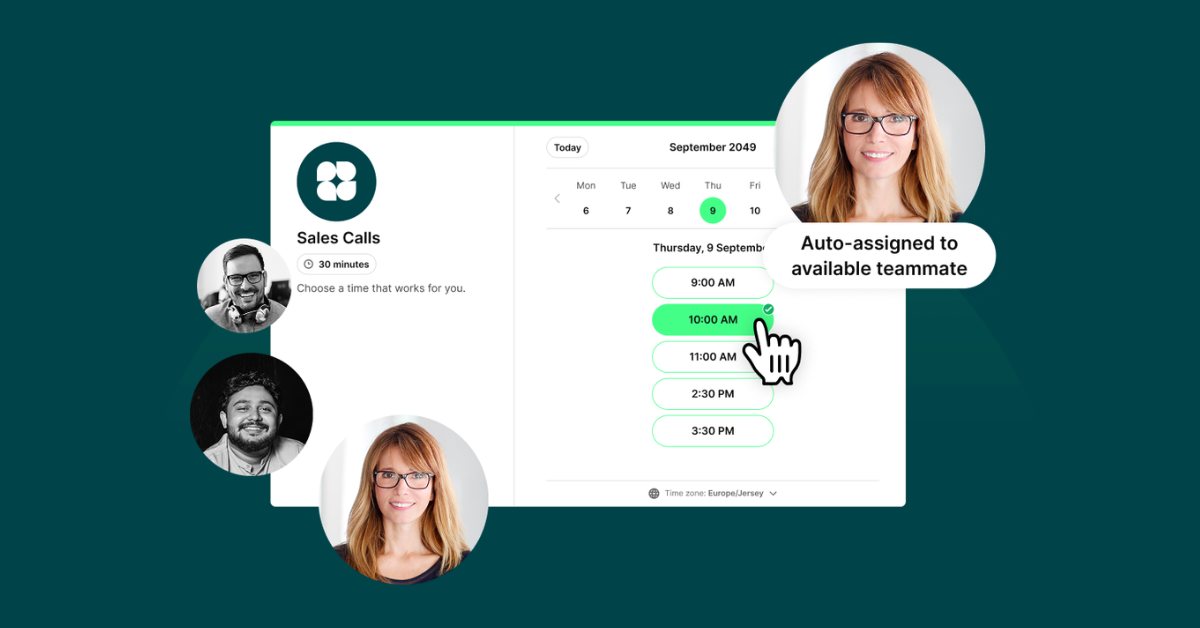
In practice, it works by sending customers a single booking link for your team. They choose a time, and the scheduler assigns the appointment to a team member based on your chosen distribution method.
You may also have heard of round-robin meetings, where participants take turns speaking so everyone gets a chance to contribute. The scheduling method applies a similar idea to sharing bookings: it determines who gets the appointment, while the meeting format determines who speaks during it.
So what are the mechanics of round-robin scheduling? It’s not that complicated.
When someone opens your team’s booking page, the scheduler checks connected calendars and applies your distribution rules. Those rules determine whose available times appear and who gets the appointment.
With strict round robin, the next teammate in the rotation gets the booking, so customers choose from that person’s available times.

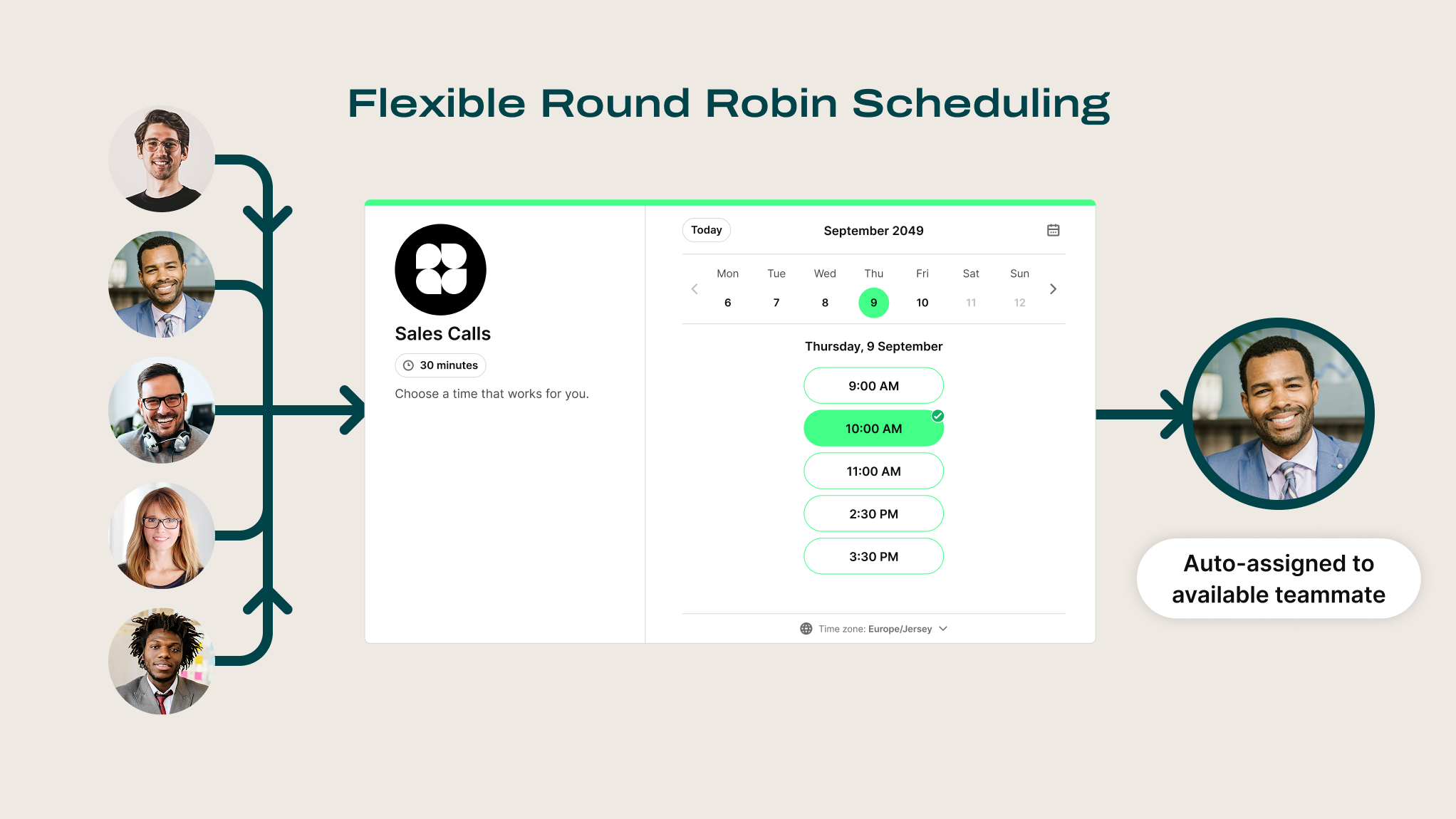
Flexible round robin shows availability across the team, then assigns the appointment to someone who’s free at the selected time.
Imagine three sales reps, Alex, Ben, and Chloe, sharing six incoming demo bookings. All three can handle the same type of demo, but Alex has more open slots.
The table below shows how those bookings could be distributed. In the flexible example, assume only the named rep is available at each prospect’s chosen time.
As you can see, strict rotation gives each rep two opportunities. The trade-off is that some prospects may need to choose a later appointment to meet with the rep whose turn comes next. However, that wouldn’t be ideal if you care about your speed to lead. Usually, the faster you speak to a lead, the better your chances of converting them.
Flexible scheduling lets prospects book whichever available time suits them. Alex receives more demos because his availability matches more of those requests.
An even split sounds ideal. Still, it may not be worth making a customer wait when another qualified teammate could help sooner. Choose based on what your team needs to prioritize.
Here’s a quick breakdown to help you decide: 👇
Beyond that choice, round-robin scheduling has a few broader advantages and limitations worth considering:
Pros:
- Fairer distribution: Agreed rules take the guesswork out of assigning bookings. When equal sharing is the priority, a rotation helps prevent the same teammate from receiving most of the opportunities.
- Faster access to your team: Pooled availability can let customers book an earlier appointment instead of waiting for one specific person.
- Less coordination as you grow: New teammates can join the booking pool without someone manually assigning every incoming request. That means less calendar management and fewer handoff messages.
Cons:
- Availability doesn’t guarantee the right expertise: A standard rotation won’t necessarily account for skills or seniority. Complex requests may need a separate booking pool or a handoff to a specialist.
- Fairness and choice can compete: Strict rotation limits the times customers see. Flexible scheduling offers more choice but can concentrate work among teammates with greater availability or who are simply more efficient.
- Accurate calendars and team agreement are essential: Missing calendar events can make someone appear free when they’re busy. Working hours, time zones, and individual capacity also need attention, or an apparently fair setup can become uneven in practice.
Let’s look at how different teams can use round-robin scheduling, which setup makes sense for each, and what to watch out for.
One of the better approaches for customer success teams is to pool each teammate’s calendar into one booking page and assign calls based on time zone and availability. Customers get more times to choose from, while the team shares responsibility for helping them get started.
That’s exactly how Georgie Ionescu’s team at Passion.io uses YouCanBookMe:

She also found that these calls help customers stay engaged and improve their experience. As a result, the team sees a lower refund rate among customers who attend.
With a sales team, the priority is getting interested prospects booked with a qualified rep before their interest fades. Round-robin scheduling helps by sharing incoming demos across the team, so bookings don’t depend on one person’s availability.
Strict rotation distributes demo bookings evenly, but prospects only see the next rep’s available times. Flexible scheduling shows availability across the team, offering more options while potentially giving some reps more bookings.
An even split looks good on paper. If it means making a prospect wait until Friday when another qualified rep is free tomorrow, I’d favor flexibility. At the same time, you want to guarantee equal opportunities for your sales reps, especially if they work on commission.
Your most experienced support rep can easily become the default for every troubleshooting call. Round robin helps share those bookings among qualified teammates, protecting that person’s time and reducing the risk of burnout and meeting fatigue.
It’s a good idea to start with flexible scheduling for routine requests, so customers can meet with whoever is available sooner. At the same time, keep specialist issues within a smaller pool of people equipped to resolve them. An earlier appointment won’t help if it ends in another handoff.
Booking counts are only part of the story, though. A teammate handling complex investigations may have fewer calls but a heavier workload. Review time spent on preparation and follow-up alongside appointments, then refine the rotation accordingly.
When you’re coordinating interviews across several open roles, chasing availability can eat into time you need for screening candidates and supporting hiring managers. Delays have consequences: Cronofy’s 2025 research found that 41% of candidates surveyed had left a recruitment process because scheduling took too long.
An interview scheduler like YouCanBookMe lets candidates book across your recruiting team’s availability. Round robin then shares interviews among eligible recruiters or hiring managers, reducing manual coordination.

I’d favor flexible scheduling for initial screenings, where several recruiters can assess the same role. At the same time, not everything is about speed. Keep each rotation specific to the role and interview stage, with shared evaluation criteria so whoever takes the call assesses candidates consistently.
Once you’ve chosen an approach for your team, these practical decisions will help round-robin scheduling work as intended: 👇
- Decide who’s in the rotation. Group people who do the same job and can handle the same appointments. If a customer needs specialist help afterward, arrange a handoff rather than adding every specialist to the initial booking pool.
- Keep calendars connected and accurate. Flexible scheduling relies on knowing who’s actually free. Use calendar sync and make sure teammates block out other commitments, including time needed for meeting preparation and follow-up.
- Plan for time off, new starters, and time zones. Decide who covers absences and when new teammates are ready to receive bookings. Check that bookable hours reflect everyone’s local working day, especially when your team spans several regions.
- Agree on the rules and review the results. Explain how assignments work and why you’ve chosen that method. Review booking distribution and workload regularly with the team, then adjust if customers face long waits or someone consistently receives more work than they can handle.
Once you’ve agreed on your team’s rotation, you can configure it in YouCanBookMe’s round robin scheduler. The feature is included in the Team plan and above.
The setup comes down to three steps:
- Enable Teams. In your booking page settings, go to Who: Calendars & Team and check the Teams box.
- Choose your round-robin method. Select Optimize for availability for the booker or Optimize for equal distribution, depending on your team’s priorities.
- Save your changes. You can then track how bookings are distributed on your Bookings page.
Watch the video walkthrough below to follow the setup on screen: 👇
You have three assignment methods to choose from:
- Optimize for availability: Show open times across the team. When several teammates are free at the selected time, YCBM chooses from those with the fewest bookings across their booking pages.
- Optimize for equal distribution: Show availability for teammates with the fewest bookings, using a rolling 28-day window to balance distribution.
- Assign in a fixed order: Set a priority list. YCBM checks the person at the top first, moving down when someone is unavailable. This option can be found once you select Booker automatically assigned team member.
Round-robin scheduling gives customers one place to book and your team a clear way to share the work. Decide whether availability, equal distribution, or a fixed priority order matters most, then review how that choice works in practice.
Put your plan into action with YouCanBookMe’s round robin scheduler, and let your booking page handle the assignments.
FAQs
What is the difference between strict and flexible round robin scheduling?

Is round-robin scheduling fair?
It can make booking allocation more consistent, but fairness depends on your rules and each teammate’s capacity. For example, with YouCanBookMe’s round-robin scheduler, you have three distribution options:
- Optimize for availability
- Give everyone an even share
- Assign bookings in a fixed order
Each serves a different priority, so fairness depends on choosing the right approach for your team’s capacity and responsibilities.
Does round-robin scheduling skip team members who are unavailable?
How do I make sure everyone on my team gets the same number of bookings?

Written by
Paulina Major
Paulina Major is a freelance B2B content writer with six years of experience. Since 2024, she has written 100+ articles on scheduling and personally tested and reviewed 30+ booking tools, helping small business owners choose software and simplify their booking processes. As a solopreneur managing her own clients and calendar, she brings firsthand experience to her advice on scheduling, time management, and running a business.
Get started today
Join thousands of coaches, consultants, and entrepreneurs who use YouCanBookMe to power their business. Get your first booking in a few minutes.


 4.7 / 5 — Trustpilot

