
Best Team Scheduling Apps: Which Tool Do You Actually Need?

Create your free booking page
Managing a team comes with plenty of moving parts. People need clear priorities, workloads need to be realistic, and someone has to make sure the right people are available when they’re needed. The right team scheduling app can make your life easier, but it depends on what you need it to do.
Because “team scheduling” can mean a few different things. You might need to fill staff shifts, plan project timelines, check who has capacity for more work, or book meetings with colleagues and clients.
Each of these jobs calls for a different kind of tool. In this guide, I’ll walk through those four types of scheduling, recommend an app for each, and explain when it’s worth adding to your team’s toolkit.
A team scheduling app is software that coordinates when people on a team are available and when work gets done. It gives teams a shared view of planned activity, whether that means employee shifts, project deadlines, allocated working hours, or meetings with colleagues and clients.
The term covers four main types of tools:
- Staff and shift scheduling assigns employees to working hours and manages shift coverage.
- Project scheduling maps out tasks, deadlines, and dependencies to keep delivery on track.
- Resource and capacity planning shows how much time people have available and allocates work across the team.
- Meeting scheduling helps people find and book time together, internally or with clients and candidates.
Below is a quick table with our recommended tools for each, with starting prices and who they suit.👇
The best choice is an app your team can use easily that solves the scheduling problems taking up your time. Prioritize these four things before committing:
- What you’re scheduling: Get specific about whether you need to organize people’s shifts, project work, available hours, or meetings.
- Who needs access: Managers, employees, and clients have different needs. Staff should be able to check schedules easily on mobile, while clients should have a straightforward way to book. Test the experience from their side, too.
- Connections to your existing tools: Check whether the tool works with the rest of your must-have work apps, like your calendars, Slack or Teams, payroll software, or Zapier.
- The actual team cost: Compare pricing per user, scheduled person, or location, then check which plan includes your essentials.
The first hurdle you’re likely to face is scheduling employees’ shifts. Between time-off requests, last-minute absences, and busy periods, making sure every shift is properly staffed can take more work than it should.
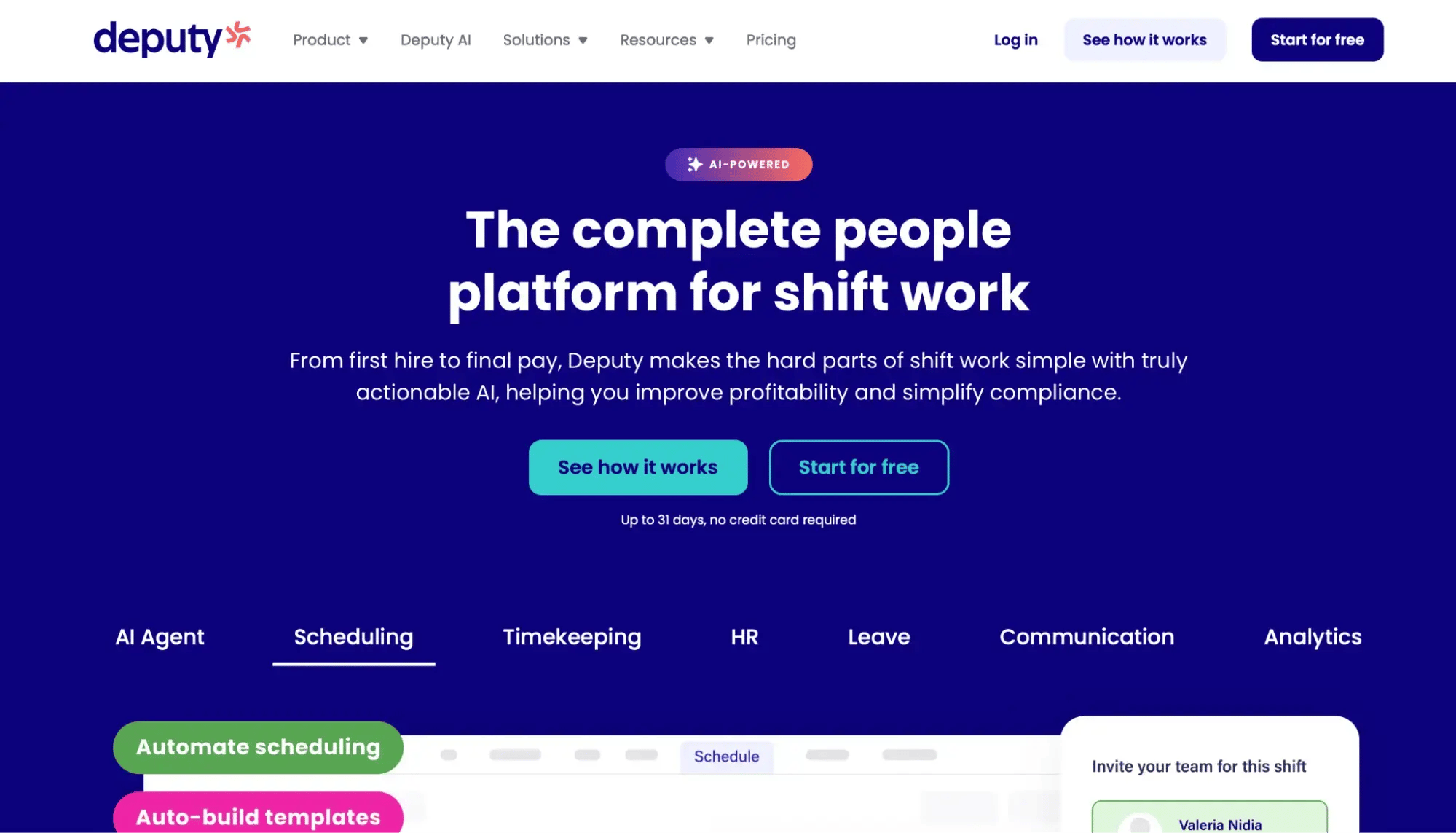
Deputy is a staff scheduling tool that helps you plan coverage, manage availability, and match staffing to demand across locations.
A solid staff scheduling tool should make it easy to manage availability, approve time off, and fill shifts when plans change. You should also look for compliance features that flag potential issues with breaks, overtime, and rest between shifts, plus a mobile app so employees can check schedules and request changes on the go.
Deputy covers those essentials. Staff can check schedules, submit availability, request leave, and swap shifts with suitable colleagues in the app. Managers can also offer uncovered shifts to available staff, saving them from chasing replacements.
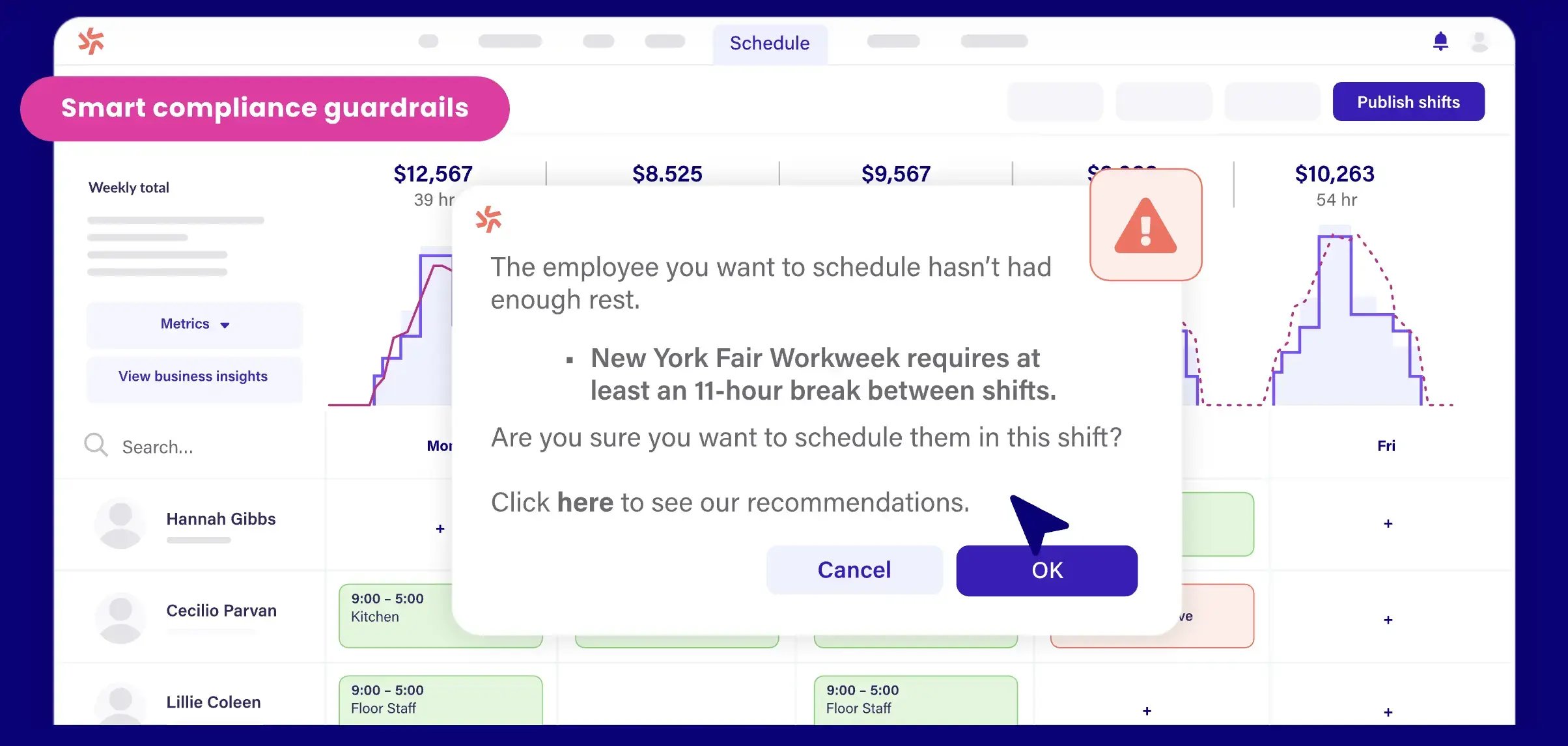
The app also supports configurable fatigue warnings and rest-period alerts that help flag scheduling problems, such as someone closing one evening and opening the next morning.
Deputy’s annual plans start at $5 per user per month for Lite. Core costs $6.50, adding demand forecasting and auto-scheduling, while Pro costs $9 (all prices are based on annual billing). There’s a free trial, but no ongoing free plan.
Deputy isn’t for you if your main need is booking meetings or organizing project deadlines. Its strengths are managing employee shifts, staffing levels, and availability.
Depending on your team’s needs, you might also want to consider:
- Homebase: A good starting point for small teams, with a free Basic plan for up to 10 employees at one location.
- 7shifts: Worth considering for restaurants that want staff scheduling alongside tip-management tools.
- When I Work: Another option for managing employee schedules, availability, and shift swaps in one place.

Then there’s finding time to actually meet! Client calls, interviews, and team meetings all compete for space in the calendar, and arranging them can take longer than it should.
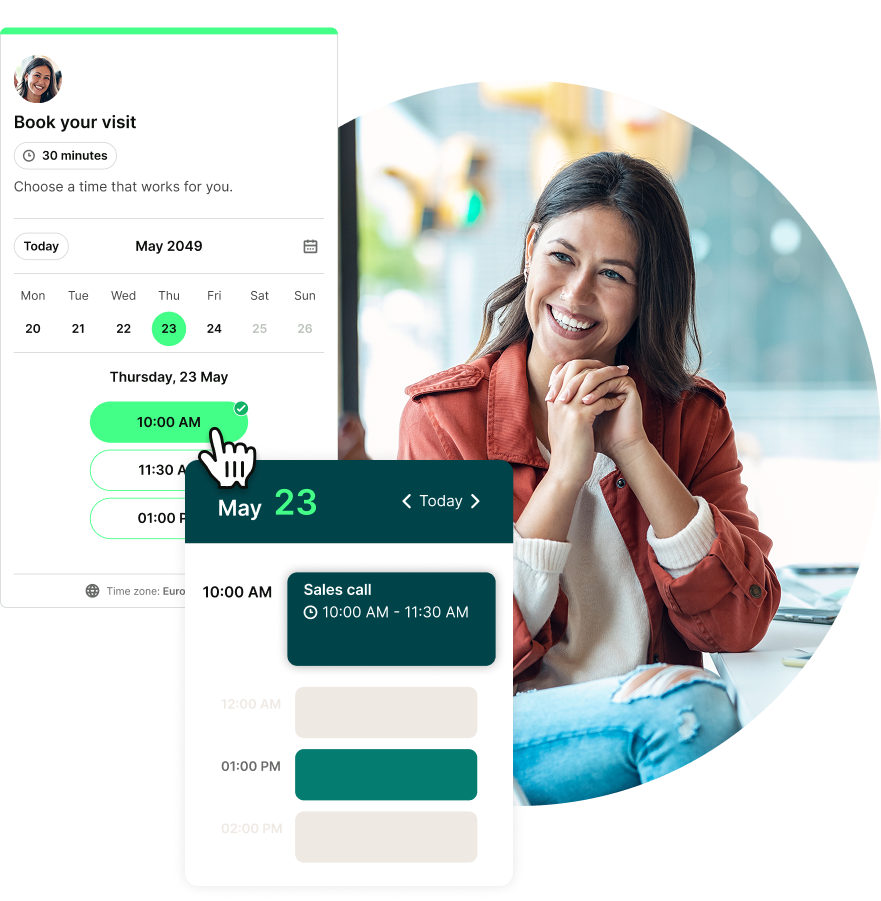
YouCanBookMe (YCBM) is a flexible scheduling tool that not only lets clients book time with you, but also helps your whole team coordinate meetings. You can give colleagues their own booking pages, bring their availability together on a shared team page, and distribute bookings across team members using round-robin scheduling.
YouCanBookMe for teams lets you create individual booking pages for colleagues or combine several team members’ availability on one shared page. With pooled availability, clients can choose from available times across the team, wherever your colleagues are based.
You control how bookings are assigned. Set up round-robin meetings to distribute them equally, prioritize particular colleagues, or offer clients the widest choice of times. Alternatively, let clients select who they want to meet. That flexibility is useful when some calls can go to anyone, while others need a particular specialist.
With YouCanBookMe for recruiters, you can also handle interviews with ease. Ben Sztejka, Managing Director at Your Ecommerce Accountant, uses YCBM’s round-robin scheduling to share second-stage interviews across four colleagues:

When a meeting needs several colleagues together, you can combine their availability so bookers only see times when everyone required is free. Two-way calendar sync keeps availability updated across connected Google, Microsoft, Apple, and Fastmail calendars. The Team plan supports up to 10 calendar connections per user, helping account for commitments spread across work and personal calendars.
Getting a team meeting locked in the calendar can take a few emails before you find a time that works. With YouCanBookMe’s meeting polls, you suggest a few options, and people select when they’re available. You can see the responses together, choose a time, and send the meeting invitation.
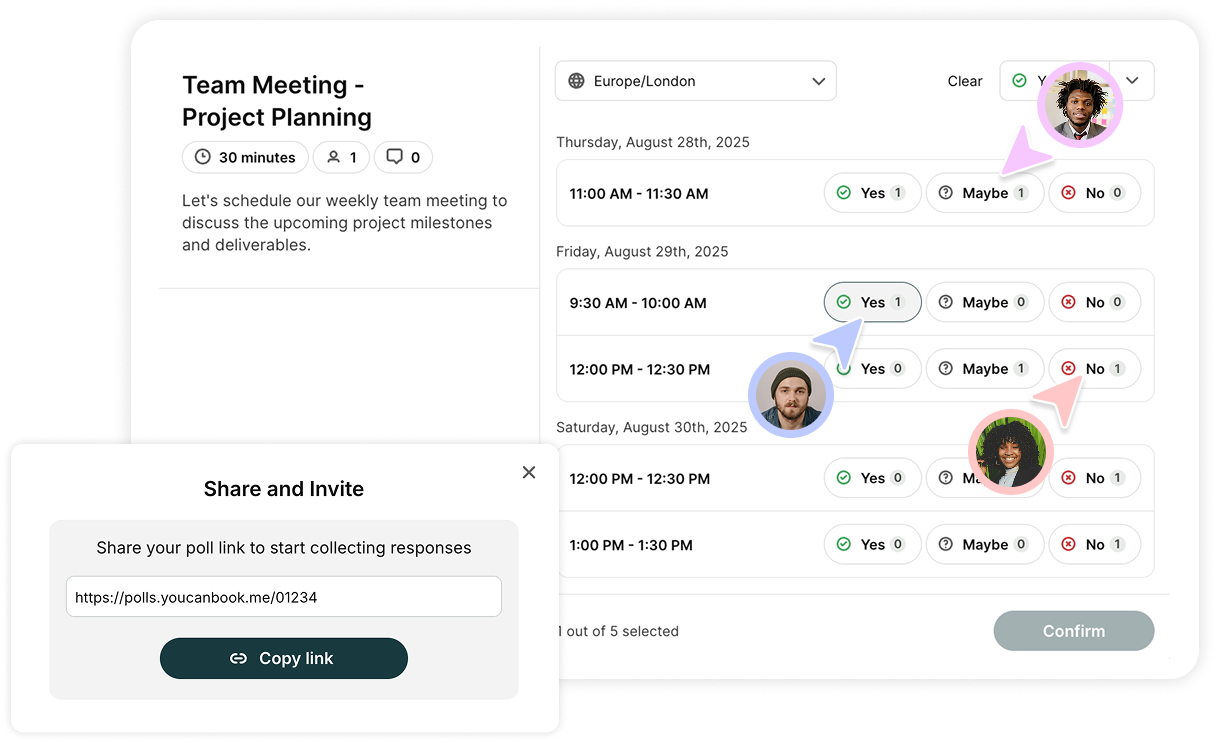
Another perk of YouCanBookMe is that it connects with tools your team already uses, saving you from copying booking details between systems.
For example, Zoom, Google Meet, and Microsoft Teams integrations automatically create meeting links when someone books and include them in confirmation and reminder emails. A direct HubSpot integration keeps your contacts in sync, reducing manual data entry, while Gmail and Outlook Mail let you send booking notifications from your connected email account.
You can also use Zapier to send booking notifications to Teams or Slack, record bookings in Google Sheets, or update contacts in Mailchimp and Pipedrive. This helps your team keep track of new bookings without updating each tool separately.
A generous free plan is available. Individual costs $8.10 per month, Professional costs $11.70, and Team costs $16.20 per member per month, all billed annually. Team includes round robin, shared team booking pages, and centralized administration.
YouCanBookMe suits teams whose scheduling challenge is arranging meetings. It won’t replace software for employee shift rosters, project timelines, or allocating people’s working hours across projects.
Spend less time arranging your team’s meetings
Whether you need to book meetings with clients or find time to meet internally, YouCanBookMe helps you coordinate schedules with less back-and-forth.

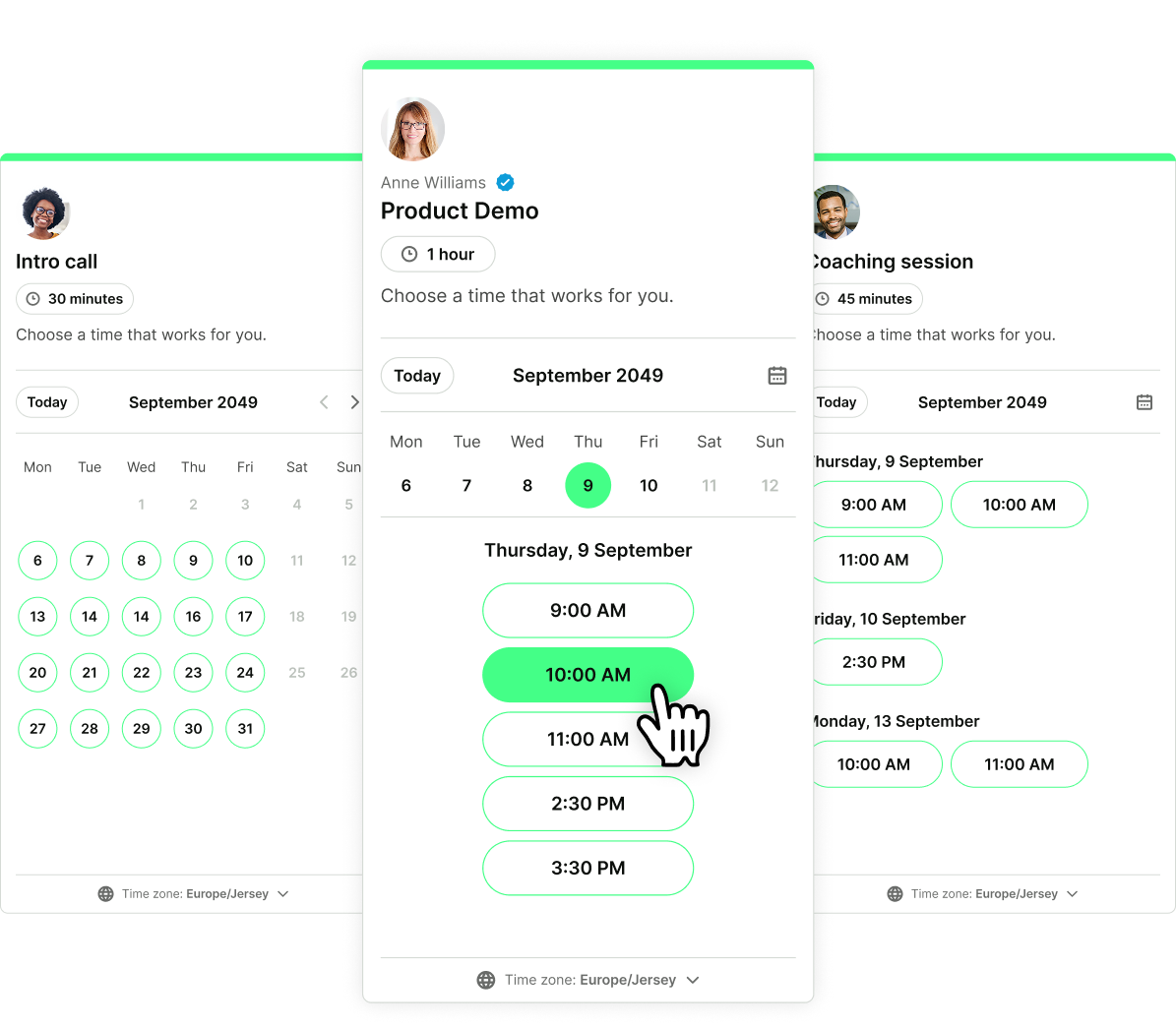
You can also explore these options:
-
Calendly: Worth considering if your team needs lead routing alongside round robin and collective meeting scheduling. See our Calendly vs. YouCanBookMe comparison.
-
Microsoft Bookings: A practical option to investigate if your team already works in Microsoft 365. Our Microsoft Bookings alternatives guide explains how it compares with other tools.
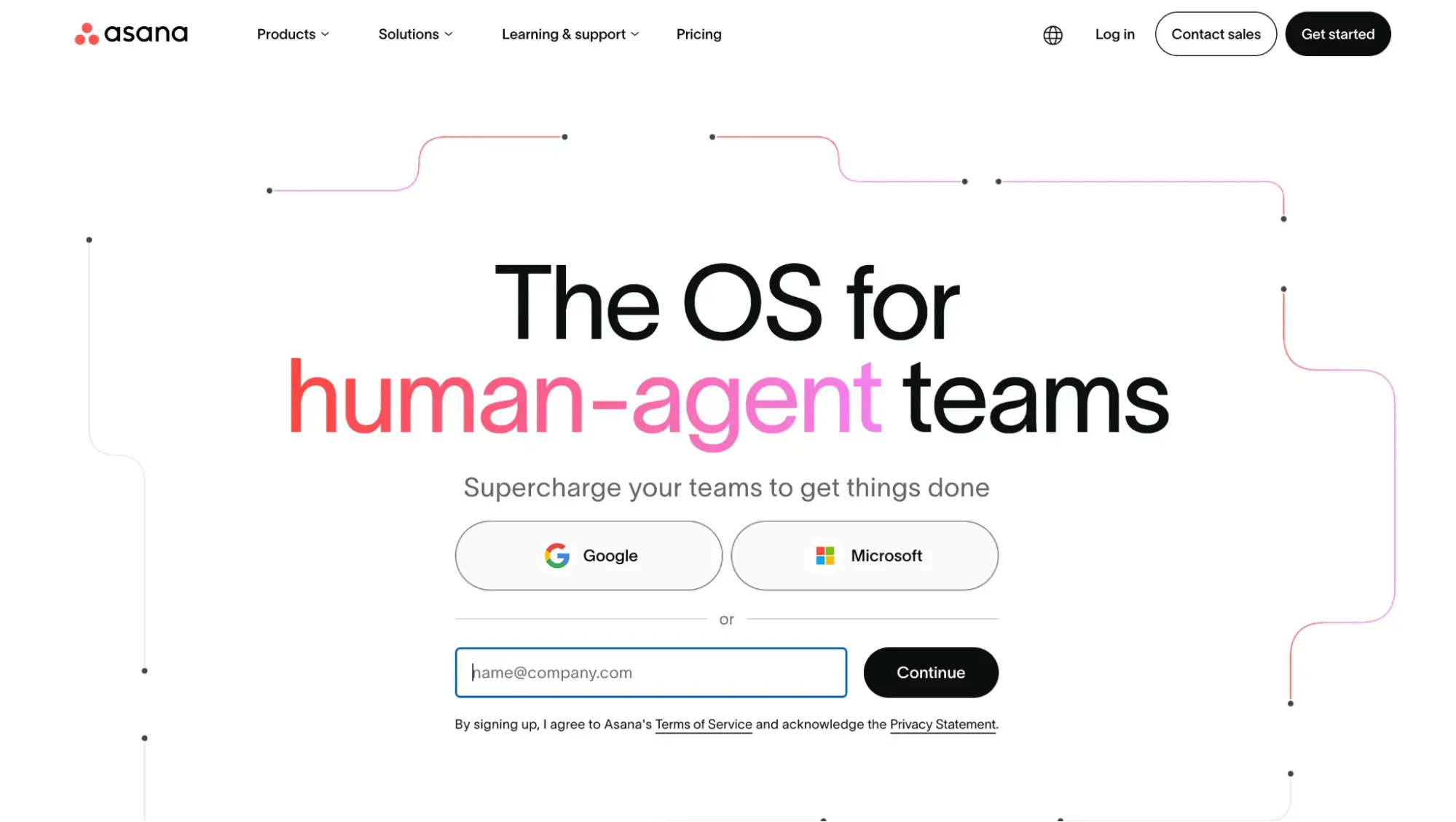
Another big challenge you face when managing a team is project management. There are tasks to complete, deadlines to meet, and you need to know who’s responsible for what. When one task holds up the next, it’s easy for the whole project to fall behind.
Asana is a project management tool that helps you assign tasks, set deadlines, and see how everything connects. Having that shared view makes it easier to keep work moving without constantly asking people for updates.
A good project scheduling tool should make it clear:
- Who owns each task
- When it’s due
- What needs to happen before someone else can start
Workload visibility matters, too. A timeline can look perfectly manageable until you realize one person is responsible for half the tasks.
Asana supports Timeline and Gantt views to help you map out work and see dependencies between tasks. You can spot where a delay could affect the rest of the project, making it easier to adjust priorities before deadlines slip.
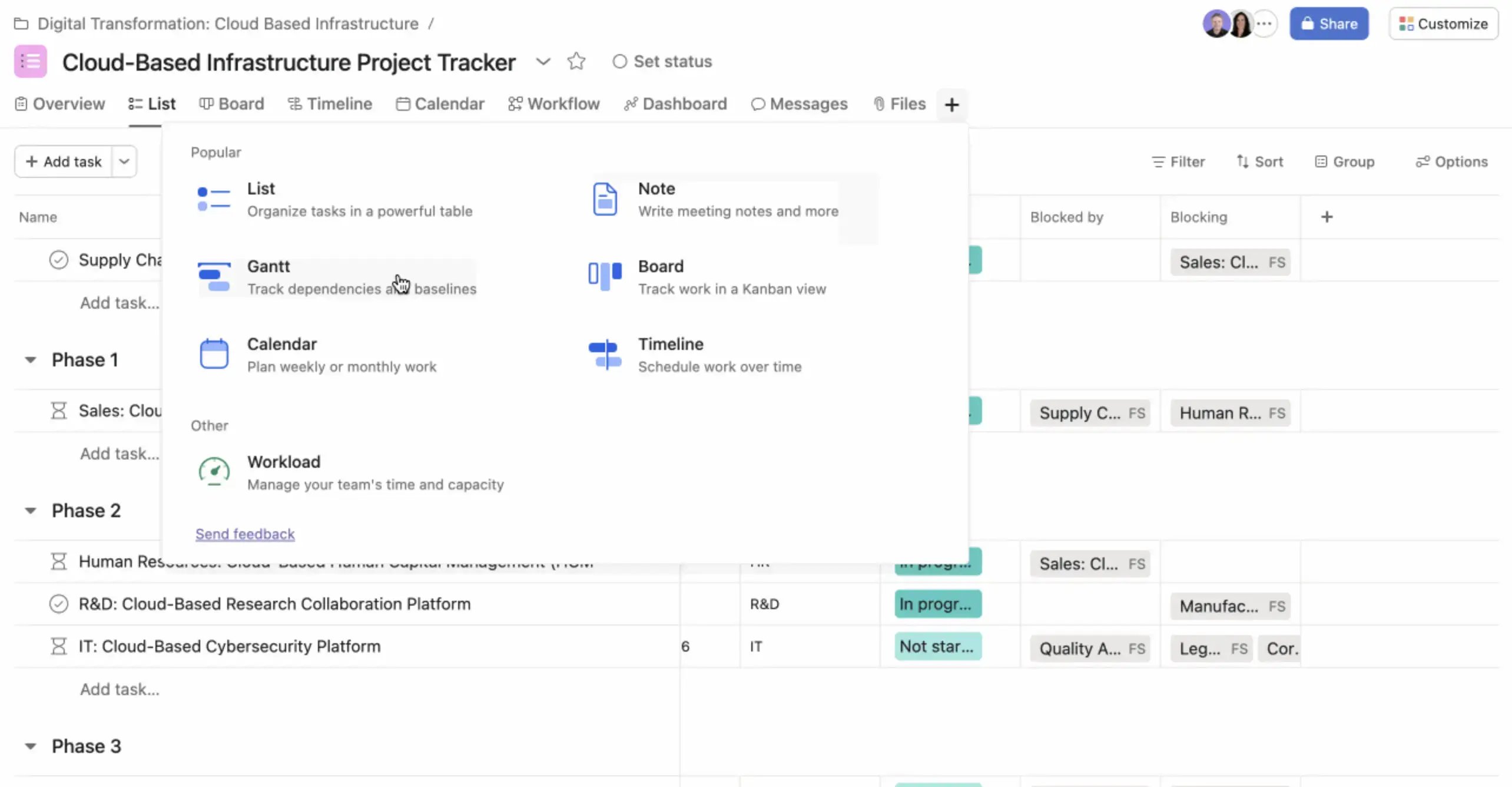
Also, with Asana’s workload management features, you can identify overloaded colleagues and redistribute assignments. That’s particularly useful when people contribute to several projects and their commitments are easy to overlook.
Personal is free for two users. Starter costs $10.99 per user per month, and Advanced costs $24.99, both billed annually.
Asana may be more than you need if your team only manages a handful of straightforward tasks. A simpler task board could be easier to maintain, especially if dependencies and workload tracking wouldn’t add much value.
Depending on how you organize projects, consider:
- Notion: Project timelines alongside your team’s documents.
- Trello: Visual boards for tracking tasks through stages.
- ClickUp: Gantt charts, dependencies, and workload views for more detailed planning.
Knowing who’s responsible for a task is one thing. Knowing whether they have time to do it is another. That becomes especially important when your team works across several client projects. The solution? Invest in resource and capacity planning tools.
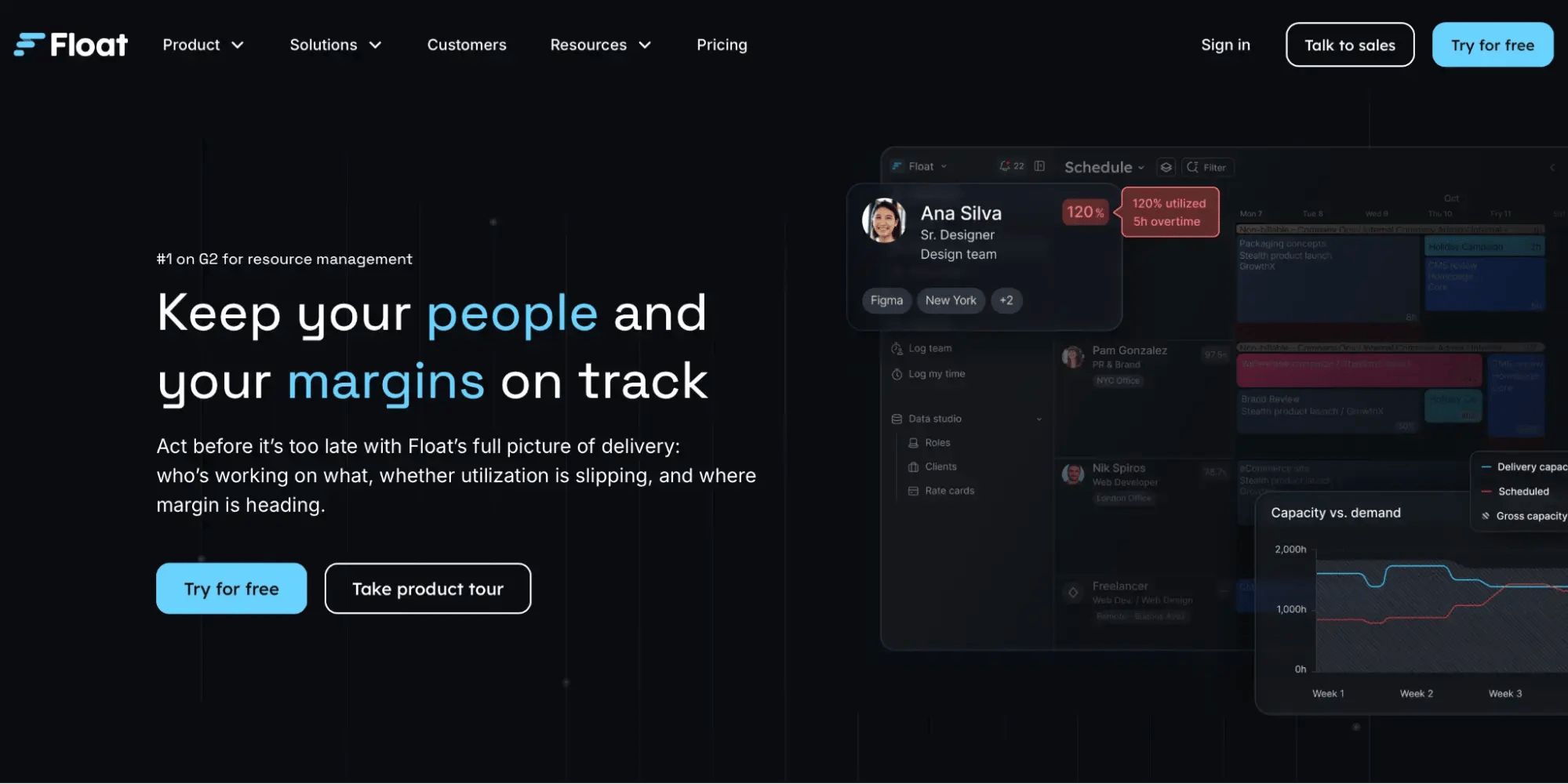
For example, Float is a resource management tool that helps teams allocate work by person, role, and project, with visibility into availability and time off.
A good capacity planning tool should show who has hours available, where work is concentrated, and how upcoming leave affects your plans.
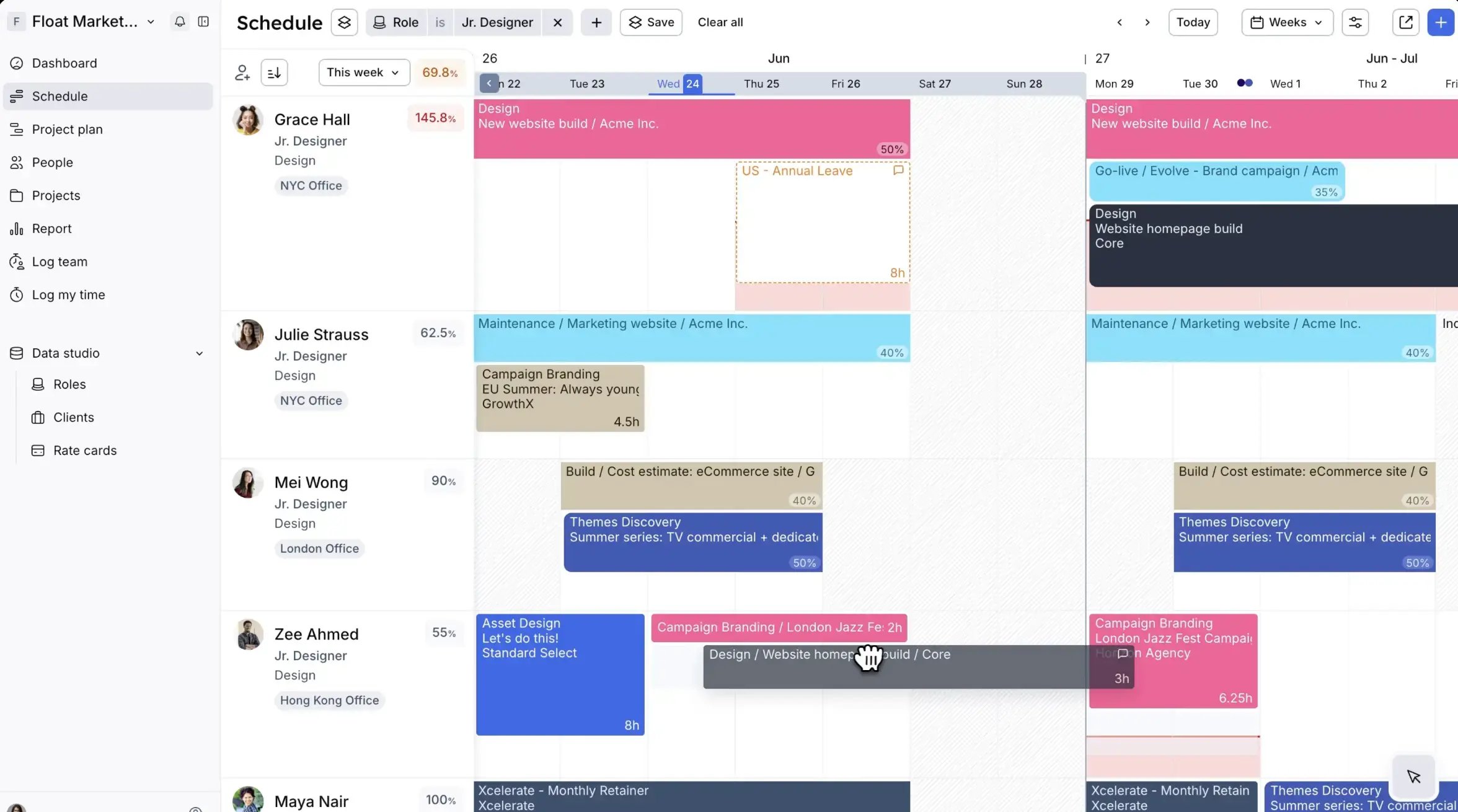
Float supports scheduling in hours or percentages, alongside custom working hours and holiday calendars. Its visual schedule brings everyone’s project allocations together, so you can see how commitments add up across the team.
One of Float’s more useful features is its over-capacity warnings, which help you spot when someone has more work assigned than their available hours allow. When priorities change, you can drag and drop allocations to move work between colleagues or adjust dates. That makes it easier to balance workloads when a client brings a deadline forward, or someone takes unexpected leave.
Starter costs $7 per scheduled person per month, and Pro costs $12, billed annually. Enterprise has custom pricing. Pro adds time tracking and advanced reporting. There’s a 30-day free trial.
You pay for each person whose time you schedule, even if they don’t log in. Guests who don’t need scheduling can view the schedule for free. That’s useful for stakeholders, though costs still grow with your delivery team.
Float may be harder to justify if your team’s workload rarely changes and everyone works on one project at a time. Its value becomes clearer when you’re juggling competing requests and need to check capacity before promising a delivery date.
You can also explore:
- Resource Guru: Visual resource scheduling with capacity and availability tracking.
- Runn: Capacity planning for spotting overbooking and reviewing project allocations.
- Productive: Resource planning connected to client budgets and profitability forecasts.
Choosing a team scheduling app starts with what you need help organizing. If you need help scheduling employee shifts, Deputy is a solid option. To manage project tasks and deadlines, go for Asana. If you’re figuring out who has capacity for more work, consider Float.
When arranging meetings takes longer than it should, YouCanBookMe brings client calls, interviews, and internal meetings into one setup. Try it for free to see how it fits your team.
Frequently Asked Questions
What is the best app for group scheduling?

YouCanBookMe is a good choice if finding a time for a group meeting usually turns into a long email thread. With its meeting polls, you suggest a few times and share a link so everyone can select when they’re available. You can then compare responses in one place and choose the option that works best for the group. Once you confirm the time, YouCanBookMe sends the meeting invitation, so there’s no need to follow up with the details separately.
Is there a free team scheduling app?
Yes, but start by working out what you need to schedule. YouCanBookMe’s free plan is a good option for meetings, with one booking page, one calendar connection, and meeting polls to find a time that works for a group. You’ll need the paid Team plan for shared team booking pages and round robin.
Need to organize shifts instead? Homebase’s free Basic plan covers up to 10 employees at one location. Asana Personal is another free option if you’re managing project tasks and deadlines with just two users.
What is the difference between resource planning and project management?
Resource planning focuses on people’s available hours, skills, and workloads to help you decide who can take on more work, with tools such as Float, Resource Guru, and Runn. Project management focuses on tasks, responsibilities, deadlines, and dependencies to keep delivery on track, with tools such as Asana, Trello, and ClickUp.

Written by
Paulina Major
Paulina Major is a freelance B2B content writer with six years of experience. Since 2024, she has written 100+ articles on scheduling and personally tested and reviewed 30+ booking tools, helping small business owners choose software and simplify their booking processes. As a solopreneur managing her own clients and calendar, she brings firsthand experience to her advice on scheduling, time management, and running a business.
Get started today
Join thousands of coaches, consultants, and entrepreneurs who use YouCanBookMe to power their business. Get your first booking in a few minutes.


 4.7 / 5 — Trustpilot

