
YCBM Individual Plan: For Solopreneurs Who Want Better Booking
-min.png?width=100&name=image%20(21)-min.png)
Create your free booking page

Do you want scheduling to feel more polished, more flexible, and more like you? Then the YouCanBookMe Individual plan might be just what you need.
If YouCanBookMe’s Free plan is your “goodbye forever to back-and-forth scheduling” starter pack, the Individual plan is the next step up!
It keeps everything that makes YouCanBookMe useful from day one—your booking page, calendar sync, booking forms, payments, video conferencing, and customizable confirmations—and adds the extra flexibility you need when your scheduling setup starts to get a little more serious.
Let’s dig into what it includes, who it’s for, and how to know if it’s the right plan for you.
If your booking page is doing the job, but starting to feel a little too basic for how you actually work, then it might be time to upgrade to the YouCanBookMe Individual plan.
It’s designed for solopreneurs who have outgrown one-size-fits-all booking. If you’re juggling multiple calendars, offer multiple appointment types, or want a page that feels as professional as the services you deliver, the Individual plan was built for you. For example:
- Freelancers and consultants who want separate booking pages for different types of appointments, like discovery calls and client check-ins.
- Coaches, tutors, and solo service providers who need email and SMS reminders and better control over when people can book.
- Side hustlers and solo business owners who juggle more than one calendar and need both schedules taken into account.
- Educators and workshop hosts who run group sessions, courses, webinars, or fixed-date events.
- Anyone who wants a more branded scheduling experience with custom colors, background images, and footers that make their booking page feel like part of their business, rather than a generic scheduler.
|
🆘 Still aren’t sure if the Individual plan is the right choice for you? Individual is a great fit for lots of solo schedulers, but depending on how you work, the Professional or Team plan might be an even better match! Take the quiz below to find out. |
For those who just want a quick rundown, here’s what you unlock when you move from Free to Individual:
In other words, the Free plan gets your booking page up and running, but the Individual plan gives you the flexibility to shape it around your actual workday.
Ready for a booking page that fits the way you work?
Manage availability, send reminders, customize your booking experience, and keep meetings running smoothly from the first click—all with YCBM.

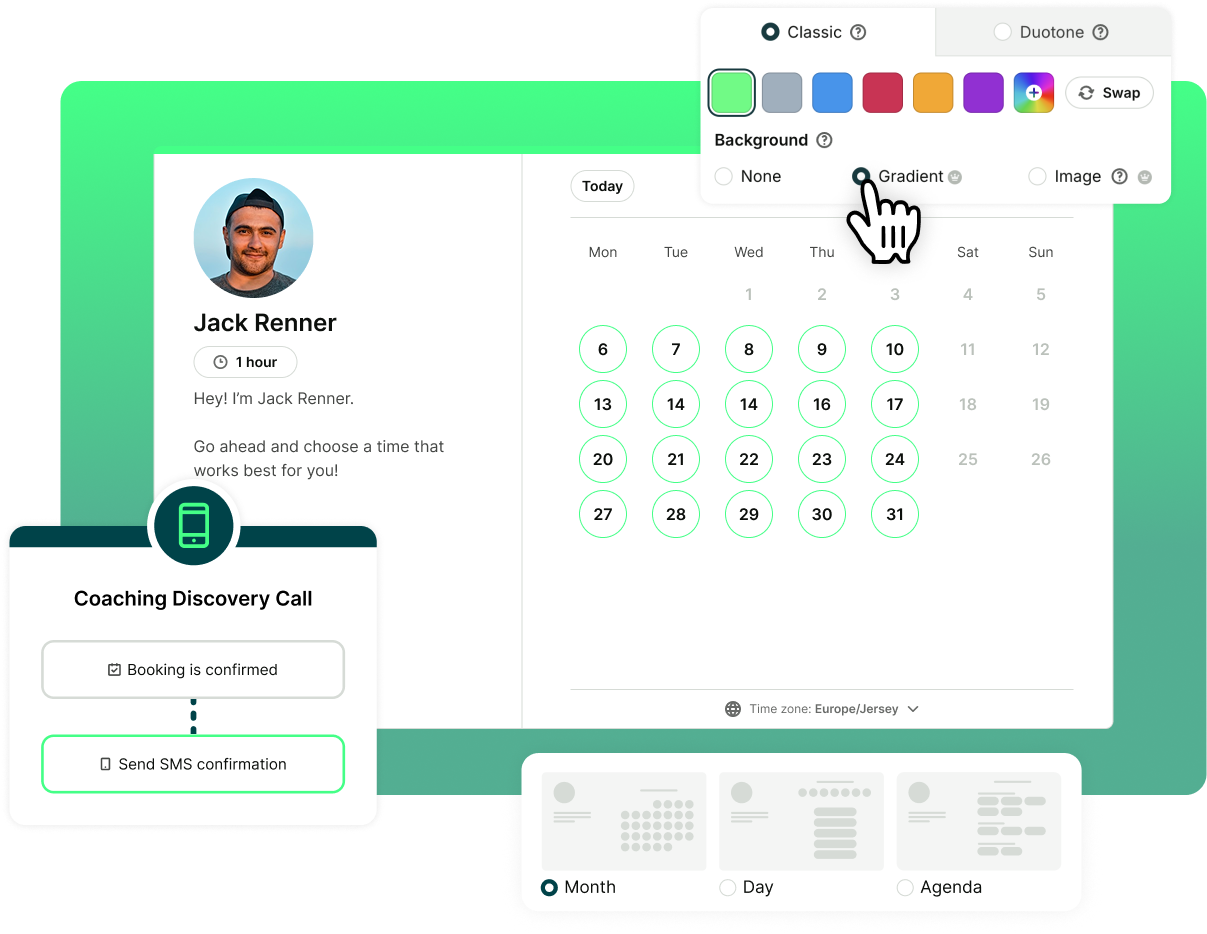
A booking page might be functional on the Free plan, but Individual gives you more ways to make it feel polished, personal, and properly your own.
You get 2 booking pages instead of 1, which means you can create separate pages for different services, audiences, or meeting types. For example, you could have one page for new clients and one for existing clients. You could also create a dedicated booking page for discovery calls and another for paid sessions.
You can customize your booking pages with:
- Custom colors
- Background images
- Footer information
- Your photos and logos
- Week, day, or month availability views
- Group sessions for classes, workshops, webinars, or shared appointments
I like being able to personalize the booking page so it feels consistent with my visual identity. I come from a design background, so the details matter—it needs to look good."
- Daniele Lugli, Botanical Art & Nature Tattoo Artist
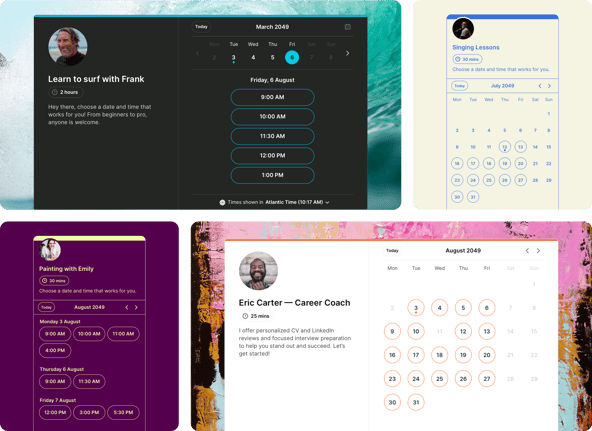
It’s still smooth scheduling that’s easy to set up—just with more room to make it fit your business!
Getting booked is great. Getting people to actually show up, on time, with the right information? Even better.
With Individual, you can send customizable reminder emails and SMS before every meeting. That means you’re not relying on one confirmation email to do all the work.

You can use reminders to share:
- The meeting time and location
- A video call link
- Meeting prep instructions
- What to bring
- Forms or documents to complete
- Parking or arrival details
- Rescheduling information
- A friendly nudge before the appointment
All of that makes the meeting easier to attend and harder to forget.
Because those pesky no-shows? They aren’t just frustrating—they’re expensive. A missed appointment means a sudden blank space in your day, lost revenue, and time you could have offered to someone else.

And when missed appointments basically disappear, that can make a real difference to your bottom line. If YouCanBookMe helps you avoid even one no-show per month, it easily pays for itself.
Want to see how quickly no-shows add up? Pop your numbers into the calculator below. 👇
YouCanBookMe’s Individual plan also gives you more control over when people can book, cancel, and reschedule.
Because yes, letting people book themselves in is helpful, but only if it works around your actual life.
With the Individual plan, you can…
- Connect 2 calendars instead of 1: so YouCanBookMe can check more of your real availability—like both your work and personal calendar— and help prevent double-bookings.
- Set minimum and maximum notice periods for meetings: so people can’t book 10 minutes before a call or six months into the future.
- Add buffer time between meetings: even a 15-minute gap between calls gives you the breathing room you need to prepare, travel, take notes, or just reset before the next call.
- Use fixed-date scheduling: useful when appointments should only be available during a specific window, like office hours, seasonal consultations, workshops, or limited-time events.
- Password-protect booking pages: so you can keep certain pages private and only share them with the right people, like existing clients, paid communities, internal teams, or invite-only bookers.
- Set limits on when people can cancel or reschedule: so clients can still make changes when they need to, but not 30 minutes before a meeting when it’s too late for you to refill the slot.
In short: the Individual plan gives you more ways to say, “Yes, people can book with me—but on my terms.”
Because once your availability rules are built into your booking page, you don’t have to keep explaining them. People can see when you’re free, book within the limits you’ve set, and reschedule only when it still works for you.

Sometimes you don’t want to figure everything out yourself.
Individual includes premium support, including 1:1 support requests and scheduled callbacks. That means you can get help with your setup, ask specific questions, or troubleshoot something that isn’t working the way you expected.
This is especially useful when your booking page is connected to your actual work. If clients rely on it, appointments come through it, and your schedule depends on it, getting help quickly matters.
It’s not the flashiest upgrade, but it’s one you’ll appreciate when you need it!
The Individual plan is all about giving your booking page more flexibility without making things complicated.
You can create two booking pages, customize how they look, show availability in the format that makes the most sense, connect two calendars, protect your time with notice periods and buffers, send reminders that keep people prepared, and get support when you need help.
The Free plan helps you start scheduling.
The Individual plan helps you make that scheduling experience feel more polished, more controlled, and more like the way your business actually works. 🎉
FAQs
What's the difference between YouCanBookMe's Free plan and the Individual plan?

The Free plan is a great starting point—it gives you one booking page, one calendar connection, and all the core tools to replace back-and-forth scheduling. Individual keeps everything from Free and adds more flexibility for when your setup gets a little more serious. You get two booking pages, two calendar connections, customizable reminder emails and SMS, more availability controls, extra branding options like custom colors and background images, and premium support. It's the same smooth scheduling experience, just with more room to shape it around the way you actually work.
Can I send reminders to clients before a meeting?
Yes, and it's one of the most practical upgrades in the Individual plan. Instead of relying on a single confirmation email to do all the heavy lifting, you can send customizable reminder emails and SMS messages in the lead-up to every meeting.
That gives you space to share the video call link, prep instructions, what to bring, forms to complete, parking details, or anything else that helps the meeting go smoothly. Fewer no-shows, less back-and-forth, and clients who arrive actually ready—it's a small change that can make a real difference to your day.
Can I control when clients are allowed to book, cancel, or reschedule?
Yes—and this is where Individual really starts to protect your calendar, not just fill it. You can set a minimum notice period so nobody books 20 minutes before a call, and a maximum notice period so your calendar doesn't get claimed months in advance. Buffer time between meetings gives you breathing room to prep, travel, or reset between calls. And you can set limits on cancellations and rescheduling so clients can still make changes when they genuinely need to, but not so close to the meeting that you're left with an empty slot you can't refill. Once these rules are built into your booking page, you don't have to keep explaining them—they just work.
How many booking pages do I get, and can they look different from each other?
You get two booking pages, and yes—each one can be fully customized to suit its purpose. That means separate colors, background images, footers, availability views, and meeting types for each page. In practice, this is useful if you offer different services (say, a free discovery call and a paid strategy session), work with different audiences, or just want a cleaner experience for clients rather than one page trying to do everything. Each page can feel like it belongs to that specific service, rather than a catch-all booking link you send to everyone.
What is fixed-date scheduling, and when would I use it?
Fixed-date scheduling lets you make a booking page available only within a specific window of time, rather than leaving it open indefinitely. It's handy for anything time-bound—a workshop, a webinar, a seasonal service, a limited round of consultations, or office hours that only run on certain weeks. Instead of manually opening and closing availability, you set the dates upfront and the booking page handles the rest. When the window closes, it closes—no stragglers booking into a slot that no longer exists.
Is Individual only for solopreneurs, or could it work for a small team?
Individual is built with solo schedulers in mind—freelancers, coaches, consultants, and anyone running their own schedule who wants more flexibility than the Free plan offers. It gives one person two booking pages, two calendar connections, and a solid set of tools to manage their own availability. If you're working with other people and need to coordinate across multiple team members, manage shared availability, or give colleagues their own booking pages, you'd want to look at the Professional or Team plan instead. Not sure which fits? This quiz can point you in the right direction.
-min.png)
Written by
Gabriela Łaba
Gabriela is Editor-in-Chief at YouCanBookMe and a SaaS content writer with nearly a decade of experience turning complex ideas into content people actually act on — including four years deep in the world of scheduling, booking workflows, and business time management.
Get started today
Join thousands of coaches, consultants, and entrepreneurs who use YouCanBookMe to power their business. Get your first booking in a few minutes.


 4.7 / 5 — Trustpilot

